Re: How to secure my Hotspot setup?

Hello,

How do i disable the users that are connecting to hotspot (which is on the wireless interface) from being able to access local network addresses.

Also how do i disable the wireless (hotspot) users from being able to access each others addresses (and shared resources) ?

Thank you

By securing them on the edge on the switchports or on the access point (default forwarding should be off, if you use MT APs). The Hotspot is the layer 3 hop and does NOT get involved in local network traffic.

I tried it my self, and when i sing in to hotspot I am able to access my loacal addresses for example my ADSL-Modem-router 192.168.0.1.
How do i disable it, i dont want the hotspot users to be able to access loacal network addresses.

My configuration is as follows:

Hotspot-Wireless Interface : 10.0.0.1
Local network interface : 192.168.0.2,

Ip route is set to forward all(0.0.0.0) to 192.168.0.1 (internet Gateway)

“Local addresses” traditionally refers to clients on the same subnet.

You’re probably looking for something like:

/ip firewall filter
add chain=forward src-address=10.0.0.0/8 dst-address=192.168.0.1 action=accept
add chain=forward src-address=10.0.0.0/8 dst-address=192.168.0.0/16 action=drop

If that doesn’t work, draw a network diagram and explain what exact traffic you want to block.

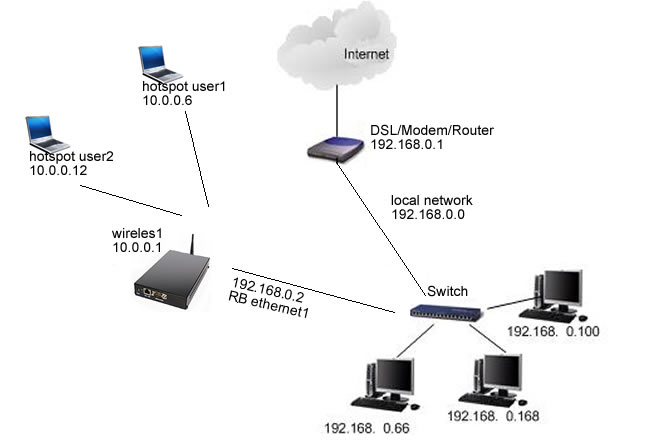
Ok. I have added the drawing of my network.

I am not very advanced with the Mikrotik firewall, so dont know exactly what should i input.
At the moment hotspot users that are using hotspot are able to ping and access local network adresses (192.168.0.0.)

I would like to disable it.

I have put default forwarding off ( on wireless AP), and now the hotspot users cannot ping each ohter anymore (10.0.0.0 network), but they are able to ping my local network (192.168.0.0).
I don’t know why and don’t know how to disable it.


Thank you
my_network.jpg

From the RouterOS device, post the output of “/ip firewall export” and “/ip address export” and I can give you a configuration to copy and paste.

Ok. here are the exports:

/ip firewall> export
# jul/16/2010 17:26:33 by RouterOS 4.10
# software id = ******
#
/ip firewall connection tracking
set enabled=yes generic-timeout=10m icmp-timeout=10s tcp-close-timeout=10s \
    tcp-close-wait-timeout=10s tcp-established-timeout=1d \
    tcp-fin-wait-timeout=10s tcp-last-ack-timeout=10s \
    tcp-syn-received-timeout=5s tcp-syn-sent-timeout=5s tcp-syncookie=no \
    tcp-time-wait-timeout=10s udp-stream-timeout=3m udp-timeout=10s
/ip firewall filter
add action=passthrough chain=unused-hs-chain comment=\
    "place hotspot rules here" disabled=yes
add action=accept chain=input comment=OpenVPN disabled=no dst-port=1192 \
    protocol=tcp
add action=accept chain=forward comment="" disabled=yes dst-address=\
    10.0.0.253 dst-port=5900 protocol=tcp
add action=drop chain=input comment="" disabled=no src-mac-address=\
    00:18:DE:BF:25:78
/ip firewall nat
add action=passthrough chain=unused-hs-chain comment=\
    "place hotspot rules here" disabled=yes
add action=masquerade chain=srcnat comment="masquerade hotspot network" \
    disabled=no src-address=10.0.0.0/24
/ip firewall service-port
set ftp disabled=no ports=21
set tftp disabled=no ports=69
set irc disabled=no ports=6667
set h323 disabled=no
set sip disabled=no ports=5060,5061
set pptp disabled=no


/ip address> export
# jul/16/2010 17:29:02 by RouterOS 4.10
# software id =*******
#
/ip address
add address=192.168.3.2/24 broadcast=255.255.255.0 comment="" disabled=no \
    interface=ether1 network=192.168.3.0
add address=10.0.0.1/24 broadcast=255.255.255.0 comment="" disabled=no \
    interface=hotspot_bridge network=10.0.0.0
/ip firewall filter
add chain=forward action=accept src-address=10.0.0.0/24 dst-address=192.168.3.1
add chain=forward action=drop src-address=10.0.0.0/24 dst-address=192.168.3.0/24

That should do it.

Thank you, but with this scenario the hotspot users will still be able to acces my ADSL-Router-Modem Page (192.168.3.1)?

Am I able to disable this as well?

Somehow I thought that was a requirement. Reading back through the thread it’s not.

/ip firewall filter
add chain=forward action=drop src-address=10.0.0.0/24 dst-address=192.168.3.0/24

There you go.

Maybe this:

/ip firewall filter
add chain=forward action=accept src-address=10.0.0.0/24 dst-address=192.168.3.1 protocol=icmp
add chain=forward action=drop src-address=10.0.0.0/24 dst-address=192.168.3.0/24

That way the Hotspot users can ping the modem - helps with troubleshooting.

Yes, this has helped. Now it works fine.

Thank you!

Hi, I am facing the same problems. Can you help me to prevent this. I have the very minimum knowledge about mikrotik. So I can’t explan the whole thing like you guy’s do. But I need the solution. Thank you all and sorry for my bad english.
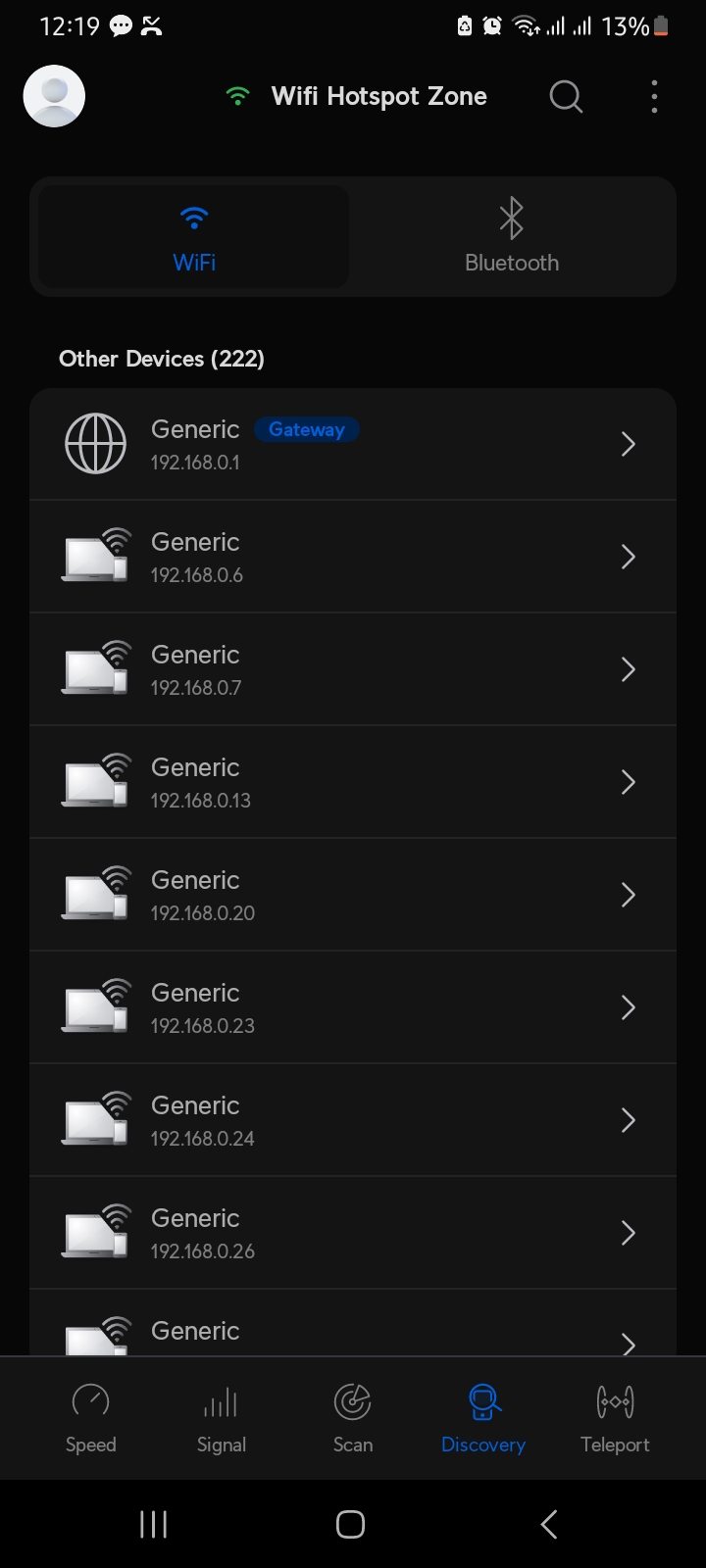
Screenshot_20230620_001953_WiFiman.jpg