Hello,
I hope this will be simple  ))
))
I need to redirect users who type www.test.com (or just test.com) in web browser, to be redirected to 192.168.x.x
thanks in advance
Hello,
I hope this will be simple ))
I need to redirect users who type www.test.com (or just test.com) in web browser, to be redirected to 192.168.x.x
thanks in advance
You can use this method: http://wiki.mikrotik.com/wiki/How_to_Block_Websites_%26_Stop_Downloading_Using_Proxy
You will need to specify redirect-to.
Could you not just set a static DNS entry?
perhaps I explained badly…
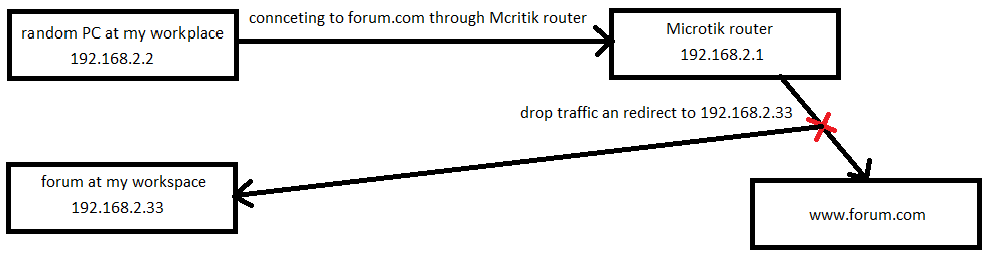
I installed forum on a local network PC (address: 192.168.2.33) and by typing this address in web browser you are entering this forum, but I want to change IP address with name (f.e. forum.com, this address already exists). So I thought, is it possible to drop request for “real” forum.com and redirect this request to 192.168.2.33 so by typing in web browser www.forum.com I could enter my forum which is in a local network (192.168.2.33).
This is exactly what I want to do.
So, you tell me how to do it.
If possible with CODE.
As TheWiFiGuy, already mentioned. If this possible for you to set static dns entry on your RouterOS? And let the Client use RouterOS dns server?
In this case you could set static dns entry on winbox :
ip/dns
or look at