I’ve recently grabbed a Rose Data Server (RDS2216) and hooked the 10G SPFs directly to my two proxmox hosts.
Running NVME over TCP to the nodes and then tested using local and shared storage.
As of writing, this Rose is currently hosting the mastodon (aus.social) and pixelfed (pixelfed.au) as well as other fediverse services!
note: I believe this 500MB/s~ is expected because the 10G SPF DAC is maxing out…. I’ve setup jumbo packets and that boosted by 10%… this would likely be better if I had 100G DACs (and even better once rose supports multipath for 200G links if you wanted to saturate the full 20 disks).
RoSE NVMe/TCP RAID5
Local NVMe RAID1
Local SSD RAID5 (ZFS with intel optane cache)
Random Read IOPS
27.4K
144K
159K
Random Read Latency
4,667µs
884µs
796µs
Random Write IOPS
42.5K
74.4K
87.6K
Random Write Latency
3,002µs
1,708µs
1,445µs
Sequential Read
597 MB/s
6,059 MB/s
5,342 MB/s
Single-thread Latency
234µs
69µs
67µs
Single-thread IOPS
4.0K
11.5K
11.8K
ioping Latency
486µs
273µ
337µs
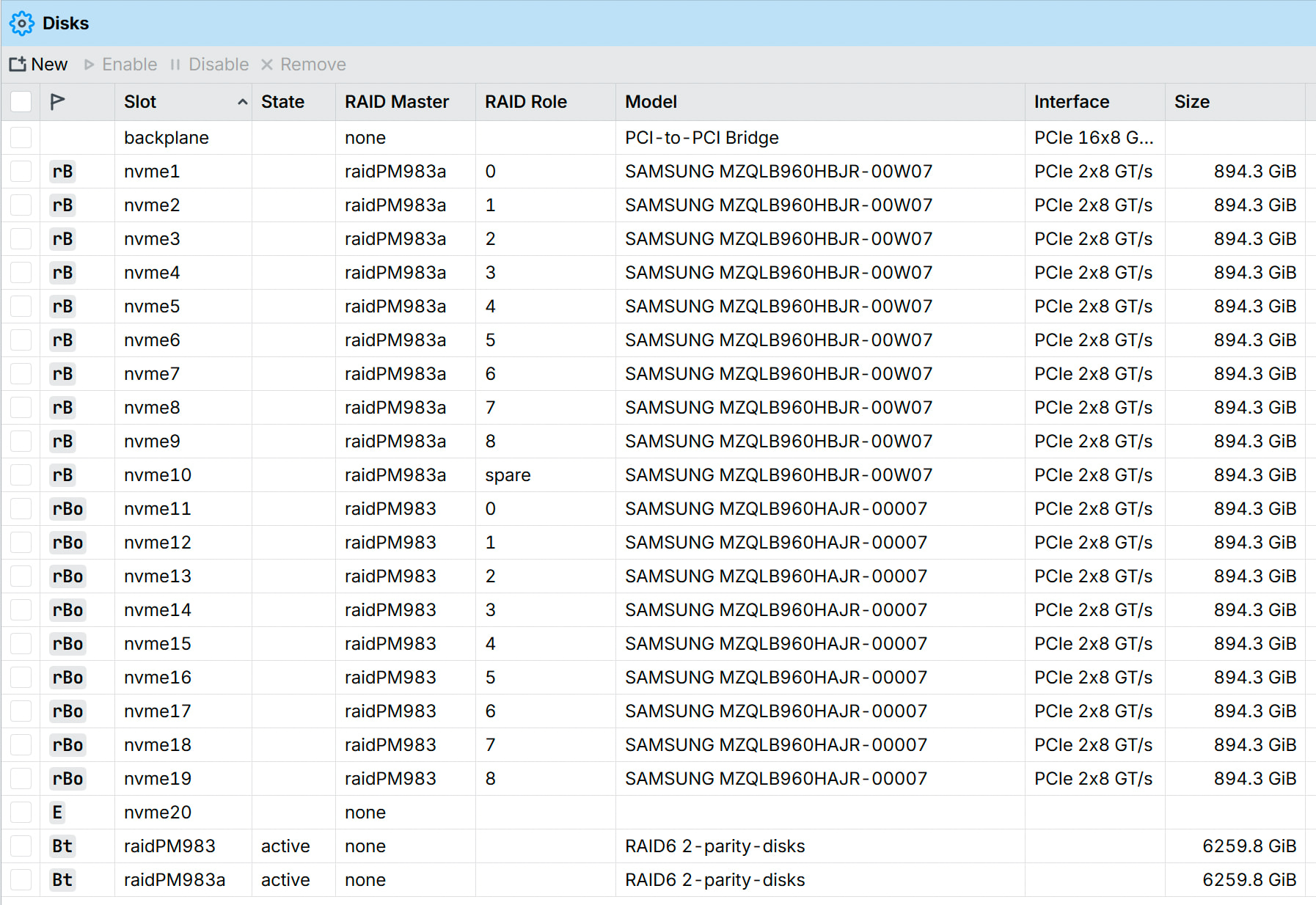
The disks are 8 x SAMSUNG 960GB PM983 Gen3 X4 NVME on a raid 5 + 2 marked as spares.
then the raid disk is served as a block device over NVME over TCP… my proxmox node formats the block with LVM (the nodes handle all of the LVM volume smarts).
In short, this performance is perfectly cromulent (the low latency is excellent). I’ve moved a bulk of my VMs OS disks (efi/cloudinit/etc) on proxmox and the node to node migrate is working perfectly without fault.
I have a little bit of the fear about putting all of my services on such a new service.. but I figure they will continue to improve the features over time… from a speed and stability perspective, so far I am very happy with it.
Very low cost but only basic storage features (it does one job).
Requests to staff:
I would rather a “storageOS“ mode that disables everything that I don’t care about.. and has improved features focused on storage.
Please release a 6-8 x 100Gbit SPF Switch that I can use as a dedicated storage switch (no routing required for this) - refresh CRS504-4XQ-IN maybe?
please support nvme over tcp - NVMe native multipathing (NVMe-MPIO) to Aggregate throughput from multiple NICs
Please add more monitoring/metrics/alerts for SMARTS + nvme disk health, nvme-over-tcp details/diagnostics.
Alerts on disk failures (snmp and email?).
Please consider supporting ZFS/bcachefs or other filesystems (I am not a btfs hater and it works nicely) - I’m using 2Gb of the 32GB memory. ZFS would work nicely with 16-24GB for cache.
Native LVM management (used by proxmox shared storage).
Native backup support to external storage (attached USB storage would be great).
The Rose product sheet mentions “clustering“.. but you never explain what kind?
The 2 x SFF 8644 (24G each) what’s the point of this? SATA expander?
Please create a seperate storage category in this forum.
If anybody is aware of tuning on the rose/proxmox host guest level.. please feel free to tell us!
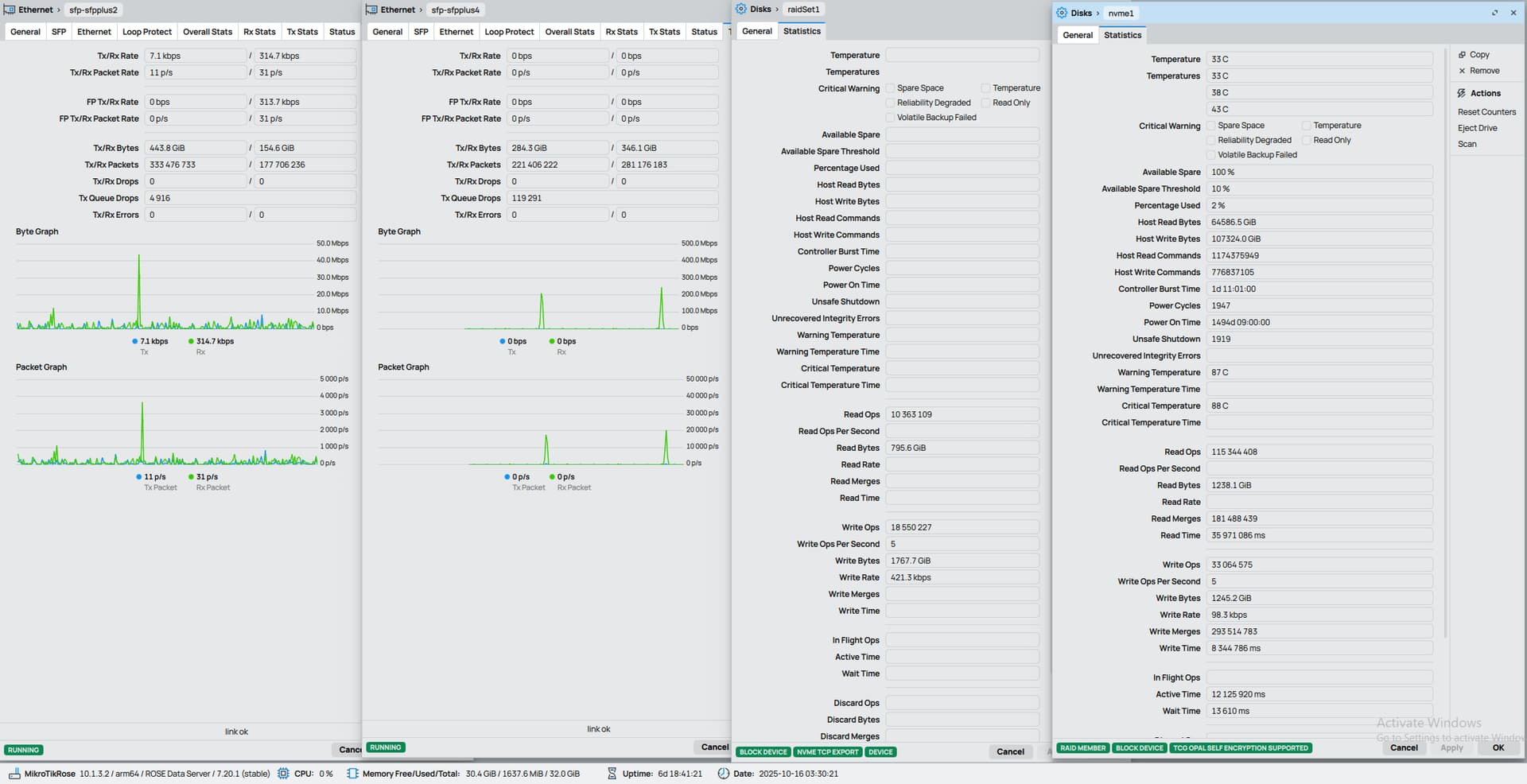
This is about as much information as you can currently get out of winbox.
the raid statistics need to be updated to show actual raid information.. and there isn’t much health information on the disks such as smart or nvme metadata available.
You might want to file some of your requests on the support site (https://mikrotik.com/support), as there is a feature request category.
You can use the "skins" feature to disable UI elements. You do this via webfig, but WinBox3 also supports them if configured (WinBox4 beta does not support skins yet). But this allow you remove a lot of the stuff you're not using.
I recall reading that & had no idea what they meant either. The router support VRRP and LACP/etc bonding, but that's not same as clustering in storage. It may be wishful thinking at present, but IDK.
and on top those.. I have a few more requests as somebody using the service.
regarding the SFF, I’d love to add a JBOD/rack of 3.5” disks for 12 x 30TB spinning disks for cold storage. and use the 20 x NVME for hot storage via “tiering” / fusion pools.
self-healing FS like ZFS or bcachefs
Replication/clustering locally vs remote backup.
native S3 support with winbox support (even if it bootstraps Garage/SeaweedFS/RustFS or similar services)
Metrics and performance telemetry (latency, IOPS, throughput, network metrics)
Ceph (I don't use it but people like it)
Considering i’m paying Wasabi for a lot of small S3 buckets. I’d love to see S3 added… I would use that for a ton of resources.
edit: I’ve updated my ticket with a specific ask for dm-cache, lvmcache, bcache or similar block level tiering/caching for NVME/spinning rust and even memory level caching. (and even dedupe and compression)
TLDR; I highly recommend a ROSE server as a shared storage solution with Proxmox Clusters.
Proxmox fixed a bug with the 512 to 4K sector issue I faced and for the last month I’ve been running hundreds of VMs on multiple proxmox clusters off the single ROSE server.
I filled the device with Samsung PM983 and PM983a (similar but the a doesn’t have opal native encryption) in 2 x RAID6 blocks (9 active + 1 spare so 3 disks need to fail in a row for the raid to die) served over NVME-over-TCP.
So far so good. Good performance, good stability…
As I’ve said above, I hope they spend more time to the development of the storage subsystems, regardless, if they never add a single new feature to the ROSE, it does one job well.
Currently running 2x Micron U2 and 2x Samsung Evo M.2 (w/ adapters) - Garage in container mounted as JuiceFS K8s CSI. All good, stable, fast.
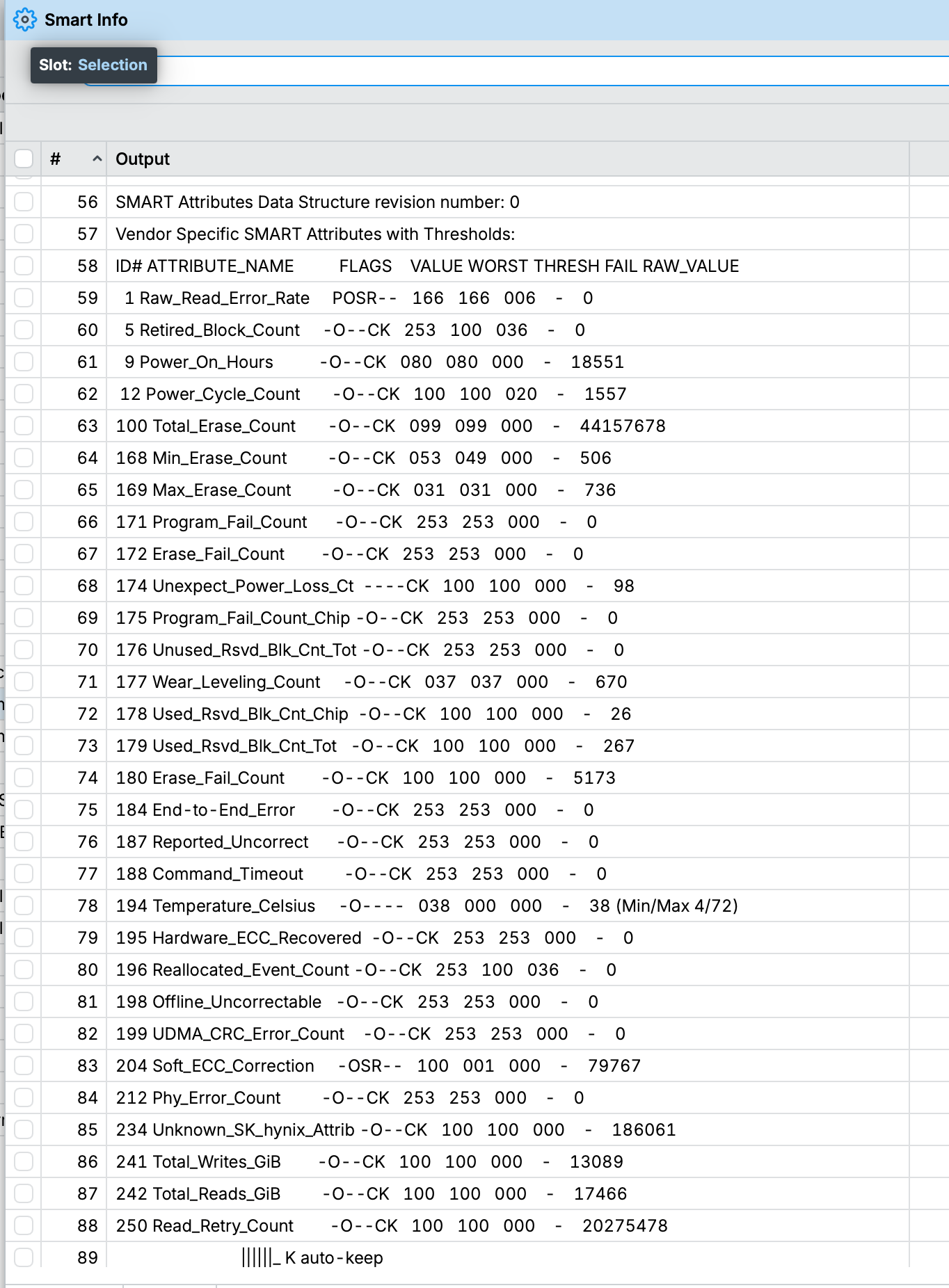
However, lack of SMARTs is bit worrying for a long-term. Having to pull disk out every couple months to check on health is .... going to be annoying. Especially for more disks. Is there any plan / update / progress on exposing SMART metrics please?
I believe NVME has a nicer "smart" which is easier on the eyes (more human readable)... so I'd like to see these passed to the client at least.
EXAMPLE: PROXMOX NVME Drive.
SMART/Health Information (NVMe Log 0x02, NSID 0xffffffff)
Critical Warning: 0x00
Temperature: 61 Celsius
Available Spare: 100%
Available Spare Threshold: 10%
Percentage Used: 4%
Data Units Read: 410,829,986 [210 TB]
Data Units Written: 340,055,086 [174 TB]
Host Read Commands: 15,951,547,372
Host Write Commands: 4,526,265,391
Controller Busy Time: 16,054
Power Cycles: 70
Power On Hours: 20,146
Unsafe Shutdowns: 23
Media and Data Integrity Errors: 0
Error Information Log Entries: 0
Warning Comp. Temperature Time: 131
Critical Comp. Temperature Time: 1