route internet traffic only for a device trough site2site VPN

Hi all,

I have setup a site2site vpn with wireguard and everything work smoothly. Both side can ping and all the traffic is routed without problem.
I want to route my internet traffic from a device in my LAN through a wireguard site2site VPN tunnel without success. I want that this device will use the remote gateway internet connection instead of my local LAN
My actual configuration is:

Router Mikrotik (Wireguard server): 192.168.1.1 / (WG address 172.16.11.1)
Wireguard peer in my remote site: WG 172.16.11.254 - 10.1.0.254 (Remote LAN address)
Device to route is: 192.168.1.100

On the WG peer I add the masquerade rule (enp0s3 is my ethernet card with internet outbound capabilities):

PostUp = iptables -t nat -I POSTROUTING 1 -s 192.168.1.100/32 -o enp0s3 -j MASQUERADE

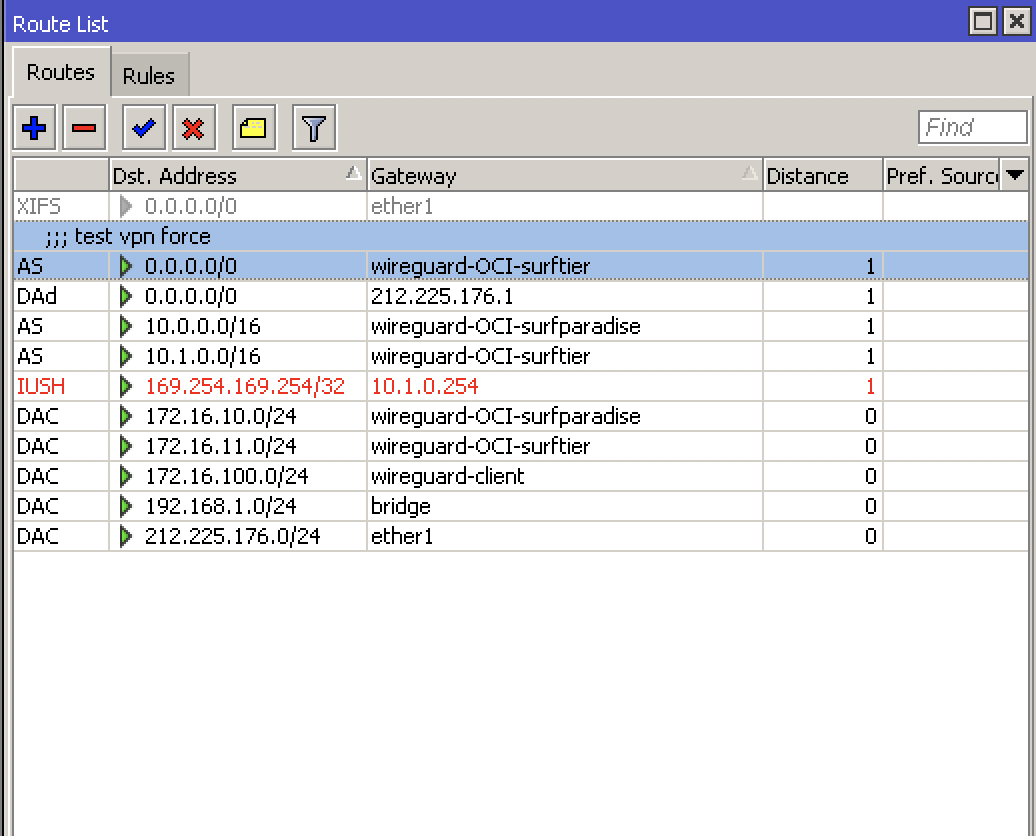
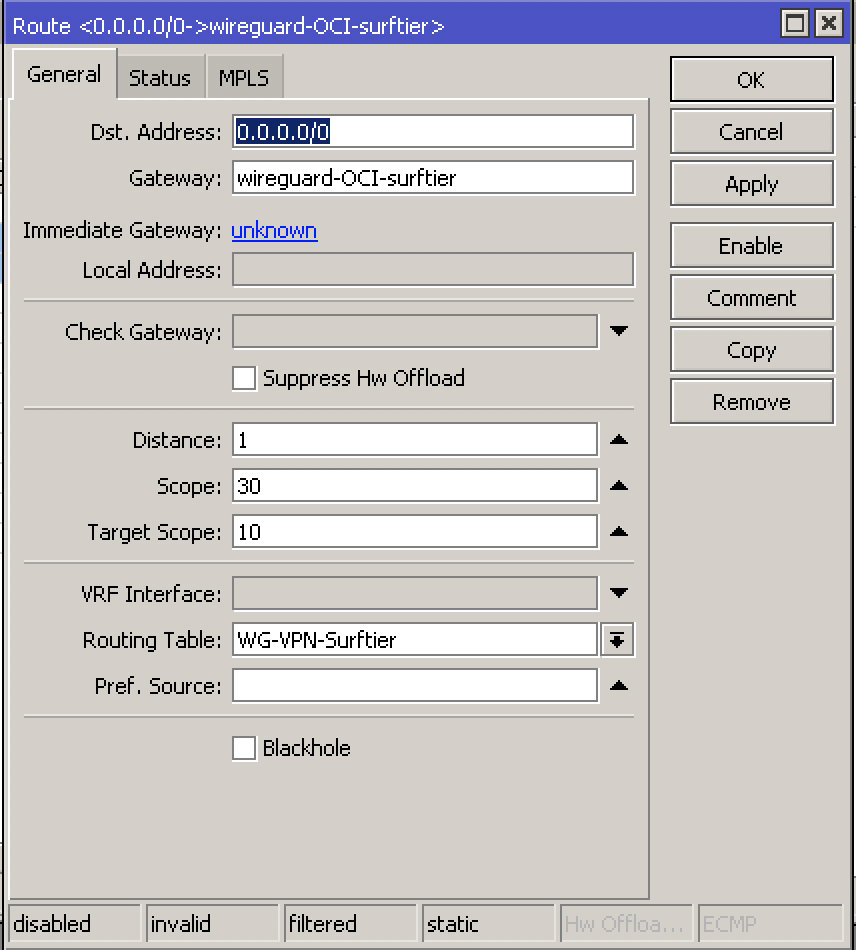
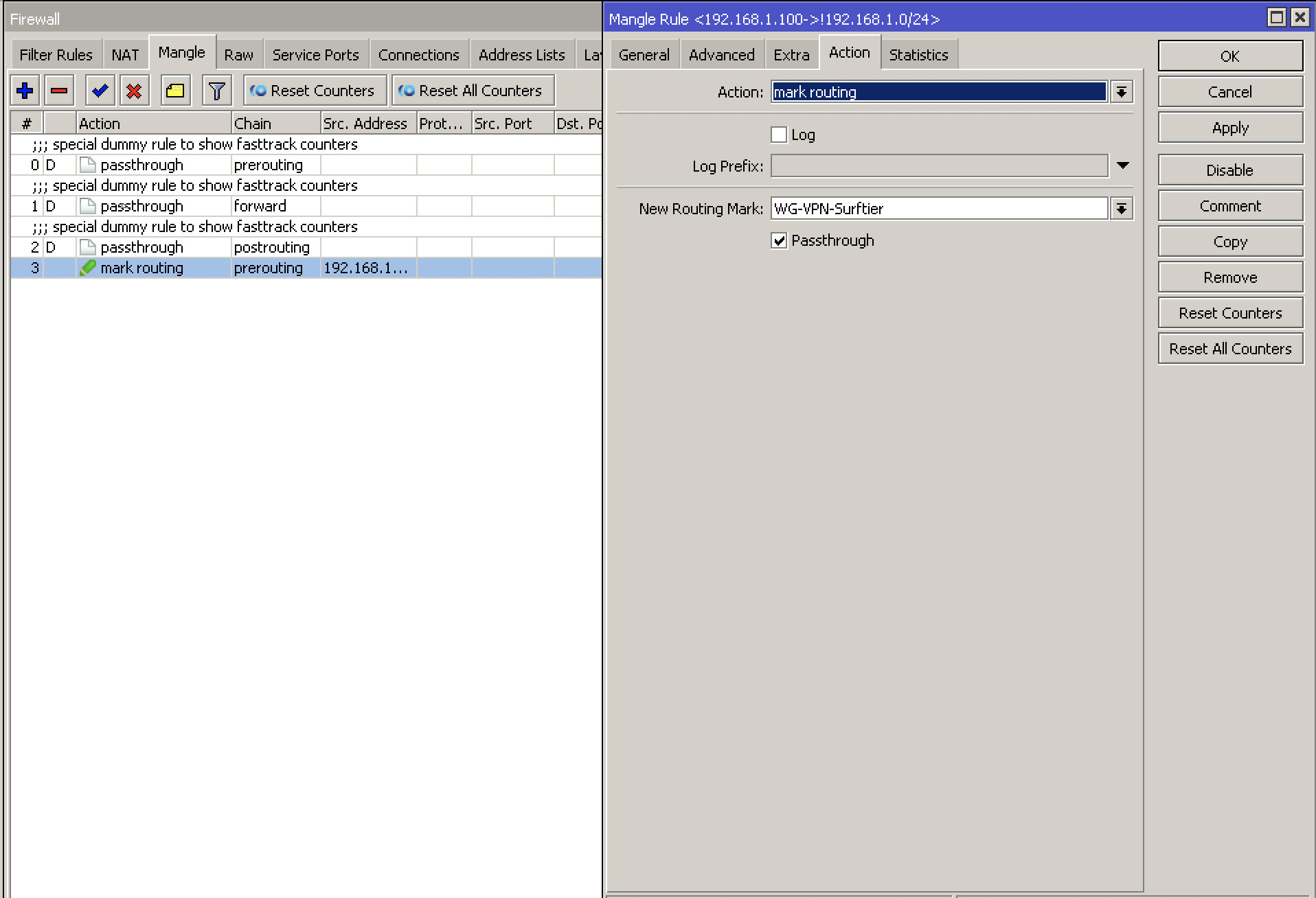
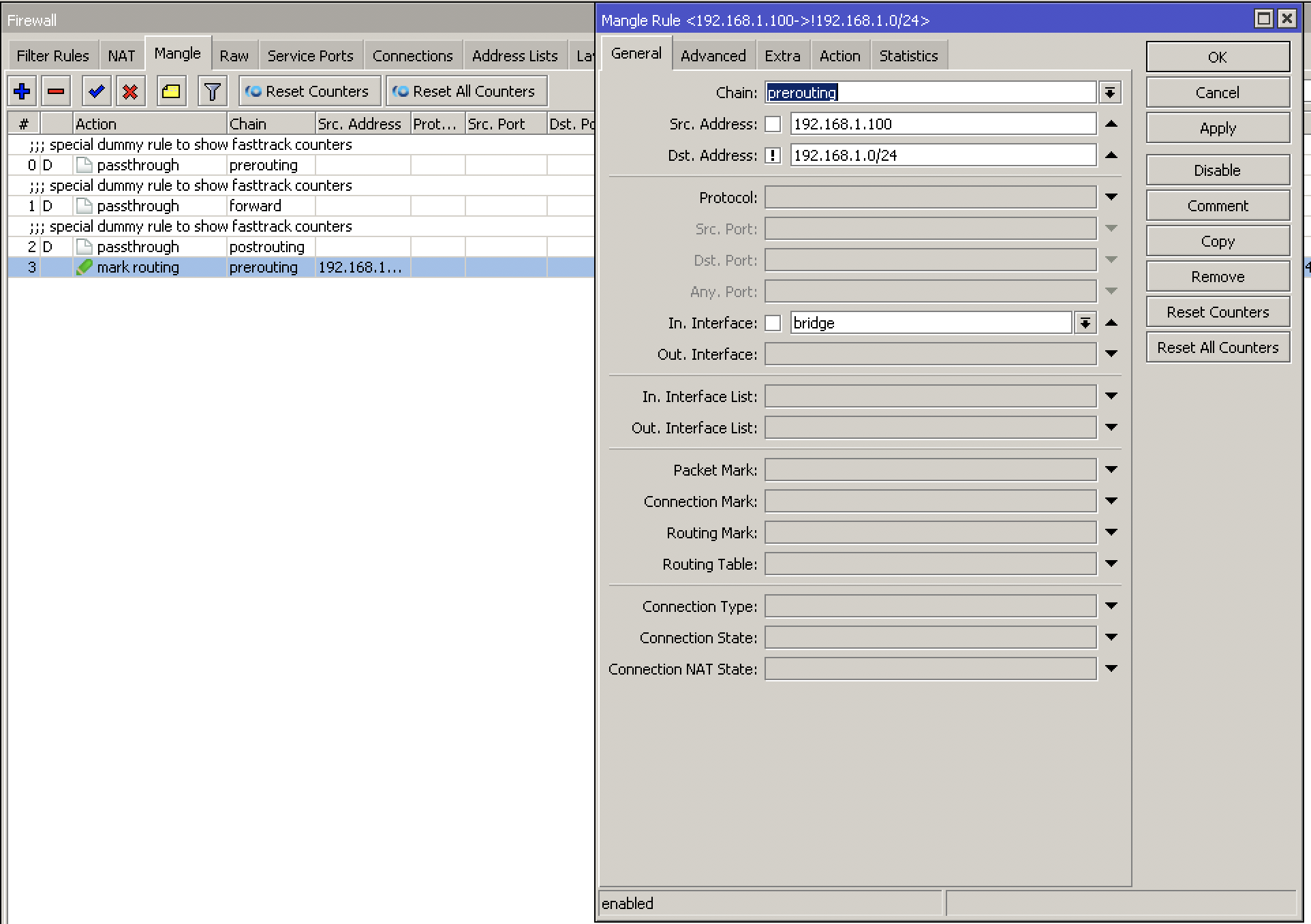
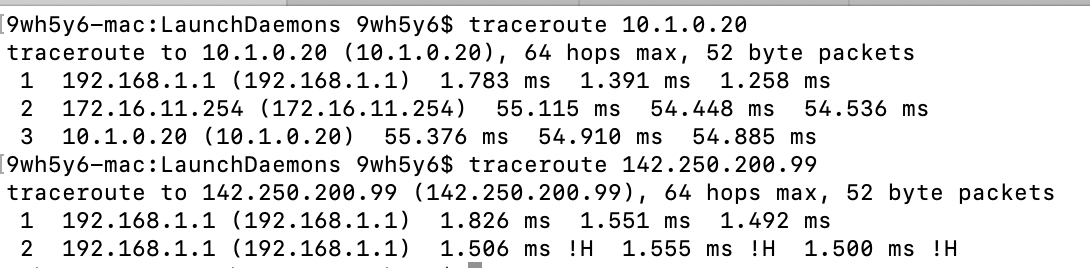
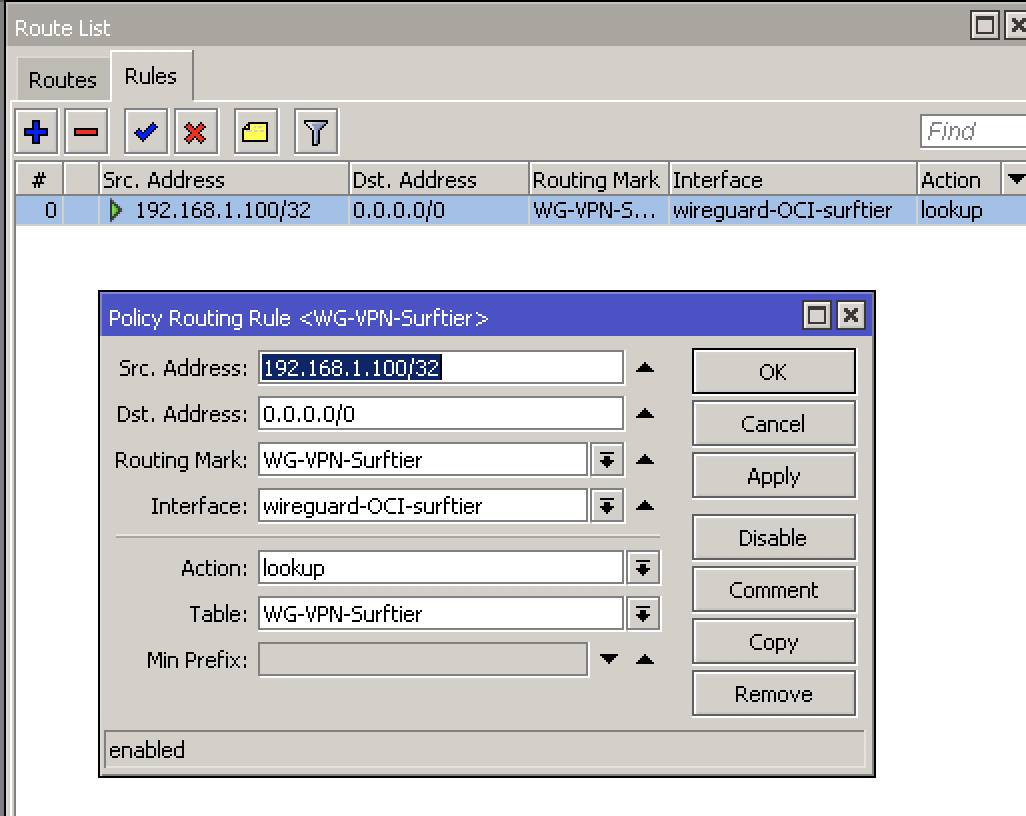
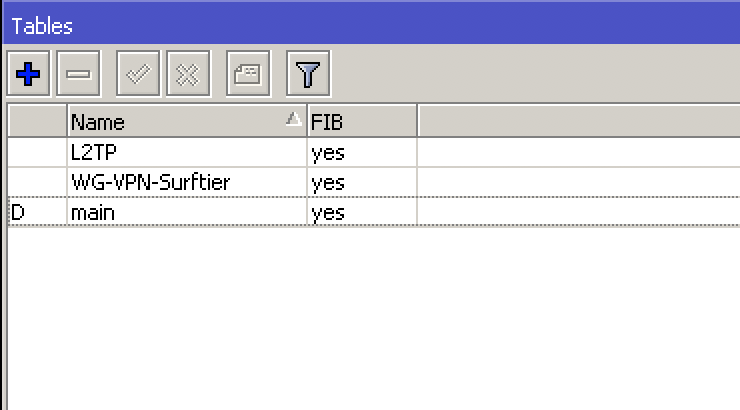
I configured a mangle to mark my traffic from 192.168.1.100 and a route policy that take this traffic on a secondary route table and route it through the interface of the tunnel. I can ping my remote devices, but the 0.0.0.0/0 traffic is not routed into the tunnel (the traceroute command output is attached)
Could you help me please?
Thanks
Screenshot 2022-02-04 at 13.58.47.png
Screenshot 2022-02-04 at 13.58.23.png
Screenshot 2022-02-04 at 13.57.59.png
Screenshot 2022-02-04 at 13.59.17.png
Screenshot 2022-02-04 at 13.59.09.png
Screenshot 2022-02-04 at 14.03.01.png
Screenshot 2022-02-04 at 13.59.44.png
Screenshot 2022-02-04 at 13.57.44.png

Does your WG tunnel allow this traffic? Check allowed-address in peer’s config.

Yes, I don’t have any problems to ping my remote devices on the vpn site.

[Interface]
PrivateKey = xxxxxxxxxx
Address = 172.16.11.254/32
#ListenPort = 1240

PostUp = iptables -t nat -I POSTROUTING 1 -s 192.168.1.100 -o enp0s3 -j MASQUERADE
PreDown = iptables -t nat -D POSTROUTING 1 -s 192.168.1.100 -o enp0s3 -j MASQUERADE


[Peer]
PublicKey = xxxxxxxxx
AllowedIPs = 172.16.0.0/16, 10.1.0.0/16, 10.0.0.0/16, 192.168.1.0/24
Endpoint = xxxxxxxxxx:1240
PersistentKeepalive = 25

That’s not the question, I meant config on RB:

/interface/wireguard/peers/export

The peer should have allowed-address=0.0.0.0/0.

Ahhhhhh… got it!

The peer interface on the Mikrotik!

…Now everything works as expected! Thank you very much man!!

On MikroTik router, open Terminal and run the command.

yes thanks!

What about security concern? Do yo have any suggestion? My iptables right now on the remote nat gateway are completely “open”.

sudo iptables -t nat -L --line-numbers -n
Chain PREROUTING (policy ACCEPT)
num target prot opt source destination

Chain INPUT (policy ACCEPT)
num target prot opt source destination

Chain OUTPUT (policy ACCEPT)
num target prot opt source destination

Chain POSTROUTING (policy ACCEPT)
num target prot opt source destination
1 MASQUERADE all – 192.168.1.100 0.0.0.0/0

You can get some ideas here: https://forum.mikrotik.com/viewtopic.php?t=180838

You’d need to convert rules to iptables, which is not difficult, because it’s pretty much the same thing (RouterOS is based on Linux), only syntax is slightly different.