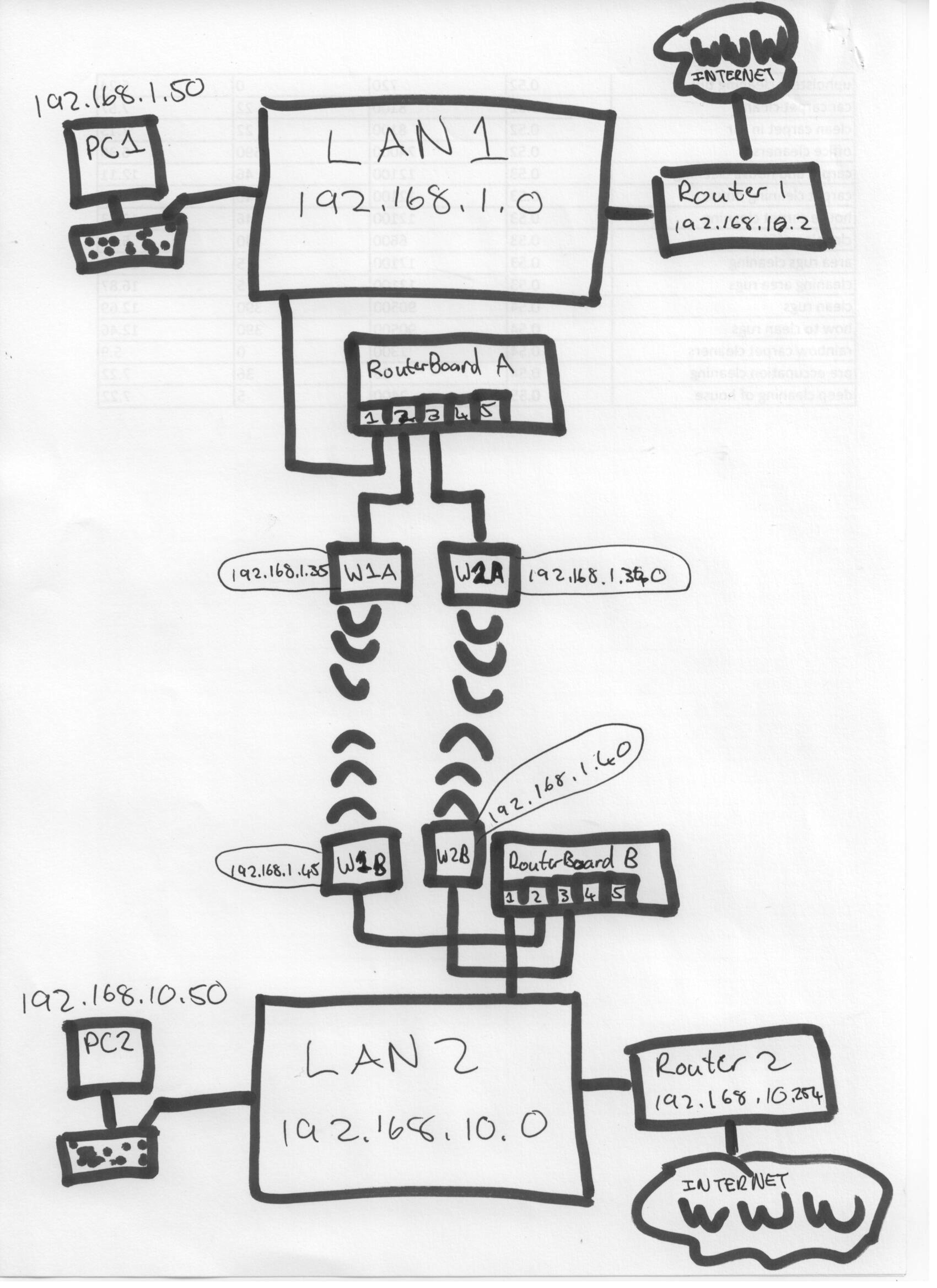
There are two separate networks (192.168.1.0 and 192.168.10.0) they are connect with two wireless links that need to be bridged so act as one, so the utilize all available bandwidth of both and the link stays active if one fails.
I have each RouterBOARD connected as follows
Port 1: LAN
Port 2: Wireless Link1
Port 3: Wireless Link2
Each LAN has is own default gateway separate from this.
If computer for example 192.168.1.50 on LAN1 wants to connect to 192.168.10.50 on LAN2 they should be able to.
That will take care of bonding the wireless connections. In order for 192.168.1.x to access 192.168.10.x on the other side, is the only way to change the Subnet Masks from 255.255.255.0 to 255.255.0.0? Is there as clever way to do that with the routers?