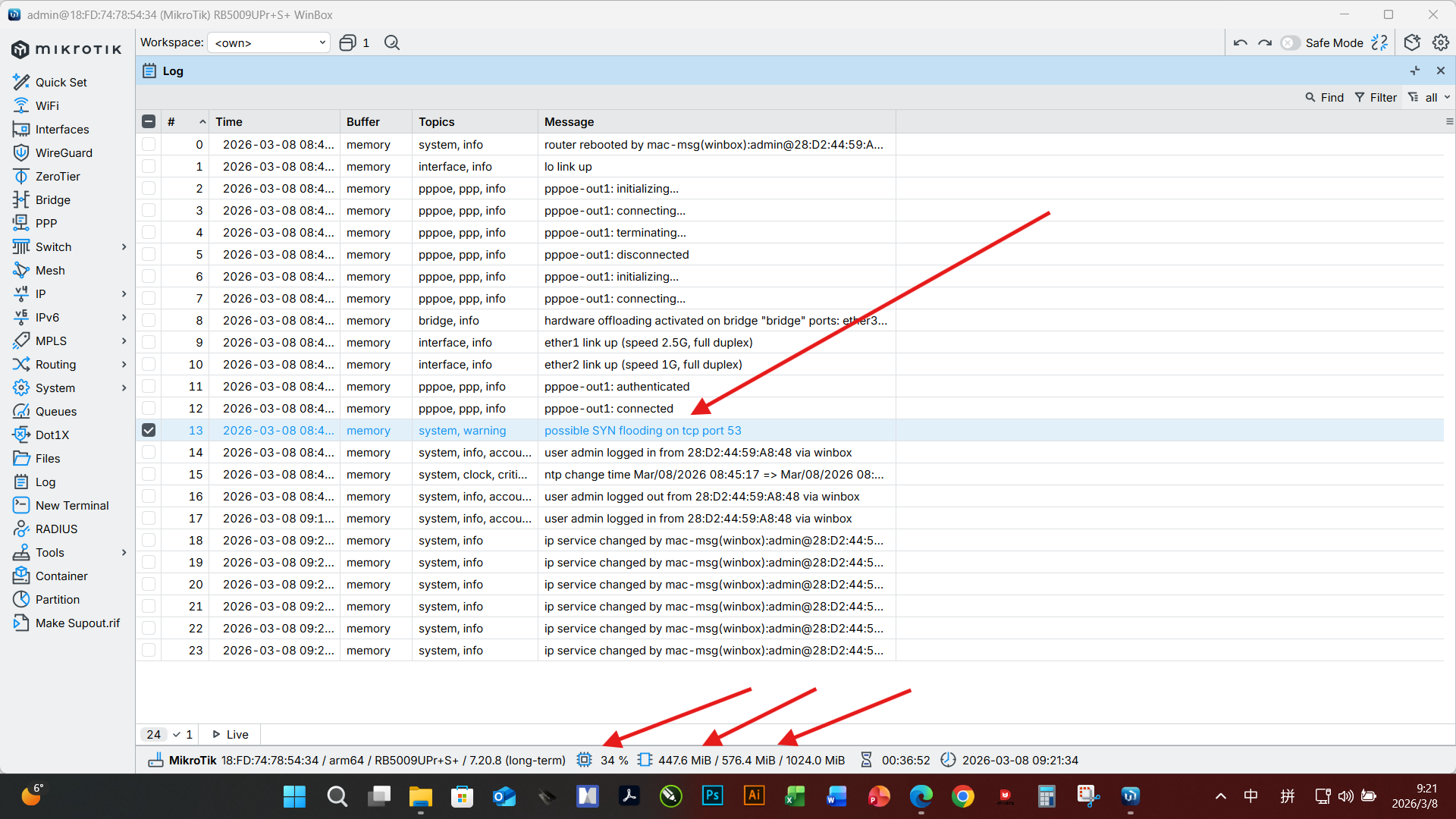
2026-03-08 09:34:53 by RouterOS 7.20.8
software id =**********
model = RB5009UPr+S+
serial number = **********
/interface bridge
add admin-mac=::::: auto-mac=no comment=defconf name=bridge
/interface pppoe-client
add add-default-route=yes disabled=no interface=ether1 name=pppoe-out1 user=
************
/interface list
add comment=defconf name=WAN
add comment=defconf name=LAN
/interface lte apn
set [ find default=yes ] use-peer-dns=no
/ip pool
add name=dhcp ranges=172.17.38.102-172.17.243.51
/ip dhcp-server
add address-pool=dhcp interface=bridge name=defconf
/ipv6 dhcp-server
add comment="defconf: local LAN ULA IPv6 DHCP server Adapt to subordinate dist
_ribution of IPv6" interface=bridge name=IPv6_LAN_DHCP_Server
prefix-pool=IPv6_Prefix_Pool_From_ISP
/disk settings
set auto-media-interface=bridge auto-media-sharing=yes auto-smb-sharing=yes
/interface bridge port
add bridge=bridge comment=defconf interface=ether2
add bridge=bridge comment=defconf interface=ether3
add bridge=bridge comment=defconf interface=ether4
add bridge=bridge comment=defconf interface=ether5
add bridge=bridge comment=defconf interface=ether6
add bridge=bridge comment=defconf interface=ether7
add bridge=bridge comment=defconf interface=ether8
add bridge=bridge comment=defconf interface=sfp-sfpplus1
/ip neighbor discovery-settings
set discover-interface-list=LAN
/interface list member
add comment=defconf interface=bridge list=LAN
add comment=defconf interface=ether1 list=WAN
add interface=pppoe-out1 list=WAN
/ip address
add address=172.17.0.1/16 comment=defconf interface=bridge network=172.17.0.0
/ip dhcp-client
add comment=defconf disabled=yes interface=ether1 use-peer-dns=no
/ip dhcp-server network
add address=172.17.0.0/16 comment=defconf dns-server=172.17.0.1 gateway=
172.17.0.1 netmask=16
/ip dns
set allow-remote-requests=yes servers=
1.1.1.1,1.0.0.1,2606:4700:4700::1111,2606:4700:4700::1001
/ip dns static
add address=172.17.0.1 comment=defconf name=router.lan type=A
/ip firewall filter
add action=accept chain=input comment=
"defconf: accept established,related,untracked" connection-state=
established,related,untracked
add action=drop chain=input comment="defconf: drop invalid" connection-state=
invalid
add action=accept chain=input comment="defconf: accept ICMP" protocol=icmp
add action=accept chain=input comment=
"defconf: accept to local loopback (for CAPsMAN)" dst-address=127.0.0.1
add action=drop chain=input comment="defconf: drop all not coming from LAN"
in-interface-list=!LAN
add action=accept chain=forward comment="defconf: accept in ipsec policy"
ipsec-policy=in,ipsec
add action=accept chain=forward comment="defconf: accept out ipsec policy"
ipsec-policy=out,ipsec
add action=fasttrack-connection chain=forward comment="defconf: fasttrack"
connection-state=established,related hw-offload=yes
add action=accept chain=forward comment=
"defconf: accept established,related, untracked" connection-state=
established,related,untracked
add action=drop chain=forward comment="defconf: drop invalid"
connection-state=invalid
add action=drop chain=forward comment=
"defconf: drop all from WAN not DSTNATed" connection-nat-state=!dstnat
connection-state=new in-interface-list=WAN
/ip firewall mangle
add action=change-mss chain=forward comment=
"IPv4 Change MSS to PMTU, make HTTPS happy" new-mss=clamp-to-pmtu
protocol=tcp tcp-flags=syn
/ip firewall nat
add action=masquerade chain=srcnat comment="defconf: masquerade"
ipsec-policy=out,none out-interface-list=WAN
/ip upnp interfaces
add interface=bridge type=internal
add interface=pppoe-out1 type=external
/ipv6 address
add address=::1 comment="defconf: Assign LAN address From Pool" from-pool=
IPv6_Prefix_Pool_From_ISP interface=bridge
/ipv6 dhcp-client
add comment="defconf: Create DHCPv6 client on PPPoE interface" interface=
pppoe-out1 pool-name=IPv6_Prefix_Pool_From_ISP pool-prefix-length=56
prefix-hint=::/56 request=address,prefix use-peer-dns=no
/ipv6 firewall address-list
add address=::/128 comment="defconf: unspecified address" list=bad_ipv6
add address=::1/128 comment="defconf: lo" list=bad_ipv6
add address=fec0::/10 comment="defconf: site-local" list=bad_ipv6
add address=::ffff:0.0.0.0/96 comment="defconf: ipv4-mapped" list=bad_ipv6
add address=::/96 comment="defconf: ipv4 compat" list=bad_ipv6
add address=100::/64 comment="defconf: discard only " list=bad_ipv6
add address=2001:db8::/32 comment="defconf: documentation" list=bad_ipv6
add address=2001:10::/28 comment="defconf: ORCHID" list=bad_ipv6
add address=3ffe::/16 comment="defconf: 6bone" list=bad_ipv6
/ipv6 firewall filter
add action=accept chain=input comment=
"defconf: accept established,related,untracked" connection-state=
established,related,untracked
add action=drop chain=input comment="defconf: drop invalid" connection-state=
invalid
add action=accept chain=input comment="defconf: accept ICMPv6" protocol=
icmpv6
add action=accept chain=input comment="defconf: accept UDP traceroute"
dst-port=33434-33534 protocol=udp
add action=accept chain=input comment=
"defconf: accept DHCPv6-Client prefix delegation." dst-port=546 protocol=
udp src-address=fe80::/10
add action=accept chain=input comment="defconf: accept IKE" dst-port=500,4500
protocol=udp
add action=accept chain=input comment="defconf: accept ipsec AH" protocol=
ipsec-ah
add action=accept chain=input comment="defconf: accept ipsec ESP" protocol=
ipsec-esp
add action=accept chain=input comment=
"defconf: accept all that matches ipsec policy" ipsec-policy=in,ipsec
add action=drop chain=input comment=
"defconf: drop everything else not coming from LAN" in-interface-list=
!LAN
add action=fasttrack-connection chain=forward comment="defconf: fasttrack6"
connection-state=established,related
add action=accept chain=forward comment=
"defconf: accept established,related,untracked" connection-state=
established,related,untracked
add action=drop chain=forward comment="defconf: drop invalid"
connection-state=invalid
add action=drop chain=forward comment=
"defconf: drop packets with bad src ipv6" src-address-list=bad_ipv6
add action=drop chain=forward comment=
"defconf: drop packets with bad dst ipv6" dst-address-list=bad_ipv6
add action=drop chain=forward comment="defconf: rfc4890 drop hop-limit=1"
hop-limit=equal:1 protocol=icmpv6
add action=accept chain=forward comment="defconf: accept ICMPv6" protocol=
icmpv6
add action=accept chain=forward comment="defconf: accept HIP" protocol=139
add action=accept chain=forward comment="defconf: accept IKE" dst-port=
500,4500 protocol=udp
add action=accept chain=forward comment="defconf: accept ipsec AH" protocol=
ipsec-ah
add action=accept chain=forward comment="defconf: accept ipsec ESP" protocol=
ipsec-esp
add action=accept chain=forward comment=
"defconf: accept all that matches ipsec policy" ipsec-policy=in,ipsec
add action=drop chain=forward comment=
"defconf: drop everything else not coming from LAN" in-interface-list=
!LAN
/ipv6 firewall mangle
add action=change-mss chain=forward comment=
"IPv6 Change MSS to PMTU, make HTTPS happy" new-mss=clamp-to-pmtu
protocol=tcp tcp-flags=syn
/ipv6 nd
set [ find default=yes ] disabled=yes
add interface=bridge
/system clock
set time-zone-name=Asia/Shanghai
/system ntp client
set enabled=yes
/system ntp client servers
add address=ntp1.nim.ac.cn
add address=ntp2.nim.ac.cn
add address=ntp.ntsc.ac.cn
add address=0.pool.ntp.org
add address=1.pool.ntp.org
add address=2.pool.ntp.org