AFAIU the CPU-Port is called the same as the bridge. This is very confusing, MT should have named this “CPU-Port” or something.
Short explanation:
-
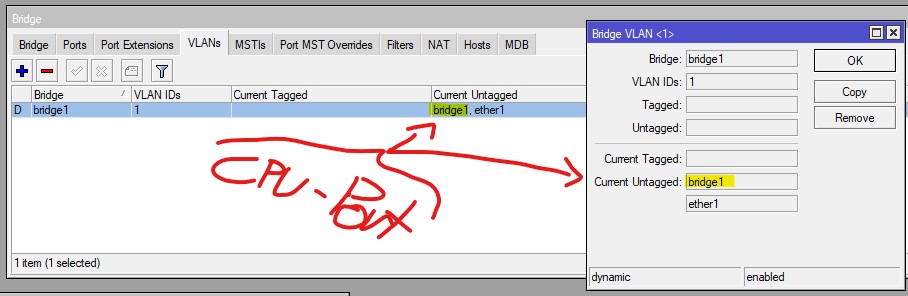
If the CPU-Port is set untagged, this is the only way to communicate with the Bridge Interface (itself) and services “behind”, like DHCP, NTP… In this state “bridge1” is CPU-Port and Interface.
-
If the CPU-Port is set tagged, you will need a dedicated VLAN-Interface - bound to the bridge. But you wont be able to connect to the Bridge Interface itself! Services behind are reached through this dedicated VLAN-interface via the CPU-Port (called “bridge1”, but this refers to the CPU-Port only - not to the Bridge as dedicated Interface).
Long explanation:
Default settings without any VLAN-Interfaces, the Bridge is CPU-Port and Interface at the same time:
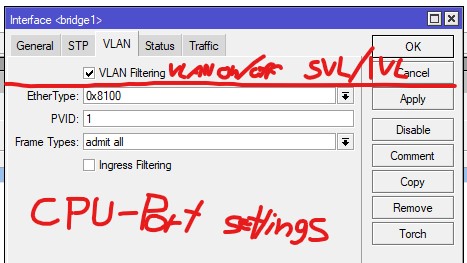
DHCP will work:
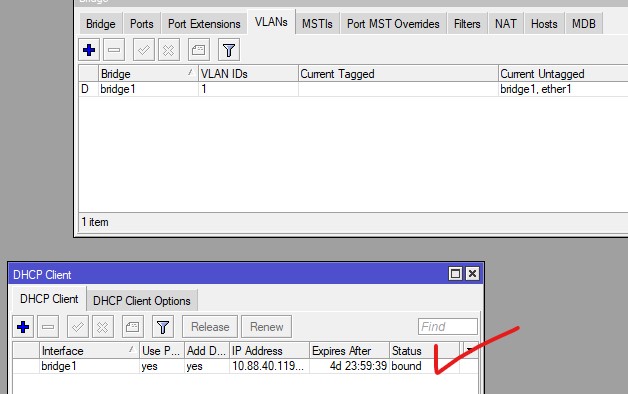
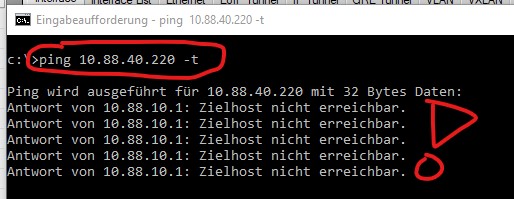
Same settings, changing to “tagged only” results in a total connectivity lost:
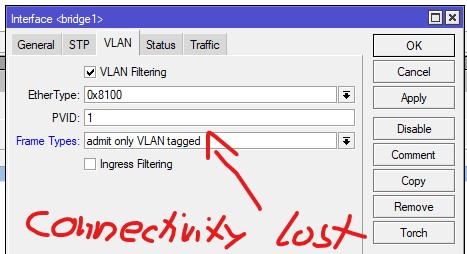
Now, the ingress-setting filters all tagless/untagged traffic, but the Frames get tagless/untagged forwarded to the Bridge-Interface+CPU-Port (as defined in the first picture).
Now we change the VLAN-setting, placing the CPU-Port into tagged state:
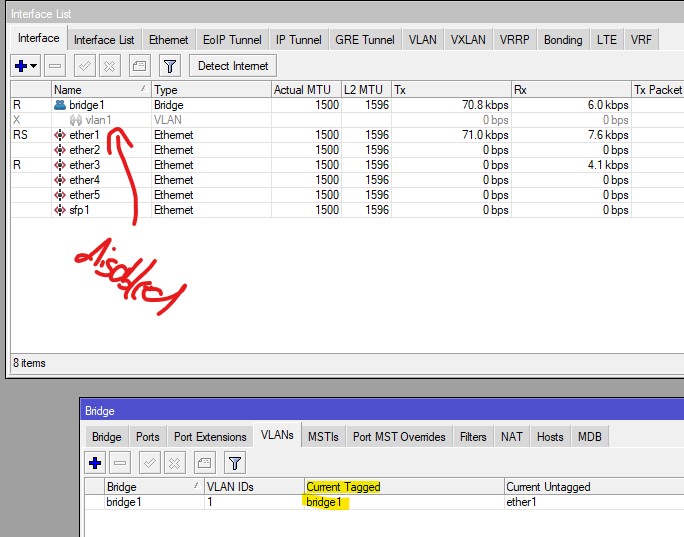
At this point the connectivity is lost as well!
For my understanding the bridge itself (as Interface AND CPU-Port) can work only untagged.
Why was the connectivity lost? Via the PVID the ingressing frame gets its (internal) tag. Via the VLAN-tab the bridge/CPU-Port is egressed tagged as well… I see no other conclusion, the bridge-interface+CPU-Port works only untagged.
Now, we enable/create a VLAN-Interface, bound to the bridge:
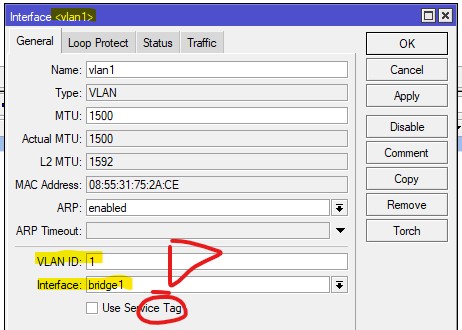
And suddenly, in a mysterious way, everything works again:
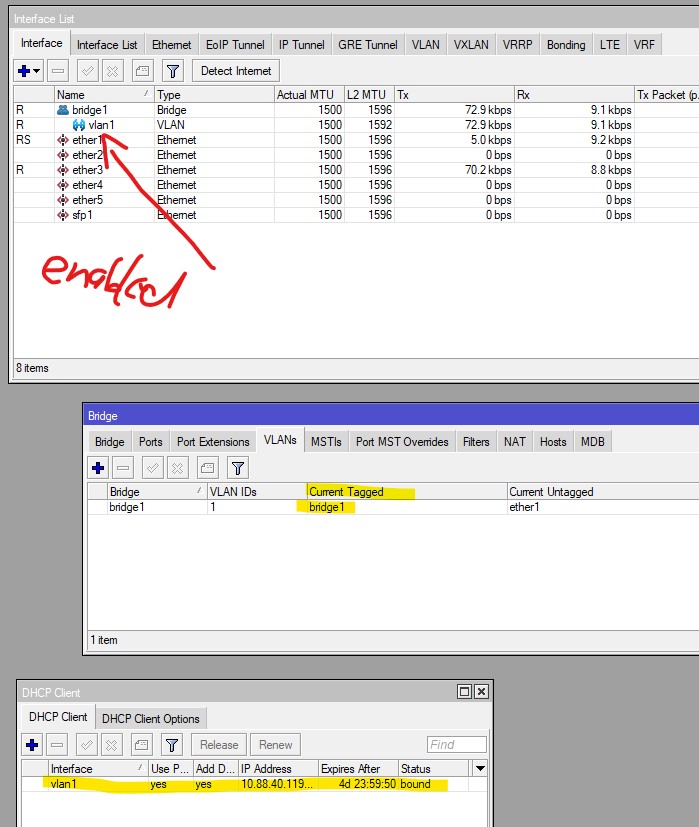
To me, it seems the way you place the bridge/CPU-Port into tagged or untagged state triggers something:
CPU-Port/bridge = untagged → in this state, the only working settings (in the bridge/VLAN) menu are “admit all” and “admit only untagged…”. This refers to the Interface and the CPU-Port.
CPU-Port/bridge = tagged → in this state, the bridge-interface itself wont work anymore (because the frame to it are tagged). The only working settings are “admit all” and “admit only tagged…”. But they refer to the CPU-Port only (as the Bridge-Interface isnt reachable anymore) → VLAN-Interfaces bound to the bridge.
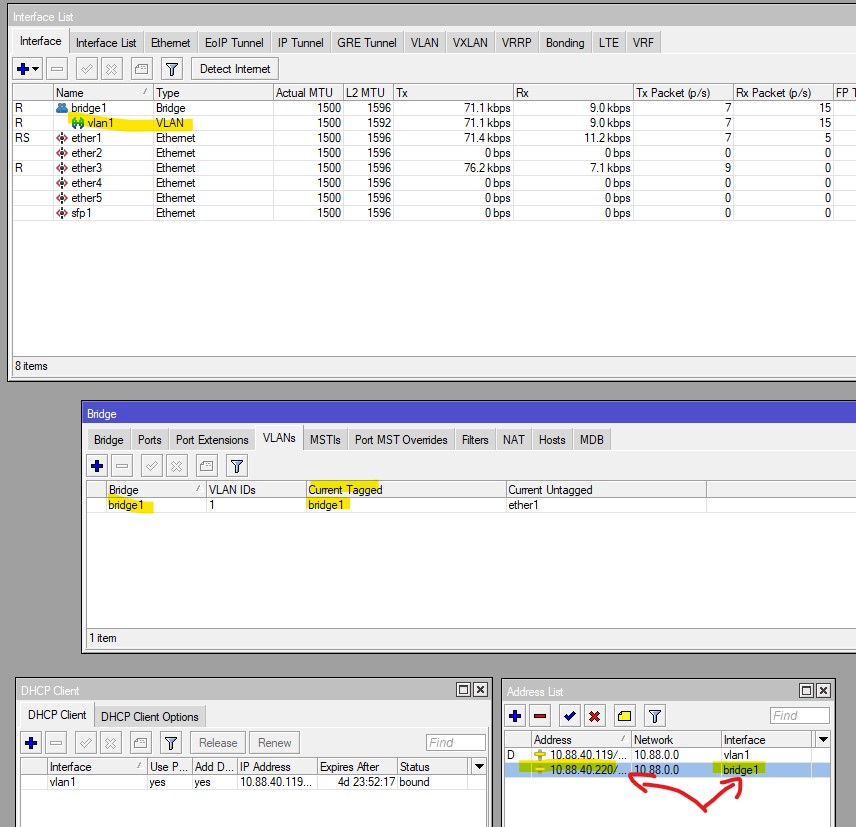
And this is very confusing to me and to all I have spoken! I dont understand why MT has created such a “Frankenstein-like” monster as their VLAN-Implentation. I have never seen such a complicated way (and undocumented too) by any other vendor.
Id recommend simply not to deal with the Bridge as dedicated Interface. Simply create VLAN-interfaces, bound them to the bridge and see the “bridge itself” as CPU-Port (under Bridge → VLAN).