I recently established a S2S IPsec VPN tunnel between 2 Mikrotik routers.
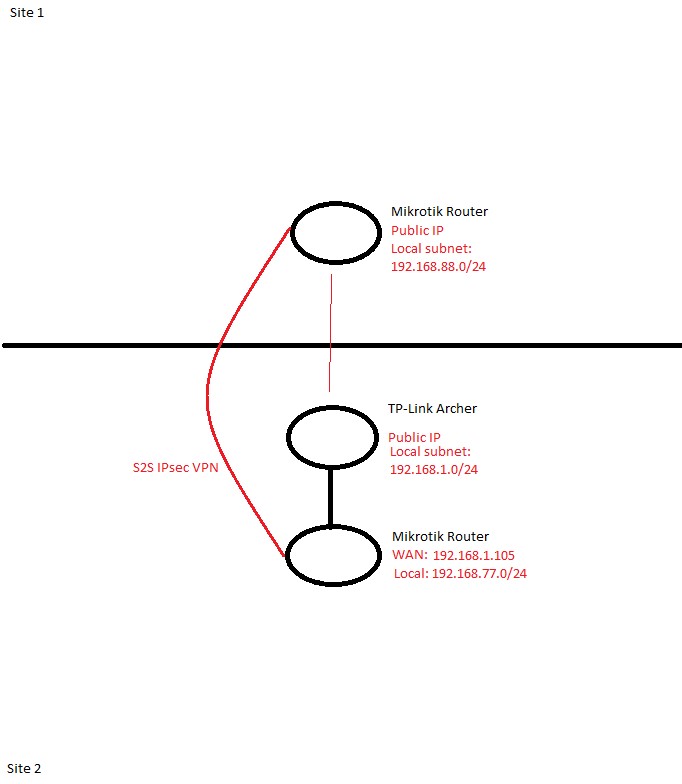
On main site Mikrotik is a primary router with a Public inet, and on other site Mikrotik is behind a TP-Link Archer (SIM card inet).
I will add basic sheme of a network bellow.
I would like to know 2 things, because I am still considering which one to choose: - What are the steps to to route all traffic from remote site to main site? - How to route only few devices to a remote site?
For instance, I have a TV on a remote site, and I would like to route its traffic via main site.
To go into details, I want one program to be visible as it is located on a main site although it is actually on a remote site (different country).
A remark: A S2S is working fine and I can normally access devices on a remote site.
Now the tracert from a remote site is:
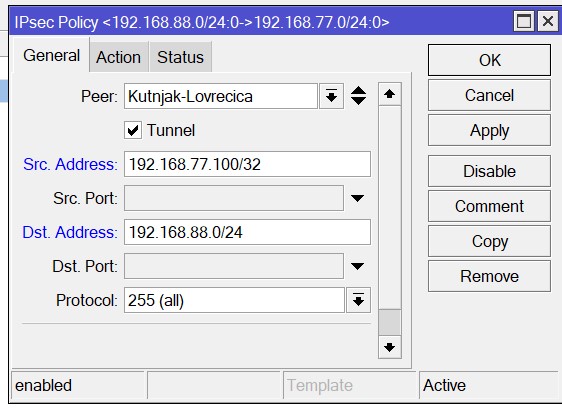
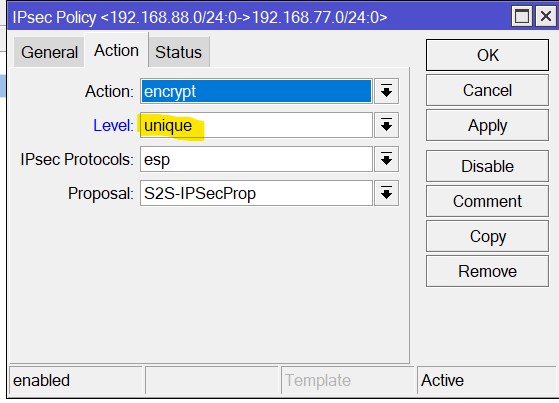
If you have plain IPSec, then what goes in tunnel is controlled by policies and it’s not very flexible. Let’s say you want to tunnel traffic to internet from 192.168.77.100, for that you’d need policy for 192.168.77.100/32 ↔ 0.0.0.0/0 (use level=unique for all), but it’s just like that, static with no easy exceptions. If that’s ok, good.
If not and you’d rather have something more dynamic, then instead of plain IPSec you can use IPIP tunnel, use IPSec to encrypt only that, and the tunnel itself is then regular interface and you can do whatever you want with it.
Are you talking about Policy based Routing (Firewall >Mangle) or IPsec Policy?
If you talked about IPsec Policy, is that how you suggest should be configured?
You’re in right place. But Dst. Address 192.168.88.0/24 allows only this subnet as destinatination. If you want access to whole internet, you need 0.0.0.0/0 as destination.
Thank you for a help. I did as you suggested. Source is only 192.168.77.100/32 , Destination 0.0.0.0/0 and on the main site Source 0.0.0.0/0 and Destination 192.168.77.100/32.
Unfortunatelly I cannot test if this setting is now properly routing all traffic from 192.168.77.100 via 192.168.88.1 GW as device on a remote site is offline.
Perhaps there is other way to test it?
Just on more thing. Is this really all you have to do in order to route all traffic from that device via 192.168.88.1 GW?
IPSec policies are reliable, you can trust them. To test it without the device, you could either use another (if there’s any), or you could temporarily assign 192.168.77.100 to router and do e.g.:
It would be good enough to test config on local side (with 192.168.88.x). But on remote side it wouldn’t be exactly same, because processing of packets from real 192.168.77.100 (when it’s another connected device) is slightly different than when it’s on router.
Other than this, if it’s not blocked by firewall on either device, or it’s no broken by too much or too little NAT, it should work.
Now I just have a chance to test it and it is not working.
If I add static ip address of 192.168.77.100 i dont have access to internet.
Traceroute goes to 192.168.77.1 and after that unresolvable.
If I choose any other address from that network, I am able to access internet, but of course from that network.
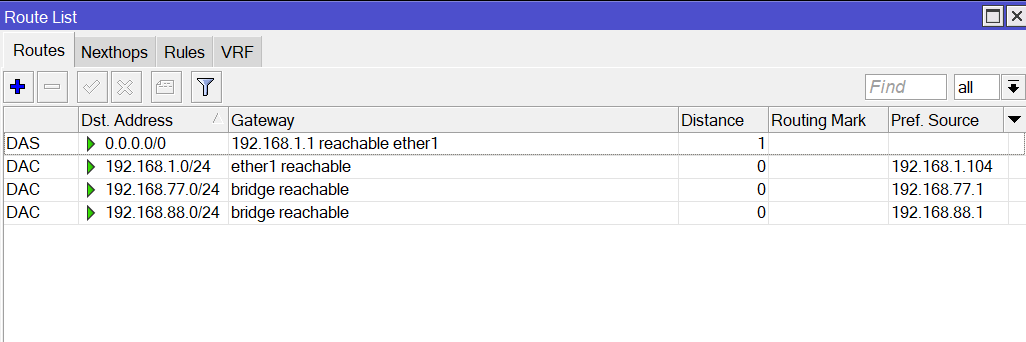
Is there missing route entry for that particullar IP?
No, IPSec doesn’t care much about routes, it just takes all packets that match policy. You’ll have to check what exactly happens, if packets pass through tunnel and reach the other router. E.g. with logging rule there: