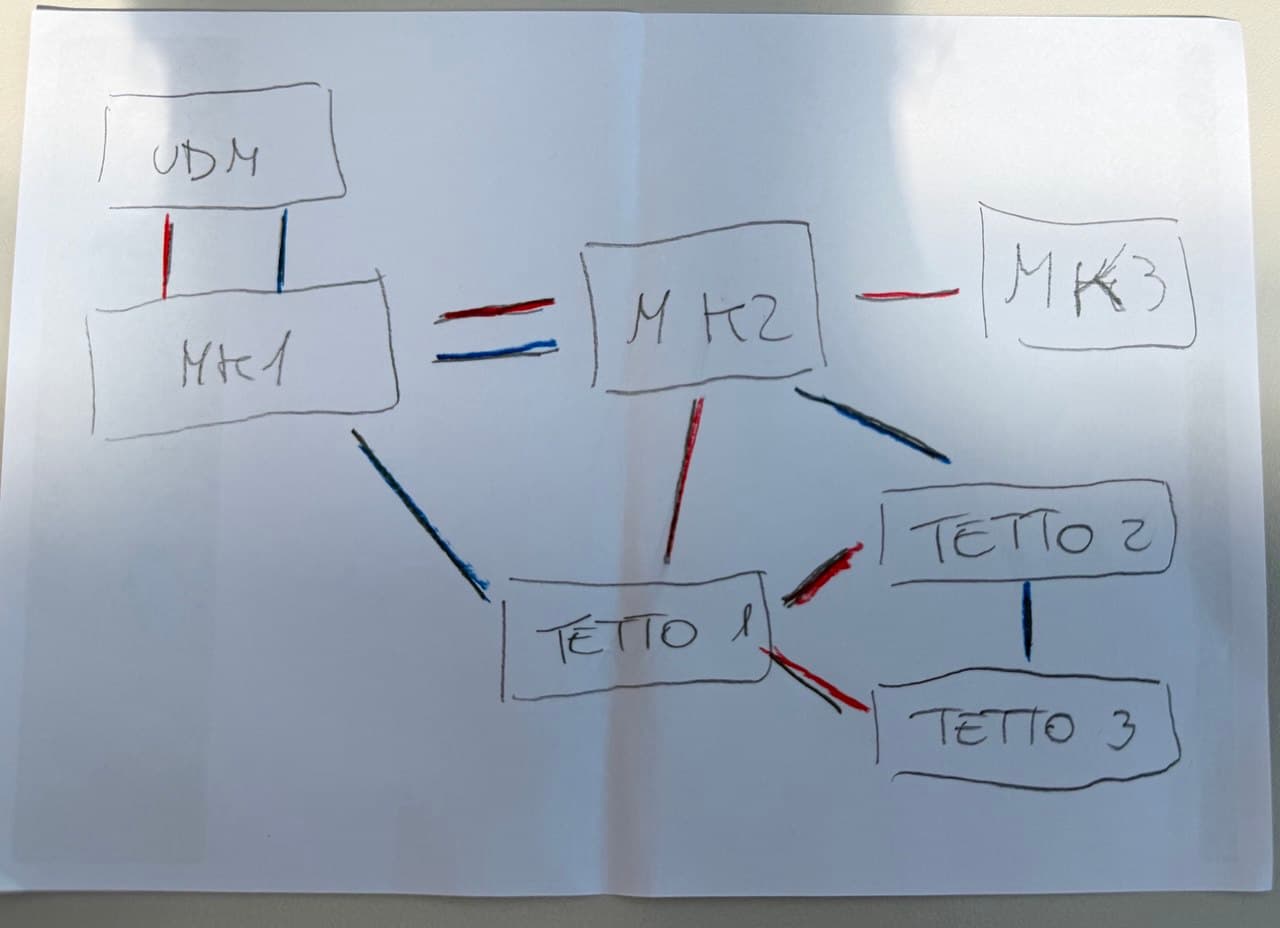
RSTP is generally fine to use for fail-over purposes. It’s sometimes seen as old and outdated technology, but actually e.g. Siemens advocates for it’s usage in several papers quite strongly (mainly for industrial control systems) - it’s widely supported, compatible with everything, and well, just works. There’s nothing wrong with that.
The case with RSTP however is that it can’t “just be enabled” and magically do the right thing - it actually has to be configured correctly. Luckily configuring it is really simple.
The first thing to look out for is to select the same short/long mode for all participants. The choice is usually long.
As you have alluded to, priorities have to be set up. It’s important to know that, although Mikrotik will accept them, not all priority values are actually valid. See the official documentation for a description.
Just a pro-tip: actually read the official documentation cover-to-cover. It’s actually really well written. Then read it again and again until you understand it completely.
Setting up priorities can be done in two ways: with the bridge priorities and per-port. Use priorities whenever possible. (In your case it’s not only possible but preferred.) Your intended default path distribution actually differs from the default on many points, so you’ll probably have to set the priorities on MK1, MK2 and TETTO1.
As to whether to prefer bonding (I presume in backup mode) is a matter of preference. If you’re using RSTP anyway, I’d use that - but this is just my preference.
One little fact is that MT currently doesn’t support setting hello timers. This is an omission. This means that until this is added, LACP backup (with properly set timers) will give you faster recovery than RSTP in case of non-link-layer detectable faults (such as through a typical media converter.)
If on the parallel (“bonded”) connection you choose to use RSTP and you have equal speeds involved and you have some preference as to which should be the primary, then you’ll have to adjust port costs.