The script there is only for wlan1. my hAP ac² has wlan1 & wlan2.
I don’t know how to edit the script so it would reduce WI-FI transmitter power on both wlan1 & wlan2.
If someone can help editing the script to fit hAP ac² v6.42.6 it would be really appreciated
Thank you all!
Here is the script
# Script to turn down radio power based on a schedule
# Schedule this script to run every 15-30 minutes to make
# certain the changeover has occurred.
# User variables are listed below:
#####################################
## Set the Radio NormalPower and LowPower times here ##
:local RadioNormalPowerTime "08:00";
:local RadioLowPowerTime "00:30";
:local LowPower 6;
:local NormalPower 17;
:local RadioName "wlan1";
:local RadioPowerState;
:local RadioPower;
#####################################
:local CurrentTime [/system clock get time];
:set RadioPower [:put [/interface wireless get value-name=tx-power $RadioName]];
:if ($RadioPower = $LowPower) do {
		:set RadioPowerState 0;
} else {
	:if ($RadioPower > $NormalPower) do {
		:set RadioPowerState 2;
	} else {
		:set RadioPowerState 1;
	}
}
# Where the NormalPower time is set earlier than the LowPower time #
:if ($RadioNormalPowerTime < $RadioLowPowerTime) do {
# 	NormalPower interval #
	:if (($CurrentTime > $RadioNormalPowerTime) and ($CurrentTime < $RadioLowPowerTime)) do {
		:if ($RadioPowerState=0) do {
			:log info "[$CurrentTime] Switching to NormalPower";
			:put [/interface wireless set $RadioName tx-power=$NormalPower];
		}
# 	LowPower interval #
	} else {
#		We should go to LowPower in any case at LowPower interval #
		:if ($RadioPowerState!=0) do {
			:log info "[$CurrentTime] Switching to LowPower";
			:put [/interface wireless set $RadioName tx-power=$LowPower];
		}
	}
}
# Where the NormalPower time is set later than the LowPower time #
:if ($RadioNormalPowerTime > $RadioLowPowerTime) do {
# 	LowPower interval #
	:if (($CurrentTime < $RadioNormalPowerTime) and ($CurrentTime > $RadioLowPowerTime)) do {
#		We should go to LowPower in any case at LowPower interval #
		:if ($RadioPowerState!=0) do {
			:log info "[$CurrentTime] Switching to LowPower";
			:put [/interface wireless set $RadioName tx-power=$LowPower];
		}
# 	NormalPower interval #
	} else {
		:if ($RadioPowerState=0) do {
			:log info "[$CurrentTime] Switching to NormalPower";
			:put [/interface wireless set $RadioName tx-power=$NormalPower];
		}
	}
}
Thank you, that’s also an option. but i think that 1 script is neater (if possible)
anyone knows why the script should be scheduled to run every 15-30 minutes? (he says to make certain the changeover has occurred)
But if it runs every 15-30 min - does it affect the performance of my hAP ac²?
If it’s stupid and it works, it ain’t stupid. Or untidy for that matter. Script seems to update only when necessary, so performance won’t be an issue even when scheduled every minute.
I can’t test it and I haven’t got a hAP ac² to run it on anyway, but assuming the script works on your hAP ac² as is, and you don’t want to schedule them seperately, it looks like the quick and dirty way is probably just to add another radio name in parallel and just duplicate the commands.
You will need to update the script and test yourself, but I would be making changes similar to the following and giving it a try. I have little scripting experience, but I do have a devlopment background and on that basis I don’t see why it wouldn’t work.
At the top where the variables are I would insert a second radio name -
Then every time a command is sent to RadioName to switch power, I would try duplicating the line for RadioName2.
		:if ($RadioPowerState=0) do {
			:log info "[$CurrentTime] Switching to NormalPower";
			:put [/interface wireless set $RadioName tx-power=$NormalPower];
			:put [/interface wireless set $RadioName2 tx-power=$NormalPower];
		}
Just as a thought, that does make the assumption that low power and normal power are the same values for wlan1 and wlan 2. If they aren’t you would need to add extra variables for low power and normal power for wlan2 as well.
I’ve just had a look on my hAP ac and both wlan1 and wlan2 (2.4Ghz and 5Ghz) seem to run at 17ish as normal power, which is what the script uses, so I guess it will be fine.
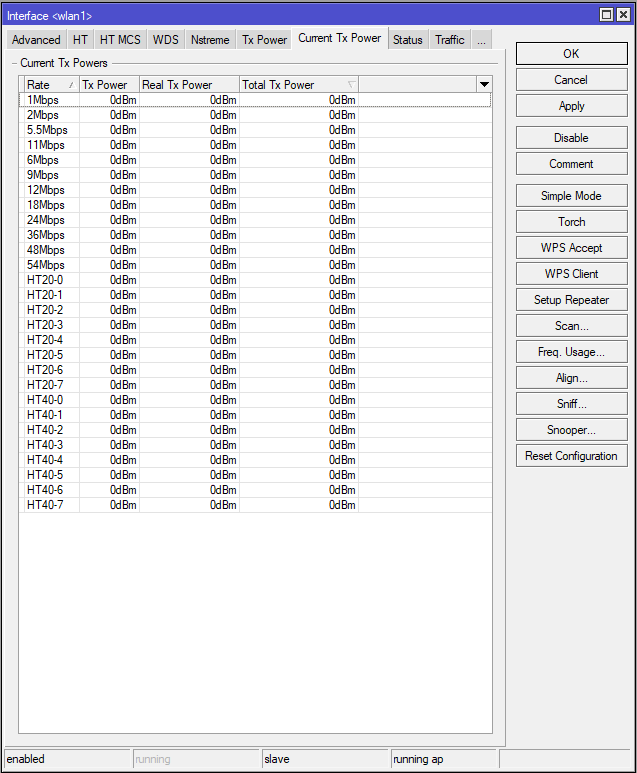
I just logged into winbox, went into wireless, double clicked on wlan1 and looked at the TxPower and current TXPower tabs. You may have to maximize the window to see the tabs, or scroll over to the right, there are a lot of tabs. You may also have to change some of the values on the TxPower tab if it’s set to default (I changed to manual to see them), but as long as you cancel rather than hit ok it’s not an issue.
I’m sure you’ll be fine with using the normal power value there, but as I’ve never seen a hAP AC2 it’s worth double checking to be 100% safe.
diddie17, I’ve tried to look also, but i didn’t see any figures
under ‘tx power’ both are default
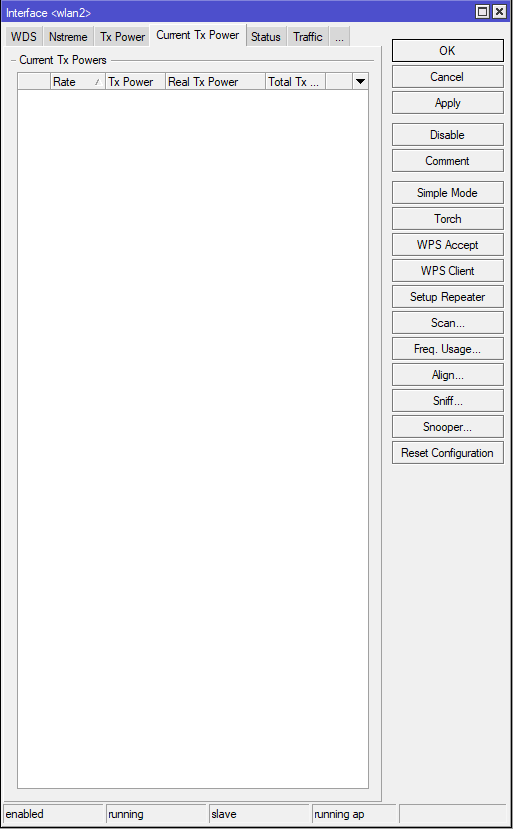
I’ve attached both wlan1 & wlan2 screenshots
why is it like that?
I’m with sid5632 on this. Why do you need to decrease the TX power of the wifi at night? What is the goal/benefit trying to be gained here with this? Because there is also the fact that if you’re messing with the TX, the RX needs to be adjusted as well or it can cause issues.
I’m kind of getting a feeling the idea of reducing the TX is for something that could be done without adjusting the TX. So what is the goal with this?
Hey,
The goal is to reduce the emf emf radiation as the router is in a bed room.
So you think it is better to use a script the shuts off wlan1 & wlan2 at night? (Do you have such a script?)
If you worry about it, you should definitely do something about it. Either schedule wifi switch off, or better option: relocate router out of bedroom. Bedroom should be place for other activities
Most people go around all day with a phone in their pocket, right next to their gonads, and that doesn’t seem to bother anyone.
Might be useful if it did, as there are far too many people in the world already.
You do wonder where folk get their bizarre ideas from sometimes…
The WiFi device generally has much much lower transmit power than the phones in your house. Also, there is plenty of other stuff in the air, that you can’t control. Unless in the desert with no cell towers …