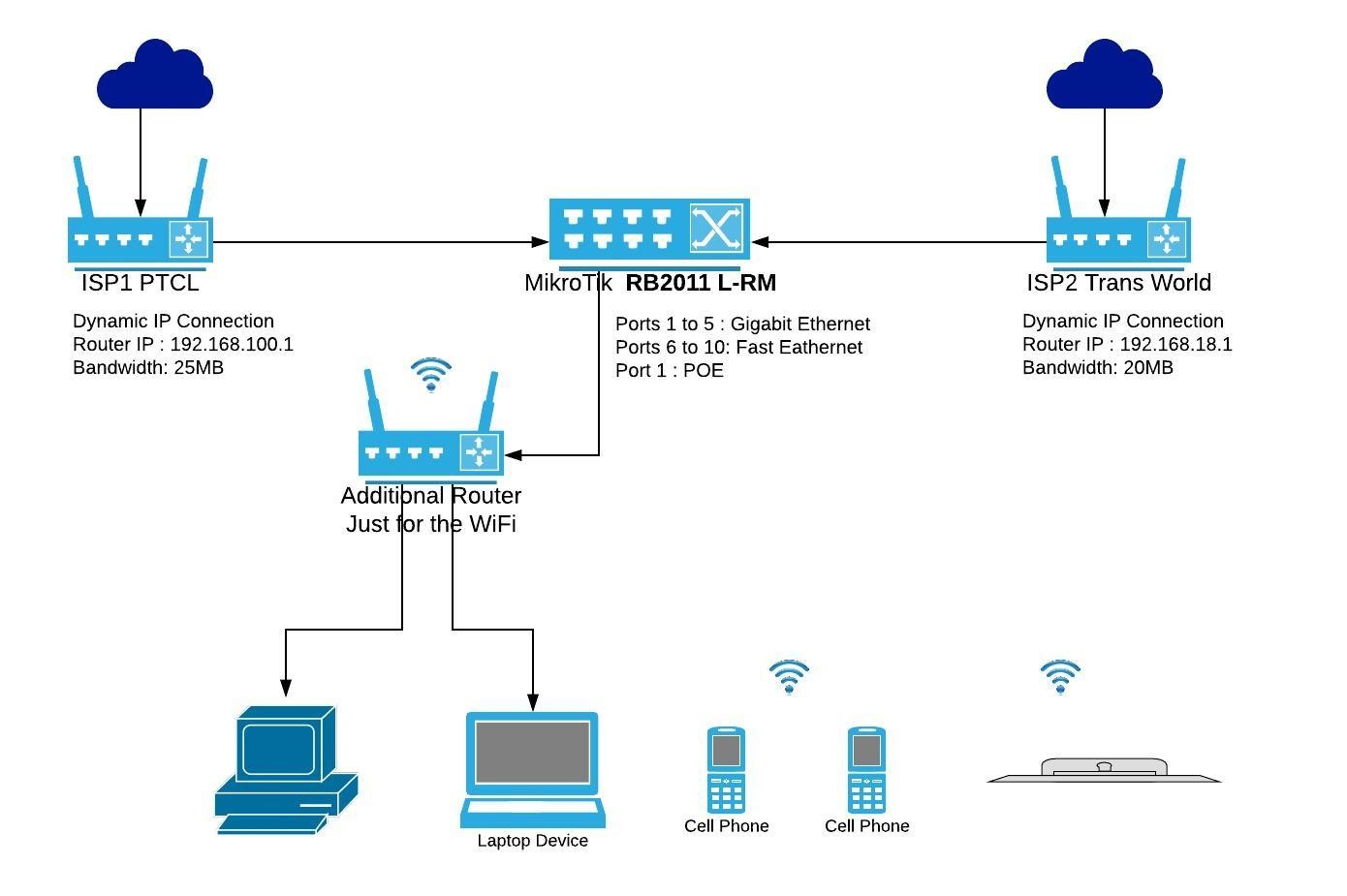
Hi all, I am a very beginner level in network. I am able to handle very basic router settings like DHCP / WLAN / Port forwarding.
I am trying to merge two of my internet accounts at home to get high combined speed.
I have MikroTik RB2011 L-RM I knew as this happens to do this in my office I worked 3 years back.
So far I tried to follow some YouTube tutorials and I found that my router was having Slave ports when I tried to add Mangle Rules.
Which I have been able to remove by setting Master port to none. It was still showing letter S on winbox interface window.
I found that those ports were part of bridge so I have been able to remove Port 3 to 10.
If I remove all ports from bridge or bridge altogether then I am not able to connect to router and I have to reset it again.
Guys I hope I will be able to have some guidance from you.
I am trying to use Fast Ethernet port 8 and 9 for the WAN and the Gigabit Ethernet port 5 for the LAN. Is my selection of port is right?
You can use whatever ports you like. Since you are using the option to have master- and slave-ports you are most likely not on a newer firmware ( i guess they made the changes to the bridge somewhere on 6.40.xx or 6.42.xx) Maybe you should upgrade to the latest long-term (or stable?) software release and then check the wiki for more information: https://wiki.mikrotik.com/wiki/Load_Balancing
But to make clear what maybe isnt directly obvious: Without having a system anywhere aggregating both links (which has indeed some other disadvantages) you will never see one connection having the speed of line 1 and line 2 combined. With the ECMP setup you will be able to split your traffic on both gateways but not merge the speed into “one faster connection”.
Exiver is bang on. The advantages of multi-wan is mainly redundancy (guaranteed connection if one goes down - assuming both connections are not from the same provider) and secondly lots of bandwidth to dish out to users (can accommodate more users). What you will not get is on one connection (one user) the total available throughput. Update to the latest available firmware before doing anything.
Is the additional router acting solely as an access point switch?