first, I am a novice with MikroTik equipment … and am trying in vain to get the pair of nRayG-60ad devices up and running.
I am turning to the experienced people here to kindly ask for some help.
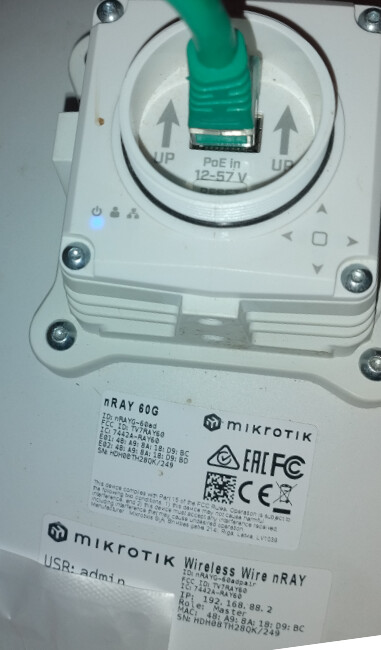
I bought a used pair of MikroTik nRayG-60ad devices (one has a Master the other a Slave sticker) to connect two distant buildings.
I followed the instructions from here - but I am not even able to access the devices over my network …
Network:
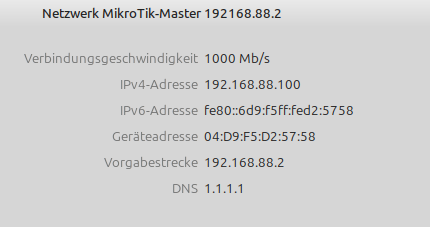
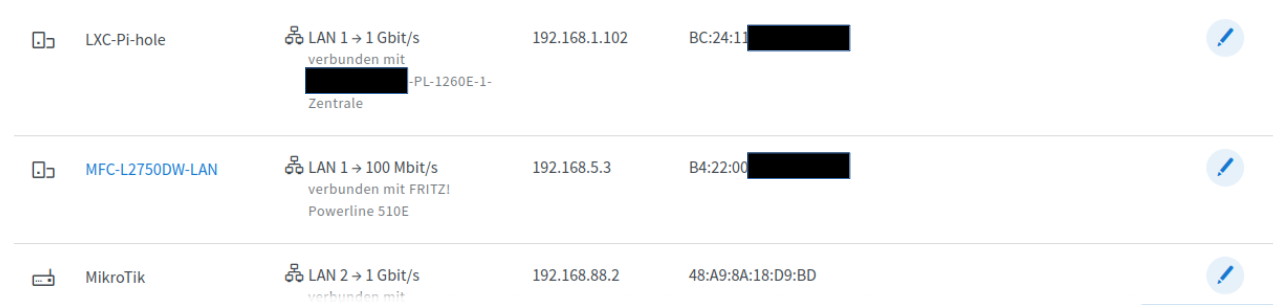
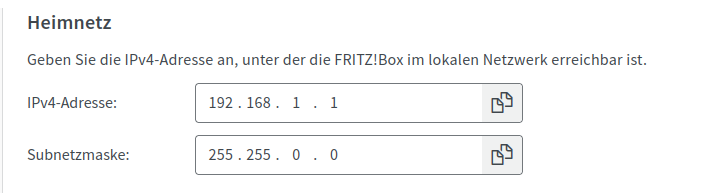
I use a 255.255.0.0 / 16 subnet and the MikoTik Master Device shows up as:
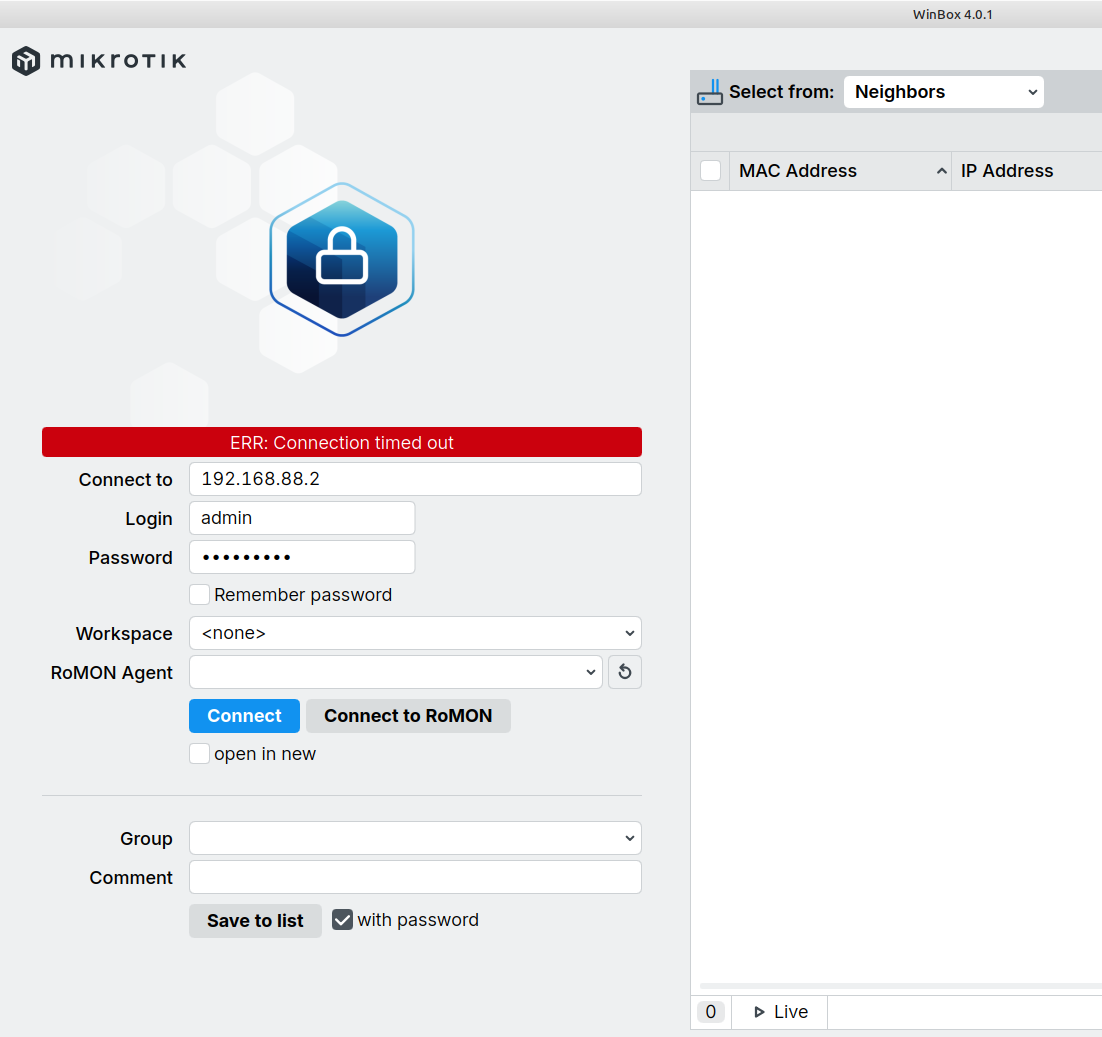
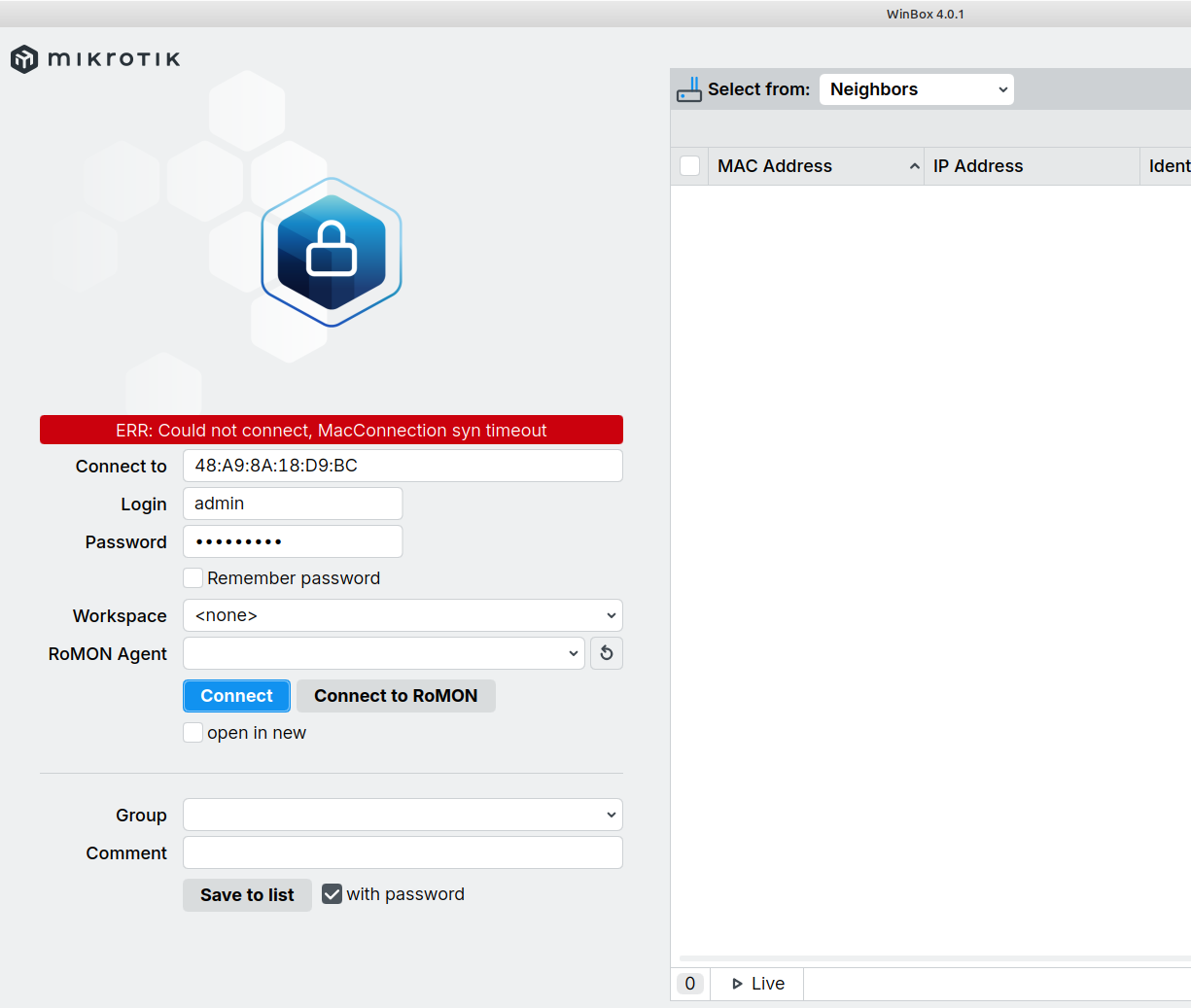
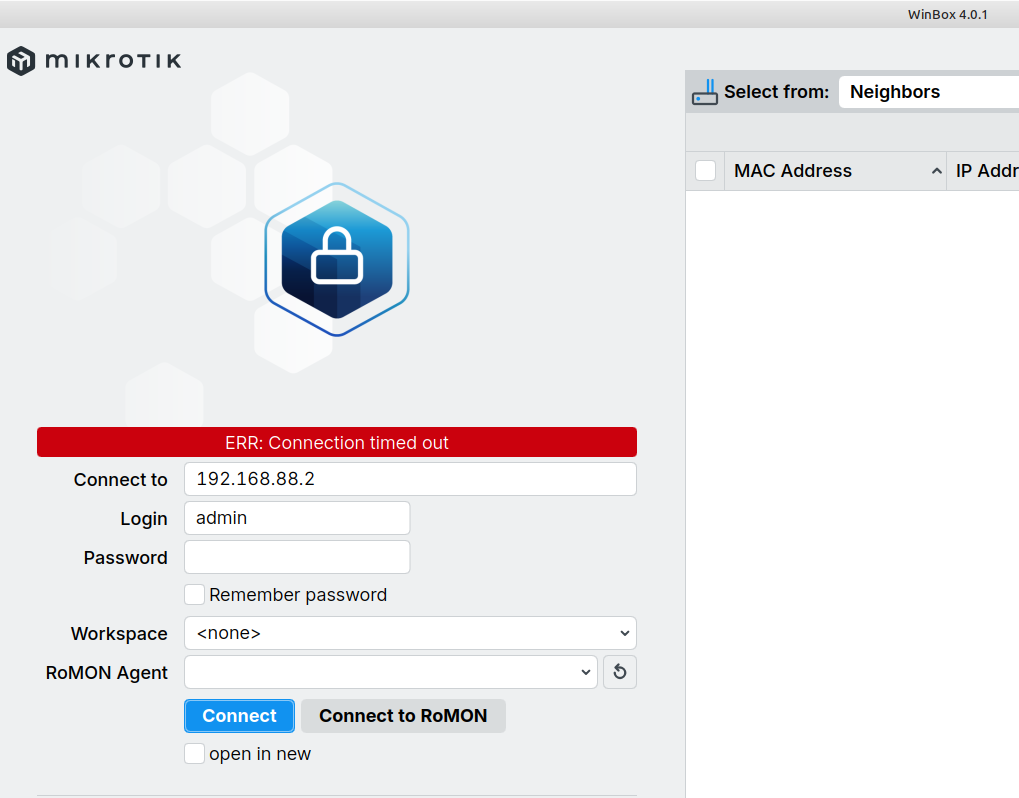
… as shown above my printer device MFC is blue and therefore I can access it by his IP adresss 192.168.5.3. The MikroTik with IP 192.168.88.2 is NOT reachable by IP nor the MikroTik WinBox Tool 4.0.1
The Winbox should show the device, by both IP (192.168.88.2) and its MAC address.
Even if your PC is on a different subnet you should be able to connect via MAC.
Which address/subnet do you have on the PC you are running Winbox on? (is it in the 192.168.1.0/16? it should be in the 192.168.88.0/24)
Which OS is running on it?
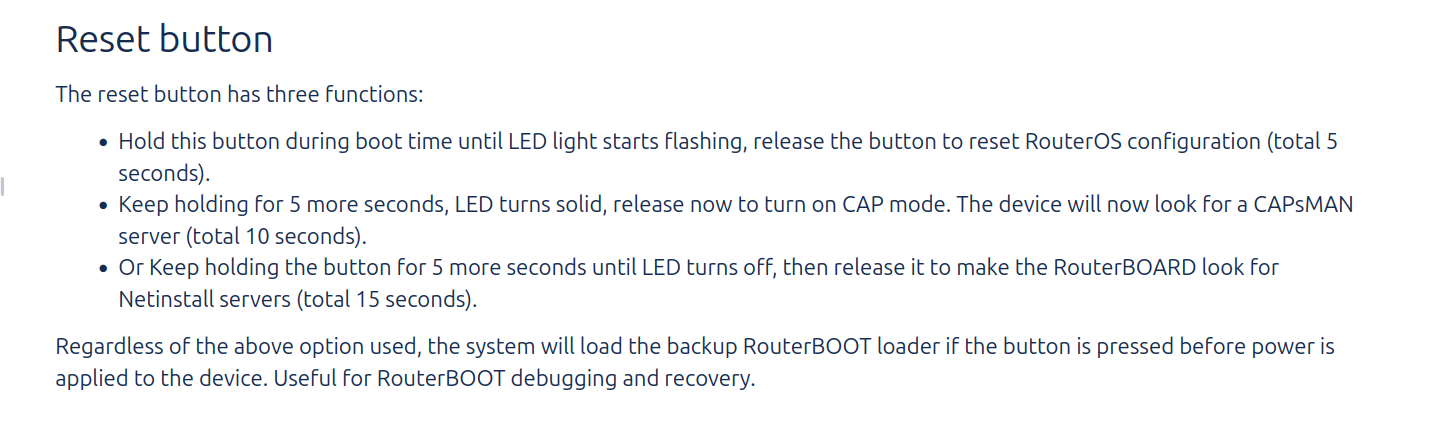
The 5 or more seconds are part of the vagueness of the instructions, a reset (the kind you want) whould be holding the reset button until the led lights start flashing, this may take a "few" or a "handful" of seconds, the 5 is only indicative, each device may behave differently.
There are two different bootloaders on RouterOS, the "normal" one is loaded when you press the reset button "immediately" (please note how exact is this time) after having applied power to it , the "backup" one is loaded if you press the button before applying power (and for reset in boith cases you should keep it pressed until the led lights start flashing).
As you indicated I made reset on the nRayG-60 “Master” … stopped pressing the reset after the second (middle) LED started flashing green.
The two devices are powered up and facing. But only the Master is connected to my network. The slave is only powered by the POE without network connection.
Refreshing my modem I can see now the nRayG-60 “Master” with IP 192.168.88.2 and first MAC 48:A9:8A:18:D9:BC (second is MAC which does not appear in the router is 48:A9:8A:18:D9:BD) …
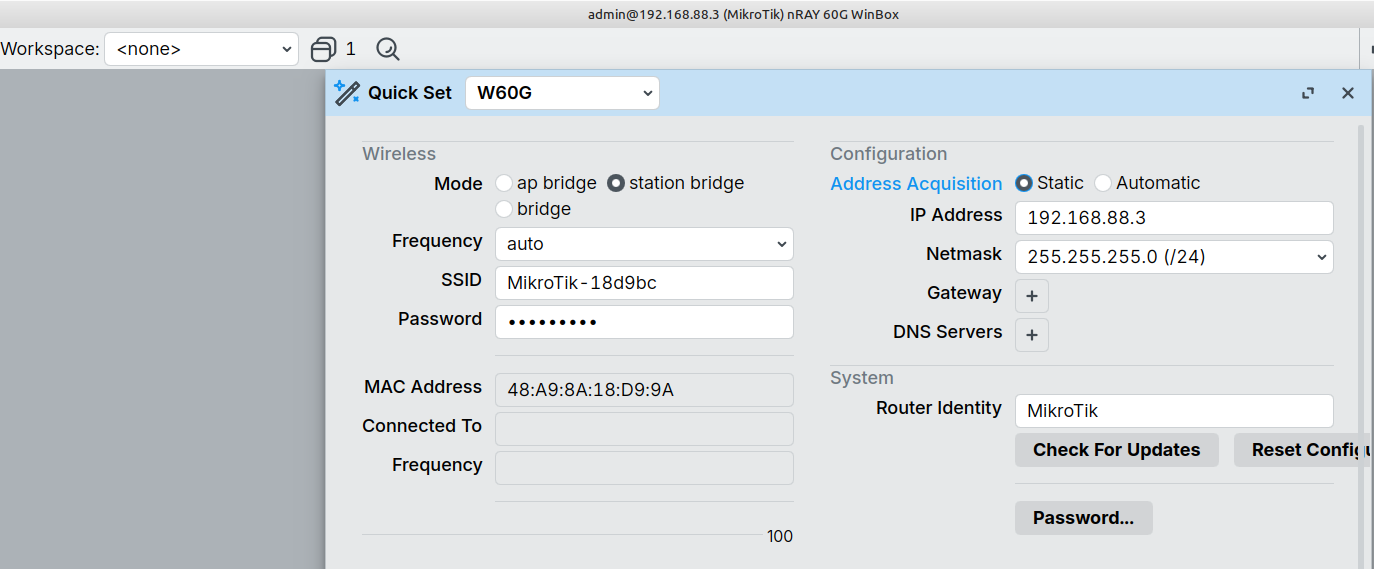
and the nRayG-60 “Slave” with IP 192.168.88.3 and his second MAC 48:A9:8A:18:D9:9A (above) and his first MAC 48:A9:8A:18:D9:99 but without IP (see below) …
Observation: I assume this means that both nRayG devices are communicating with each other ?!?
Connection via MAC should work, but try settings your PC to static with an IP address in the 192.168.88.0/24 range.
It could be an issue with Winbox 4, you could try (good ol') v3.x but you will need some trickery with WINE as v3 Is Windows only, see:
But if you set your PC Ip/network correctly you can also try SSH or Webfig (just point your browser to 192.168.88.2, but try also the other device 192.168.88.3).
In any case I would connect your PC directly to one of the devices, so that any possible issues with your existing network are ruled out.
And yes, if you have only one device connected via ethernet but you see both the .2 and .3 It means that the wireless connection Is established.
You should make sure that (now) you can access it with Winbox via MAC (this way you can fiddle with IP's as much as you want.
Then it is recommended (by me) to ADD an IP address to the interface, then test it works (connection via Webfig and with Winbox via IP), and only once this is confirmed remove the old address.
You may need to change some settings on your PC or on the n-Rays, but having Winbox functional, both via IP and via MAC is essential to have a "safe entry point" in case of mis-configuration.
In any case BEFORE making any change you should do an export of your configuration and save it (better be safe than sorry).
Instructions to save an export to file (and if needed post it on the forum, screenshots are rarely the "right" way to exchange information) are here: Forum rules - #5 by gigabyte091
None of my business, and not related to your current issue, but a /16 network (65,534 possible devices) is rare in anything but large corporate networks (and even there the networks are usually fractioned in several smaller subnets).
to complete this issue …
based on the hints of jaclaz and with further help from Mistral AI I was able to use my pair of nRayG-60 in my 255.255.0.0 subnet doing this steps:
First - Step:
Reset of the devices (one after the other) by power on with pressed RESET button until the secound LED starts flashing.
Access the devices (one after the other) from PC using a direct lan connection in a 255.255.255.0 subnet.
During the first start-up a factory based script is executed.
Secound - Step:
access the deviced using WinBox or in the browser
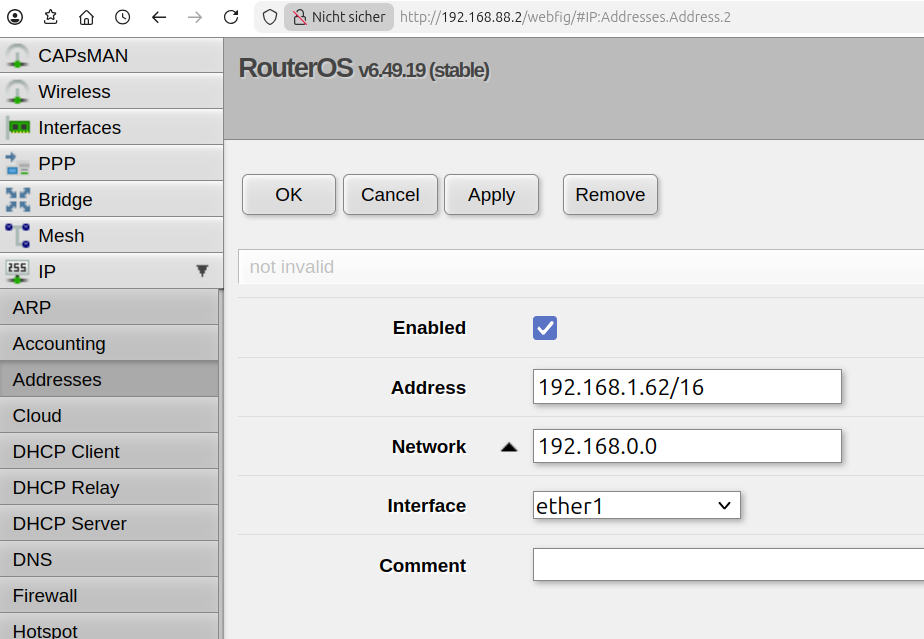
go to “IP” –> “Addresses“
“add” your new address (e.g. 192.168.1.62/16) with interface “ether1”
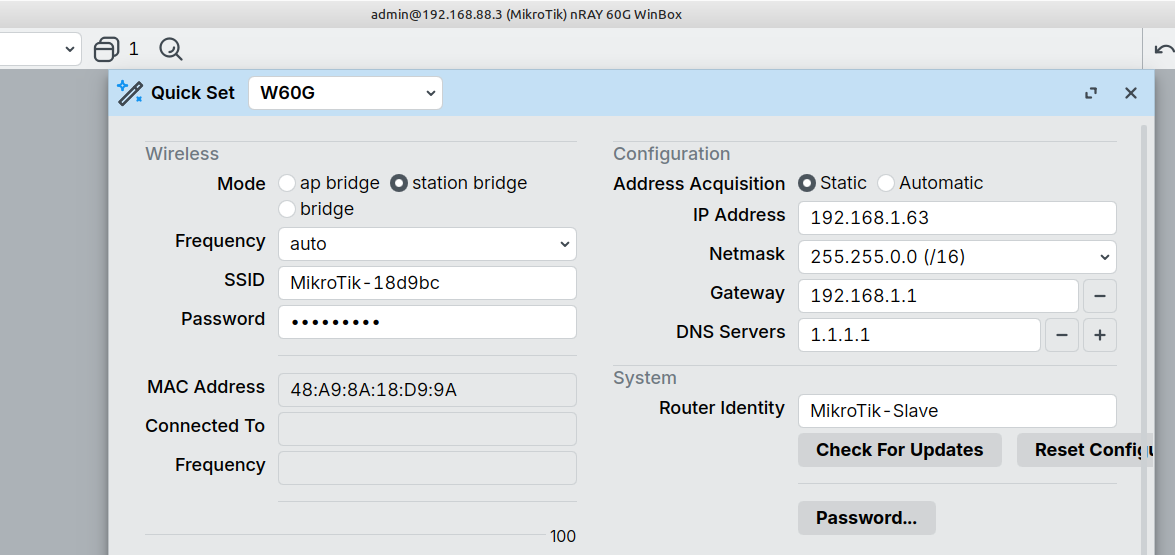
make step two, three and four with the second device but with different IP (e.g. 192.168.1.63/16)
Fifth - Step:
power up the both devices, connect one of the devices in your network and face it to the second.
test the connection … if everything works fine, make the installation and alignment as described in the manual.
Hope this my help anybody, which struggles at the same issues
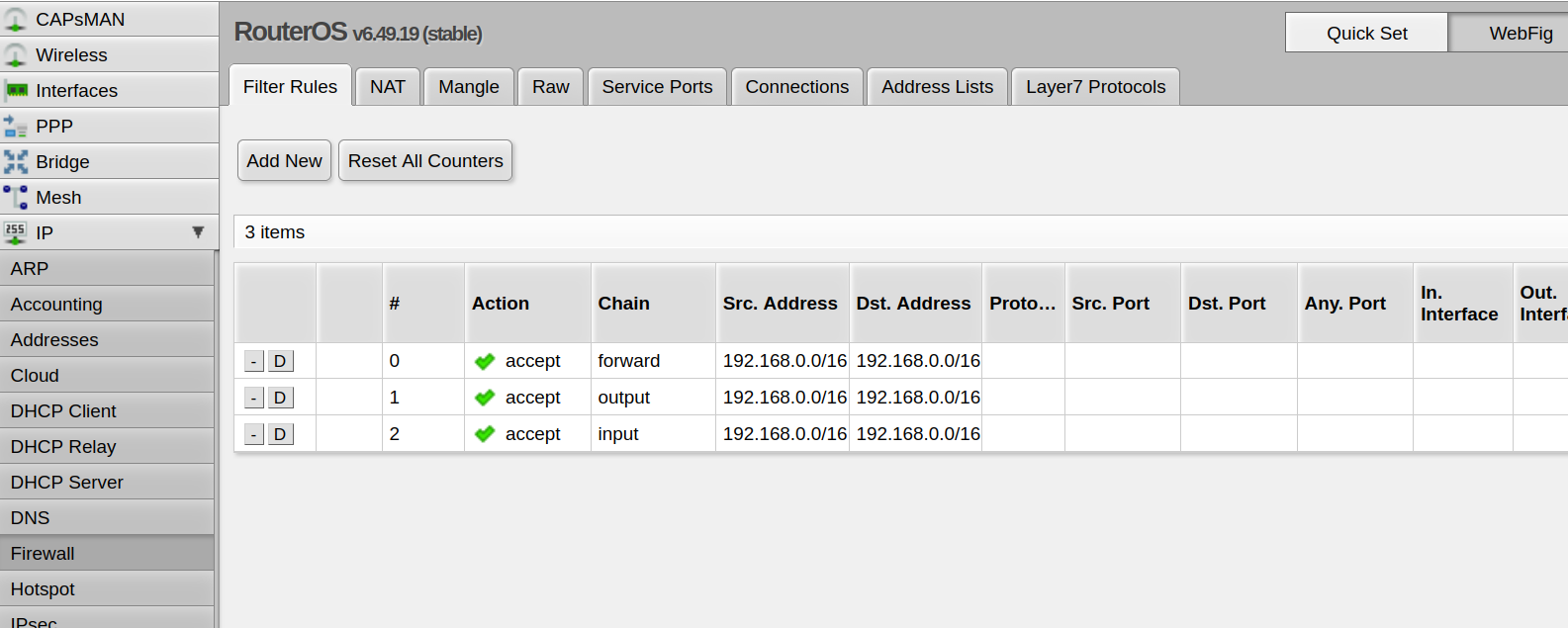
The third step is "strange" and unless you have some peculiar setting, unneeded.
Normally devices like the nrayG-60 (or the Cubes) are setup as "Wireless wire", there is no routing and no firewall (and no NAT) involved they behave a L2 level switches, replacing an ethernet cable.
I.e.: [network] <-> [ethernet cable] <-> [other network or device]
is replaced by: [network] <-> [ethernet cable] <-> [nrayG (master AP) bridging ethernet and wireless]<>[wireless]<->[nrayG (slave station-bridge) bridging wireless and ethernet] <-> [ethernet cable] <-> [other network or device]






 ... also my concern ….