Hi all,
I’m trying to set up traffic prioritisation for my Shield TV (10.0.0.9) using Simple Queues and/or Queue Tree and/or Firewall.
I have FTTH 540 down and 540 up mbps at home.
For some reason, the SIPTV app on Shield TV is the only app that struggles when I’m downloading something on my unRAID (10.0.0.33) at full rate - none of the streaming apps are affected, only the SIPTV app.
Generally the SIPTV app works fine when nothing else is using the internet at full rate.
So I tried the following (with and without the LAN/WAN parent, with different bucket size, burst and other settings combinations):
[zyx@MikroTik] /queue/simple> print
Flags: X - disabled, I - invalid; D - dynamic
 0    name="Shield TV" target=10.0.0.9/32 parent=none packet-marks="" priority=1/1
      queue=pcq-upload-default/ethernet-default limit-at=50M/50M
      max-limit=100M/100M burst-limit=150M/150M burst-threshold=0/0
      burst-time=10s/10s bucket-size=0.1/0.1 total-queue=pcq-download-default

 1    name="unRAID" target=10.0.0.33/32 parent=none packet-marks="" priority=8/8
      queue=pcq-upload-default/default-small limit-at=0/0 max-limit=600M/600M
      burst-limit=0/0 burst-threshold=0/0 burst-time=0s/0s bucket-size=0.1/0.1

 2 X  name="LAN" target=ether2-lan10 parent=none packet-marks="" priority=8/8
      queue=pcq-upload-default/pcq-download-default limit-at=0/0
      max-limit=600M/600M burst-limit=0/0 burst-threshold=0/0 burst-time=0s/0s
      bucket-size=0.1/0.1
What I need is to guarantee say 50 mbps traffic to Shield TV so I don’t have to limit the speeds of my unRAID server (or any other device in that matter). Let unRAID download anything it wants at full rate minus whatever the Shield TV needs.
It appears that unRAID takes over all the network traffic, but this only happens when SIPTV is running. As I mentioned, all other apps on the Shield TV work perfectly fine, even when unRAID is downloading at full rate.
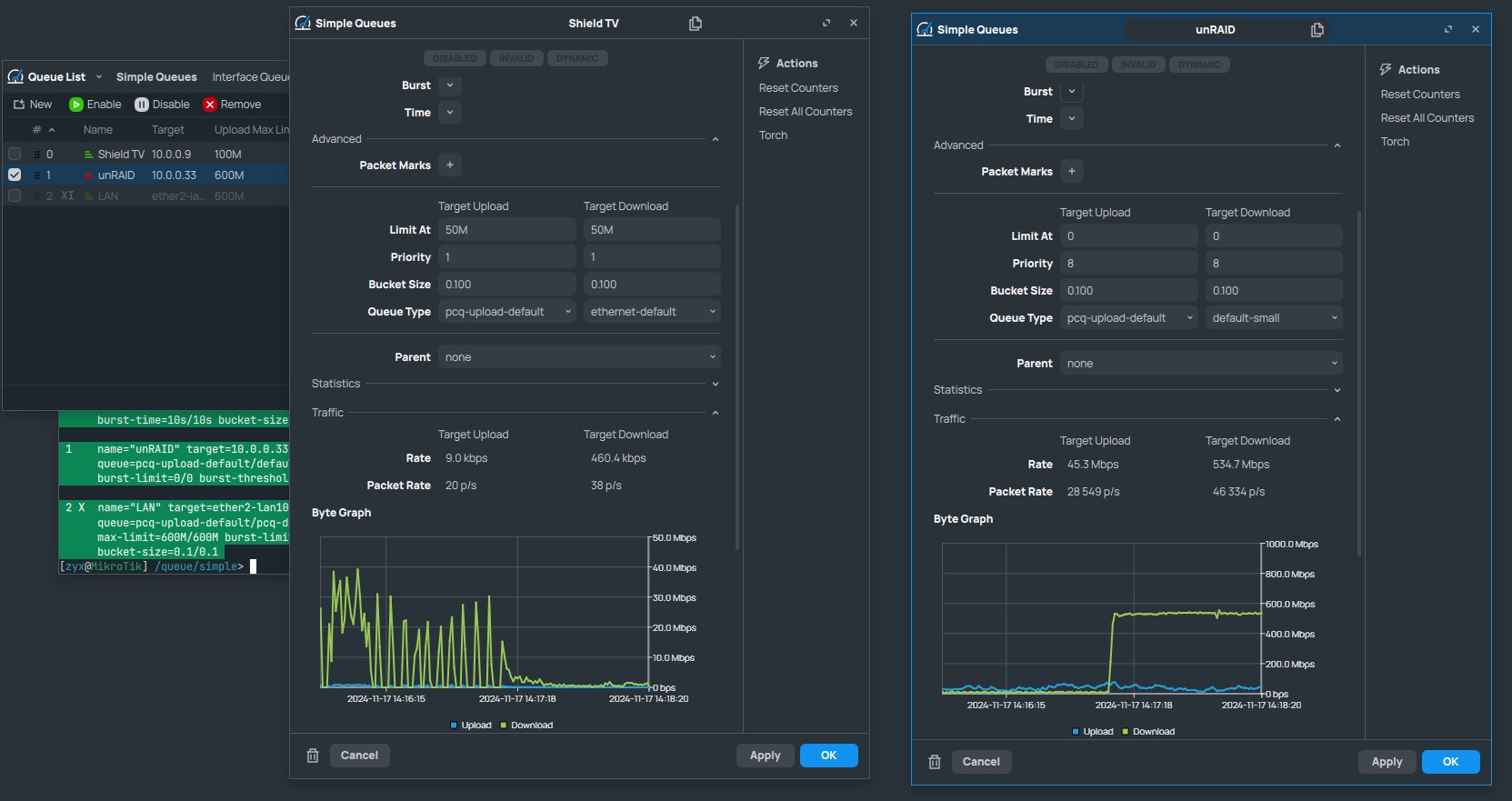
In SIPTV settings, I can adjust the buffer from 0ms to 25000ms but the higher the buffer is, the longer the app buffers. If it’s set to 0ms, I get a lot of very short buffers.
This is what the traffic looks like when the SIPTV app is running:
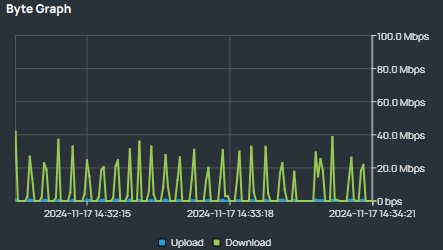
So I wonder if there’s something I can do on my RB5009UG+s+ router to improve SIPTV app’s behaviour?
I don’t use any VLANs for my home traffic and no bridge is configured. Port 1 is my WAN port and Port 2 is my LAN port. Other ports are currently not used for anything.