SNMP Dude.

Hello everyone.

As time went on and as I go using The Dude, I see the powerful tool it is. But I have one question in particular with SNMP.

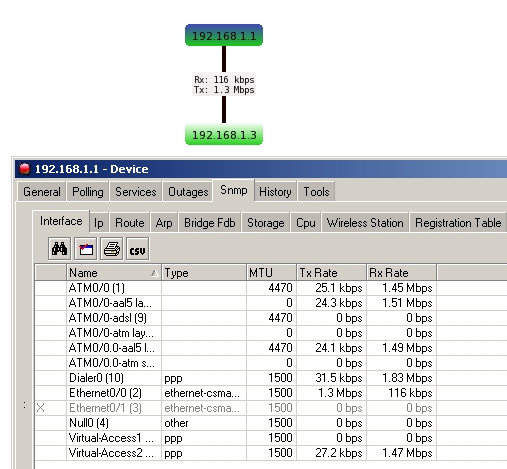
Public Using SNMP V1, SNMP tab of The Dude, specifically at interfaces it shows all the interfaces and the speed of input and output at that time.

The doubt is: what is the OID that I use to put on the map, specifically the TX and RX? As attached.
thedude.png

The tx and rx will be automatically added when you create a link from that device and choose the port to graph the bandwidth with. As shown below…
link_snmp_txrx.jpg
If you wanted to add the tx/rx to a label you can use the following oids.

1.3.6.1.2.1.2.2.1.10 will list the rx amounts on the device’s ports.

1.3.6.1.2.1.2.2.1.16 will list the tx amounts on the device’s ports.

Thanks for the reply, it is nearly so.

I put the OID on the device label, without the need to create a link, as in the example attached.

In the example, I’m putting the “TX EX” purposely wrong, to be printed in the OID screenshot.

The OID proposal, is the Total Octets sent, but the link or else using another oid is some function to convert the octets and not being a total traffeged ..
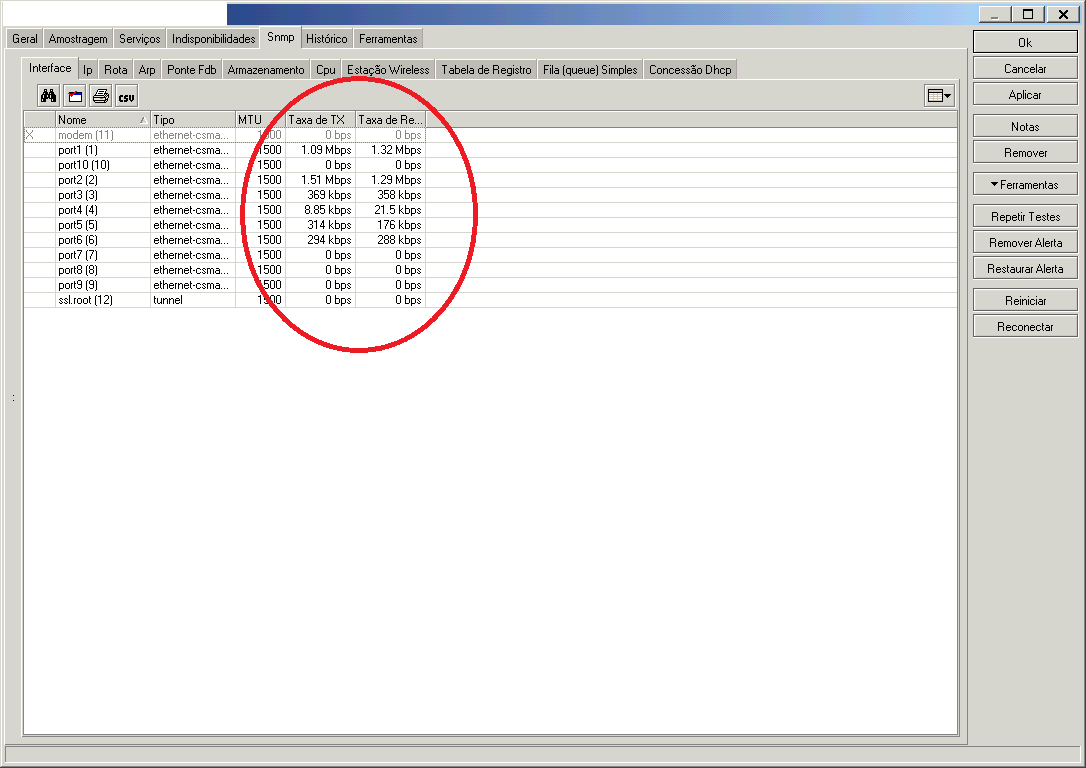
SS-2010.11.10-18.47.49.png

If you want to add it to the label you wil need to following code.

TX: [round(rate(diff32(oid("1.3.6.1.2.1.2.2.1.16.x"))*8))]
RX: [round(rate(diff32(oid("1.3.6.1.2.1.2.2.1.10.x"))*8))]

Where x is the interface number.

If you want to aggregate the two then you can use the following code.

TX+RX: [round(rate(diff32(oid("1.3.6.1.2.1.2.2.1.16.x"))*8))+round(rate(diff32(oid("1.3.6.1.2.1.2.2.1.10.x"))*8))]

Fantastic.

Thank you for your gracious help.

In portuguease:

Valeu cara, muito obrigado pela sua ajuda bacana!

:smiley: