Hi,
two days ago, because of the transition from L2TP with IPSec to OpenVPN
and the weak ciphers (OpenVPN - AES xxx CBC), I've decided to upgrade
from RouterOS 6 to RouterOS 7.
So, I jumped from version 6.49.19 to version 7.19.4.
The router is an RB3011UiAS-RM (arm).
Because I couldn't manage with the UI, I've downgraded it back to version 6.49.19 and
then I upgraded it to version 7.16.2 (I've read that's the last version of RouterOS 7 with classic UI).
So, everything's fine now (strong ciphers - AES xxx GCM; the UI is still classic),
but I've noticed also two different things:
-
from previous versions (e.g. 6.47.4), the NTP servers from System >> NTP Client
can be set now as subdomains (not only in IP addresses format as before) which is cool,
so I don't need my old NTP script anymore; -
the syntax has changed from 2020, so my DDNS (No-IP) PPPoE script doesn't work anymore.
So, I started to dig. Yesterday I found the answer and I've updated my script.
- The script:
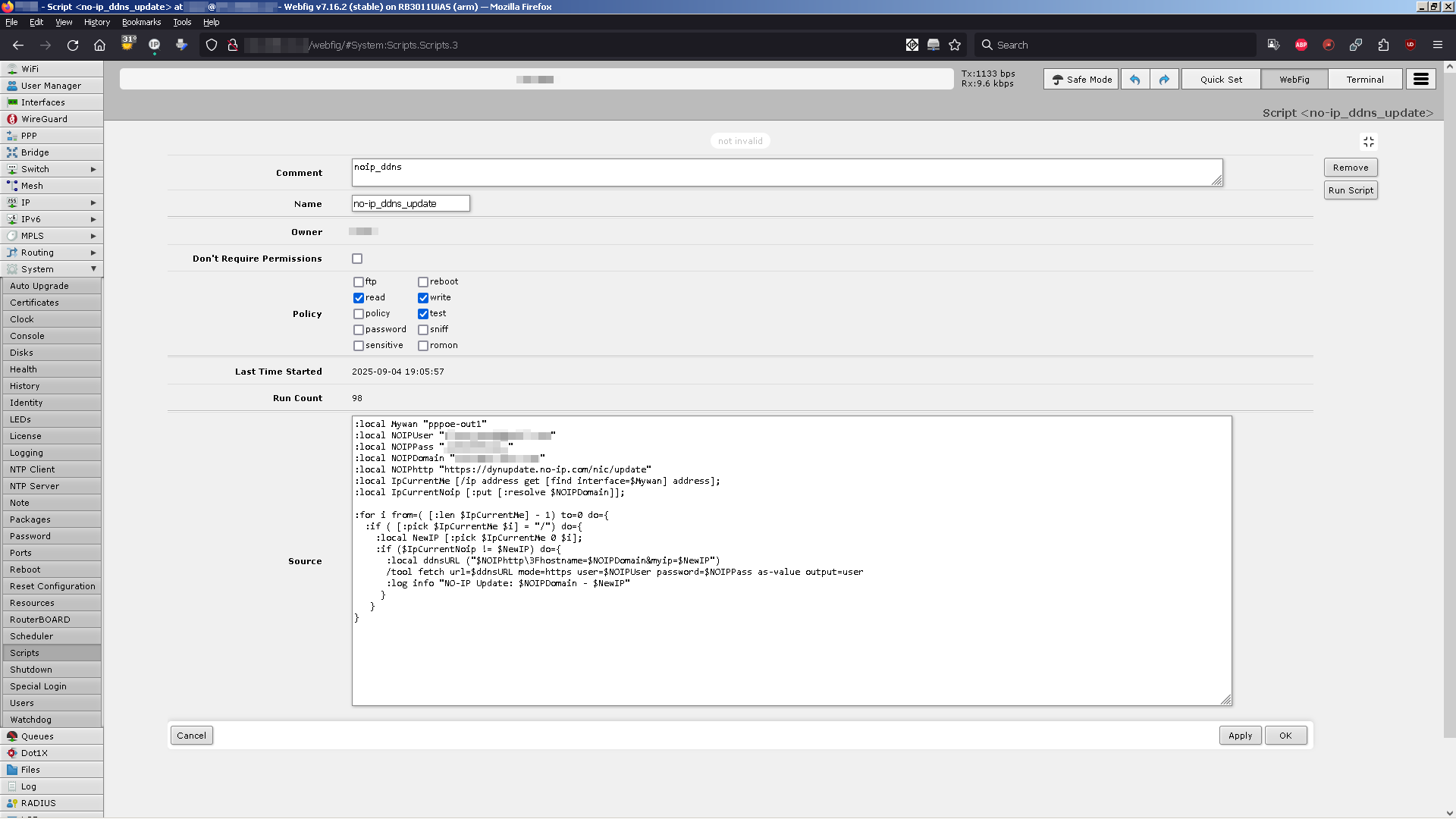
In the router's GUI, on WebFig, Menu: System, Scripts >> click to Add New:
Comment [noip_ddns]
Name [no-ip_ddns_update]
Owner (your user, autocompleted)
Policy read write test
Source # put here the code (see below):
After putting the code into the Source field, click "Apply".
If there are no typos, "not invalid" should appear above, so click then on "OK" too.
Don't forget to replace "myemailaddress@domain.com", "my_password", and "user.ddns.net" with your own credentials.
#######################################################
The code
##################### copy & paste from below #########
:local Mywan "pppoe-out1"
:local NOIPUser "myemailaddress@domain.com"
:local NOIPPass "my_password"
:local NOIPDomain "user.ddns.net"
:local NOIPhttp "https://dynupdate.no-ip.com/nic/update"
:local IpCurrentMe [/ip address get [find interface=$Mywan] address];
:local IpCurrentNoip [:put [:resolve $NOIPDomain]];
:for i from=( [:len $IpCurrentMe] - 1) to=0 do={
:if ( [:pick $IpCurrentMe $i] = "/") do={
:local NewIP [:pick $IpCurrentMe 0 $i];
:if ($IpCurrentNoip != $NewIP) do={
:local ddnsURL ("$NOIPhttp\3Fhostname=$NOIPDomain&myip=$NewIP")
/tool fetch url=$ddnsURL mode=https user=$NOIPUser password=$NOIPPass as-value output=user
:log info "NO-IP Update: $NOIPDomain - $NewIP"
}
}
}
##################### until here ######################
#######################################################
- The scheduler
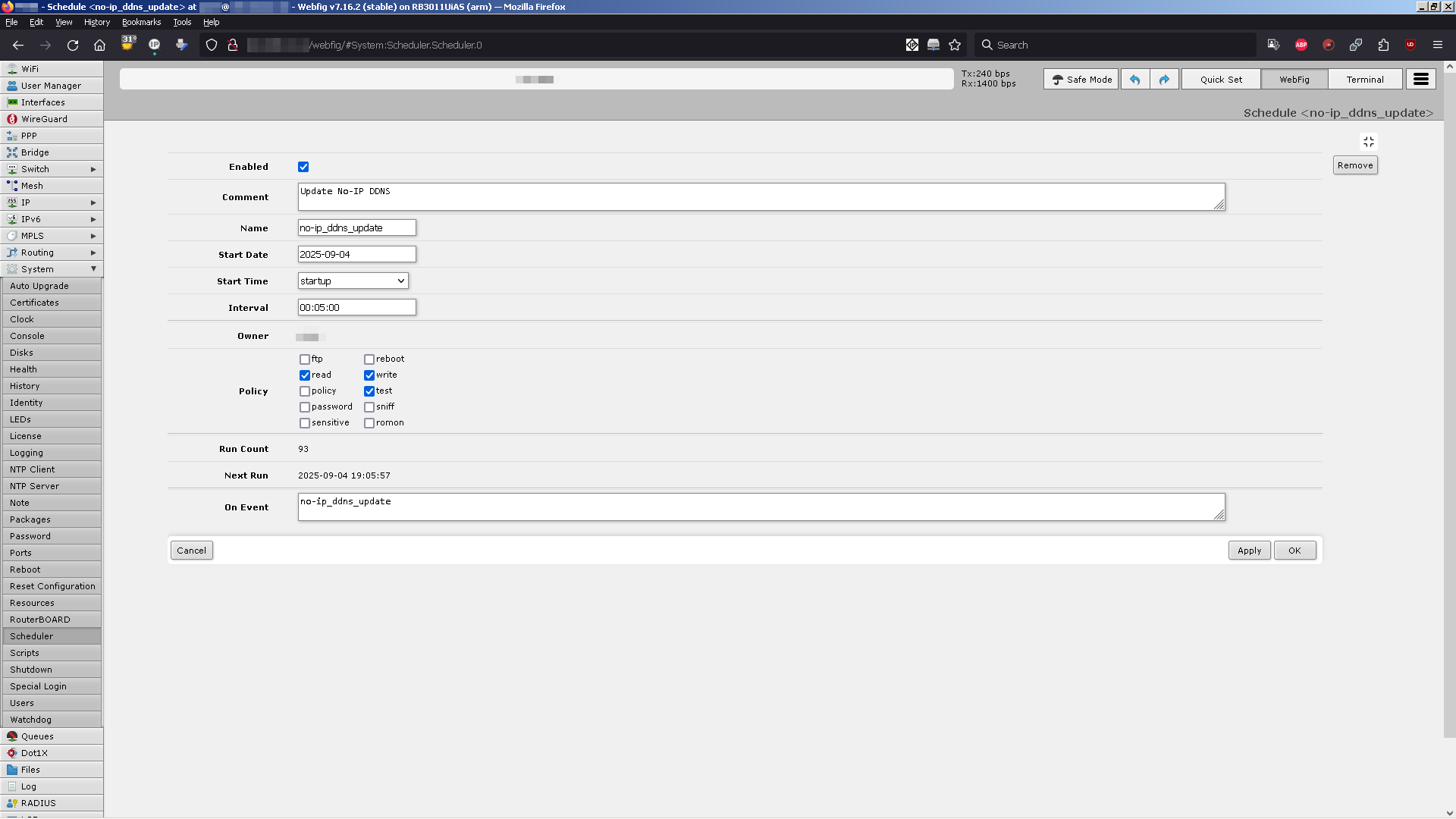
In the router's GUI, on WebFig, Menu: System, Scheduler >> click to Add New
check Enabled
Comment [Update No-IP DDNS]
Name [no-ip_ddns_update]
Start Date [Sep/04/2025] (for example)
Start Time [22:00:00] (for example)
Interval [00:05:00]
Owner (your user, autocompleted)
Policy read write test
Run Count (xx, autocompleted)
Next Run (Sep/04/2025 23:00:00, for example, autocompleted)
On Event [no-ip_ddns_update]
click "Apply" then "OK".
- The logs
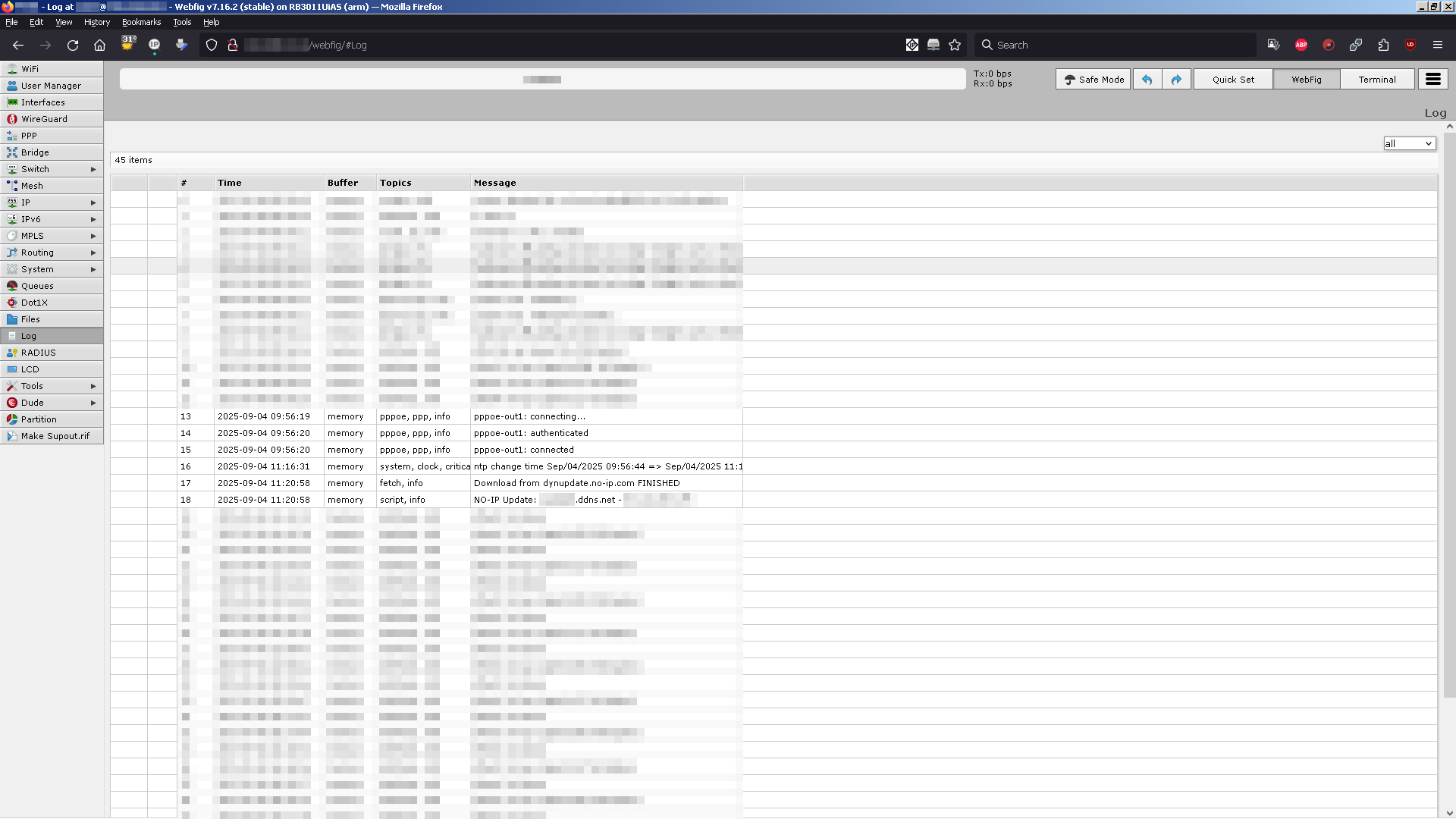
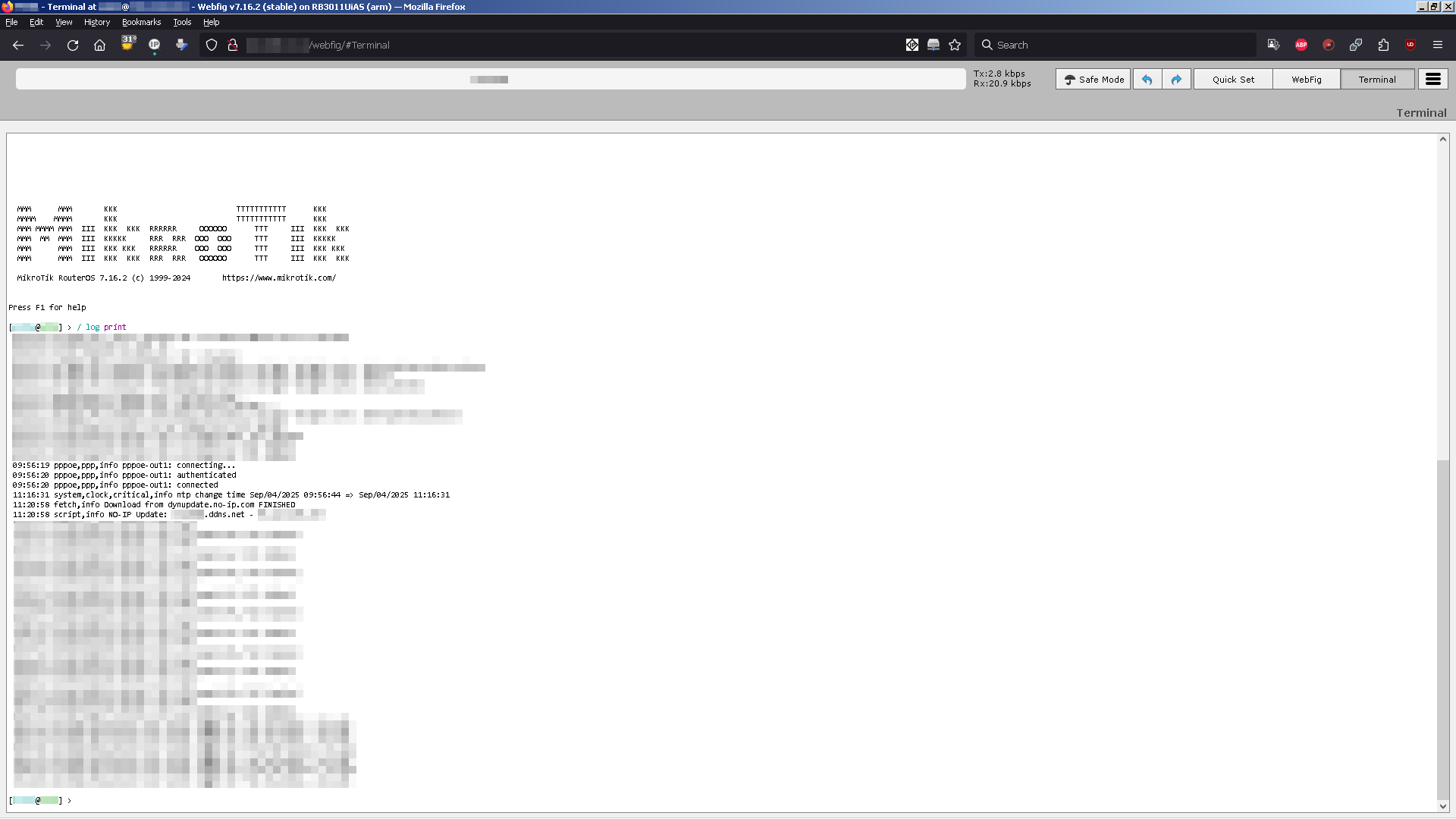
Watch it, in GUI, on WebFig, Menu, Log or in CLI:
[user@router] > /log print
[...]
09:56:12 pppoe,ppp,info pppoe-out1: initializing...
09:56:12 pppoe,ppp,info pppoe-out1: waiting for packets...
[...]
09:56:19 pppoe,ppp,info pppoe-out1: connecting...
09:56:20 pppoe,ppp,info pppoe-out1: authenticated
09:56:20 pppoe,ppp,info pppoe-out1: connected
[...]
11:20:58 fetch,info Download from dynupdate.no-ip.com FINISHED
11:20:58 script,info NO-IP Update: user.ddns.net - XX.YY.WW.ZZ
[...]
That's it. Cheers !