Hi,
I want to connect via R1 to R2 (ROSv7.14.3 to ROSv7.14.3).
After watching this video: https://www.youtube.com/watch?v=8tt7fSvdFRM
I did the follwoing:
R1:
- created user ssh
- gave user ssh “full” rights
- IP->SSH->Export Host Key
- System->Users->SSH Private Keys->imported the ssh_rsa.pem-file
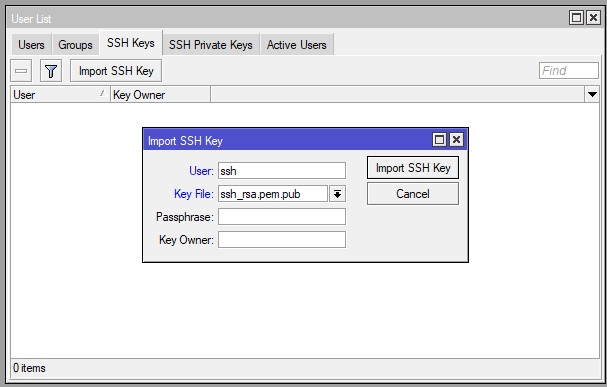
R2: - created user ssh
- gave user ssh “full” rights
- System->Users->SSH Keys->imported the ssh_rsa.pem.pub-file (copied the file from R1, after “Export Host Key” there)
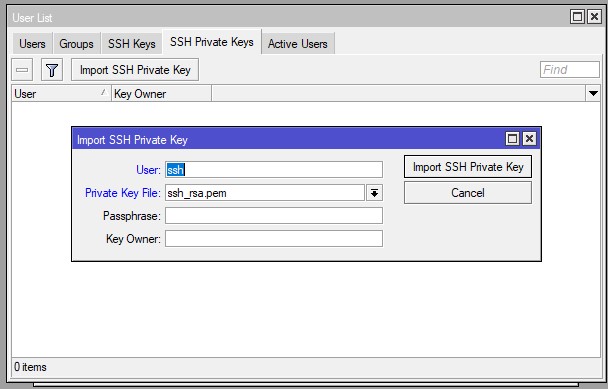
If I want to connect from R1 to R2 (10.88.20.3 is R2) via:
/system ssh address=10.88.20.3 user=ssh
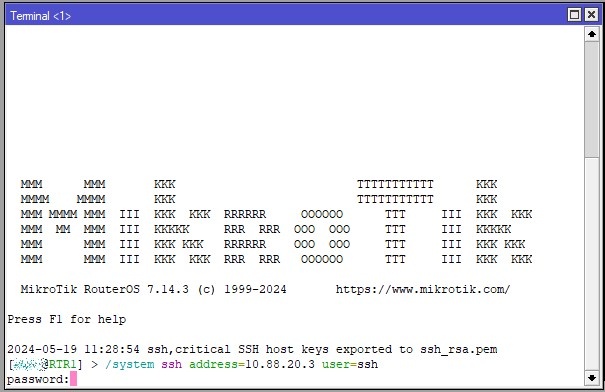
I get a password promt.
I have set a password for the ssh-user on both R1 and R2 too, but the password is not accepted and “password” is dispalyed again… What did I wrong?