Strange warnings in the DOH logs

It's already possible with some "trick":


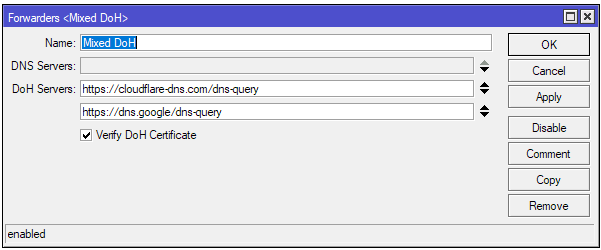
/ip dns forwarders
add doh-servers=https://cloudflare-dns.com/dns-query,https://dns.google/dns-query name="Mixed DoH"

/ip dns static
# bootstraps
add address=2606:4700::6810:f8f9 name=cloudflare-dns.com type=AAAA
add address=2606:4700::6810:f9f9 name=cloudflare-dns.com type=AAAA
add address=104.16.248.249 name=cloudflare-dns.com type=A
add address=104.16.249.249 name=cloudflare-dns.com type=A
add address=2001:4860:4860::8844 name=dns.google type=AAAA
add address=2001:4860:4860::8888 name=dns.google type=AAAA
add address=8.8.4.4 name=dns.google type=A
add address=8.8.8.8 name=dns.google type=A
# this catches all domains and uses the forwarder defined above for the queries
add forward-to="Mixed DoH" regexp="[a-z0-9-]+\\.[a-z]+" type=FWD

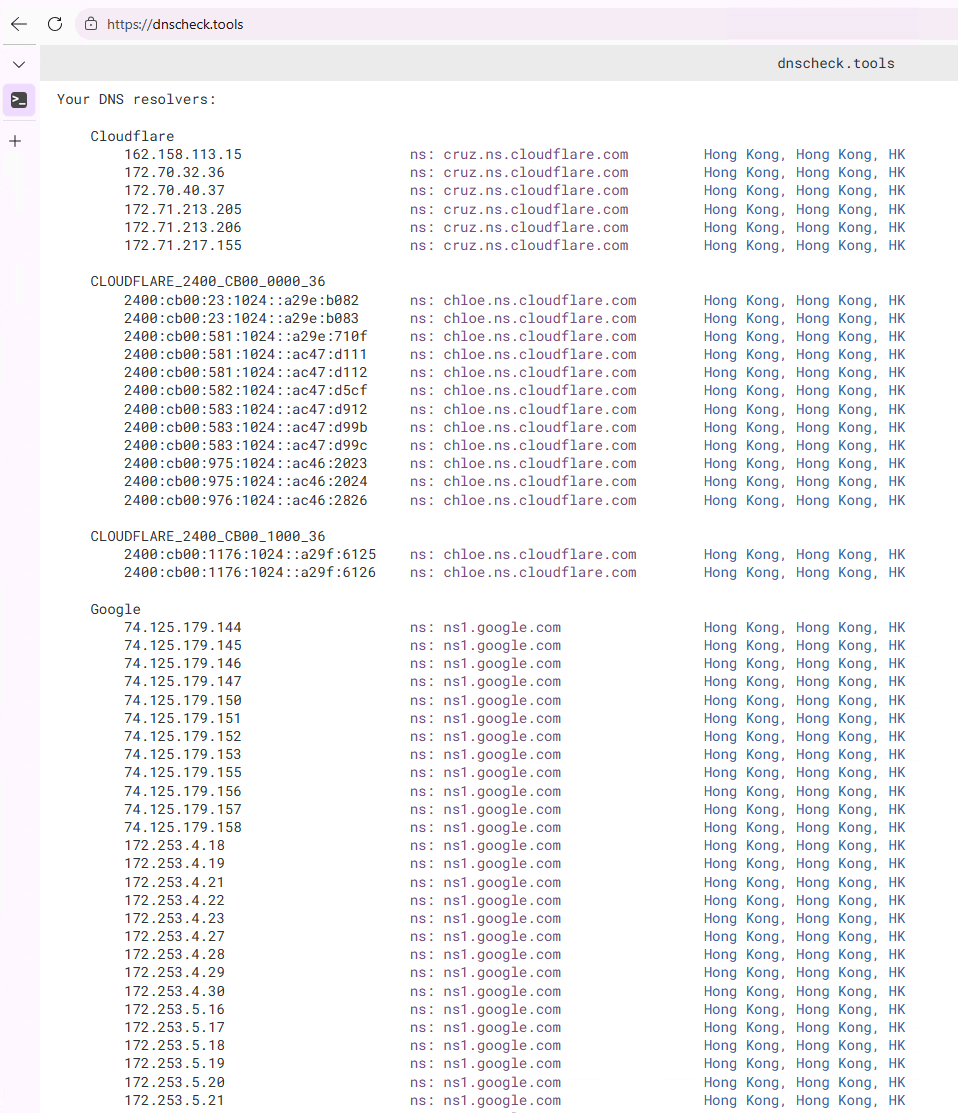
Tests with dnscheck.tools show that both Cloudflare and Google are used as resolvers (I am in Asia):

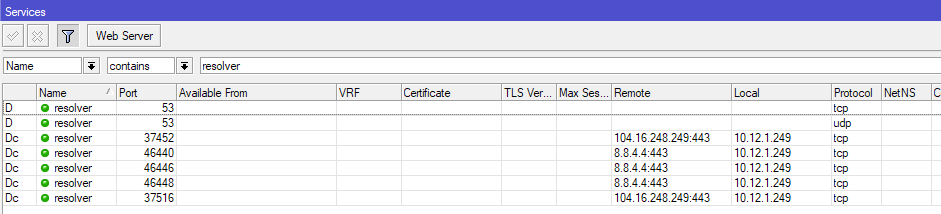
And RouterOS does make simultaneous HTTPS connections to both cloudflare-dns.com and dns.google:


This also shows that RouterOS has no reasons to not support multiple DoH entries in the main DNS setting!

awesome solution !!!

Bro, there’s a typo in the exported script , where there’re double +\\.

it should be +\. right ? ( this is how i got mine working based on your instruction)

Thanks bro

Well, i think Mikrotik should implement this into default setting ( cause’ lastime nextdns blackout in my area.)

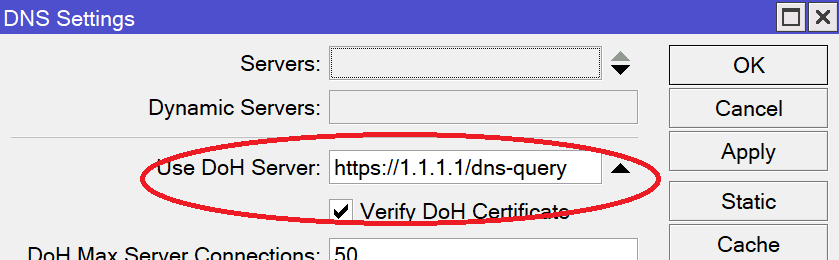
When entered in WinBox you only use a single \ (as you can see in the WinBox screenshot above), but when entered as console command/in scripts, \ is normally used as escape character in strings. You'll need \\ in the quoted string to get a single backslash.

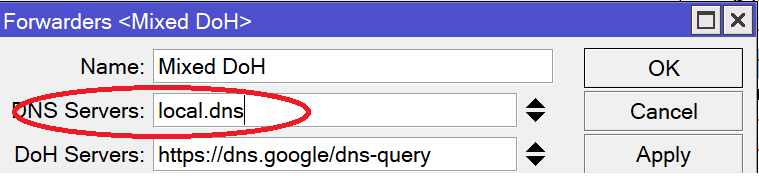
I think if you add local.dns to DNS Servers list in Forwarders <Mixed DoH>
you'll get a more clear and working setup.

Otherwise, the main DoH server will not work at all.

Without local.dns the ALL DNS queries will ALWAYS be redirected (in round-robin mode) to the servers specified in Forwarders.

What is local.dns?

local.dns - dns server noted at “DNS Settings” in “Use DoH Server:” field.

This is stated in the documentation. here:

Otherwise (without local.dns) all DNS requests will pass by this server (see DNS Settings > Use DoH server:) and be redirected to the dns servers specified in Forwarders.

Of course, this is true for the mask mentioned earlier: forward-to="Mixed DoH" regexp="[a-z0-9-]+\\.[a-z]+" type=FWD

Thanks, I guess local.dns is some sort of internal name? I tried adding it and DNS resolution broke for all my clients which was fun :slight_smile:

As well as @alibloke, when adding local.dns I get the error "DoH server connection error: Address not available" from where DNS resolving is no longer working. Should this be this exact entry, or should I replace it with the IP address (or create a static entry)?

Though I do like multiple DoH servers, the disadvantage is that (for me) Adlist is no longer working. Looks like it is bypassed while all static DNS entries are correctly resolved. Still searching for a solution.

Wrong, local.dns is simply a placeholder name for a dedicated local DNS server - if one exists on your network, such as my-domain-dns.com .

Thanks, that makes sense.

Cool trick, but I'd like to warn that it seems not to secure from (provide redundancy for) a certificate verification issue [of the main server] (even though I believe it should, i.e. RouterOS should act that way).