SXT PtP Link reports

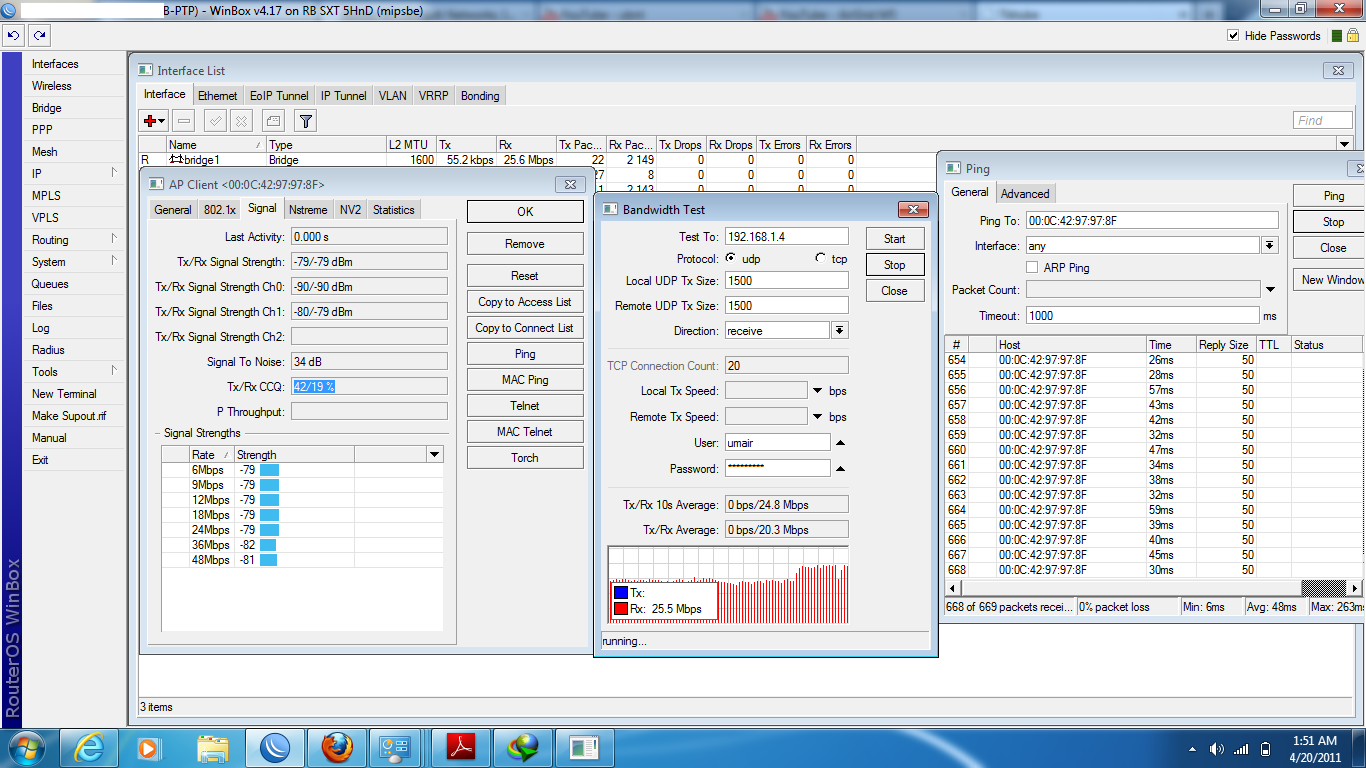
I got 2 SXT’s LOS very clear. Distance 1.5 km. Both chains enabled. Extension channel “below control” AMPDU Priorities all selected. But the bandwidth test shows the below result.

Is it good enough?? One is configured as bridge and the other end as station WDS. If i keep both on bridge i get some problems with my network.
sxt testing.JPG

TCP 2km
Untitled.png

That is amazing.
I do not know where I am wrong. I am using 5Ghz only N.
Protocol I am using is 802.11 and I do not have superchannel enabled.
Can i see the HT settings which u have.

3 Km link with two SXT
PTP LINK.png

Hi..
Here is something you can refer..
under the…
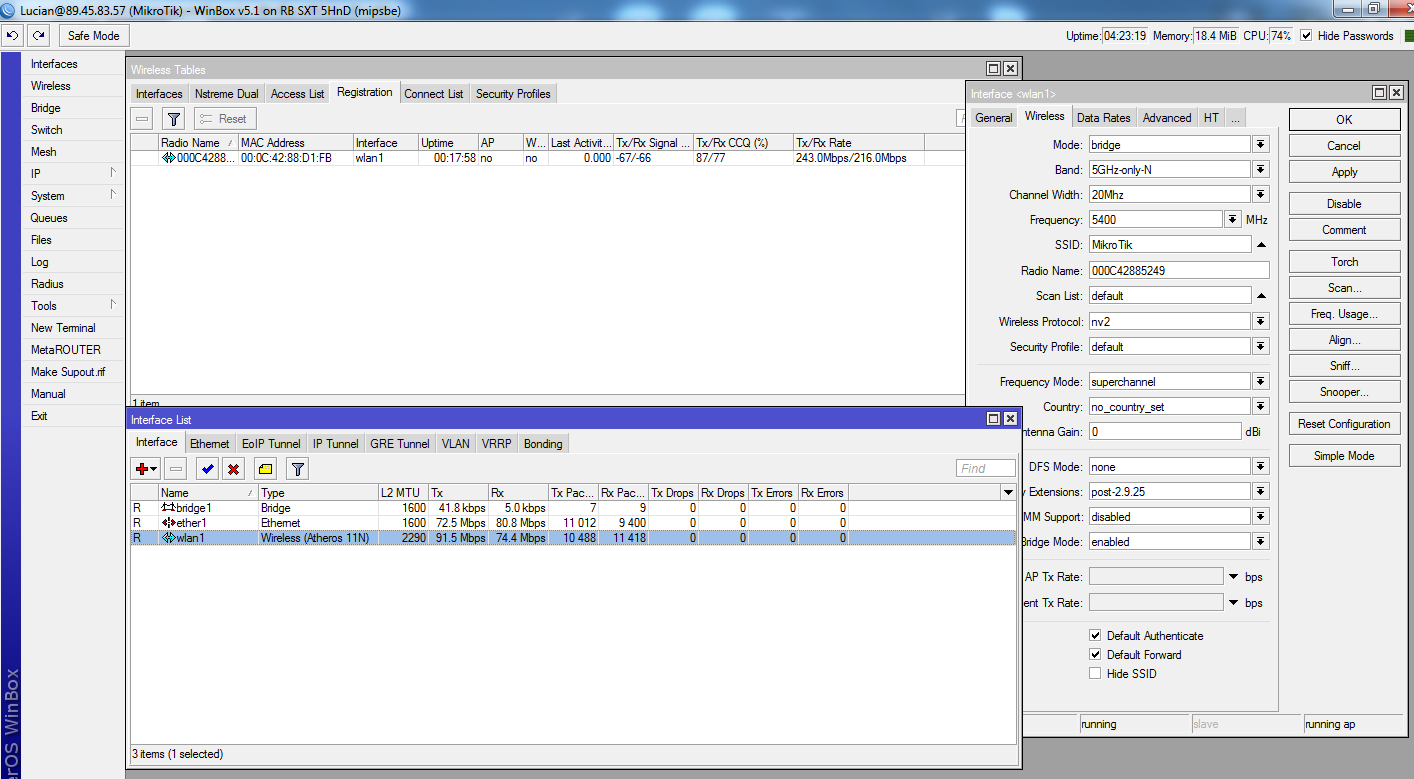
-interface> wlan1> wireless> check on the Frequency mode: SuperChannel
-interface> wlan1> wireless> check on the Wireless protocol: nv2

then try to use the channel 5400 and in the station-wds unit, scan list copy and paste this into the scan this..

5150,5160,5170,5180,5190,5200,5210,5220,5230,5240,5250,5260,5270,5280,5290,5300,5310,5320,5330,5340,5350,5360,5370,5380,5390,5400,5410,5420,5430,5440,5450,5460,5470,5480,5490,5500,5510,5520,5530,5540,5550,5560,5570,5580,5590,5600,5610,5620,5630,5640,5650,5660,5670,5680,5690,5700,5710,5720,5730,5740,5750,5760,5770,5780,5790,5800,5810,5820,5830,5840,5850

I believe you problem will solve. or you can generate the Supout.rif file and email to me, i can assist you to look into this.

:sunglasses:

What does “superchannel” setting does addition to freeing channel selection from (regional) regulation?

That’s it. It allows you to test all frequencies that the installed radio card is capable of.

Tom

Hi,

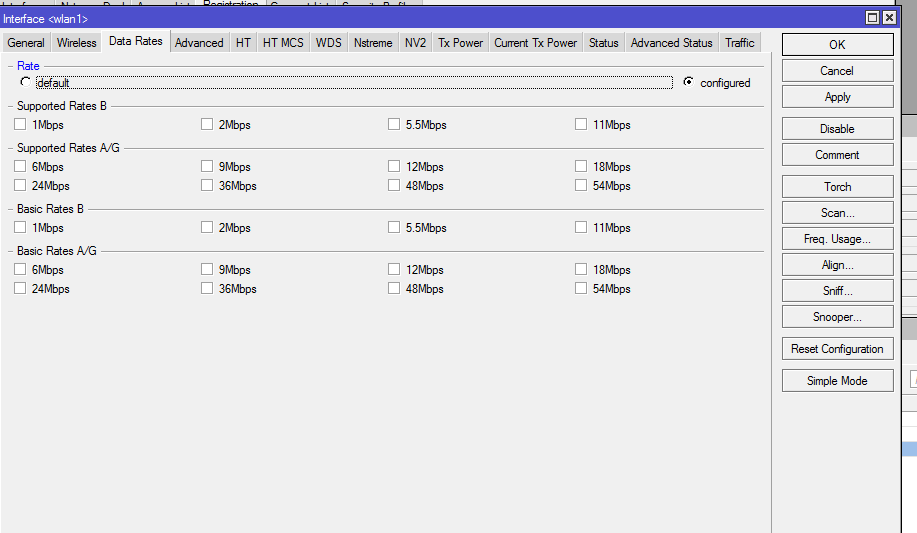
if you still have the issue you may try doing the changes in the attached photo it will help you to connect with a higer speed also click on the HT MCS all and plz make a bandwidth test with TCP not UDP

Thanks
rate.png

You have unchecked all the data rates so at what rate does the radio connect. If I have a long distance link like 20 km and I uncheck all the data rates I fear loosing the connectivity. Pls advise

it will tray to connect @ higer rate
try it nothing t lose :slight_smile: