how i can install Technitium DNS Server on docker ?
anyone can help me ?
https://hub.docker.com/r/technitium/dns-server
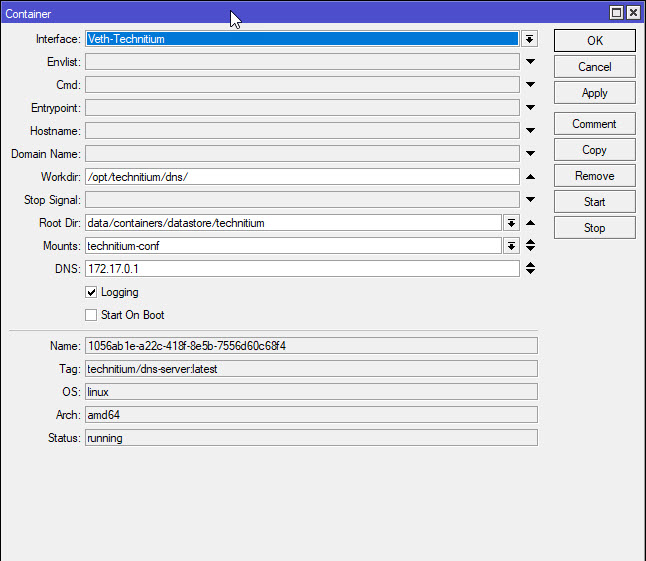

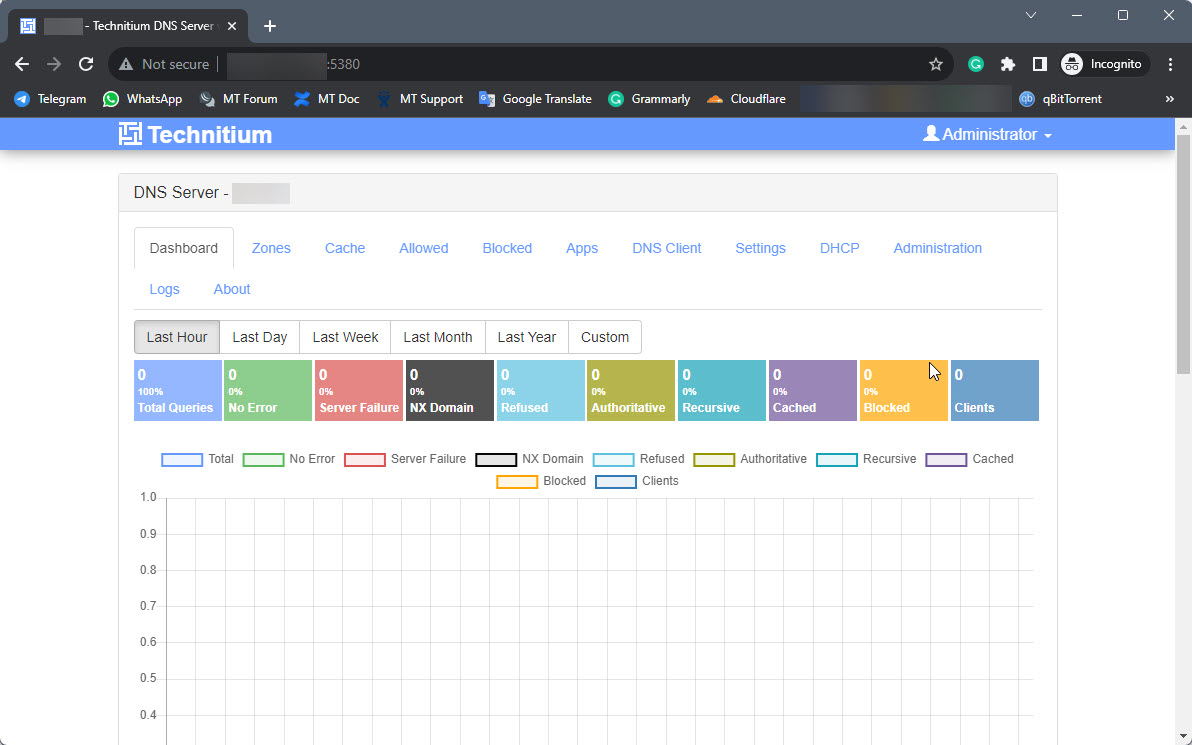
Can you give the configuration on your photos?
I know this post is a bit stale, but this works for well me, so I’ll share my container config in case it helps someone else. This is on 7.15.3.
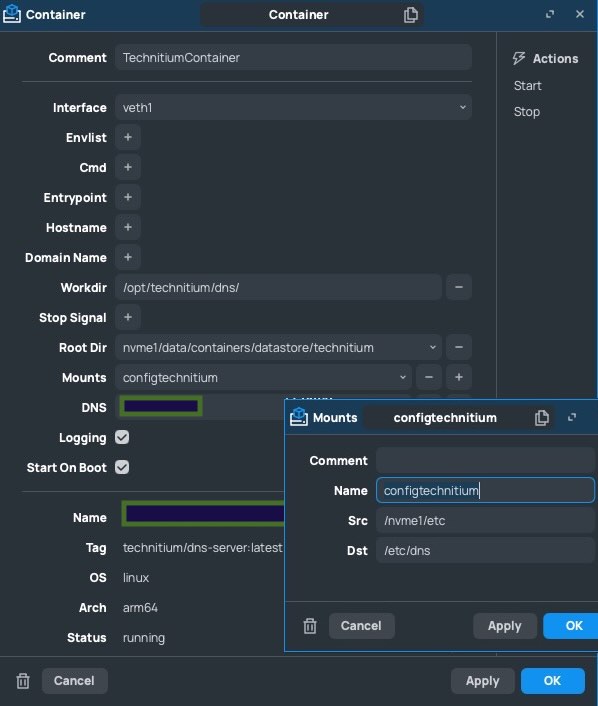
I also prefer the bridge proposed by TangentSoft outlined here https://tangentsoft.com/mikrotik/wiki?name=Bridged%20Container%20VETH
dope! ty very much.
Hi,
Sorry to bring up an old thread but I’ve been struggling with this. I’ve tried using podman and most recently with docker in WLS ubuntu.
Based on Mikrotik’s container guide linked earlier, I tried to build the Technitium image with Podman and in my latest attempt with WLS Ubuntu and docer engine. To build the image I followed the Technitium build instructions: DnsServer/build.md at master · TechnitiumSoftware/DnsServer · GitHub skipping only step 7 since i’m building it for arm from my pc. For the build command I used this instead: “docker buildx build --no-cache --platform arm64 --output=type=docker -t technitium/dns-server:latest .”
I then save the image as a .tar and copied it into ROS with Winbox and this is where I’m getting majorly stuck. I’m not good enough to figure out how to add the container with the CLI command examples that were shared for pihole. When trying to add it manually in Winbox I get a unable to execute next line error. Trying to run it again just gives gives a 255 error. While doing this, the tar file also disappears.
Can I please get some help from the folks who managed this on this step? How should I add the image that I’ve built into Mikrotik container?
Thank you in advance for anyone jumping in to help!
It's probably easier when you don't build the image yourself. Is there a reason why you did not just set:
/container config set registry-url=https://registry-1.docker.io
And add the container by specifying remote-image=technitium/dns-server:latest? Do you have the new hEX refresh/hEX S (2025)/hAP ax S devices that require arm/v5 images?
Hi CGG,
Thanks for the quick reply! I’m trying to use a RB5009 behind a CCR1036 to do this (it’s a waste that containers won’t work on TILE since I have 16gb there).
I tried adding the remote image through Winbox and it gave resolving error. Edit: Oh I’m an idiot, just realised that the rb5009 didn’t save my gateway and dns settings when putting it in bridge mode. It’s extracting now. Hopefully this is it! Thank you CGG! It’s at least moving in the right direction for now?
Hi CGGXANNX,
Just wanted to write a word of thanks. I have managed to get this up and I had to follow the tip from tanget on the bridge to get mine to work (as well as disable a NAT redirect rule I had on previously which prevented me from accessing the app store on technitium). I’ll continue to play with this as it’s not mounted in my USB at the moment so I opted for no logging for now until I figure out how to mount it properly but I should be good.
Thank you once again and wishing you a good Friday and weekend ahead!