Hi,
Has anyone managed to make use of slack bot for thedude notifications?
I saw that someone made a wiki for Telegram. Hope u guys can help me with the slack support
Hi,
Slack is platform for creating support and chat rooms for any firm.
It is possible to due webhooks, use api to multple platforms.
read more at slack.com
For now we are use it for NOC notify, from Librenms, Unimus backup. Hoping to see support for MK TheDUDE and UBNT aircontrol
It should be doable in similar way as it is done for telegram. We have sent messages to Mattermost (Slack fork) via fetch from RouterOS.
Fetch even got some updates in v6.39rc builds to make things easier:
*) fetch - added “http-data” and “http-method” parameters to allow delete, get, post, put methods (content-type=application/x-www-form-urlencoded by default);
You should use custom notification, to run some command when a device is down, “execute on server” can run Fetch:
https://wiki.mikrotik.com/wiki/Manual:The_Dude_v6/Notifications
and Fetch can trigger Slack. This example is from Mattermost, but should be identical for Slack too:
/tool fetch mode=https url="https://SLACK.com/hooks/5eu1a1gkypnypbyseqzsq1ao4w" http-method=post http-data="payload={\"text\": \"Test\"}"
Hi @Normis
Sorry but im kinda new to this. could you maybe help with a little howto guide. The wiki dosn’t say anything about execute on server.
I pasted a link to the Wiki page that contains this info:
Execute on server - Executes ROS script on The Dude server host when notification is triggered. In “Command:” field you need to write script in RouterOS scripting syntax.
Simply make a new notification, choose this type, enter the Fetch command (first test it in RouterOS), then use this notification for specific events (like Unstable->Down event etc)
Hi @Normis
tried to paste the string into routeros using my own slack link. routers gives me and error
failure: closing connection: <400 BAD_REQUEST> 54.230.99.125:443 (4)
means you have an older RouterOS version where POST is not yet supported. Try RouterOS v6.39RC72
Okay ill update my router and try again
sweet now it works in routeros. Then i tried entering it into Thedude and clicked test - then nothing happens.
Shouldnt it be running if i click test
command: /tool fetch mode=https url=“https://hooks.slack.com/services/mytoken” http-method=post http-data=“payload={"[Device.Name]”: "[Device.Status]“}”
in Mattermost this works:
/tool fetch mode=https url="https://test.test.com/hooks/suchhookmuchwow" http-method=post http-data="payload={\"text\": \"[Device.FirstAddress] - [Device.Status]\"}"
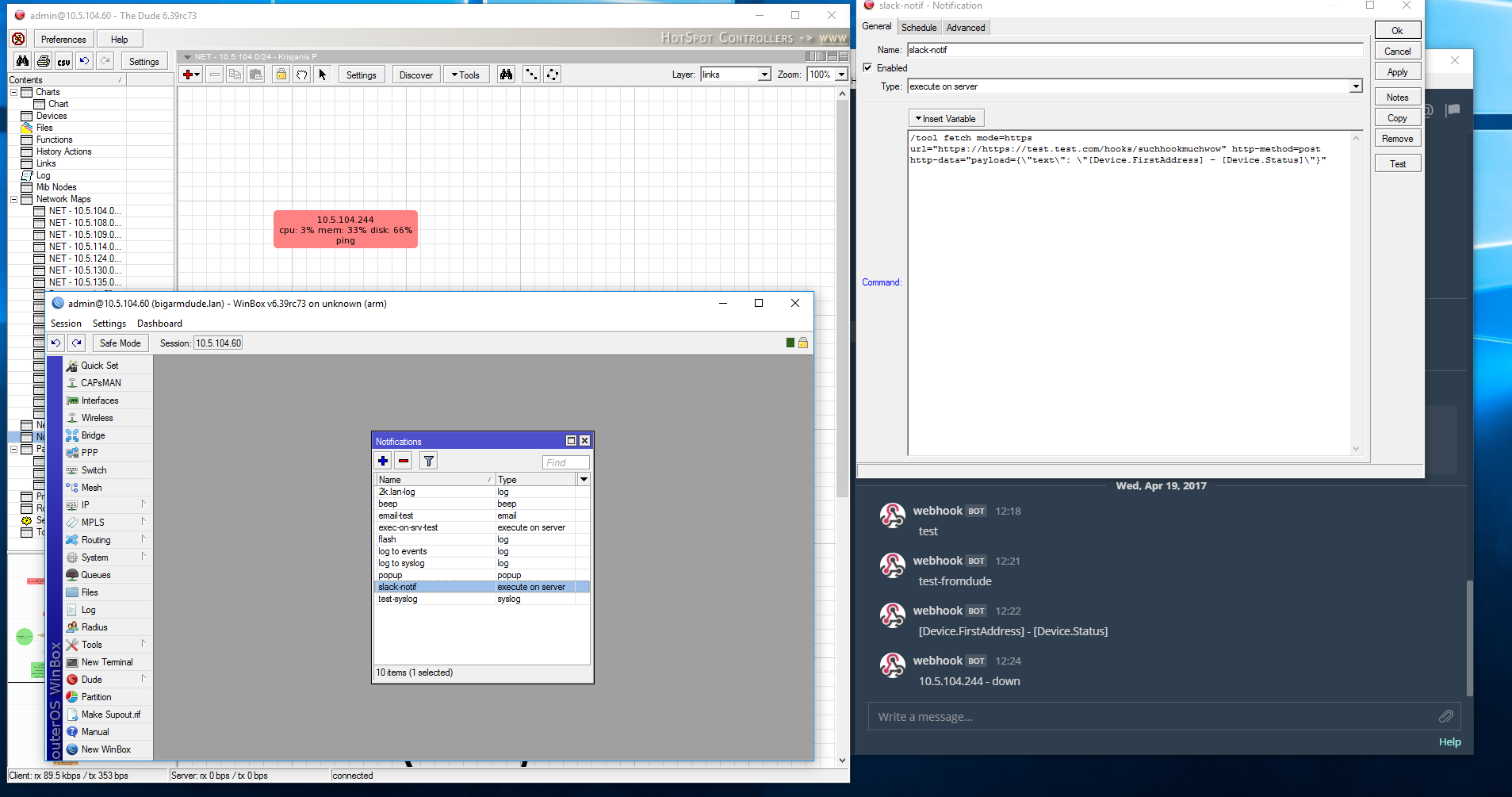
Hi again,
When i run the notifikation test in thedude it send message to slack.
But when a device is down it’s not working or sending any messages. What am i missing to make it work
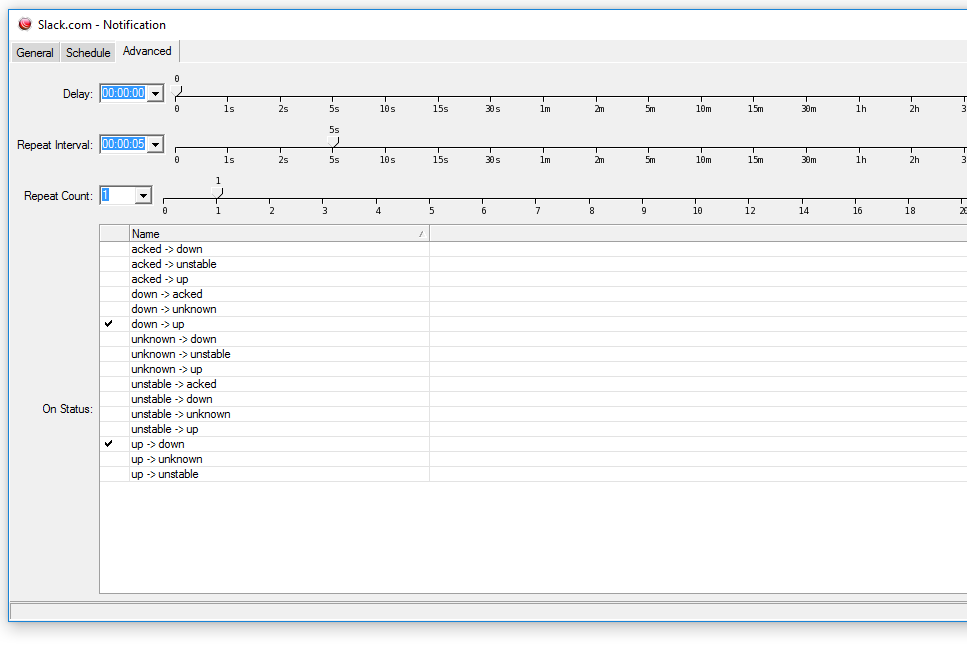
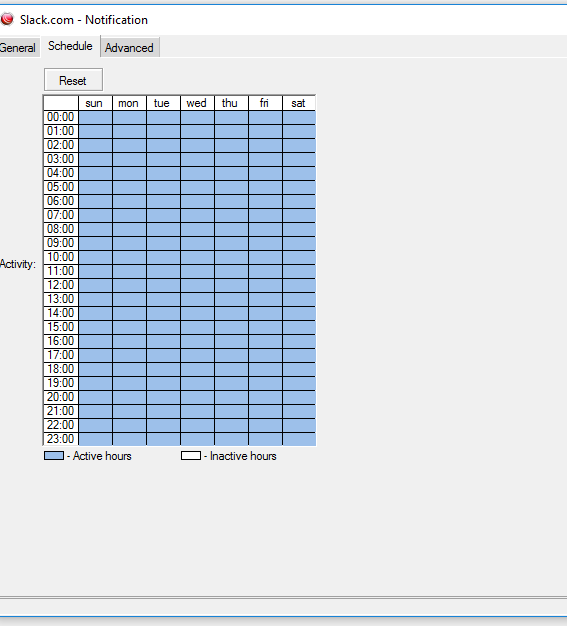
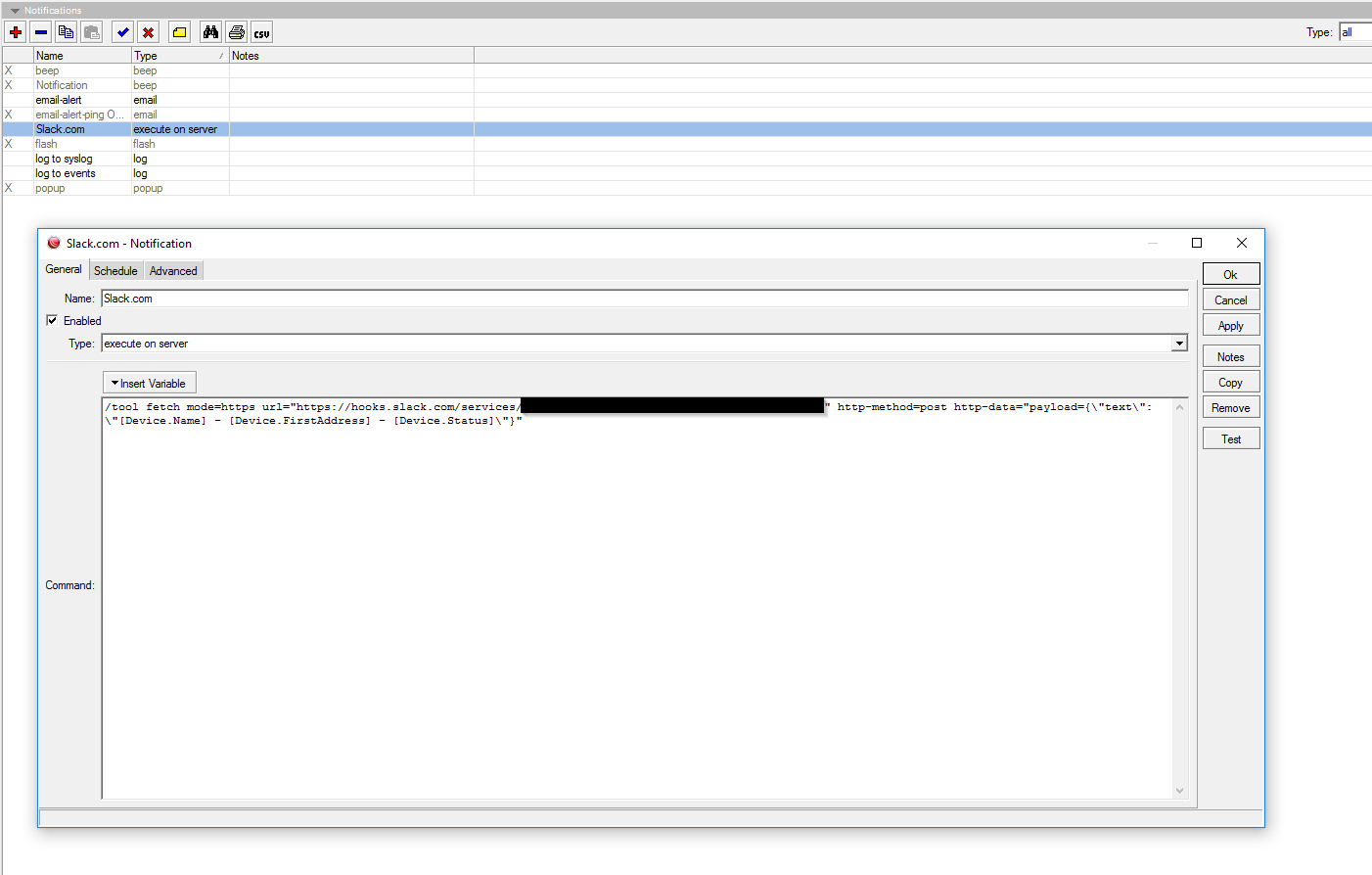
Finally made it work, some setting in Thedude notification
Excellent!
To make it better:
When up to down | unstable to down
/tool fetch mode=https url="https://hooks.slack.com/services/TEEEEEEEE/BEEEEEEEE/EEEEEEEEEEEEEEEEEEEEEEEE" http-method=post http-data="payload={\"attachments\": [ { \"title\": \"Dude Notification!\", \"text\": \"[Device.Name] ([Device.FirstAddress]) is [Device.Status]\", \"color\": \"danger\" } ] }"
When down to up | unstable to up
/tool fetch mode=https url="https://hooks.slack.com/services/TEEEEEEEE/BEEEEEEEE/EEEEEEEEEEEEEEEEEEEEEEEE" http-method=post http-data="payload={\"attachments\": [ { \"title\": \"Dude Notification!\", \"text\": \"[Device.Name] ([Device.FirstAddress]) is [Device.Status]\", \"color\": \"good\" } ] }"

@tomasi
Im using slack now for some event. Could you help, how can i make router to send notification to slack. Whenever a user logins via web or Winbox or even SSH
/Simon
This worked flawlessly for years. It seems Slack has deprecated incoming webhooks. All of my push notifications (Including The Dude) quit back in March. Does anyone have an updated method for doing this in Slack??