while (true) do={:local a [/in wi reg get number=0 last-activity]; :local b {[:pick $a +4]}; :if (b>=2) do={[/system reboot];};}
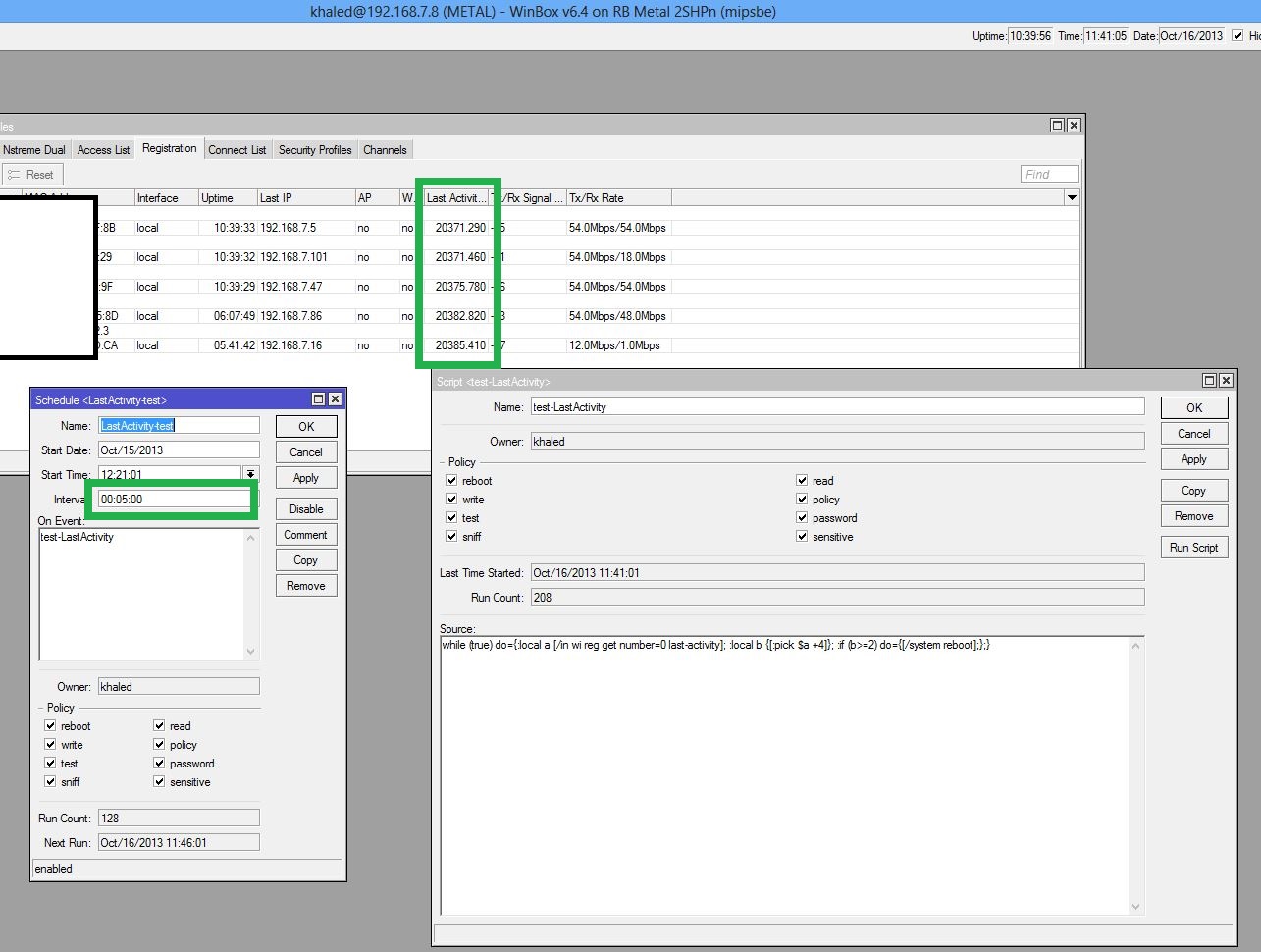
The “on-event” value should be the script source itself, not a script name.
Your script is causing a never ending while loop that causes the Metal's CPU to peg out at 100%. And then five minutes later it does the same thing, adding another one. Get rid of the loop for starters. And when comparing times, you can do something like this (2s being "2 seconds", and decimals are acceptable 1.5s, 2.2s, etc):
:local a [/in wi reg get number=0 last-activity]
:if ($a>=2s) do={
/system reboot
}An easy way to test these things is by putting the whole thing in curly braces (necessary for :local var), adding a :put statement or two for visual output, and copy/pasting the whole thing into the terminal:
{
:local a [/in wi reg get number=0 last-activity]
:put $a
:if ($a>=1.5s) do={
:put "reboot"
/system reboot
}
}One other question, are you trying to select a specific client? (based on smallest/largest last-activity value)? Just wondering because using "number=0" will simply get the first item that was added to the list, in this case the client who has been associated the longest.
It can be either  : RouterOS - RouterOS - MikroTik Documentation
+1… while(true) is generally not a good idea.
I assume you’re referring to the script itself to which I agree. I think the script will be rebooting unnecessarily too often.
Yeah. Sorry. I mean from a general scripting/programming practice view… “while(true)” is just a way to get into trouble…
-Eric
Thank you very much MR skot
it’s working good that script 
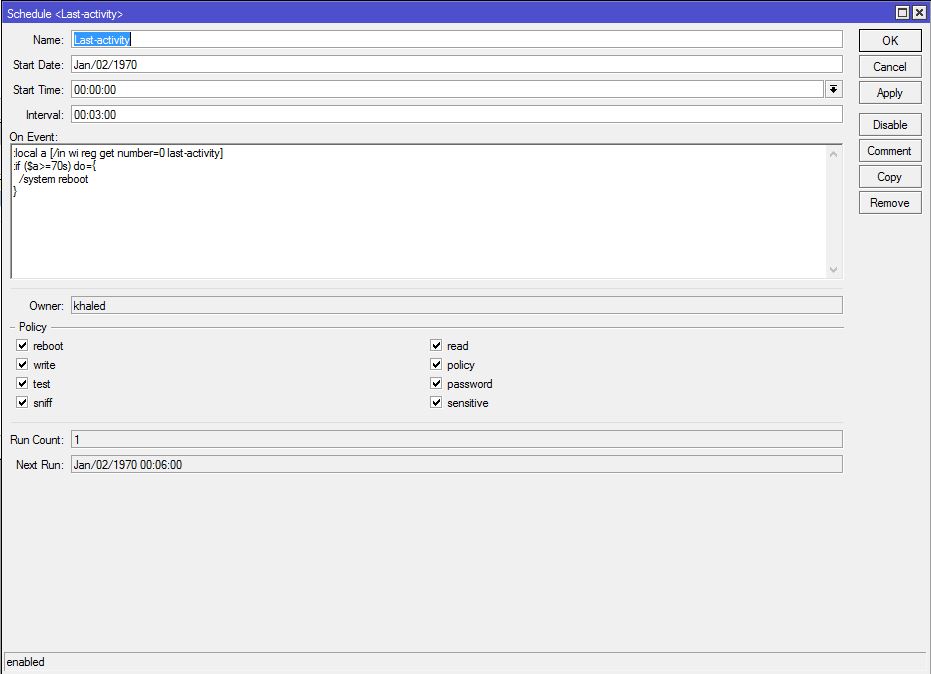
not a specific client All ; the problem it’s the wireless in some time between 3 hours and 3 days stop transmit the packet it’s like “freezing”;when last activity numbers count a big number that mean the wireless it’s down and it’s necessary to reboot the RB-metal
sorry about my langague
and thank you for help me 
the script stop working !!
what wrong 
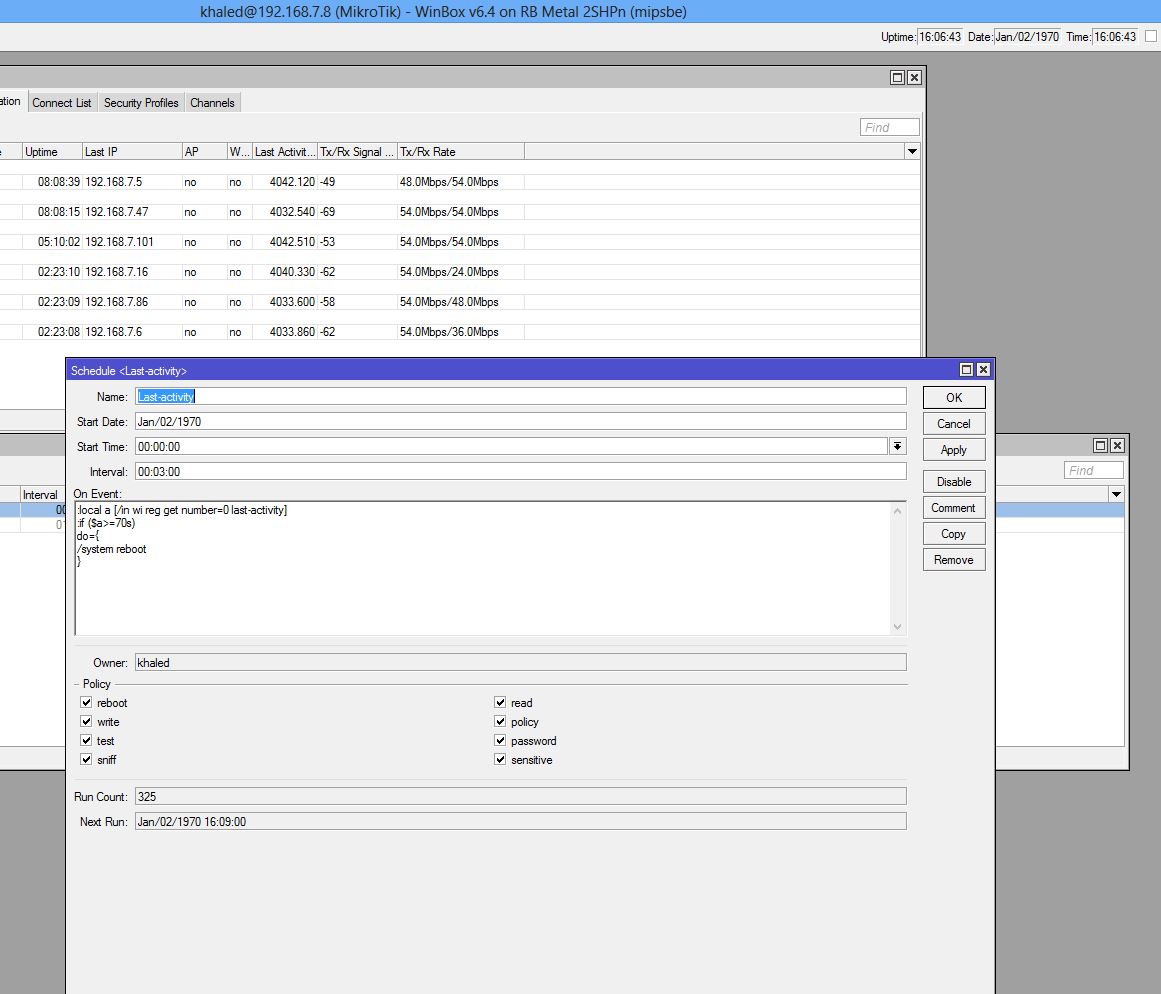
My guess is that the variables are containing what you think they are. I’ll have to have a look at it tomorrow and see if I can fix it.
Sent from my GT-P3110 using Tapatalk 4
What is the result if you paste this into the terminal?
:put [/in wi reg get number=0 last-activity]
i am using your second script “the testing script” and i am changing the necessary.
The proof
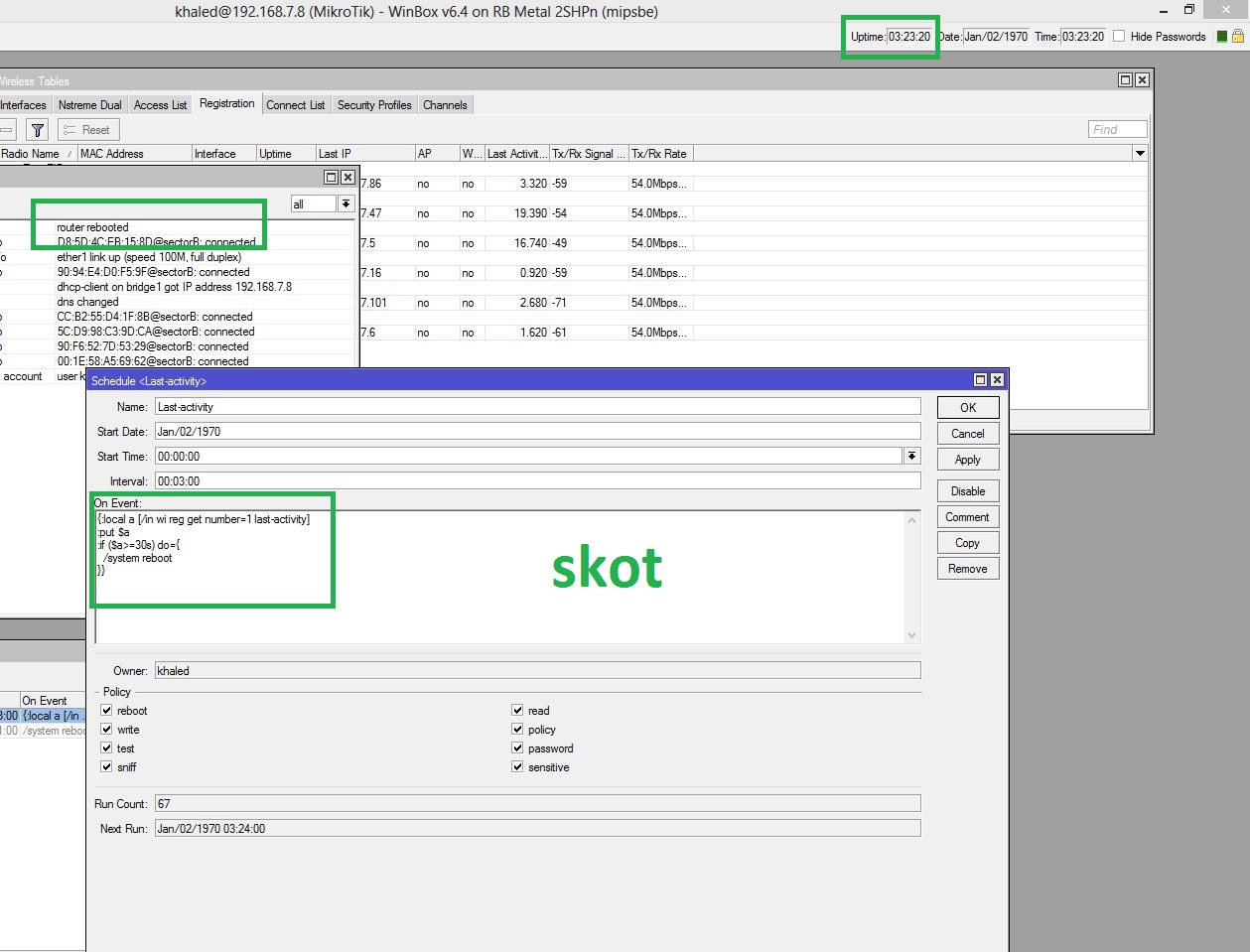
the result:
00:00:10.870
This is the last script "your test script
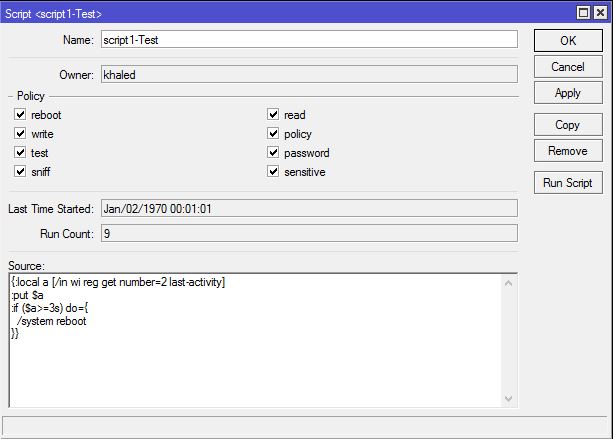
{:local a [/in wi reg get number=2 last-activity]
:put $a
:if ($a>=3s) do={
  /system reboot
}}[/quote]
i am testing this script manual several times by change the argument 1s 2s like real last-activity and the router reboot evry time if last activity correspondent the “if”
Did the script work after you changed the time to 70s? I wonder if this might have something to do with it. Because the returned last-activity time is in the format of: 00:00:10.000, 70s would be returned as 00:01:10.000. Interesting that if I do :put 70s, it returns 00:01:10
I would troubleshoot by logging from beginning to end of the script, to get more details and to make sure the script isn’t getting hung up somewhere. Then watch the logs to see what values are returned and to see if things are working properly. Maybe try changing 70s to 00:01:10 to see if that makes any difference.
/log info “[LAST-ACTIVITY] START”
:local a [/in wi reg get number=0 last-activity]
:if ($a>=70s) do={
/log info “[LAST-ACTIVITY] $a, reboot”
/system reboot
} else={
/log info “[LAST-ACTIVITY] $a, OK”
}
/log info “[LAST-ACTIVITY] FINISH”
Thanks SKOT
i try your script and the result all time “ok” on “1s” argument , i will try when the problem appears {the problem the last activity count numbers : 100 and more.
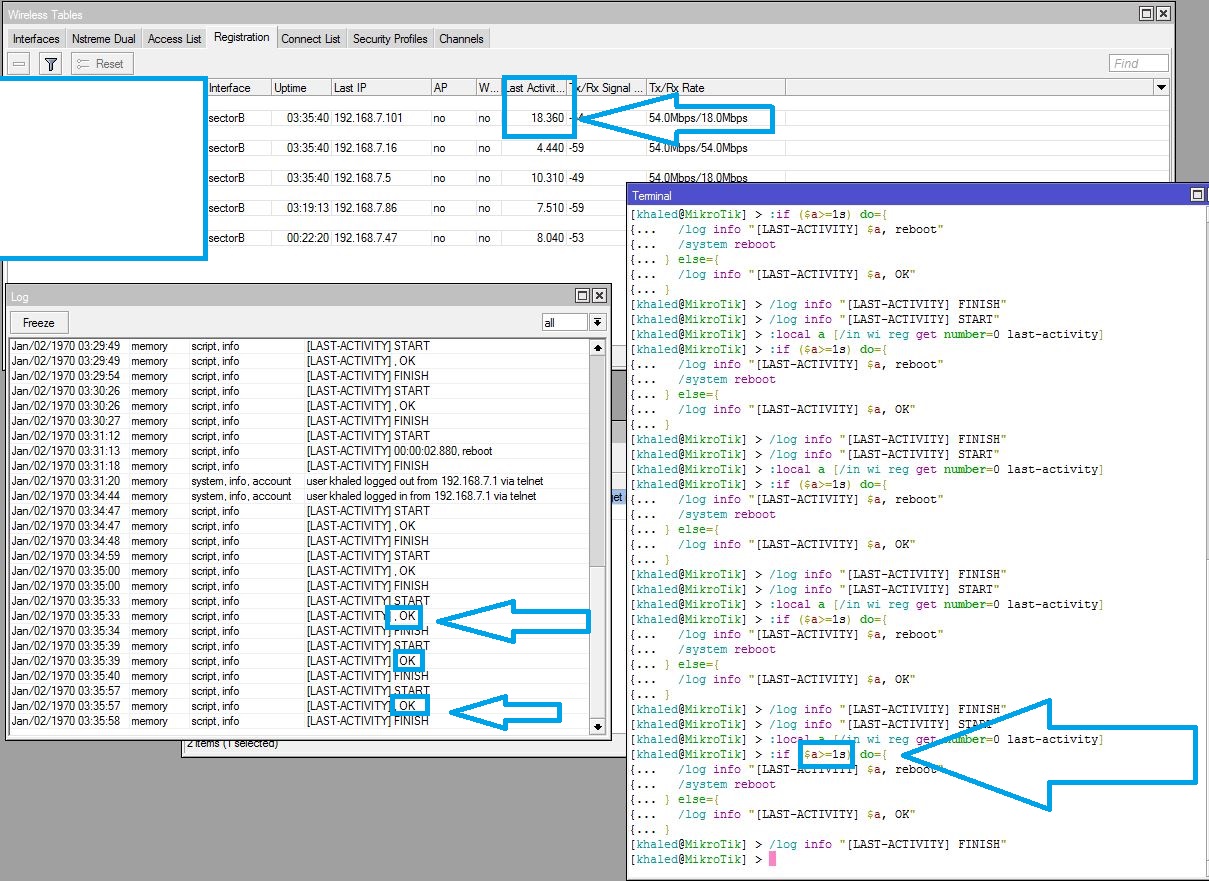
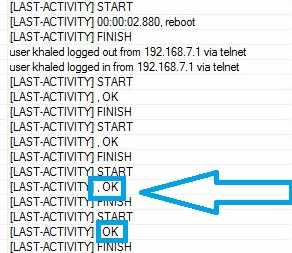
In your example, all the OK lines should have the time value just like the reboot entry.
If you run the script in the terminal with :local variables, make sure to enclose the entire script in brackets:
{
/log info “[LAST-ACTIVITY] START”
:local a [/in wi reg get number=0 last-activity]
:if ($a>=70s) do={
/log info “[LAST-ACTIVITY] $a, reboot”
/system reboot
} else={
/log info “[LAST-ACTIVITY] $a, OK”
}
/log info “[LAST-ACTIVITY] FINISH”
}If you run the script in System > Script, it doesn’t need the brackets.
that rhight , its work
{
/log info “[LAST-ACTIVITY] START”
:local a [/in wi reg get number=0 last-activity]
:if ($a>=1s) do={
/log info “[LAST-ACTIVITY] $a, reboot”
/system reboot
} else={
/log info “[LAST-ACTIVITY] $a, OK”
}
/log info “[LAST-ACTIVITY] FINISH”
}
[reboot , ok]
new problem: the script not working in scheduler when the wireless down “freeze”
but i try to paste the last code in new terminal And the result Ask to reboot the router -i try 1s and 70s -
{
/log info "[LAST-ACTIVITY] START"
:local a [/in wi reg get number=0 last-activity]
:if ($a>=1s) do={
  /log info "[LAST-ACTIVITY] $a, reboot"
  /system reboot
} else={
  /log info "[LAST-ACTIVITY] $a, OK"
}
/log info "[LAST-ACTIVITY] FINISH"
}
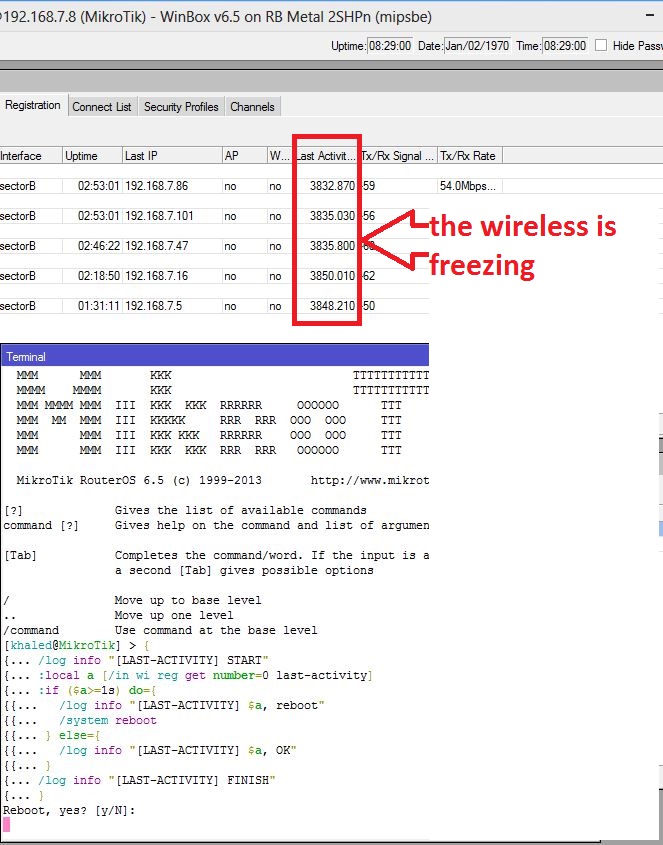
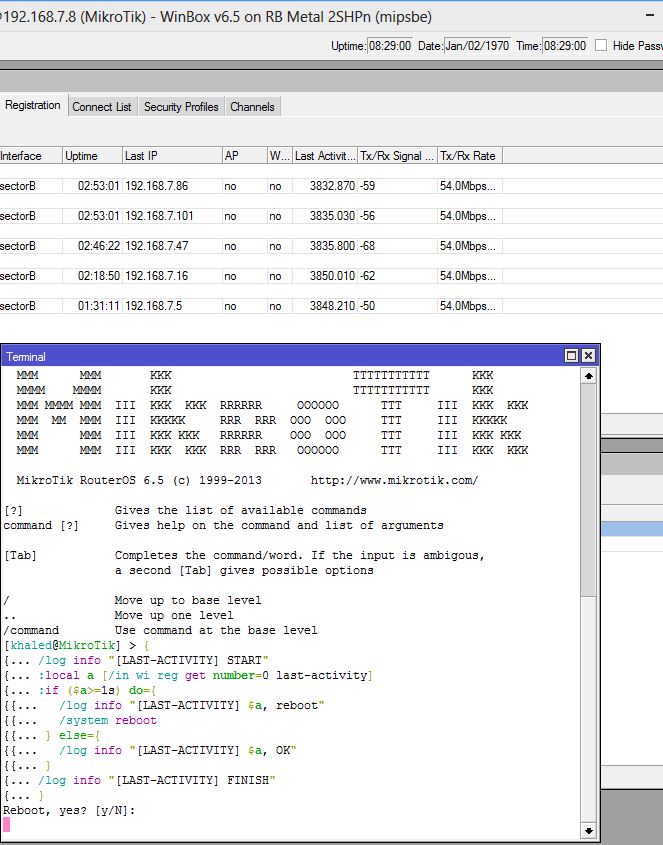
In the terminal, this is normal behavior, it will ask if you want to reboot. In a script, it will reboot without the prompt.
When the wireless is freezing, what do the logs say? Does it indicate the scheduler/script is running?