So I upgraded to this latest version.
I am not familiar enough with splukt to tune this, but it is getting really sloooooooow
Any hints in how to get better performance ?
removing old data ?
some indexing and how ?
getting a warning :
Storage engine migration recommended
If your instance uses the MMAPv1 storage engine,
how do I find out if my docker instance uses this ??
free splunk license btw
There a LOT of interesting documents on Splunk that are easy to read.
Including some to limit the retention for example. I only keep about 30days I believe. I’m running it on a NAS, together with 5 other VM’s and 15+ containers so I have to make choices consuming nearly all 16GB that is in my NAS.
Concerning the storage-engine, see for example below
It seems I’m also using the “old” MMAPv1 but I don’t have such messages. I’m running 8.2.0 (I’m not updating to release 8.2.3 since the fixes are not interesting to me)
For licensing, go to “Settings” (on the top menu) , then “Licensing” en there you’ll see what you have, what volume of the 500MB/day you’ve used etc.
With the netflow you do have some more insight in the port-usage too and not just IP’s.
Ideal to possibly pick up certain abnormal “flows”
I agree there is a lot TCP/443 these days but still…
I know NetFlow is a much more in depth analyze tool and gives information about every packet.
My goal is to deliver some that is simple and many can use to monitor their routers. Kid Control and IP Accounting, gives information about who is downloading/uploading, how much and when.
Should be enough for most small/medium network admins.
Will have a look at NetFlow later to see if I can get it to work in a simple way with Splunk.
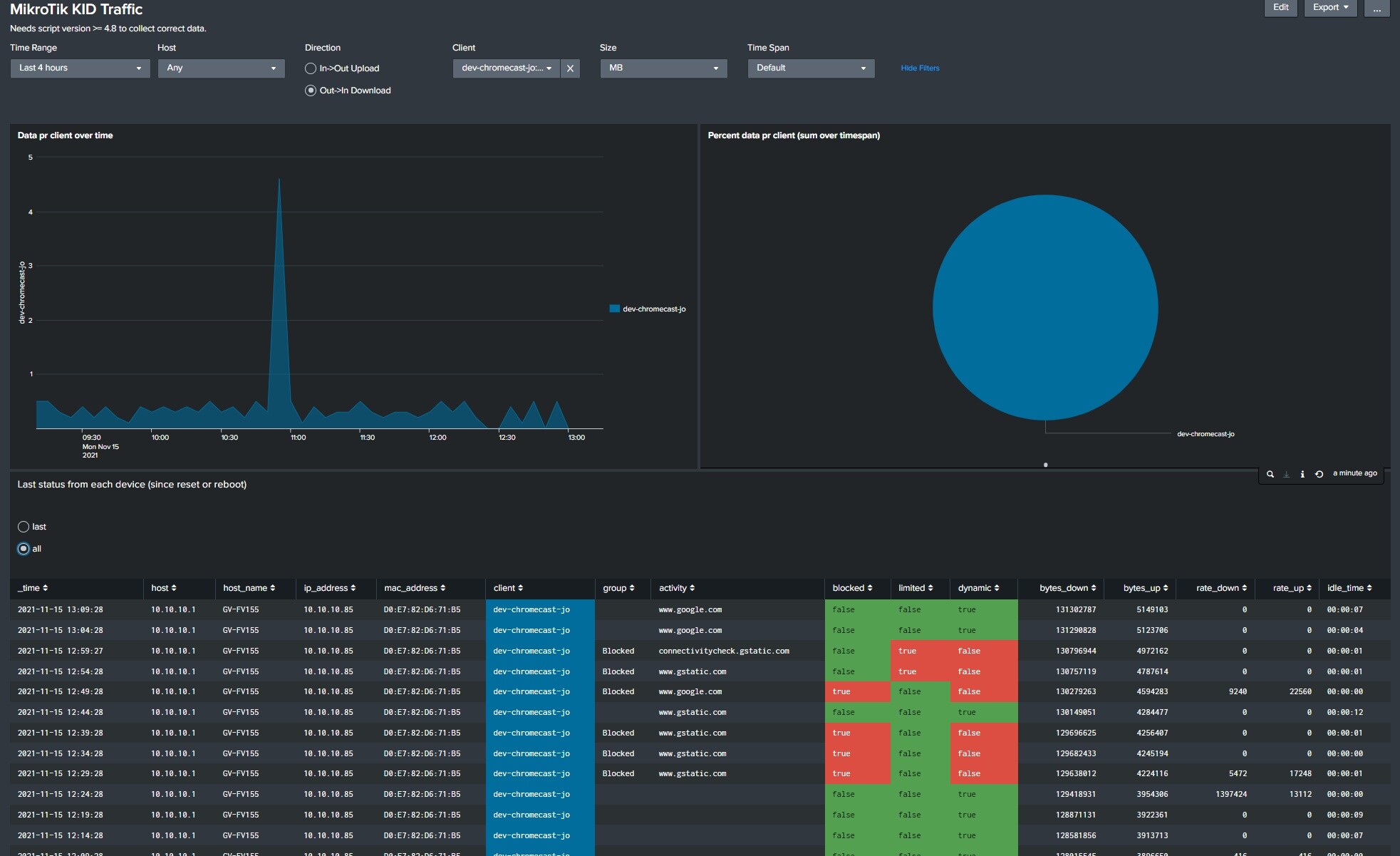
Here is a view that combine accounting with kid control.
You can see how much data my Chromecast downloads. 18MB last 4 hour (backgrround images).
At the same time it shows device (kid) control status. If its not in any group, its just used to monitor traffic (dynamic). It can be set to a group with various status, open, blocked manually, blocked due to time limit, blocked due to rate limit etc.
PS Kid Control should be renamed to Device traffic control, since its not just kids you like to block, it may be other devices as well.
I agree, there are many uses of this device tracking and control that extend beyond kids. I can also see potential for enhancing it even more with a few more features - just a few useful ones I have thought of:
The ability to be able to create a simple queue per host that includes the IPv4 address and IPv6 addresses - since “Devices” in kid control tracks this, there could easily be a “rate limit” setting in there. Note this is different from rate limiting per kid because sometimes you might want to limit per device like this.
The ability to dynamically place the IPv4 and IPv6 addresses for a single device or kid into an address list, that way they could be flexibly used in firewall rules.
Groups of “kids” could be created for things like departments of a company and used to populate address lists to allow creation of firewall rules based on department
Companies could use these features to restrict what some employees can do compared to others, and to provide an audit log of who had what IPv4 and IPv6 addresses at a given time. Kid-control has many practical use cases outside of restricting kids.
Change to kid kontroll for accounting (needs to be fixed)
Fixed possibility to turn off account data
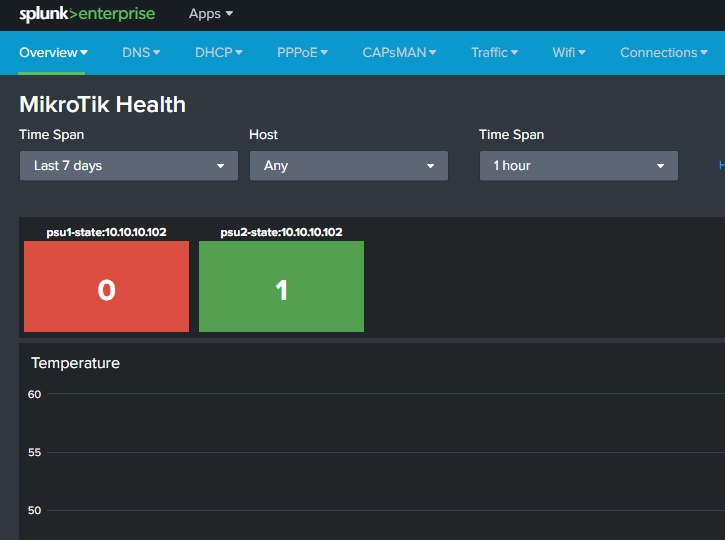
Updated health section to get all health info on old and new system to work better with 7.x
To upgrade, just cut/past the script to all router. (script found in first post)
NB If you do use accounting from 6.x, do not upgrade this script with also update the main Splunk version to minimum 3.5
This is due to change from accounting to kid control, since accounting does not work in RouterOS 7.x
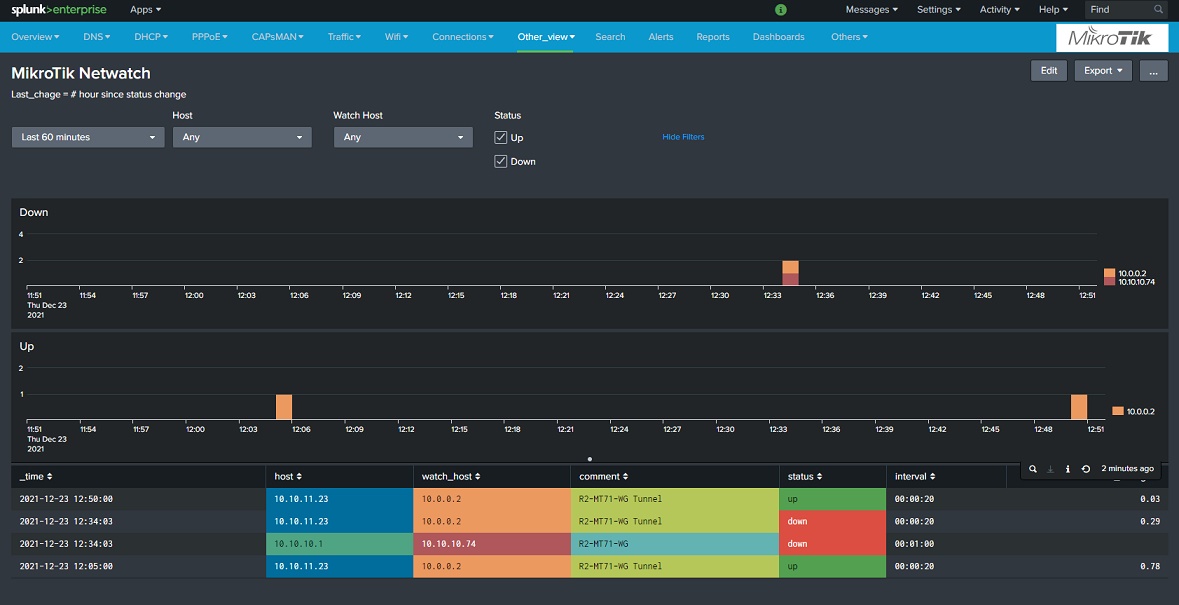
Next version will have a dashboard for Netwatch. With that you can keep track of when devices goes up and down.
It can also be used to monitor the stateless Wireguard VPN that can not be monitored as normal VPN can.
.
So it seems, my “interface” “zerotier1” is always UP ,but with Netwatch I can ping/test “remote endpoints” that also participate in the ZeroTier network.
I get “up / down” notifications through Netwatch the moment I switch on the ZeroTier VPN app on my Android phone
Off course conceptually ZeroTier is a bit different from WireGuard