Hello, I am completely new to Mikrotik and wish to load a configuration file (MyMAP.rsc) to mAP router for the first time. It should be a simple fix, and I just can’t figure out why.
The attached is a screen shot. Please point me to the right direction. George
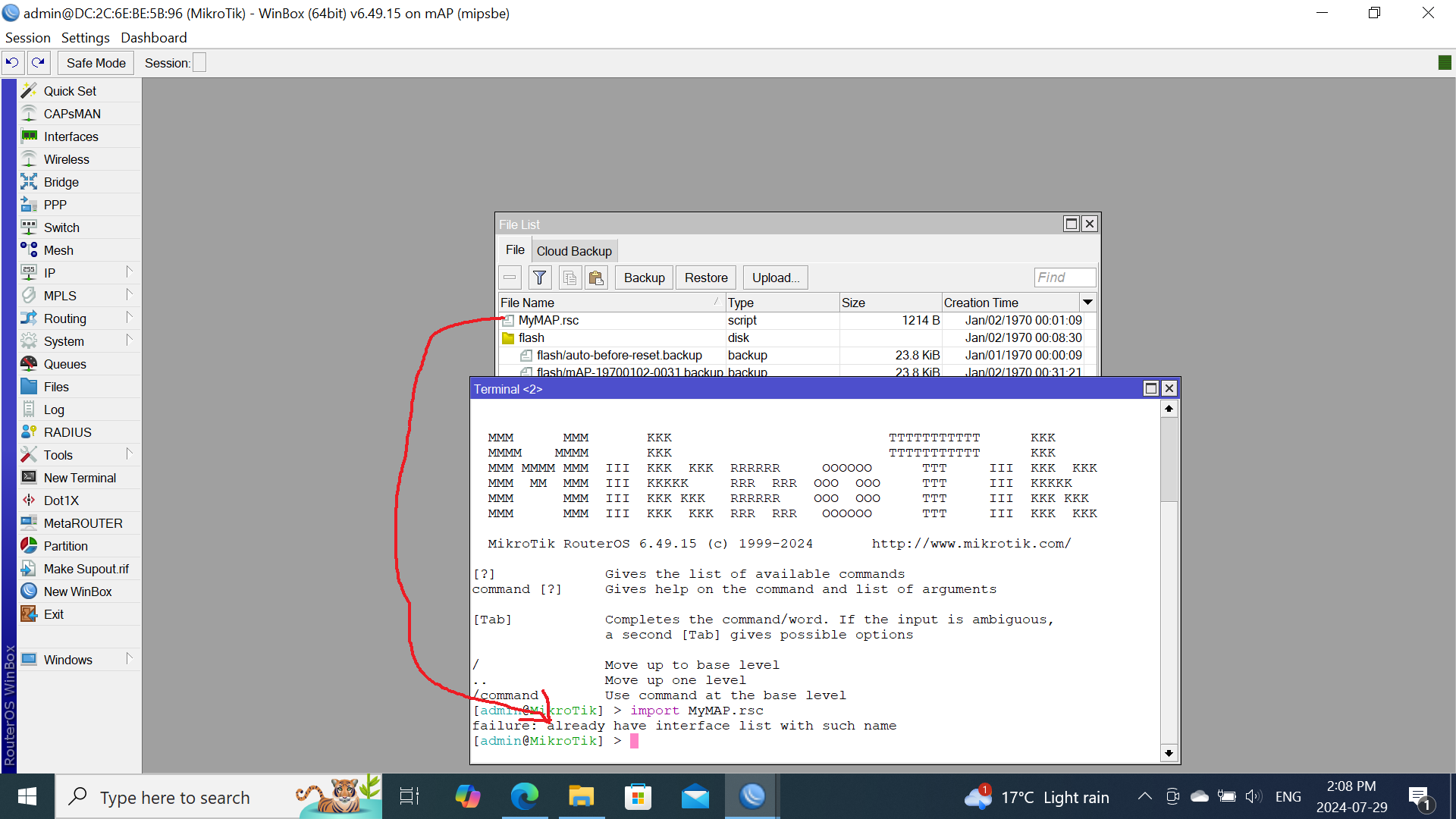
A couple of options.
-
Reset the mikrotik with no default config, (but perhaps keep users), and then try to import the file.
-
Open the file in notepad or similar and copy and paste a section at a time into the terminal.
You might be wise to compare the current default config to the config you want and adjust your import as required.
(eg. New config possibly has better firewall rules vs old)
Try to import with verbose=yes, it will show you the row where import is failing.
Anyway the error is coming from “interface list”.
Typically a default configuration has:
/interface list
add name=WAN
add name=LAN
very likely your MyMAP.rsc has also the same lines, you either remove them from your current configuration (and leave the MyMAP.rsc as is - IMHO better) or remove them from MyMAP.rsc.
There may be other “collisions” of the same kind, the import error usually points in the general direction of where the issue lies.
You should not import a “Full router config” on a router that already has one. Either import it on a router with no config, or edit the file and leave only the parts that you need.