Hello My friends..! so i am trying to setup port isolation in my CRS326-24G-2s but until now i coudn’t apply that, so please any help..?
this is my configuration
out interface =eth1
bridge-1 contain eth2-eth3…eth12
nat rule = masqurade
and the pictures below explain more
so my scenario is to sebarate eth1-eth2-eth3 from eth4-eth5-eth6. so when i plug my pc on eth6 i don’t want to reach the other pc that connected to eth2.
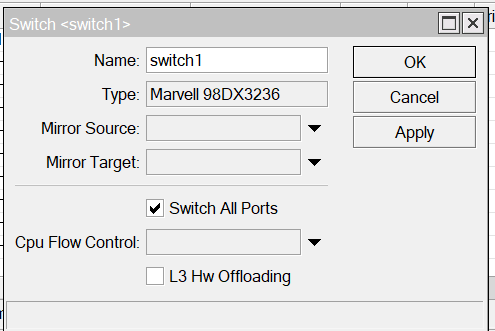
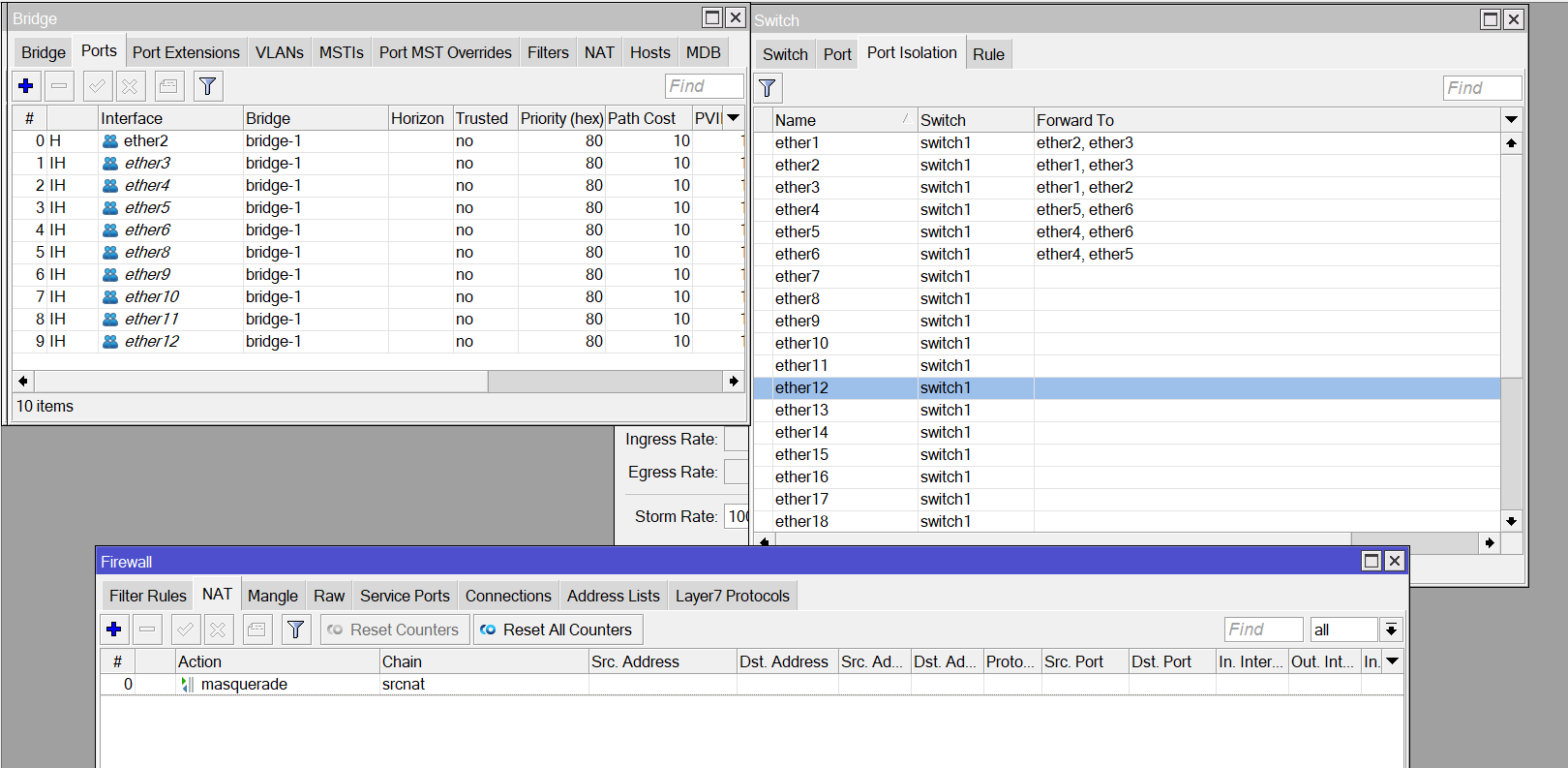
so as you see in the picture Mr rextended i apply this config, but it seems that i miss something. it doesn't work.
Understand, but you mix Layer 3 NAT with Layer 2…
Is not more simple on this case you sumpli create ports groups and on firewall deny communication on forward between the two ports groups?
well i didn't really understand what you mean in this sentence, well in my firewall rule i didn't create anything .
You need to decide how you want to use your switch.
VLans are one way - most common.
Port isolation or groups are another way - less used
What is important is not the method but the usecases and needs of the users, what they should be able to do and not be able to do.
hello Mr anav..!
so my situation like this:
i want to create two groubs, the first one is from eth1-to-eth15 and this groub has to have the ip address from the 192.168.10.1/24 range,
the second groub from eth16-to-eth24 obtain its ip address from the range 192.168.20.1/24,
and both of them are separated from each other.
…
as i said before that i try to create two bridges and assign ip address to both of them :
bridge-1=192.168.10.1/24…with DHCP on it.
bridge-2=192.168.20.1/24…with DHCP on it.
but it turns out that only one bridge can access internet as you notice in my previous post due to the hardware restriction in CRS3xx series, so that’s what i want .. create two bridge-(groub)-and isolate both of them but with internet access on both of them
USE ONE BRIDGE ALL VLANS
VLAN10 for first group of ports
VLAN20 for second group of ports
/interface bridge ports
add bridge=bridge interface=ether[b]1 i[/b]ngress-filtering=yes frame-types=admit-priority-and-untagged pvid=10
add bridge=bridge interface=ether[b]2[/b] ingress-filtering=yes frame-types=admit-priority-and-untagged pvid=10
......
add bridge=bridge interface=ether[color=#0000FF][b]15[/b][/color] ingress-filtering=yes frame-types=admit-priority-and-untagged pvid=10
add bridge=bridge interface=ether[b]16[/b] ingress-filtering=yes frame-types=admit-priority-and-untagged pvid=20
add bridge=bridge interface=ether[b]17[/b] ingress-filtering=yes frame-types=admit-priority-and-untagged pvid=20
......
add bridge=bridge interface=ether[color=#0000FF][b]24 [/b][/color]ingress-filtering=yes frame-types=admit-priority-and-untagged pvid=20
…
/interface bridge vlans
add bridge=bridge tagged=bridge untagged=ether2,ether3,…ether15 vlan-ids=10
add bridge=bridge tagged=bridge untagged=ether16,ether17,…ether24 vlan-ids=20
where bridge does NO DHCP
Define vlans
vlan10 interface=bridge
vlan20 interface=bridge
Give vlan IP address, ip pool, dhcp server, dhcp server network.
/interface list members
add interface=vlan10 list=LAN
add interface=vlan20 list=LAN
Firewall rules.
add action=fasttrack-connection chain=forward comment=“defconf: fasttrack” connection-state=established,related
add action=accept chain=forward comment=“defconf: accept established,related, untracked” connection-state=established,related,untracked
add action=drop chain=forward comment=“defconf: drop invalid” connection-state=invalid
add action=accept chain=forward comment=“allow internet traffic” in-interface-list=LAN out-interface-list=WAN
add action=accept chain=forward comment=“allow port forwarding” connection-nat-state=dstnat
add action=drop chain=forward comment=“drop all else”
DONE, vlan10 and vlan20 cannot see each other at L2 and the router will not route traffic between them at L3.
Hello Mr anav ..!
so i apply your config as you mentioed above but that’s not work for me, so maybe you miss something..or maybe i .anyway so this is my config as below
can you find the glitch …?
so first as a test i try to separate eth1-to-eth5 in VLAN-10
and eth6-to-eth10 in VLAN-20
in addition to this configuration i add a masqurade rule and a firewall rule as you advised .
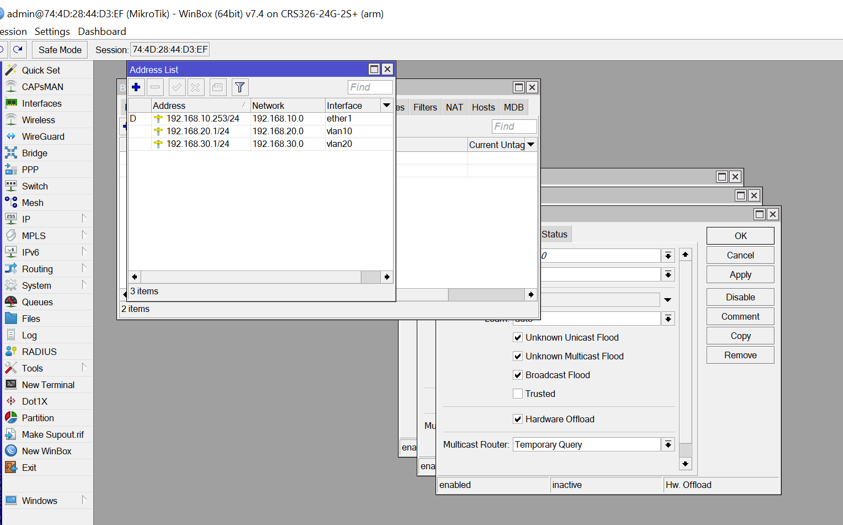
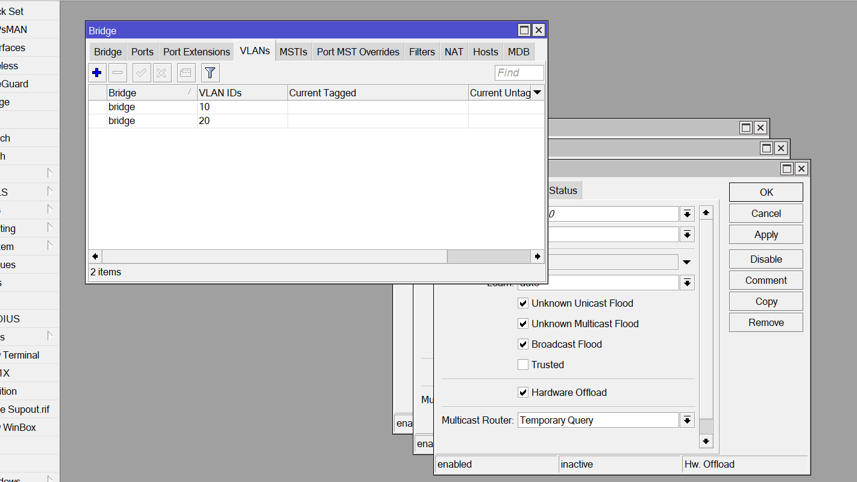
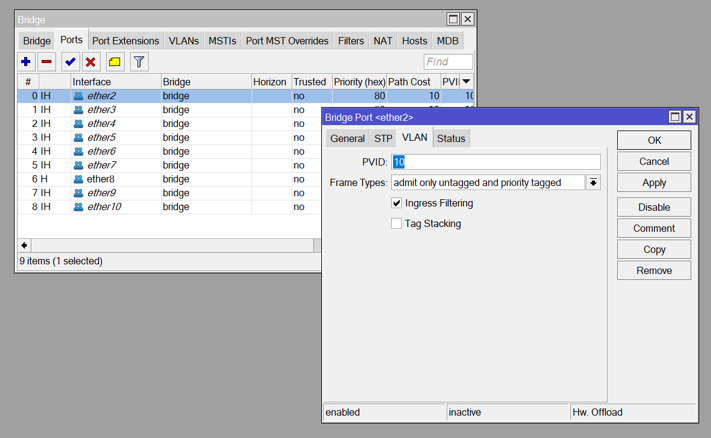
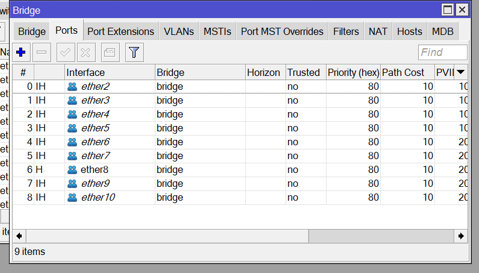
pictures dont help me,
please post complete config /export less any public WANIP information or serial number
Also see article P, as it may be better suited for your device if the bridge vlan filtering method doesnt work.
It should work but the the switch chip method may be more efficient (faster).
Para P - → https://forum.mikrotik.com/viewtopic.php?t=182373
very informative content..! it needs alot of focus ..!
here’s my config
MK.rsc (2.97 KB)
A few problems, the first one being the show-stopper, the rest are pretty important (some of them are even major security holes):
- you have to set vlan-filtering=yes on bridge or else the rest of VLAN-related config under /interface bridge don’t work at all
- you have a lot of work to do on firewall filter rules. As they are right now, they don’t protect device itself … and the protection of LAN is only through NAT obscurity (which is not enough). Remember that default action (implicit last action) on all chains is accept, so packets not dropped by explicit firewall rules will be accepted by firewall.
- you probably want to add interfaces vlan10 and vlan20 to LAN interface list
- you probably want to add at least dns-server=x.x.x.x property to /ip dhcp-server network entries
- adjust NAT to include property out-interface-list=WAN .. as it is now it’ll masquerade also traffic passing between the two VLANs and you don’t want to have it this way (it kills transparency and observability between VLANs).
- you definitely want to configure access rights under /tool mac-server … hint: set allowd-interface-list=LAN or something in the line of it.
Remember to add some control over communications between two VLANs … after you enable vlan-filtering on bridge, the two “halves” of switch will be separate on ethernert level, but device will happily route between the two subnets … unless you block that using firewall rules (either filter or raw would do).
so as far our dicussion goes, and to update my current situation. i could get the ip address from each VLAN as it expected, and also i separate the two VLAN from each other, but untill now i couldn’t get internet connection from those VLAN. yet i set the nat rule and the DNS as usual..!
updating to my situation …
so i get the internet access from VLANs -(V10 and V20)- and i drop the packet between both of them, and that’s done by many attemps so i didn’t apply a specific steps .
i know that i have a very weak firewall but this is the appropriate config for my situation.
any comment..?
MT.rsc (2.06 KB)