Hi,
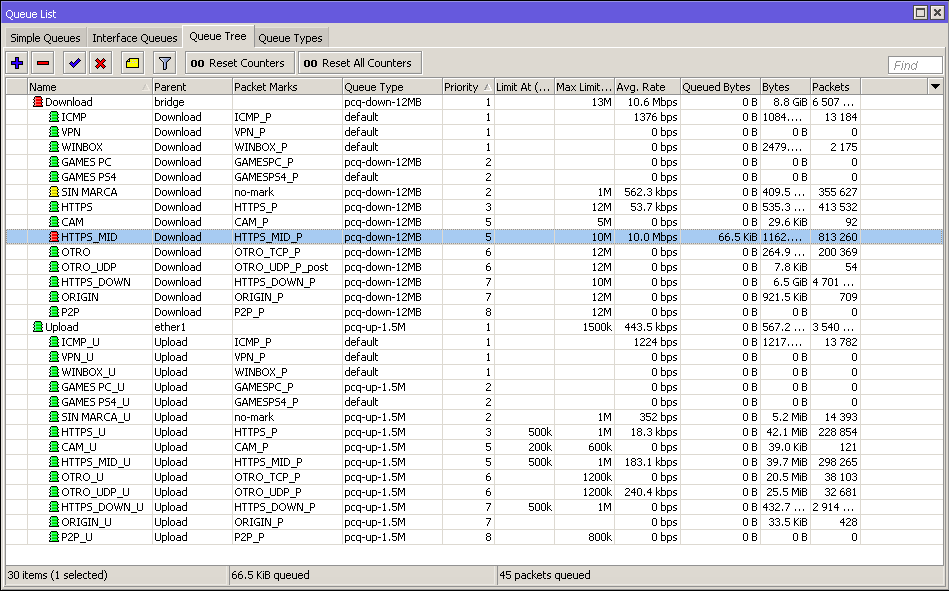
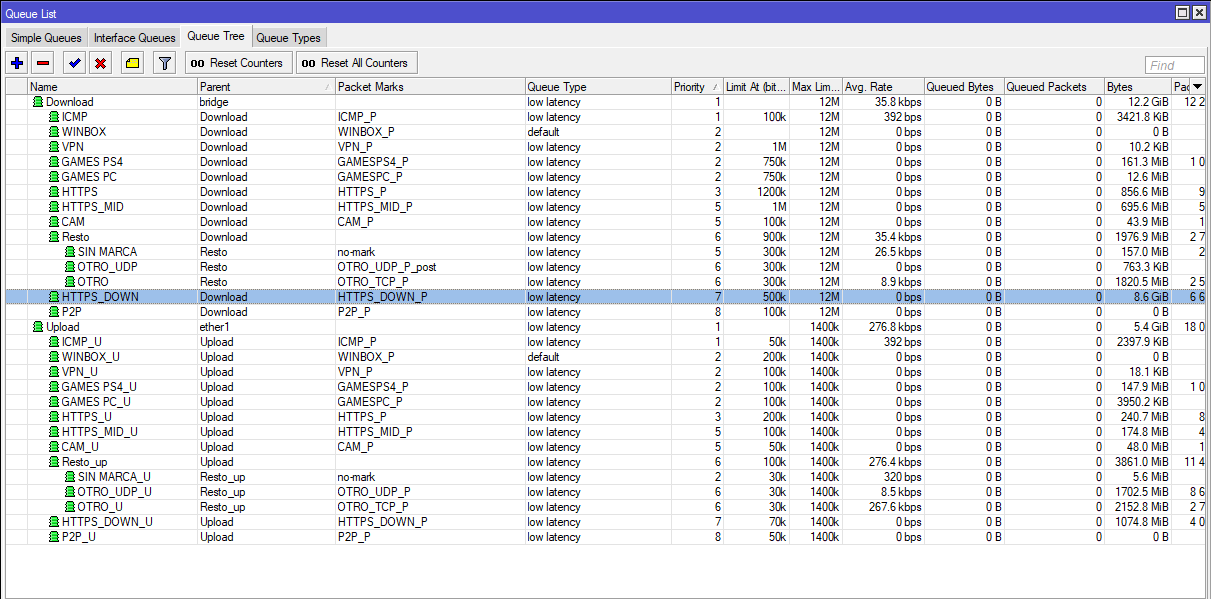
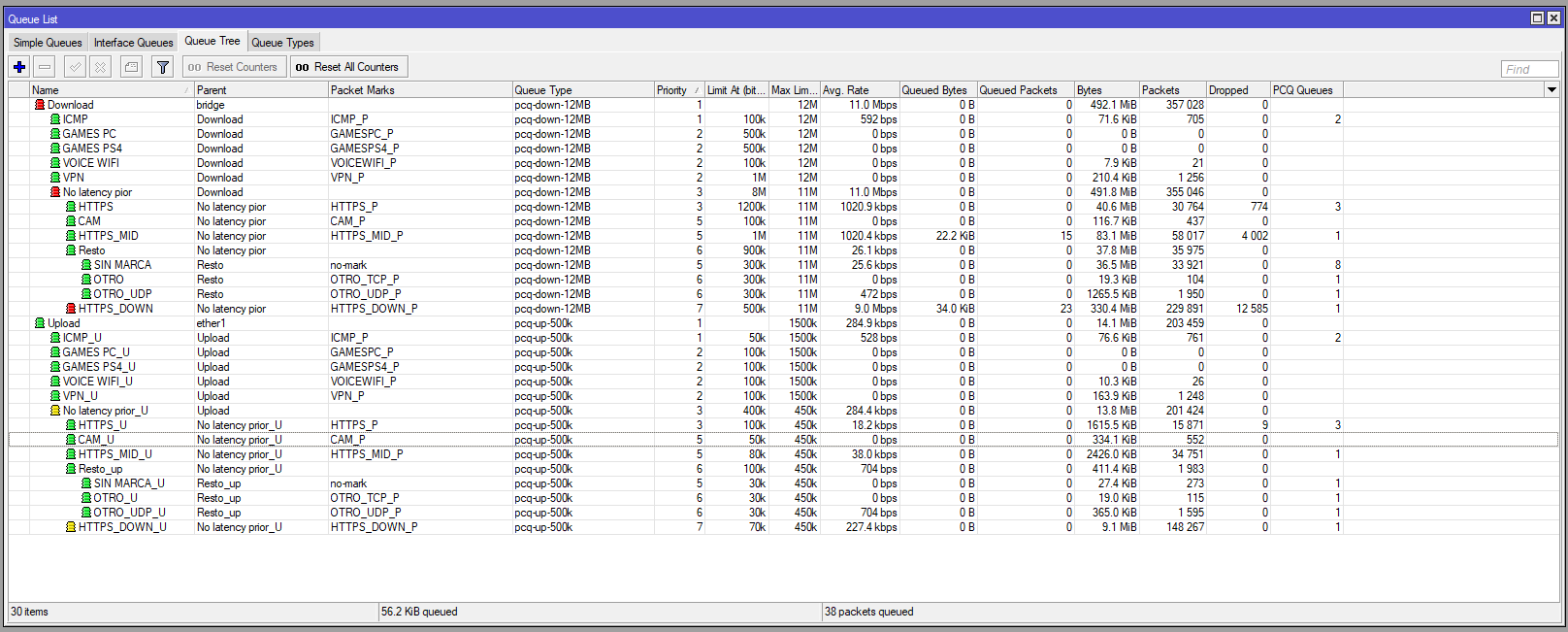
I have an Rb951Ur-2nd and im trying to manage some QOS with pcq+queue tree.
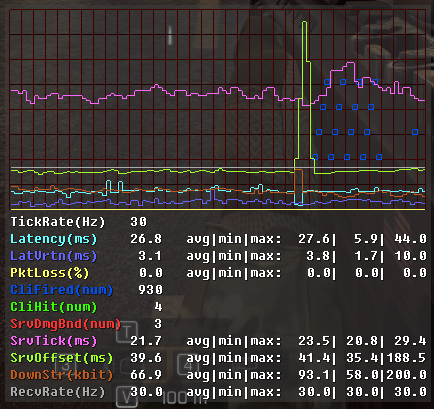
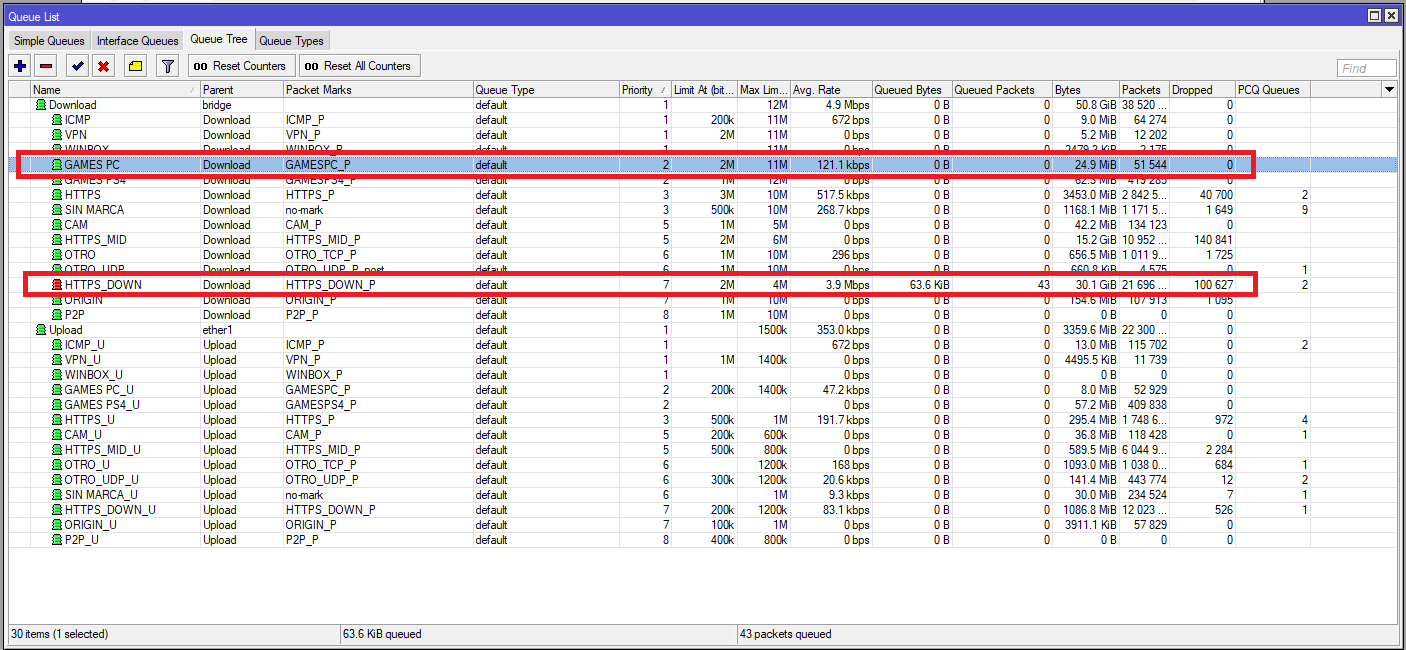
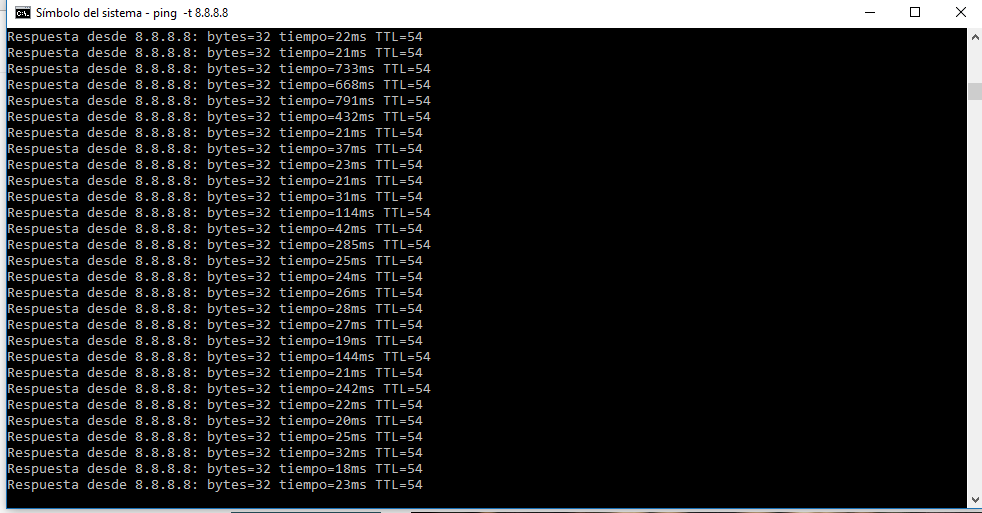
The performance of the download is great, I can push the download really hard and still getting good pings to google, no lags in games, etc.
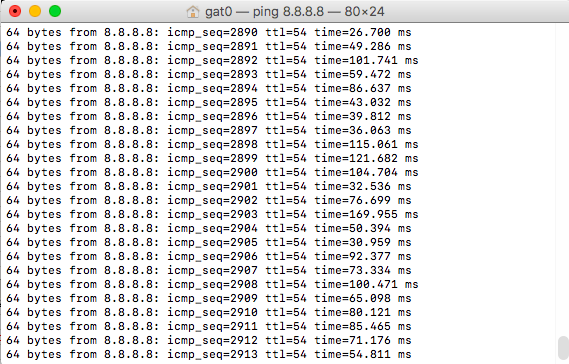
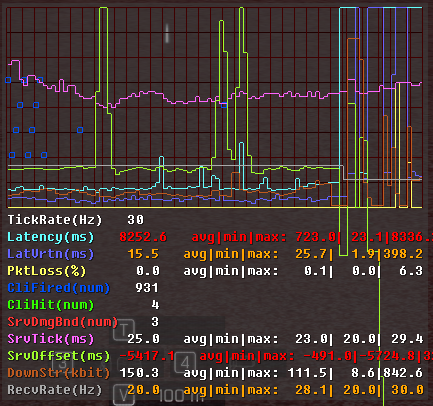
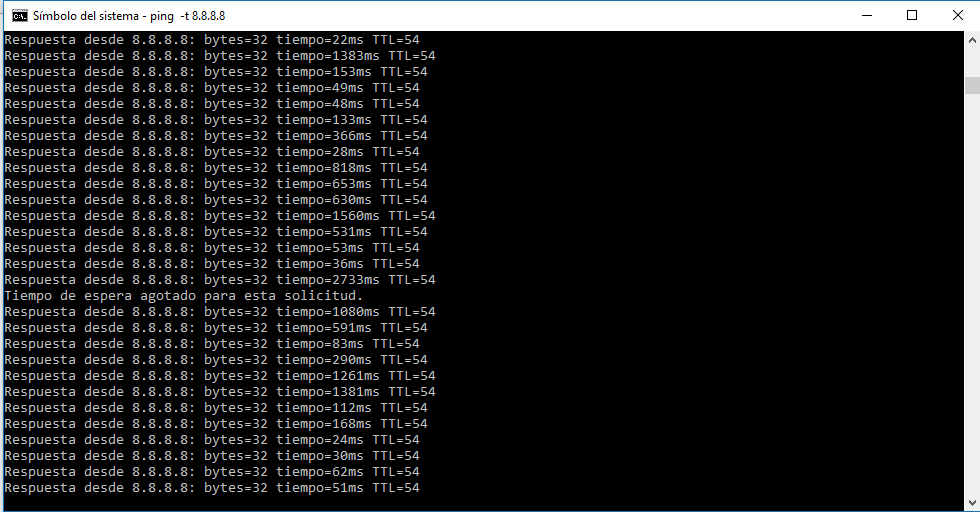
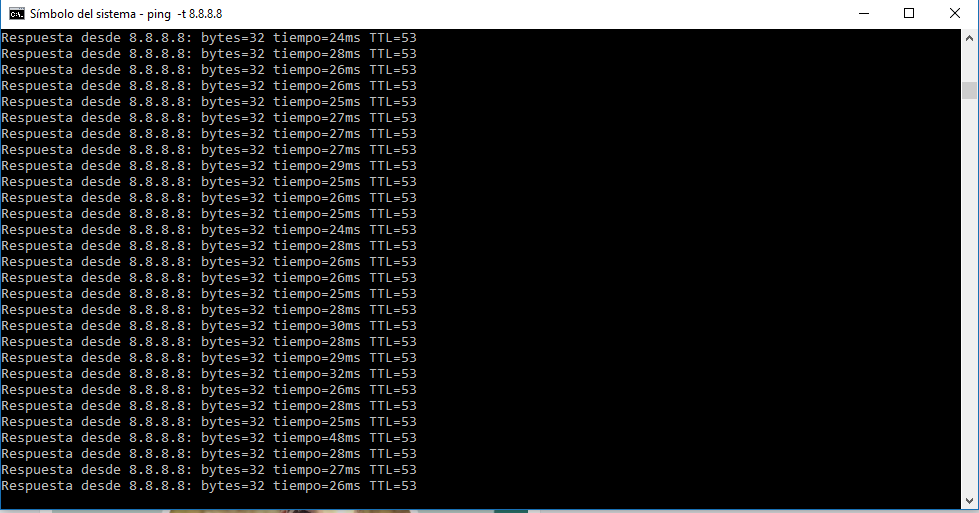
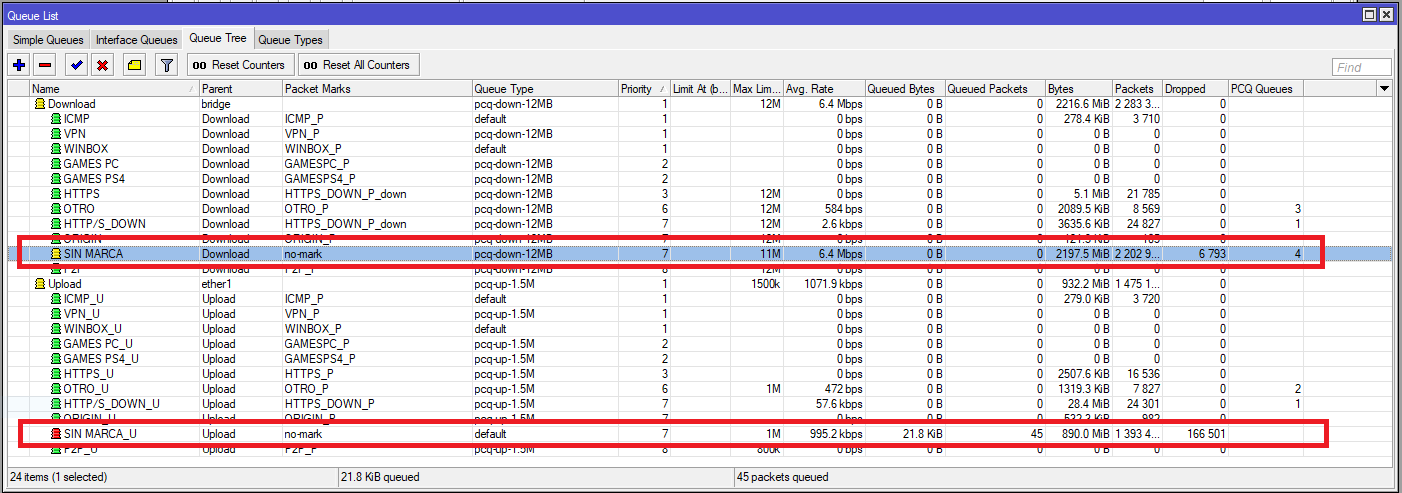
In other way the uploads seems to be with problems. When I push it (uploading dropbox+google drive+etc) my pings start to loose and get big delays in games..
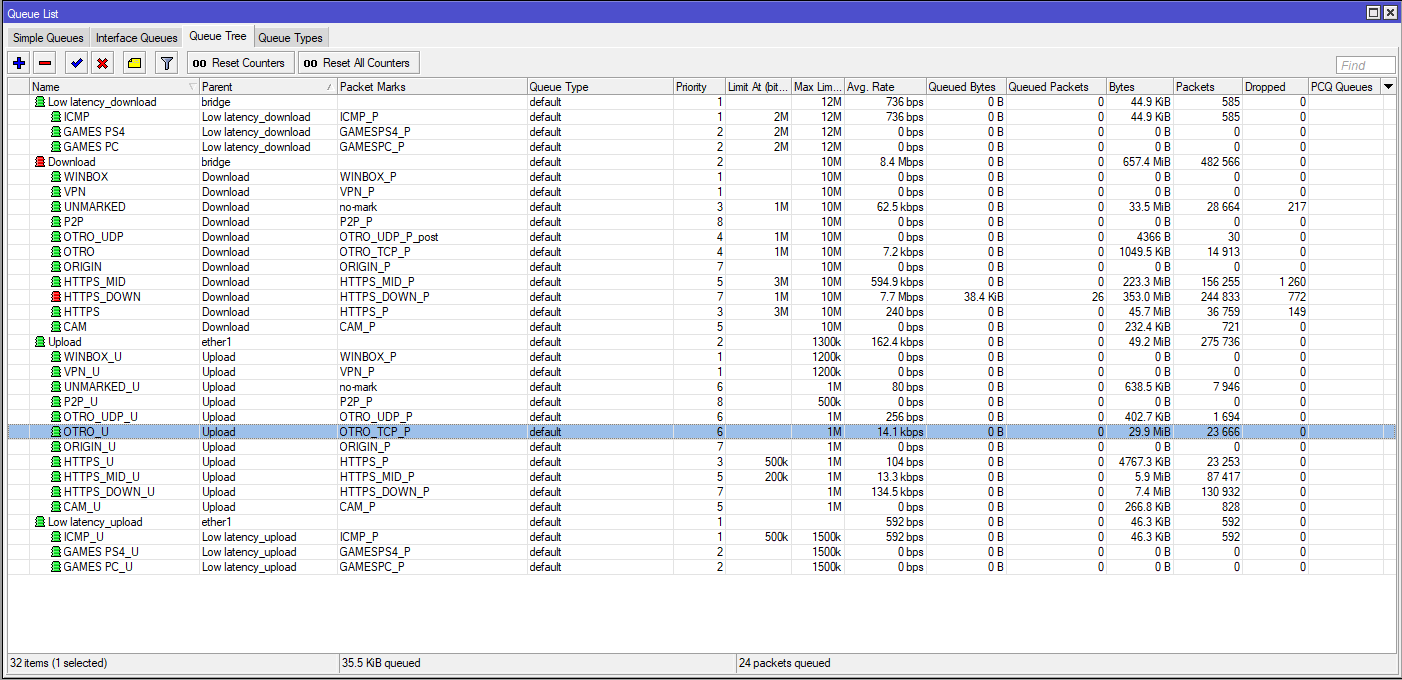
My ISP provide my an ADSL 12MB/1.5MB connection. Tought that i dont need to mangle download and uploads in separate ways. Just select the queue parent correctly. Maybe the problem here?
/queue type
add kind=pcq name=pcq-down-12MB pcq-classifier=dst-address \
    pcq-dst-address6-mask=64 pcq-rate=12M pcq-src-address6-mask=64
add kind=pcq name=pcq-up-1M pcq-classifier=src-address pcq-dst-address6-mask=64 \
    pcq-rate=1M pcq-src-address6-mask=64
/queue tree
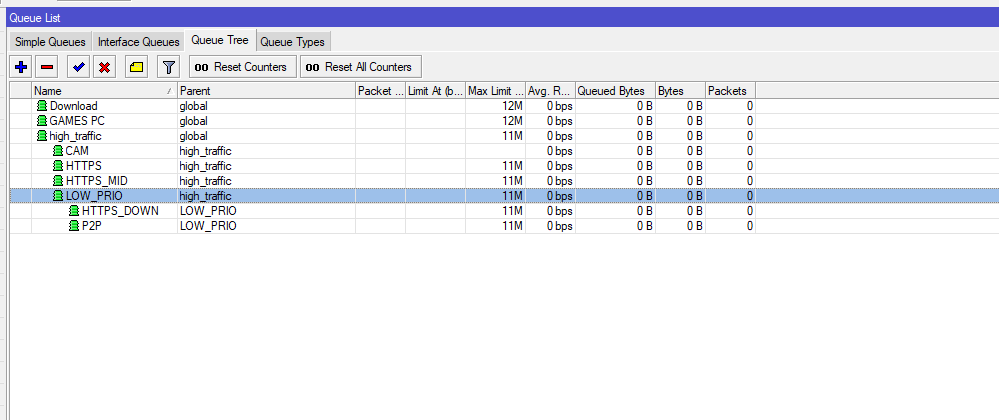
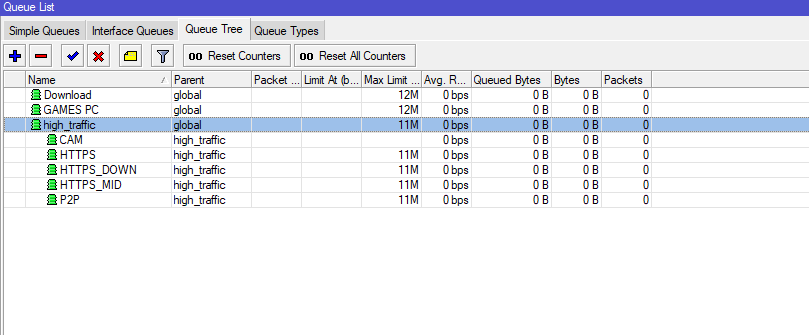
add name=Download parent=bridge queue=pcq-down-12MB
add name=HTTP/S packet-mark=HTTPS_P parent=Download priority=3 queue=\
    pcq-down-12MB
add name=OTRO packet-mark=OTRO_P parent=Download priority=6 queue=pcq-down-12MB
add name=Upload parent=ether1 queue=pcq-up-1M
add name=HTTP/S_U packet-mark=HTTPS_P parent=Upload priority=3 queue=pcq-up-1M
add name=HTTP/S_DOWN_U packet-mark=HTTPS_DOWN_P parent=Upload priority=7 queue=\
    pcq-up-1M
add name=OTRO_U packet-mark=OTRO_P parent=Upload priority=6 queue=pcq-up-1M
add name=P2P packet-mark=P2P_P parent=Download queue=pcq-down-12MB
add name=P2P_U packet-mark=P2P_P parent=Upload queue=pcq-up-1M
add name=VPN packet-mark=VPN_P parent=Download priority=1 queue=pcq-down-12MB
add name=VPN_U packet-mark=VPN_P parent=Upload priority=1 queue=pcq-up-1M
add name="GAMES PS4" packet-mark=GAMESPS4_P parent=Download priority=2 queue=\
    pcq-down-12MB
add name="GAMES PS4_U" packet-mark=GAMESPS4_P parent=Upload priority=2 queue=\
    pcq-up-1M
add name=WINBOX packet-mark=WINBOX_P parent=Download priority=1 queue=\
    pcq-down-12MB
add name=WINBOX_U packet-mark=WINBOX_P parent=Upload priority=1 queue=pcq-up-1M
add name=ICMP packet-mark=ICMP_P parent=Download priority=1 queue=pcq-down-12MB
add name=ICMP_U packet-mark=ICMP_P parent=Upload priority=1 queue=pcq-up-1M
add name="GAMES PC" packet-mark=GAMESPC_P parent=Download priority=2 queue=\
    pcq-down-12MB
add name="GAMES PC_U" packet-mark=GAMESPC_P parent=Upload priority=2 queue=\
    pcq-up-1M
add name=ORIGIN packet-mark=ORIGIN_P parent=Download priority=7 queue=\
    pcq-down-12MB
add name=ORIGIN_U packet-mark=ORIGIN_P parent=Upload priority=7 queue=pcq-up-1M
add name=HTTP/S_DOWN packet-mark=HTTPS_DOWN_P parent=Download priority=7 queue=\
    pcq-down-12MB
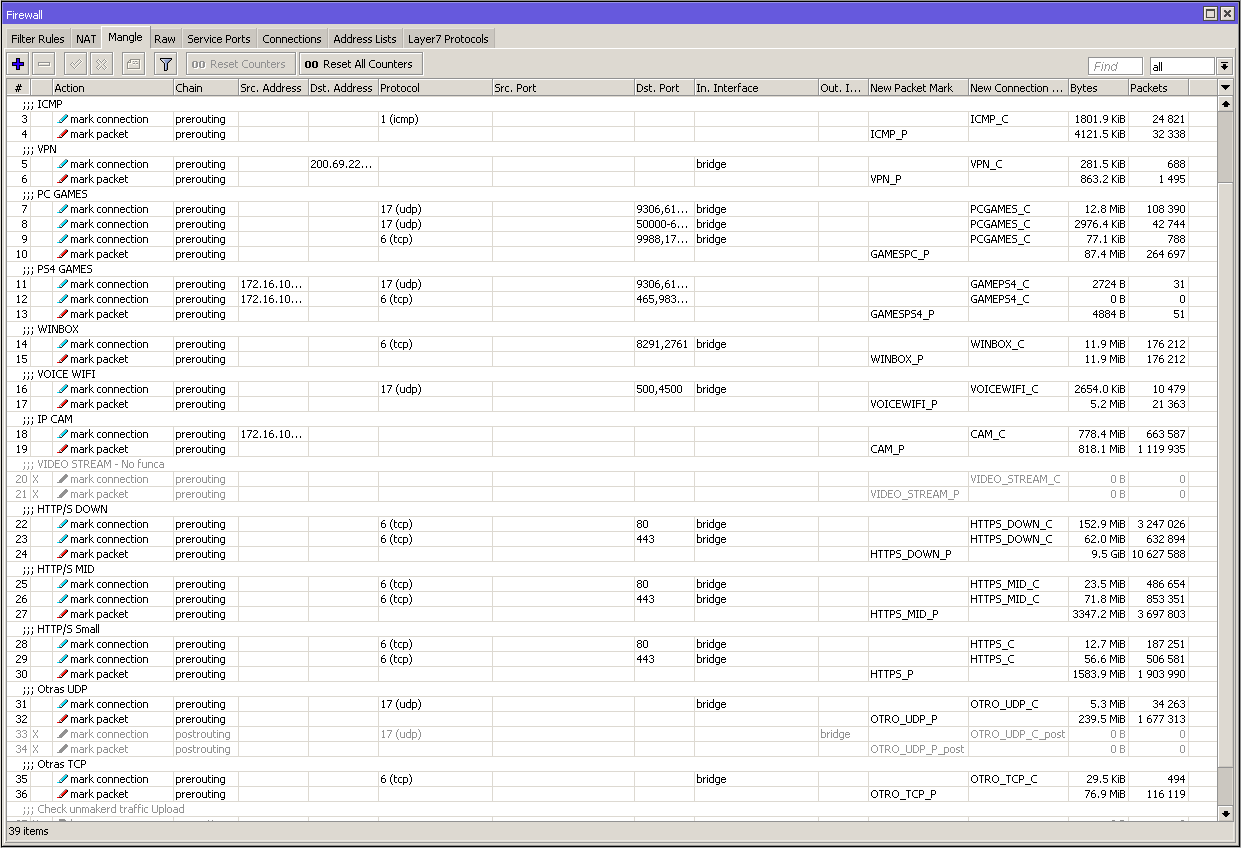
/ip firewall mangle
add action=mark-connection chain=prerouting comment=VPN dst-address=\
    200.69.228.21 new-connection-mark=VPN_C passthrough=yes
add action=mark-packet chain=prerouting connection-mark=VPN_C new-packet-mark=\
    VPN_P passthrough=yes
add action=mark-connection chain=prerouting comment=ORIGIN/STEAM \
    dst-address-list=STEAM new-connection-mark=ORIGIN_C passthrough=yes
add action=mark-packet chain=prerouting connection-mark=ORIGIN_C \
    new-packet-mark=ORIGIN_P passthrough=no
add action=mark-connection chain=prerouting comment="PC GAMES" \
    new-connection-mark=PCGAMES_C passthrough=yes protocol=udp src-address=\
    172.16.100.10 src-port=\
    9306,61456,10046,3659,14000-14016,22990-23006,25200-25300
add action=mark-connection chain=prerouting new-connection-mark=PCGAMES_C \
    passthrough=yes protocol=tcp src-address=172.16.100.10 src-port=\
    9988,17502,20000-20100,22990,42127,8095
add action=mark-packet chain=prerouting connection-mark=PCGAMES_C \
    new-packet-mark=GAMESPC_P passthrough=no
add action=mark-connection chain=prerouting comment="PS4 GAMES" dst-port=\
    9306,61456,62715,9306,26200,3074,3478-3479,3658-3659,6000,10070 \
    new-connection-mark=GAMEPS4_C passthrough=yes protocol=udp src-address=\
    172.16.100.13
add action=mark-connection chain=prerouting dst-port=\
    465,983,1935,3478-3480,3659,5223,10000-10099,42127 new-connection-mark=\
    GAMEPS4_C passthrough=yes protocol=tcp src-address=172.16.100.13
add action=mark-packet chain=prerouting connection-mark=GAMEPS4_C \
    new-packet-mark=GAMESPS4_P passthrough=no
add action=mark-connection chain=prerouting comment=WINBOX dst-port=8291 \
    new-connection-mark=WINBOX_C passthrough=yes protocol=tcp
add action=mark-packet chain=prerouting connection-mark=WINBOX_C \
    new-packet-mark=WINBOX_P passthrough=no
add action=mark-connection chain=prerouting comment="HTTP/S DOWN" \
    connection-bytes=256001-0 dst-port=80 new-connection-mark=HTTPS_DOWN_C \
    passthrough=yes protocol=tcp
add action=mark-connection chain=prerouting connection-bytes=256001-0 dst-port=\
    443 new-connection-mark=HTTPS_DOWN_C passthrough=yes protocol=tcp
add action=mark-packet chain=prerouting connection-mark=HTTPS_DOWN_C \
    new-packet-mark=HTTPS_DOWN_P passthrough=no
add action=mark-connection chain=prerouting comment=HTTP/S connection-bytes=\
    0-256000 dst-port=80 new-connection-mark=HTTPS_C passthrough=yes protocol=\
    tcp
add action=mark-connection chain=prerouting connection-bytes=0-256000 dst-port=\
    443 new-connection-mark=HTTPS_C passthrough=yes protocol=tcp
add action=mark-packet chain=prerouting connection-mark=HTTPS_C \
    new-packet-mark=HTTPS_P passthrough=no
add action=mark-connection chain=prerouting comment=ICMP new-connection-mark=\
    ICMP_C passthrough=yes protocol=icmp
add action=mark-packet chain=prerouting connection-mark=ICMP_C new-packet-mark=\
    ICMP_P passthrough=no
# p2p matcher is obsolete please use layer7 matcher instead
add action=mark-connection chain=prerouting comment=P2P new-connection-mark=\
    P2P_C p2p=all-p2p passthrough=yes
add action=mark-packet chain=prerouting connection-mark=P2P_C new-packet-mark=\
    P2P_P passthrough=no
add action=mark-connection chain=prerouting comment="Todo el resto" \
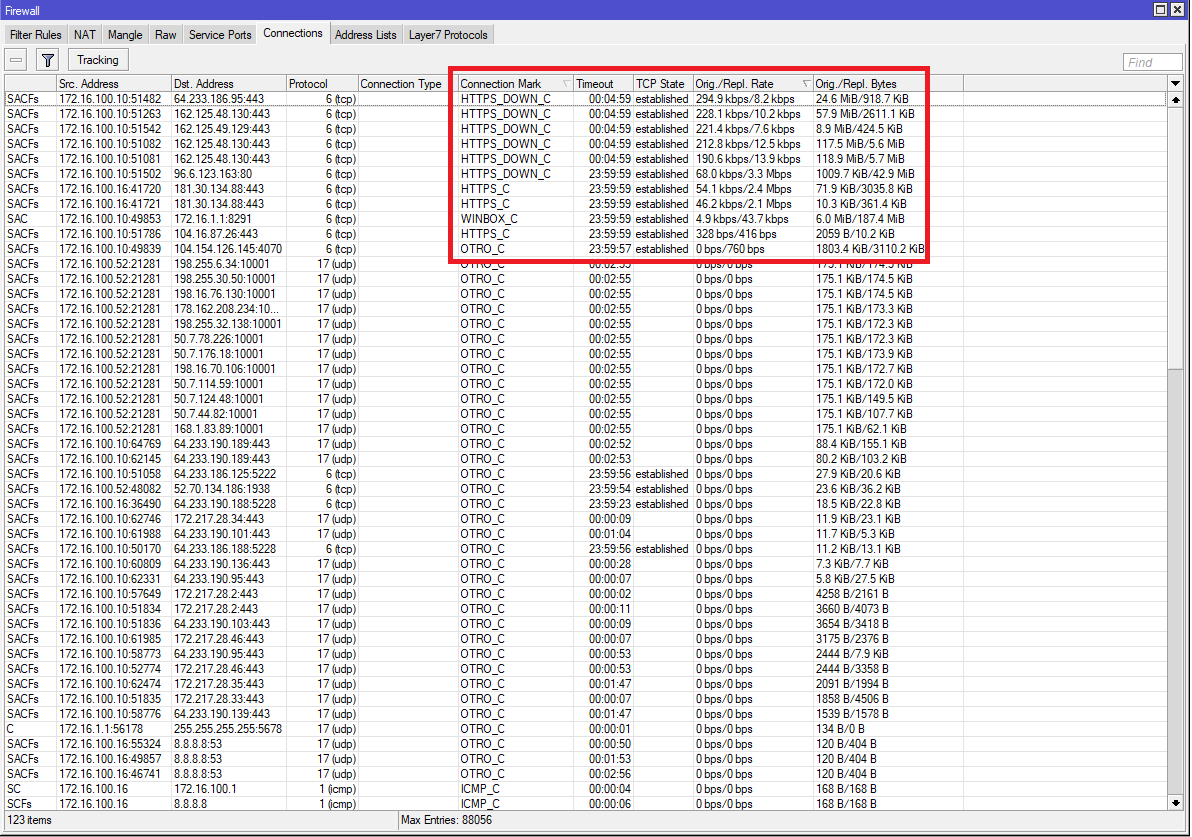
    new-connection-mark=OTRO_C passthrough=yes
add action=mark-packet chain=prerouting connection-mark=OTRO_C new-packet-mark=\
    OTRO_P passthrough=no
/ip firewall nat
add action=masquerade chain=srcnat comment="defconf: masquerade" out-interface=\
    ether1 src-address=172.16.0.0/16
/interface bridge
add admin-mac=6C:3B:6B:04:C6:93 auto-mac=no comment=defconfig fast-forward=no \
    name=bridge
/interface ethernet
set [ find default-name=ether1 ] comment=WAN
set [ find default-name=ether2 ] name=ether2-master
set [ find default-name=ether3 ] master-port=ether2-master
set [ find default-name=ether4 ] master-port=ether2-master
set [ find default-name=ether5 ] master-port=ether2-master
/interface wireless
set [ find default-name=wlan1 ] band=2ghz-b/g/n channel-width=20/40mhz-Ce \
    disabled=no distance=indoors frequency=auto mode=ap-bridge ssid=gat0 \
    wireless-protocol=802.11 wmm-support=enabled wps-mode=disabled
Thanks for your help.
Regards!

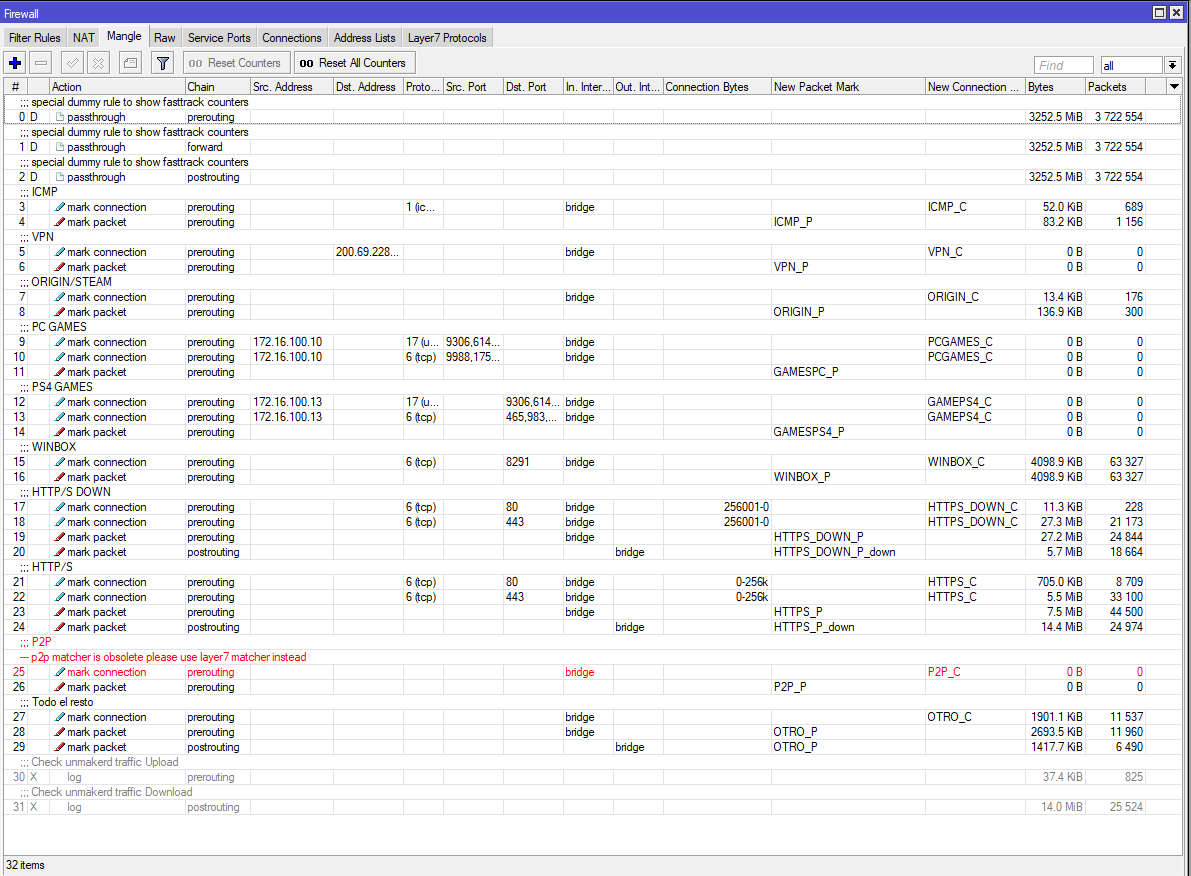
 .
.