@mkx has already explained and gave examples about /32 addresses under /ip address. Let me add my way of trying to "understand" this:
Whenever you add (or something else like DHCP or PPPoE client dynamically adds) an entry under /ip address by associating an address a.b.c.d/m and network address x.y.z.w to an interface intf, it effectively does the followings:
- The router has the IPv4 address
a.b.c.d on the interface intf.
- The router takes the
/m part and appends it to the network address x.y.z.w to create a destination subnet x.y.z.w/m, and use this to dynamically add a connected route (a route with flag D and C) with destination x.y.z.w/m gateway intf.
When m=32, there is no requirement that a.b.c.d and x.y.z.w have to have anything in common at all. Only for shorter prefix length (m < 32) does RouterOS automatically calculate and enforce the network address.
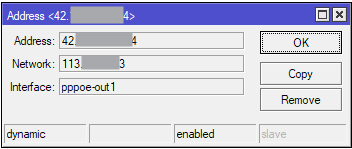
For point-to-point-like interfaces you can have fully unrelated addresses on the two ends of the link. Here is an example of my PPPoE client connection with IP addresses from my ISP (FPT) where the Address and Network fields are totally unrelated:
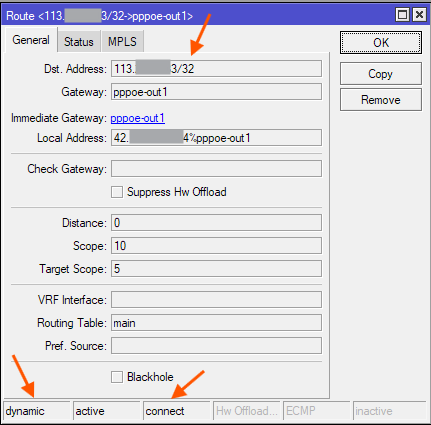
This dynamically produces this route:
Here you can see the /32 prefix length and the 113.xxx.xxx.xx3 network address have been taken and used as the route's destination. And the local address of the router on the pppoe-out1 interface is the 42.xxx.xxx.xx4 address.
So now when a packet is destined for 113.xxx.xxx.xx3, this route will be used (because /32 is probably the longest matching prefix length), and pppoe-out1 will be used as outgoing interface. If the packet originated from the router, 42.xxx.xxx.xx4 will be used as source. If not (packet is forwarded) and we have SRCNAT masquerade applied, then the 42.xxx.xxx.xx4 will be used to rewrite the source address.
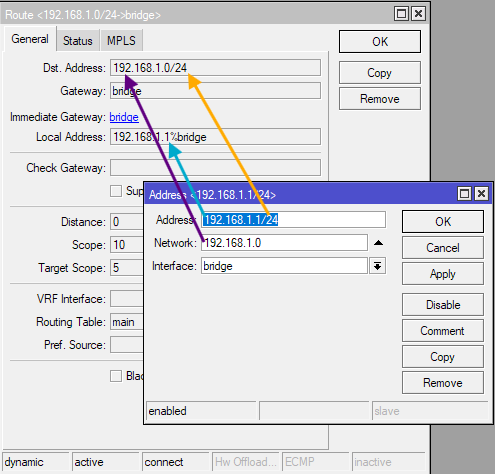
When you normally setup your LAN/VLAN interface by adding a /24 entry to /ip address, such as this:
The exact same thing happens. The 192.168.1.0/24 route is constructed as above, and packet sent to addresses within that subnet are routed through the bridge interface. And the router use 192.168.1.1 as its address on bridge. The only difference is that when you use a prefix length smaller than /32 the router will automatically adjust the network address based on the value of the address field and the prefix length.
But if you only need to communicate with one single device over an interface, even if that's an ethernet interface (not PPPoE), you can of course only add an /32 address to the interface under /ip address. Because you only need to talk to 1 remote host, a /32 route to that exact address is enough. And that route will be created if you specify that remote host as network address and chose /m to be /32.
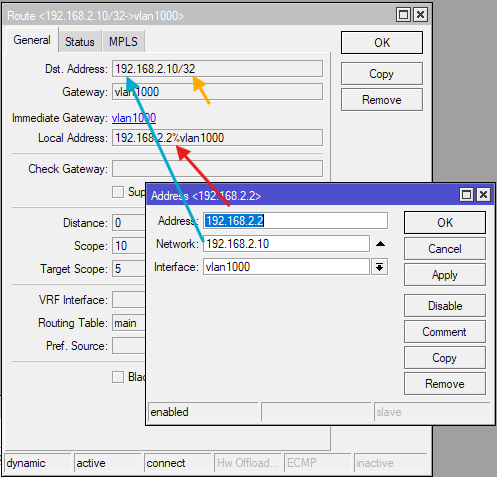
Here is an example on my router, that has a SFP GPON stick. That stick has a management interface at the address 192.168.2.10, and on my router the interface is vlan1000 (an ethernet interface). I can add an address entry so that vlan1000 has the whole 192.168.2.0/24 subnet, but I don't have to, and don't want to, because there's only that GPON admin interface I want to talk to. So I add the address entry on vlan1000 like this:
So when I enter http://192.168.2.10/ in my web browser, the router knows that it has to look for 192.168.2.10 on the vlan1000 interface, and because that interface is in the WAN list, masquerade is applied and the GPON device see incoming packets with the router's address 192.168.2.2. If I try to connect to 192.168.2.8 or 192.168.2.1 or 192.168.2.100 then the router won't try to use this vlan1000 interface, but will use my default 0.0.0.0/0 WAN route instead.
Back to the OP's configuration: In his WireGuard config, he only needs one single remote peer (of ProtonVPN), whenever he uses this peer (to talk to it or to use it as gateway), his router only needs to address one single IP address of that peer, which is 10.2.0.1.
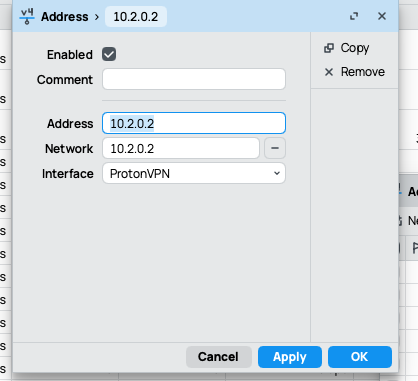
To know that the ProtonVPN interface must be used as outgoing interface to reach 10.2.0.1 only one route with destination 10.2.0.1/32 gateway ProtonVPN is needed in the route table (no need for 10.2.0.0/24 or 10.2.0.0/30 or whatever. And the side of the router on the ProtonVPN WireGuard link should have the address 10.2.0.2. Which mean this is a perfect reason to add the IP address entry as:
/ip address
add address=10.2.0.2/32 interface=ProtonVPN network=10.2.0.1
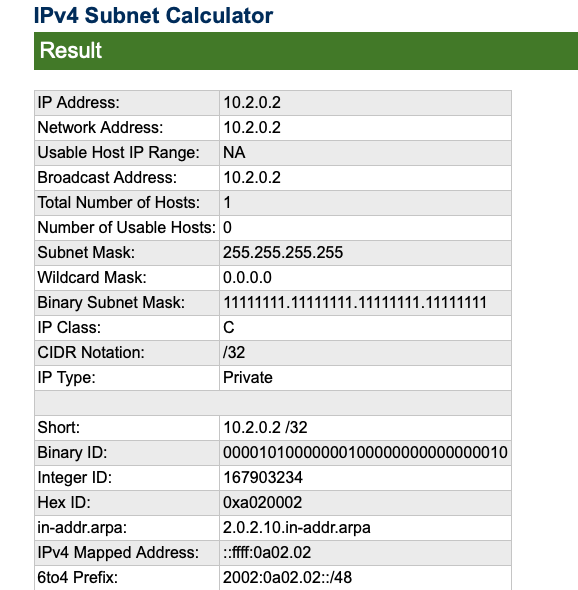
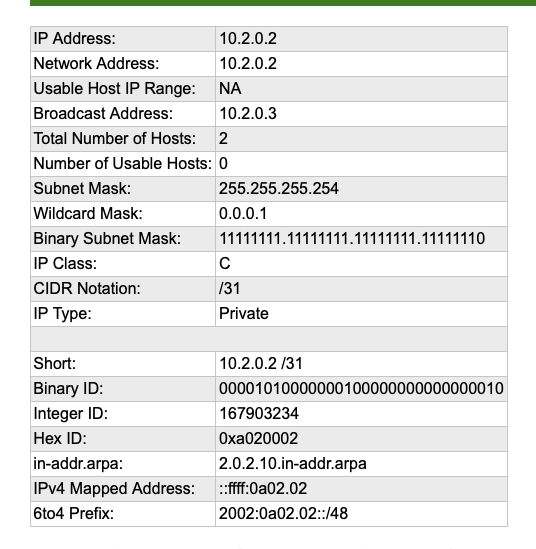
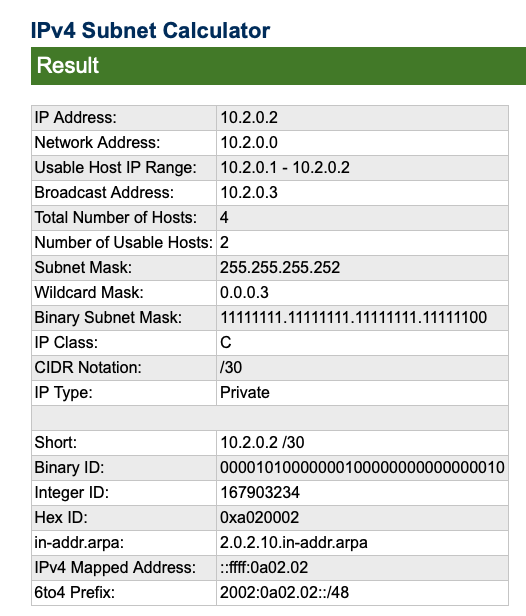
@NA9D please note that the network address is 10.2.0.1 and NOT 10.2.0.2 like in your screenshot!