// EDIT - UPDATED [2026-02-07, 2026-02-08] //
// EDIT - UPDATED [2026-03-12] - removed check-gateway=ping. I noticed that check-gateway=ping causes issues with routes for secure VPN tunnels i.e. router-Switzerland-US type WG tunnels. Sometimes pings fail for such round trips rendering the routes USI :: unreachable,static,inactive. Also, lowered the recursive routes’ route-distances to 3,6,9,12,15//
This is what I got and seems to be working, I have three ProtonVPN WG instances with route distances 1, 5, 10 for fail-over (not implementing KILLSWITCH). I have NextDNS DOH setup, so i don’t care much about the ProtonVPN DNS in my setup.
REFERENCE: https://protonvpn.com/support/wireguard-mikrotik-routers/
REFERENCE: https://data-discourse.cdn.mikrotik.com/original/3X/c/3/c344ca2c451fc4d2cf2b84245daffec6b38cd9b4.pdf
/interface/wireguard
/interface wireguard
## WG1
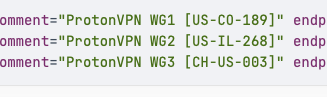
add comment="ProtonVPN WG1 [US-CO-189]" listen-port=13231 mtu=1420 name=\
    wg1-protonvpn private-key="YOUR-PRIVATE-KEY"
## WG2
add comment="ProtonVPN WG2 [US-IL-268]" listen-port=13232 mtu=1420 name=\
    wg2-protonvpn private-key="YOUR-PRIVATE-KEY"
## WG3
add comment="ProtonVPN WG3 [CH-US-003]" listen-port=13233 mtu=1420 name=\
    wg3-protonvpn private-key="YOUR-PRIVATE-KEY"
## WG4
add comment="ProtonVPN WG4 [IS-US-001]" listen-port=13234 mtu=1420 name=\
    wg4-protonvpn private-key="YOUR-PRIVATE-KEY"
## WG5
add comment="ProtonVPN WG5 [CH-US-003-ALT]" listen-port=13235 mtu=1420 name=\
    wg5-protonvpn private-key="YOUR-PRIVATE-KEY"
/interface wireguard peers
## WG1
add allowed-address=0.0.0.0/0,::/0 client-address=10.22.2.2/32 \
    client-allowed-address=0.0.0.0/0,::/0 client-dns=10.22.2.1 comment=\
    "ProtonVPN WG2 [US-IL-268]" endpoint-address="VPN-ENDPOINT-IPv4" \
    endpoint-port=51820 interface=wg2-protonvpn name=peer2-protonvpn \
    persistent-keepalive=25s public-key="PUBLIC-KEY"

## WG2
add allowed-address=0.0.0.0/0,::/0 client-address=10.11.1.2/32 \
    client-allowed-address=0.0.0.0/0,::/0 client-dns=10.11.1.1 comment=\
    "ProtonVPN WG1 [US-CO-189]" endpoint-address="VPN-ENDPOINT-IPv4" \
    endpoint-port=51820 interface=wg1-protonvpn name=peer1-protonvpn \
    persistent-keepalive=25s public-key="PUBLIC-KEY"

## WG3
add allowed-address=0.0.0.0/0,::/0 client-address=10.33.3.2/32 \
    client-allowed-address=0.0.0.0/0,::/0 client-dns=10.33.3.1 comment=\
    "ProtonVPN WG3 [CH-US-003]" endpoint-address="VPN-ENDPOINT-IPv4" \
    endpoint-port=51820 interface=wg3-protonvpn name=peer3-protonvpn \
    persistent-keepalive=25s public-key="PUBLIC-KEY"

## WG4
add allowed-address=0.0.0.0/0,::/0 client-address=10.44.4.2/32 \
    client-allowed-address=0.0.0.0/0,::/0 client-dns=10.44.4.1 comment=\
    "ProtonVPN WG4 [IS-US-001]" endpoint-address="VPN-ENDPOINT-IPv4" \
    endpoint-port=51820 interface=wg4-protonvpn name=peer4-protonvpn \
    persistent-keepalive=25s public-key="PUBLIC-KEY"

## WG5
add allowed-address=0.0.0.0/0,::/0 client-address=10.55.5.2/32 \
    client-allowed-address=0.0.0.0/0,::/0 client-dns=10.55.5.1 comment=\
    "ProtonVPN WG5 [CH-US-003-ALT]" endpoint-address="VPN-ENDPOINT-IPv4" \
    endpoint-port=51820 interface=wg5-protonvpn name=peer5-protonvpn \
    persistent-keepalive=25s public-key="PUBLIC-KEY"
/interface
/interface vlan add comment="VPN-LAN [VID 12]" interface=bridge1 \
name=vlan12-vpnlan vlan-id=12

## VLAN INTERFACE USED FOR FIREWALL
/interface list add name=VPNLAN
/interface list member add interface=vlan12-vpnlan list=VPNLAN

## PHYSICAL PORTS [NOT USED IN FIREWALL]
/interface list add name=VPNLAN_PHY
/interface list member add interface=sfp-sfpplus7 list=VPNLAN_PHY
/interface list member add interface=sfp-sfpplus8 list=VPNLAN_PHY

## ProtonVPN TUNNEL INTERFACES - VPN-OUT [FOR FIREWALL MASQUERADE]
/interface list add name=VPN-OUT
/interface list member add interface=wg1-protonvpn list=VPN-OUT
/interface list member add interface=wg2-protonvpn list=VPN-OUT
/interface list member add interface=wg3-protonvpn list=VPN-OUT
/interface list member add interface=wg4-protonvpn list=VPN-OUT
/interface list member add interface=wg5-protonvpn list=VPN-OUT

## ProtonVPN TUNNEL INTERFACES - INET [FOR FIREWALL FILTER RULES ONLY]
/interface list add name=INET
/interface list member add interface=wg1-protonvpn list=INET
/interface list member add interface=wg2-protonvpn list=INET
/interface list member add interface=wg3-protonvpn list=INET
/interface list member add interface=wg4-protonvpn list=INET
/interface list member add interface=wg5-protonvpn list=INET
/ip/address
/ip address
## VPNLAN-VLAN12
add address=192.168.12.1/22 comment=VPNLAN-VLAN12 interface=vlan12-vpnlan \
    network=192.168.12.0
## WG1
add address=10.11.1.2/30 comment="ProtonVPN [WG1]" interface=wg1-protonvpn \
    network=10.11.1.0
## WG2
add address=10.22.2.2/30 comment="ProtonVPN [WG2]" interface=wg2-protonvpn \
    network=10.22.2.0
## WG3
add address=10.33.3.2/30 comment="ProtonVPN [WG3]" interface=wg3-protonvpn \
    network=10.33.3.0
## WG4
add address=10.44.4.2/30 comment="ProtonVPN [WG4]" interface=wg4-protonvpn \
    network=10.44.4.0
## WG5
add address=10.55.5.2/30 comment="ProtonVPN [WG5]" interface=wg5-protonvpn \
    network=10.55.5.0
/ip dns
/ip dns static add address=10.11.1.1 name=ProtonVPN-WG-1 type=A
/ip dns static add address=10.22.2.1 name=ProtonVPN-WG-2 type=A
/ip dns static add address=10.33.3.1 name=ProtonVPN-WG-3 type=A
/ip dns static add address=10.44.4.1 name=ProtonVPN-WG-4 type=A
/ip dns static add address=10.55.5.1 name=ProtonVPN-WG-5 type=A
/routing
## DEFAULT RULE - MAIN TABLE (CREATED AUTOMATICALLY FOR ISP-WAN AND OTHER ROUTES)
/routing rule add action=lookup-only-in-table \
comment="Local traffic lookups" disabled=no min-prefix=0 table=main

## ProtonVPN TABLE
/routing table add disabled=no fib name=protonvpn

## ProtonVPN RULES
## IPv4
/routing rule add action=lookup-only-in-table comment="Uplink traffic lookups from VPN-LAN [IPv4]" \
disabled=no dst-address=0.0.0.0/0 interface=vlan12-vpnlan min-prefix=0 \
src-address=192.168.12.0/22 table=protonvpn

## [optional] IPv6 - doesn't work, created for consistency only [optional]
/routing rule add action=lookup-only-in-table comment="Uplink traffic lookups from VPN-LAN [IPv6]" \
disabled=no dst-address=::/0 interface=vlan12-vpnlan min-prefix=0 \
src-address=fd12::/56 table=protonvpn
/ip/route
/ip route

## WG1
add comment="wg1-protonvpn (02 - The \"Lower\" Half)" disabled=no distance=15 \
    dst-address=0.0.0.0/1 gateway=10.11.1.1%wg1-protonvpn routing-table=\
    protonvpn scope=30 target-scope=10
add comment="wg1-protonvpn (01 - The \"Upper\" Half)" disabled=no distance=15 \
    dst-address=128.0.0.0/1 gateway=10.11.1.1%wg1-protonvpn routing-table=\
    protonvpn scope=30 target-scope=10

## WG2
add comment="wg2-protonvpn (02 - The \"Lower\" Half)" disabled=no distance=12 \
    dst-address=0.0.0.0/1 gateway=10.22.2.1%wg2-protonvpn routing-table=\
    protonvpn scope=30 target-scope=10
add comment="wg2-protonvpn (01 - The \"Upper\" Half)" disabled=no distance=12 \
    dst-address=128.0.0.0/1 gateway=10.22.2.1%wg2-protonvpn routing-table=\
    protonvpn scope=30 target-scope=10

## WG3
add comment="wg3-protonvpn (01 - The \"Upper\" Half)" disabled=no distance=9 \
    dst-address=128.0.0.0/1 gateway=10.33.3.1%wg3-protonvpn routing-table=\
    protonvpn scope=30 target-scope=10
add comment="wg3-protonvpn (02 - The \"Lower\" Half)" disabled=no distance=9 \
    dst-address=0.0.0.0/1 gateway=10.33.3.1%wg3-protonvpn routing-table=\
    protonvpn scope=30 target-scope=10

## WG4
add comment="wg4-protonvpn (02 - The \"Lower\" Half)" disabled=no distance=6 \
    dst-address=0.0.0.0/1 gateway=10.44.4.1%wg4-protonvpn routing-table=\
    protonvpn scope=30 target-scope=10
add comment="wg4-protonvpn (01 - The \"Upper\" Half)" disabled=no distance=6 \
    dst-address=128.0.0.0/1 gateway=10.44.4.1%wg4-protonvpn routing-table=\
    protonvpn scope=30 target-scope=10

## WG5
add comment="wg5-protonvpn (01 - The \"Upper\" Half)" disabled=no distance=3 \
    dst-address=128.0.0.0/1 gateway=10.55.5.1%wg5-protonvpn routing-table=\
    protonvpn scope=30 target-scope=10
add comment="wg5-protonvpn (02 - The \"Lower\" Half)" disabled=no distance=3 \
    dst-address=0.0.0.0/1 gateway=10.55.5.1%wg5-protonvpn routing-table=\
    protonvpn scope=30 target-scope=10
/ip firewall nat
[NOTE: VPN-LAN_IPs := 192.168.12.0/22]
## INTERCEPT DNS PACKETS OF VPN TRAFFIC ##
## UDP 53
/ip firewall nat add action=redirect chain=dstnat \
comment="Intercept DNS traffic for VPN-LAN - redirect (udp 53) [IPs+Interface]" \
dst-port=53 in-interface-list=VPNLAN protocol=udp src-address-list=VPNLAN_IPs to-ports=53
#
/ip firewall nat add action=redirect chain=dstnat \
comment="Intercept DNS traffic for VPN-LAN - redirect (udp 53) [IPs]" \
dst-port=53 protocol=udp src-address-list=VPNLAN_IPs to-ports=53
#

## TCP 53
/ip firewall nat add action=redirect chain=dstnat \
comment="Intercept DNS traffic for VPN-LAN - redirect (tcp 53) [IPs+Interface]" \
dst-port=53 in-interface-list=VPNLAN protocol=tcp src-address-list=VPNLAN_IPs to-ports=53
#
/ip firewall nat add action=redirect chain=dstnat \
comment="Intercept DNS traffic for VPN-LAN - redirect (tcp 53) [IPs]" \
dst-port=53 protocol=tcp src-address-list=VPNLAN_IPs to-ports=53


## MASQUERADE FOR VPN TRAFFIC ##
/ip firewall nat add action=masquerade chain=srcnat \
comment="MASQ: Allow VPN-OUT Access from VPN-LAN [IPs+Interface]" in-interface-list=VPNLAN \
out-interface-list=VPN-OUT src-address-list=VPNLAN_IPs
#
/ip firewall nat add action=masquerade chain=srcnat \
comment="MASQ: Allow VPN-OUT Access from VPN-LAN [Interface]" disabled=yes in-interface-list=VPNLAN \
out-interface-list=VPN-OUT
// EDIT - UPDATED [2026-02-07, 2026-02-08] //
Check:
/ip/route/print
Flags: D - DYNAMIC; I - INACTIVE, A - ACTIVE; c - CONNECT, s - STATIC, d - DHCP
Columns: DST-ADDRESS, GATEWAY, ROUTING-TABLE, DISTANCE
#     DST-ADDRESS       GATEWAY                  ROUTING-TABLE  DISTANCE
  DAc 10.11.1.0/30      wg1-protonvpn            main                  0
  DAc 10.22.2.0/30      wg2-protonvpn            main                  0
  DAc 10.33.3.0/30      wg3-protonvpn            main                  0
  DAc 10.44.4.0/30      wg4-protonvpn            main                  0
  DAc 10.55.5.0/30      wg5-protonvpn            main                  0
....
....
....
;;; wg2-protonvpn (02 - The "Lower" Half)
0   s 0.0.0.0/1         10.22.2.1%wg2-protonvpn  protonvpn            12
;;; wg1-protonvpn (02 - The "Lower" Half)
1   s 0.0.0.0/1         10.11.1.1%wg1-protonvpn  protonvpn            15
;;; wg3-protonvpn (02 - The "Lower" Half)
2   s 0.0.0.0/1         10.33.3.1%wg3-protonvpn  protonvpn             9
;;; wg4-protonvpn (02 - The "Lower" Half)
3   s 0.0.0.0/1         10.44.4.1%wg4-protonvpn  protonvpn             6
;;; wg5-protonvpn (02 - The "Lower" Half)
4  As 0.0.0.0/1         10.55.5.1%wg5-protonvpn  protonvpn             3
;;; wg2-protonvpn (01 - The "Upper" Half)
5   s 128.0.0.0/1       10.22.2.1%wg2-protonvpn  protonvpn            12
;;; wg1-protonvpn (01 - The "Upper" Half)
6   s 128.0.0.0/1       10.11.1.1%wg1-protonvpn  protonvpn            15
;;; wg3-protonvpn (01 - The "Upper" Half)
7   s 128.0.0.0/1       10.33.3.1%wg3-protonvpn  protonvpn             9
;;; wg4-protonvpn (01 - The "Upper" Half)
8   s 128.0.0.0/1       10.44.4.1%wg4-protonvpn  protonvpn             6
;;; wg5-protonvpn (01 - The "Upper" Half)
9  As 128.0.0.0/1       10.55.5.1%wg5-protonvpn  protonvpn             3
The above setup is working flawlessly.
Please critique and comment, if any.