Hi
Is it possible to have /user page or /userman page accessible only with https? I mean to force user to use secure https connection rather than regular http?
Can i edit code for /user or /userman pages ?
THanks for helping.
Hi
Is it possible to have /user page or /userman page accessible only with https? I mean to force user to use secure https connection rather than regular http?
Can i edit code for /user or /userman pages ?
THanks for helping.
It is not possible to disallow HTTP page, you can make link point to HTTPS user page, but any user can delete s from address-bar and use plain HTTP.
You can edit logo, and other fields, but it is not allowed to edit full content of the User Manager pages.
How do you change the Mikrotick Router OS User Manager Logo to my own in User Manager and/or User page?
Thx
Login to the User Manager web interface
Settings —> Style —> Logo.
Where do you see this, cause i don’t ?
Are you sure?
Settings —> Style —> Logo.
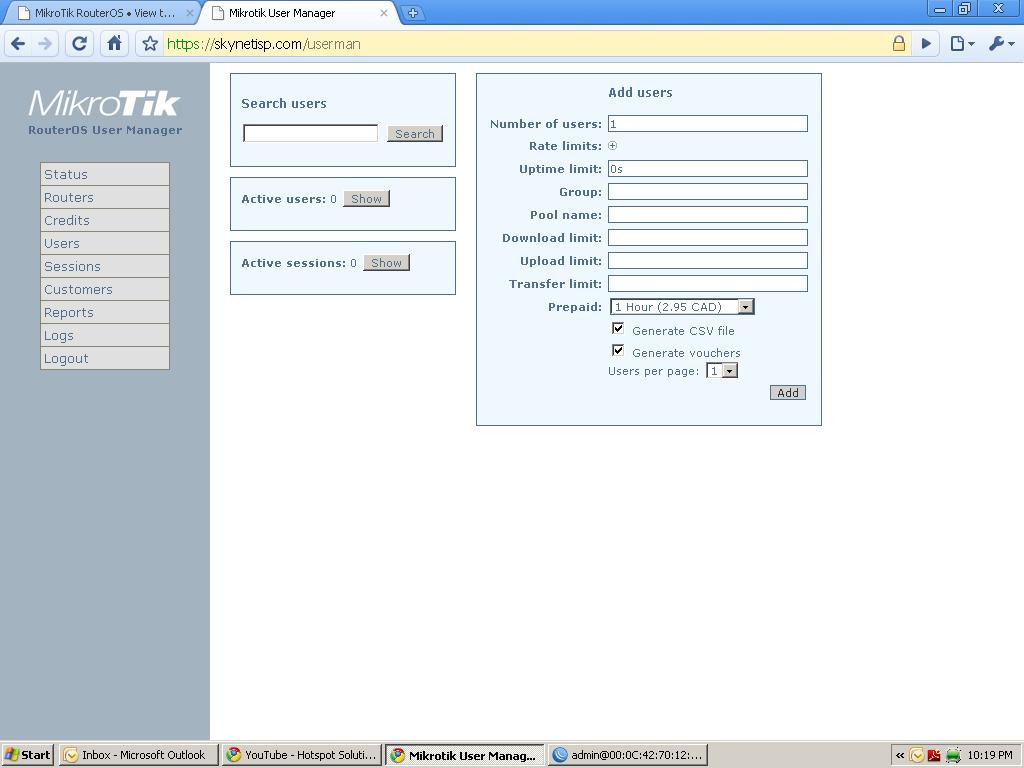
Hello tombee79
U have to install the User Manager (Test version) u can download it from the first posts in this section, once you install that one, you will have a new menu with styles and u will be able to change your logo
Regards
Hi
Which one for RB 750G?
4.10
Q: When payments will be working for the test version?
Thanks
For 700 series
.mipsbe
in your case the first link
About payments, the link I will sugest you to read is
http://forum.mikrotik.com/t/user-manager-v4-0-test-package/32132/1
Mikrotik people is giving feedback about the test version always
Hi
1st thanks for your replay,
2nd. How do you install that on MT RB 750G ? i upload all the four files cause i didn’t know which one, and NOTHING. Still the same User Manager the old one. I rebooted, restarted still the same.
Help.
Thanks
Okay this is how I did it…
First you have to take out the existing package…in other words…let the Router without usermanager, then change the name to the test version to just usermanager.npk
in other words change the
userman-test-4.4-mipsbe.npk to user-manager-4.4-mipsbe.npk
then upload the package and you will finde the new usermanager 
good luck
Thanks man
Got it to work
Old uninstall Reboot
New test package install Reboot
Works greate.
LOOKS LIKE IPOD cool, you guys are CUTING EAGE IN WISP
MIKROTIK
P.s hoping it work greate too heheh
Hi
I can not get into signup page for the new user manager_Test 4.10?
URL: http://router_ip_OR_doaminname/signup?user=admin
it takes me to user home page.
I can not change the logo for User manager. When i specifiy ex:
/mylogoUM.gif it shows me broken image placeholder. And When i try to find the default UM image file or folder, by ftp to MT RBoar 750G i don't see that folder where the default user manager shows keeps own logo file. Mmmmm
Is User manager root the same As ftp root or Winbox file list root? Confused .
Thanks
Hi,
I need your help on the /userman… I set it up right, but whenever i enable it, i will be block from accessing the mikrotik routeros (box) via winbox or telnet. Users are able to use account tickects created, but i can not be able to generate or create accounts through /userman or have access via said means (winbox, telnet or userman).
What could be wrong 

Sorry man
I new to MTik . I’m myself trying to figure out why i can not access signup page on the new User Manager Test 4.10.
You have to follow this steps
http://wiki.mikrotik.com/wiki/User_Manager/4/File_Upload
Try with that, create the folder and upload your image…it worked for me
You are not able to see the graphic interface os usermanager??
I enable the hotspot and is working well, but i can not access the box via winbox nor telnet even to have access to http://box/userman
What could be the problem please
do you have the hotspot and usermanager in the same box?
Yes i do. 750 G. RB