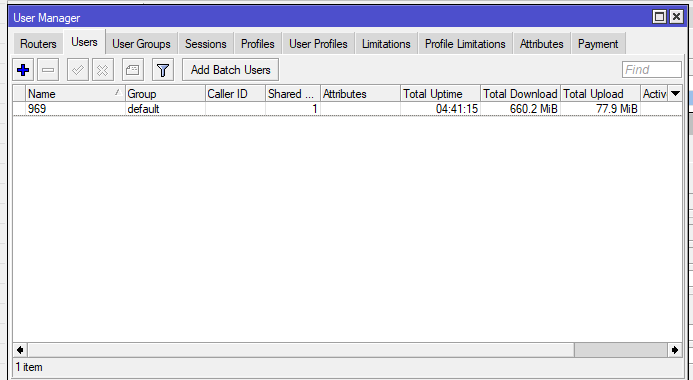
User Manager Hotspot uptime limit not enforced

Hello,

I’m running MikroTik Hotspot authenticated via User Manager (RADIUS).

Configuration details:

  • User profile with validity = 1d

  • Intended policy: 1h total consumable uptime within validity

  • Limitation configured with uptime/session limit = 1h

  • Hotspot is configured to authenticate via RADIUS

Observed behavior:

  • After reaching 1h accumulated uptime, the user is neither disconnected nor blocked

  • Voucher can be reused multiple times until validity expires

  • Limitation appears to act as per-session instead of total-uptime

Expected behavior:

  • After total uptime = 1h, access should be denied regardless of remaining validity

Questions:

  • Should this be enforced using total-limit-uptime instead of session-timeout?

  • Is Session-Timeout vs Idle-Timeout required for Hotspot disconnect?

  • Are additional RADIUS attributes or Hotspot settings required to properly enforce total uptime limits?

Any insight or reference configs would be appreciated.

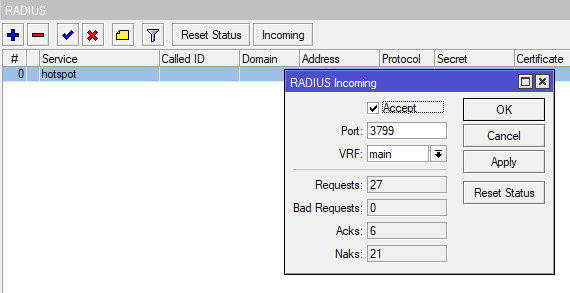
You need to have “RADIUS incoming” enabled for this to work. Look in the Radius config, it is a separate “button” (more like a “text” in Winbox 4)

You mean this one?

it is enabled already

Can you maybe post the (censored) configuration export instead of screenshots? Also:

  • In the hotspot server profile setting, don't forget to set radius-interim-update to something like 10m.
  • Under RADIUS settings, turn on /radius incoming set accept=yes (like you already did).
  • Under RADIUS, for the instance you added turn on service=hotspot.
  • In User Manager:
    • Add a limitation with reset-counters-interval=daily uptime-limit=1h.
    • Add a profile with validity=unlimited (not 1d like you did, the daily reset is done by the limitation above).
    • Under /user-manager profile-limitation add an association between the profile and the limitation created above.
    • When adding hotspot users, don't forget to create entries under /user-manager user-profile to associate the user account with the profile created above.
  • If User Manager and the Hotspot server are not on the same device, check the firewall setting so that the Hotspot server allows UDP port 3799 on chain input.

Hello this is my config

/user-manager limitation
add name=lim-1hour-uptime uptime-limit=1h
/user-manager profile
add name=voucher-1h-24h name-for-users="1h Internet - valid 24h" starts-when=
first-auth validity=1d
/user-manager user
add name=969
/user-manager
set certificate=*0 enabled=yes use-profiles=yes
/user-manager advanced
set web-private-username=admin
/user-manager profile-limitation
add limitation=lim-1hour-uptime profile=*3
/user-manager router
add address=127.0.0.1 name=router1
/user-manager user-profile
add profile=voucher-1h-24h user=969

/ip hotspot profile
add dns-name=hka0agcxepv.sn.mynetname.net hotspot-address=10.0.0.1 login-by=
http-chap,https,http-pap,mac-cookie name=hsprof1 radius-interim-update=5s
use-radius=yes
/ip hotspot
add address-pool=dhcp_pool1 disabled=no interface=vlan8 name=hotspot1 profile=
hsprof1
/ip hotspot user profile
set [ find default=yes ] parent-queue=Hotspot
/ip hotspot user
add name=admin

/radius
add accounting-backup=yes address=127.0.0.1 service=hotspot timeout=300ms
/radius incoming
set accept=yes

Thank you for your inputs I will try it that.

In your export there is this entry:

image

That *3 is a reference to a unknown profile. It used to refer to a profile, but you've since deleted that, hence it now shows up in the export as *3. Which makes this profile-limitation entry invalid. You need to remove that entry and re-add the proper association between lim-1hour-uptime and voucher-1h-24h.

Normally when you see items in export containing *hex_number, the items are most of the time invalid (some exception like *0 which might point to a default entry) as a result of deleting entries without first editing anything that references the entries.
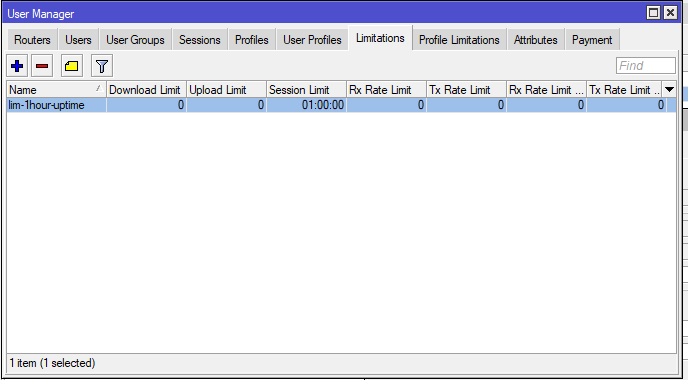
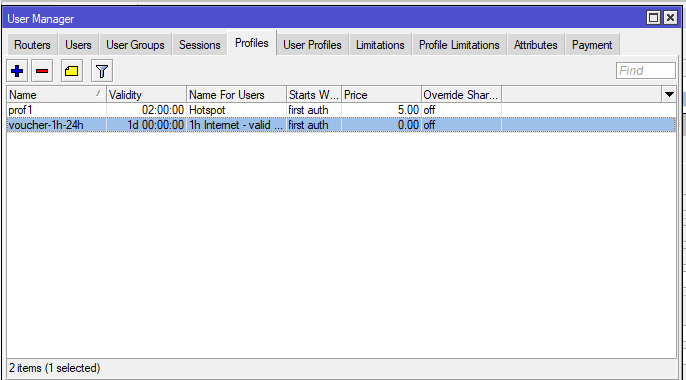
Point #21 , just in case:
GP & CSA for Mikrotik devices