What logs do you see on the server?
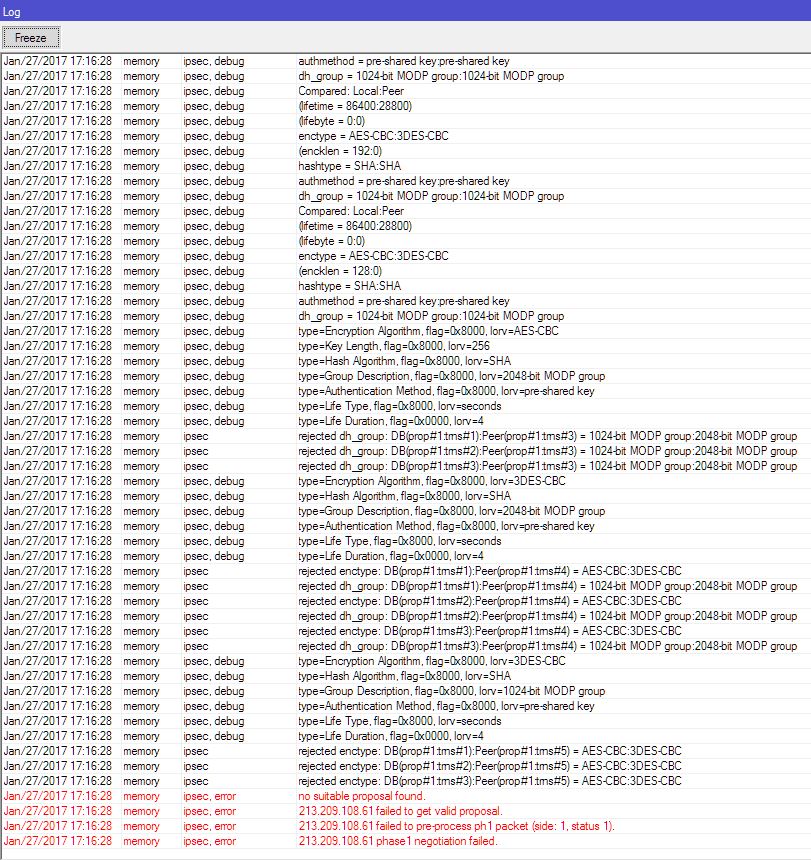
Remote peer requires 3des, but you have set aes-128
Ah ok phase1 seems better now, but know again a new problem 
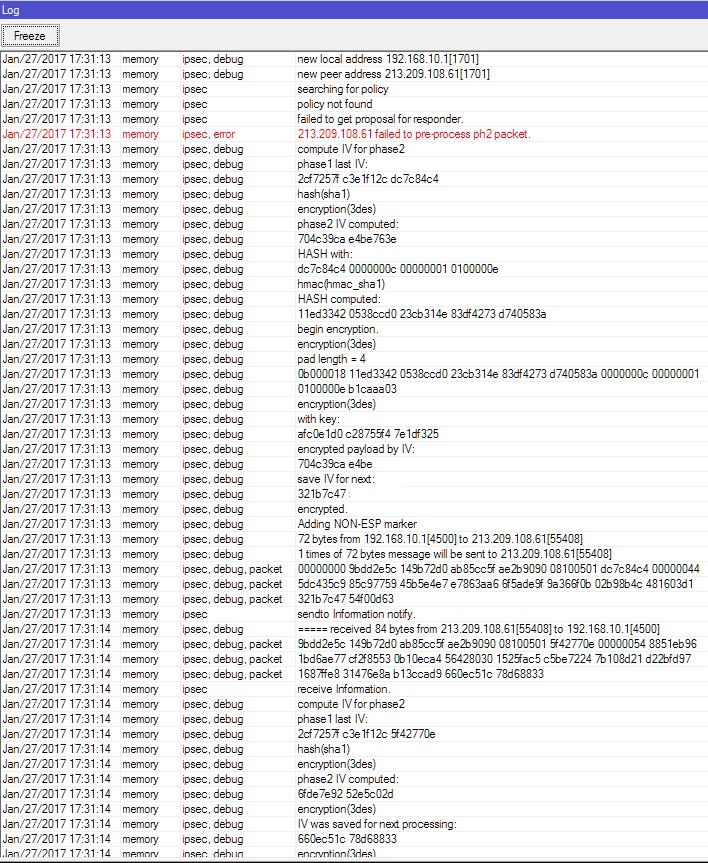
You do not have any valid policy configured or forgot to enable generate-policy in peer config.
Yes that was it. It’s working now both on Windows (with the registry fix) and on smart phone.
Cool. Thanks 
Since everyone is dropping PPTP support I have to find a solution that works everywhere.
After spending two miserable days trying to setup IKEv2, I have decided to try with L2TP over IPSec.
Success was only partial.
It works for Windows and iOS, but not for MacOS.
When I try to connect with macOs, I could see an entry in MiktoTik log that says: no IKEv1 peer config for a.a.a.a .
Any good ideas?
Hi guys
i tried config my L2TP/IPsec on my rb1100 for iPhone OS10 client then i follow the step by step above still not working any one can help me if i have something messing on my configurations also i got this error message on my logs.. but behind NAT my L2TP working find..
https://ibb.co/moL6fa
07:38:53 ipsec,error failed to get valid proposal.
07:38:53 ipsec,error failed to pre-process ph1 packet (side: 1, status 1).
07:38:53 ipsec,error phase1 negotiation failed.
07:53:11 ipsec,error failed to get valid proposal.
07:53:11 ipsec,error failed to pre-process ph1 packet (side: 1, status 1).
07:53:11 ipsec,error phase1 negotiation failed.
Enable ipsec debug logs, it will show what phase2 parameters exactly are mismatched.
/ip pool
add name=IPSECVPN ranges=172.31.0.2-172.31.0.31
This is the Best and simple config for apple device
/ppp profile
add change-tcp-mss=yes local-address=172.31.0.1 name=ipsec remote-address=IPSECVPN use-encryption=yes
/ppp secret
add name=test password=test profile=ipsec
/interface l2tp-server server
set default-profile=ipsec enabled=yes ipsec-secret=1234567890 use-ipsec=yes
/ip ipsec proposal
set [ find default=yes ] enc-algorithms=3des
/ip ipsec peer
add address=0.0.0.0/0 dpd-interval=2s enc-algorithm=3des exchange-mode=main-l2tp generate-policy=port-override secret=1234567890
If you have problem please send your router debug to me
Have you tested this configuration with macOS, or only iOS devices?
Seams to me that all of the config scenarios found on wiki or forum work for iOS, but neither one of them works with macOS.
Everything is fine from iOS, but when I try to connect from macOS device I always get an error no IKEv1 peer config for x.x.x.x in MikroTik’s log.