Hello everyone.
Simple question / what is the cheapest MikroTik switch model that supports a GPON/XPON module inserted into the SFP port of a MikroTik switch and bridges it with the other Ethernet ports (ONU router )?
I think CRS305-1G-4S+IN is fine for the task.
I have to ask, because i genuinly do want to know what using a gpon module in ur router instead of having a bridged gateway get you.
Other than a box less, a bit lower electricity bill, but u have to cool it down because i heard they get very hot and not every gpon module apperently supports all ISPS.
Like what are the actual benefits, why should i get a GPON module other than the fiber run being cleaner or straight from fiber to the premises point into your switch, why do people want these, what would you tell me to sell me on one of those?
This, and fewer cables and power adapters. When the ISP overprovisions, you can achieve download speed over 1Gbps with the GPON module because you are not limited by the 1GbE port of the gateway. There were ISPs in my country with whom you also can "cheat" by just tripling the PPPoE client instance in RouterOS (with same credentials) and with ECMP or PCC reach > 2.3Gbps download speed while only paying for 1Gbps.
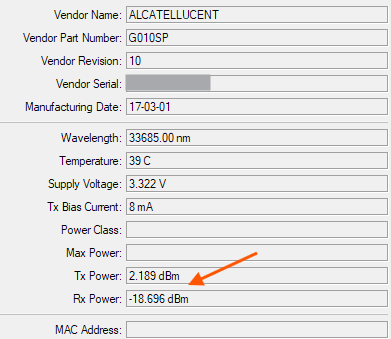
Also, you can monitor properties like received / transmitted optical power directly in WinBox without having to login to the ISP device:
You can stick some SFP heat spreaders on the module and the temperature is fine, as you can see on the screenshot above.
Honest answer would be: none. ROS doesn't explicitly support these modules in a sense that it doesn't explicitly support configuring them. Generally it is possible to get around this shortcoming by connecting to module's GUI but it's not trivial and it's not guaranteed. And some modules simply don't work in MT devices.
Thank you.
Do you mean I have to use gpon/xpon modules manufacured by MIKROTIK only ?
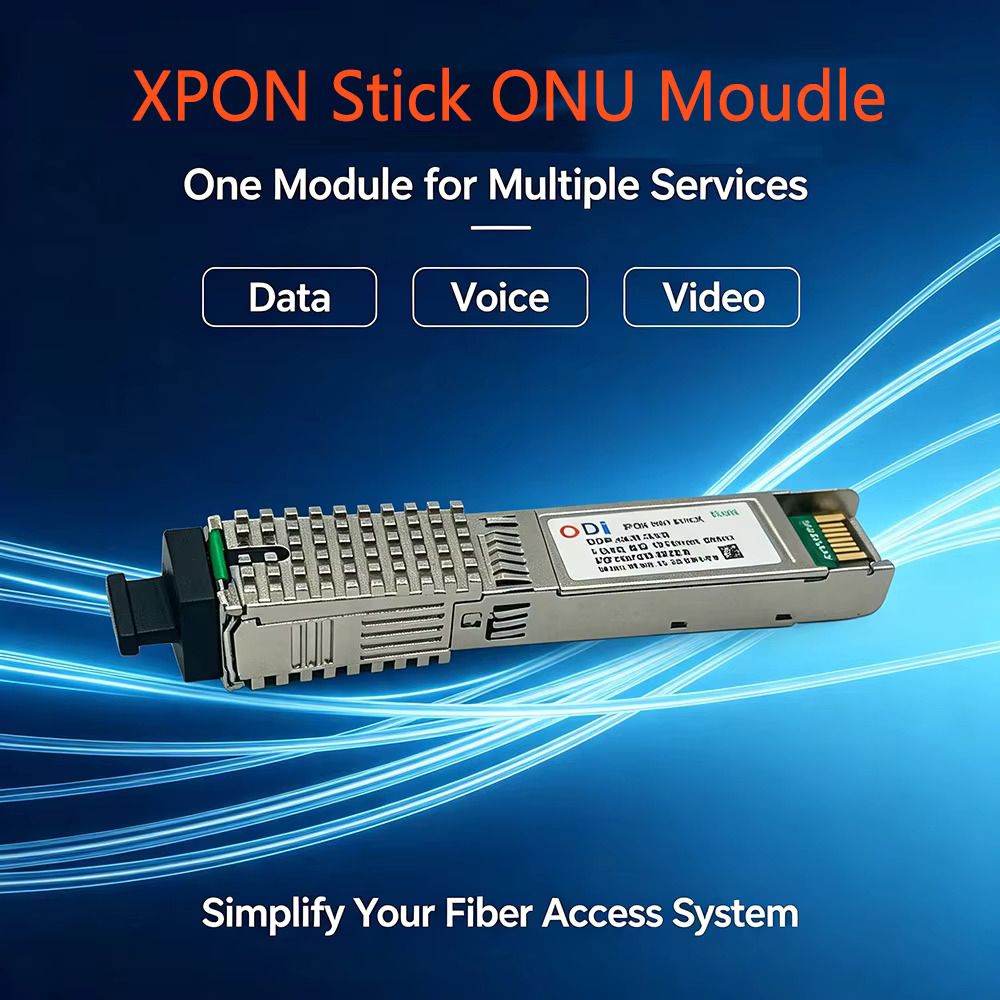
No, you can take a look at this repo and the documentations/guides from there for the RTL960x chip that is very common (and that is also in the ODI module you pictured above I think):
It also has a page that lists the compatibility of MikroTik devices for the 2.5Gbps mode:
Other popular chipset that works is the Lantiq one, like the one in my G-010S-P (see my screenshot) which also works well with MikroTik devices.
See this site for more GPON sticks (most of them only use one of the few known chips) https://hack-gpon.org/.
Not necessarily the cheapest, but I've been running this setup for a couple of years now on a RB5009UG+S+ just fine
Once you've got the configuration dialed in you never need to touch it directly (unless your ISP changes something big on their end).
It's installed in a very small space where there wasn't room for the ISP's box along with a little UPS and this meant much simpler wiring, less power and I have a much higher confidence in the security of the setup.
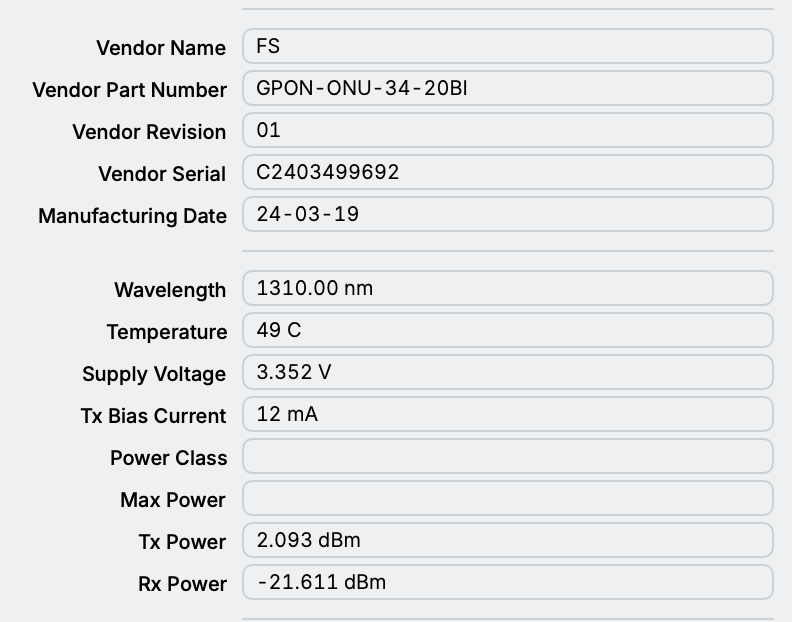
Yes, your FS.com one uses the same chipset as my G-010S-P FS.com GPON ONU Stick with MAC (GPON-ONU-34-20BI) | Hack GPON. According to that page, even the firmware is interchangeable.
I don't think MT even have their own xPON modules ... so it really is down to "luck" to find some 3rd party module which actually works with MT and which allows to access its management UI by applying appropriate configuration and/or tricks.
why not ? This item is from MikroTik
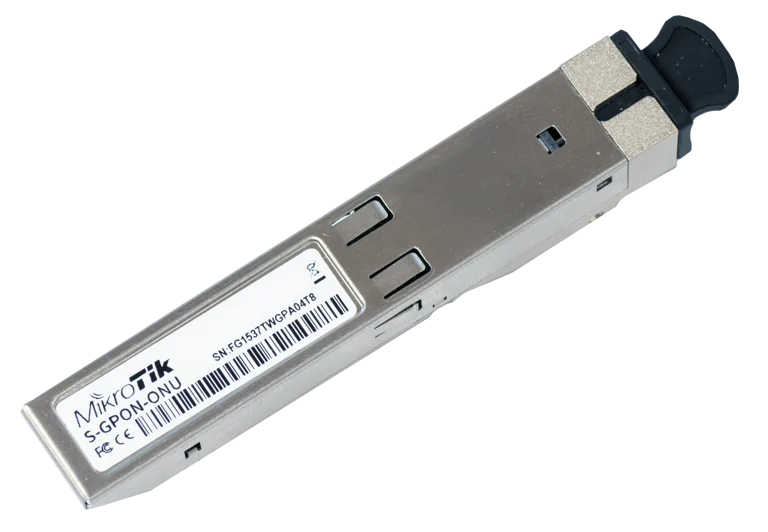
Specifications
That one has been long discontinued, if you read this post / thread, since at least 2019.
It had a lot of problems, and according to this recent thread, has even less support from RouterOS than the other modules from 3rd party manufacturers:
Apparently GPON sticks based on RTL960X produce less heat compared to an older Nokia/Alcatel-Lucent chipsets. I'm thinking to get this stick, or this one however keep dragging my feet as ISP in my area also uses XGS-PON whch operates at different wavelengths.
The spec sheet claims compatibility with Mikrotik, and wide range of Optical Line Terminals used by ISPs.
The power consumption is 2.5 Watt if one to believe the data sheet.
ive got a rb5009upr, if i did decide to buy one of those, which would u recommend, sure, id buy one from fs.com. can u send me a link of one that u think works?
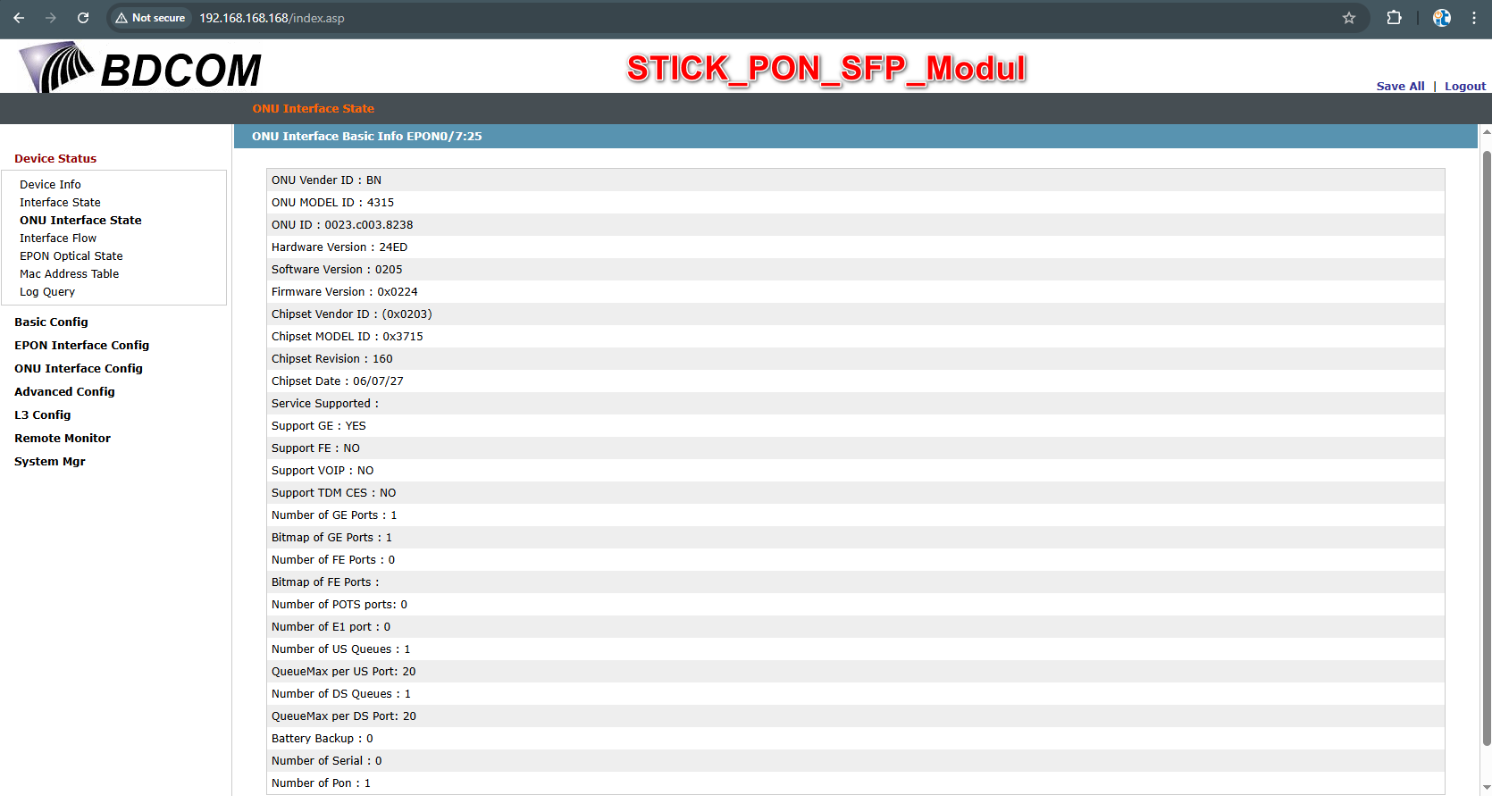
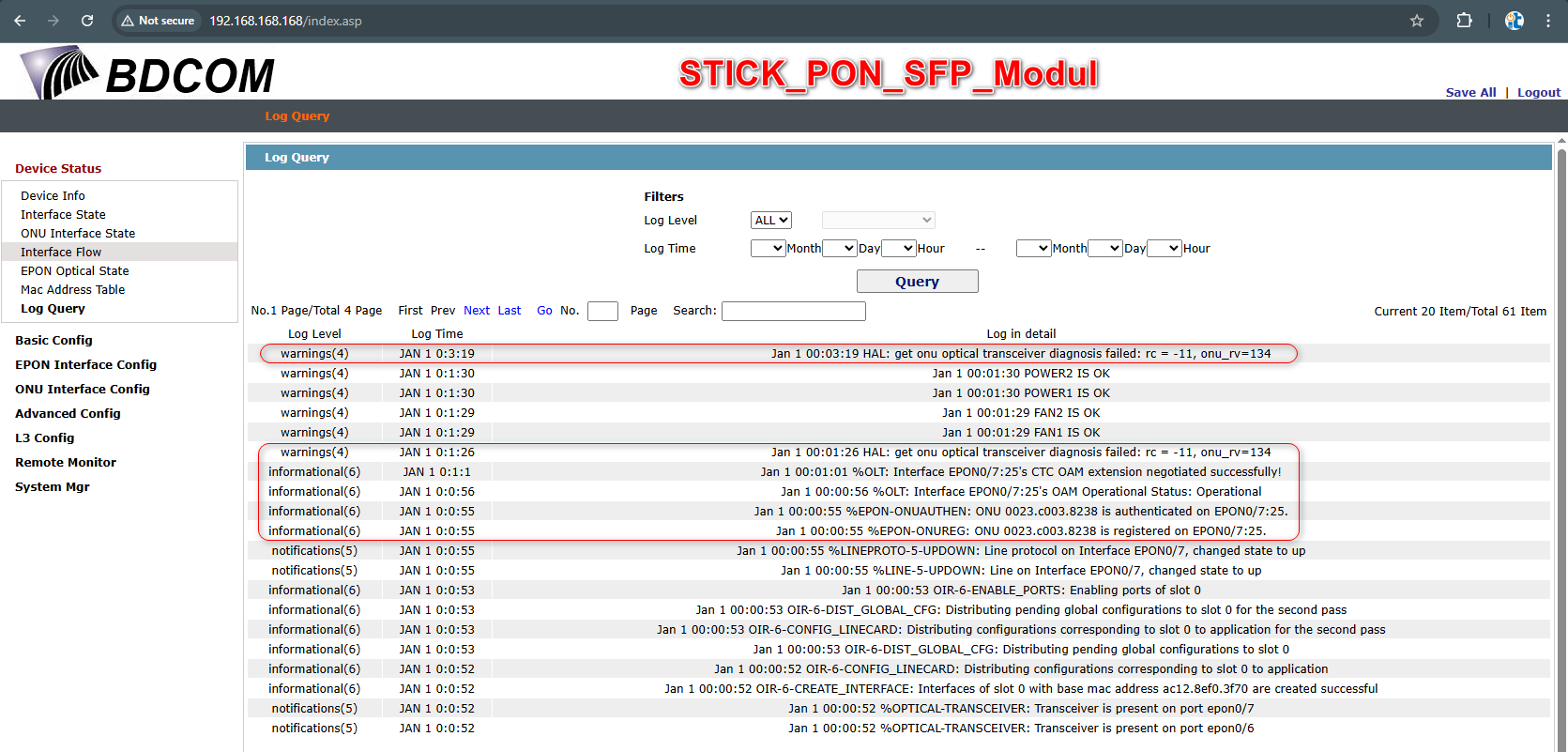
Hello  I have two screenshots from the OLT (OLT_BDCOM_P3600_2AC_EPON) showing tests of exactly these kinds of Chinese SFP sticks, working seamlessly with MikroTik RB260GS and RB260GSP units on the other end. I haven't encountered these specific sticks with MikroTik gear myself. Perhaps the status reports are more detailed—I'm not sure. It's hard to say without testing. I hope this test data proves useful.
Interesting, The logs stamped January 1st, with only 3 minutes of up time past midnight. Where did these come from if you don't mind me asking?
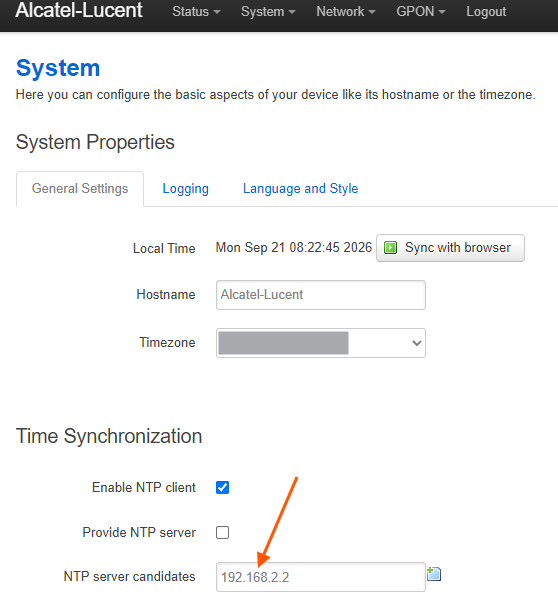
Those sticks have nothing to keep track of the current time when being unplugged/having no power, so they'll all default to January 1st, 1970 at after booting from powerloss. Normally you can configure NTP servers in their setting, but of course public NTP servers will not work.
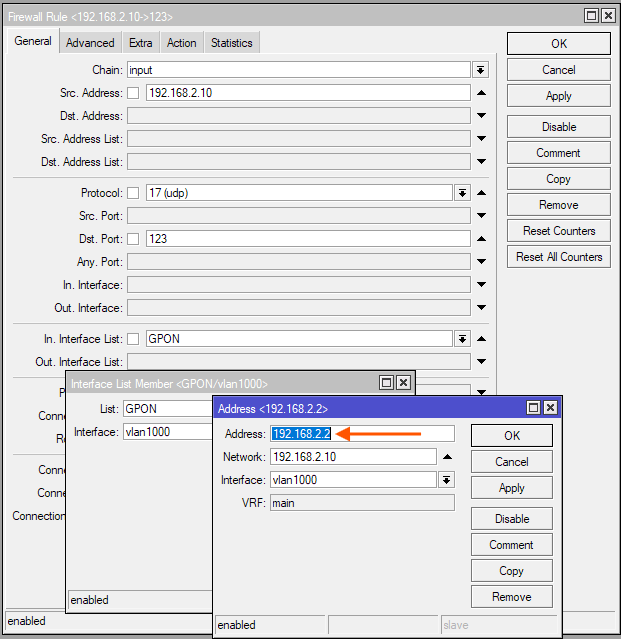
What I do is to put the router's address facing the SFP module as NTP server, and allow port UDP 123 on the input chain for that interface. The SFP stick will synchronize the time with the help of the router.
Sorry for the delay - I bought these over 2 years ago so it took me a while to find the original order with the exact part number.
This is an original Chinese clock built into an ultra-modern optical unit; it has zero drift—ever—so you can trust it There is a "minor" bug in the NTP Server-Client implementation on this OLT model, but that doesn't bother me for testing purposes. ... P.S. Seeing a date like that makes me feel young  Cheers