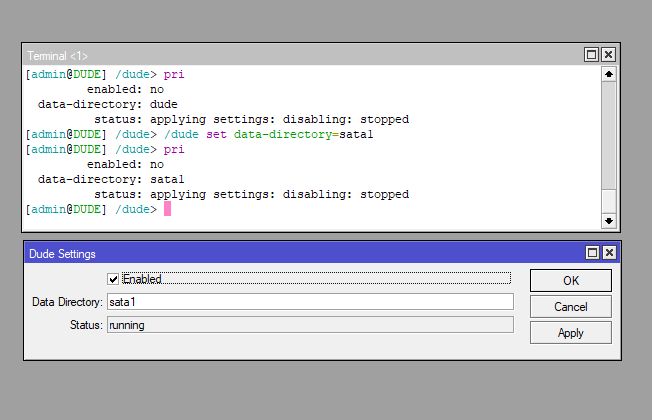
I have bought an RB1100AHx4 dude edition with the intention of monitoring a bunch of Mikrotik switches i look after, i need help with getting the dude to write to the built in 60GB FORESEE 64GB SSD instead of the 128MB onboard memory, i have spent all day reading and trying all sorts of things but can’t seem to get it working, the SSD is showing up in disks and is formatted in ext4, i can get dude running ok and connect to it via the client but can’t find anywhere an option to “use the SSD” , i see in the files section of winbox there is a folder called sata1, i tried dragging all the files into this folder but it would only move half of the files, so i decided to set up the devices, install winbox as a tool, email notifications, made all the graphics look nice, but soon as i did a system reboot all the work i did had vanished, what a waste of a day…
Can someone help tell me how to use the SSD provided please.