To upgrade, click “Check for updates” at /system package in your RouterOS configuration interface, or head to our download page: http://www.mikrotik.com/download
If you experience version related issues, then please send supout file from your router to support@mikrotik.com. File must be generated while router is not working as suspected or after some problem has appeared on device
Please keep this forum topic strictly related to this particular RouterOS release.
Same as with 6.49.1:
Upgrade to 6.49.2 resulted in a boot loop of hEX S (RB760iGS, mmips).
No access to device was possible until Netinstall, which solved the issue.
After upgrading to 6.49.2 The Dude stopped working for me. I also noticed that I am unable to upgrade to 7.1 as it just sits on calculating download size. Are both of these bugs or just weirdness? I typically don’t upgrade this close to releases but was looking to try out wireguard.
Can you check if the Dude package is installed? Can you check from Winbox if Dude is running? Have you updated your Dude client(in windows you need to do a ‘run as admin’)? I have upgraded to 6.49.2 and dude runs.
But I have another regression. After updating to 6.49.2 my test RB1100AHx4(dude edition), it deleted my user and enabled the default admin. The rest of the config is still there(I think).
I tried to repeat the same problem on our hEX S, but did not see any boot loop after the upgrade.
Did you already report this to support, do you have a SUP ticket number?
Some other questions that might help us identify the problem:
Did the device successfully upgrade to 6.49.1 or 6.49.2, or did the boot loop only start after the RouterBOOT upgrade (after the second reboot)?
What RouterOS (/system resource print) and RouterBOOT (/system routerboard print) versions were installed before the upgrade?
What configuration was used on the devices?
Were there any SFP or USB devices connected?
Can you repeat the problem?
I would appreciate it if you could share as many details as possible, so we could recreate the same problem in our lab.
Mine was Tile - No sfp modules installed on the ones I tried. (CCR1036).
Recoverable with a console cable, but no good if remote.
Did the device successfully upgrade to 6.49.1 or 6.49.2, or did the boot loop only start after the RouterBOOT upgrade (after the second reboot)?
Yes! - this was exactly it - details in the ticket.
upgraded all my devices from 6.491 to 6.49.2 as always with 2nd reboot to upgrade firmware. No problems ...
CCR1009 took 30 sec to flash and reboot, 2nd reboot took less than 15 seconds
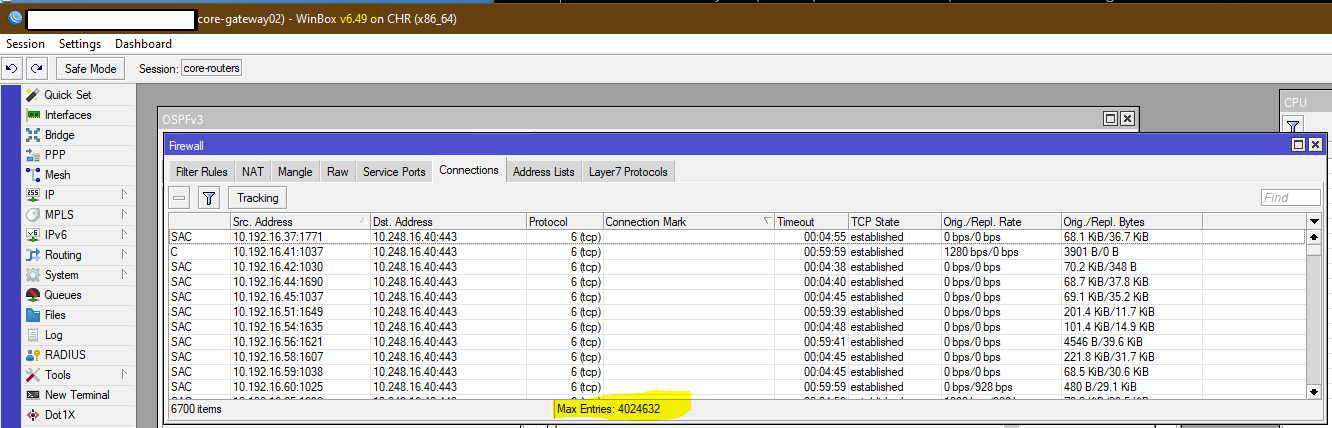
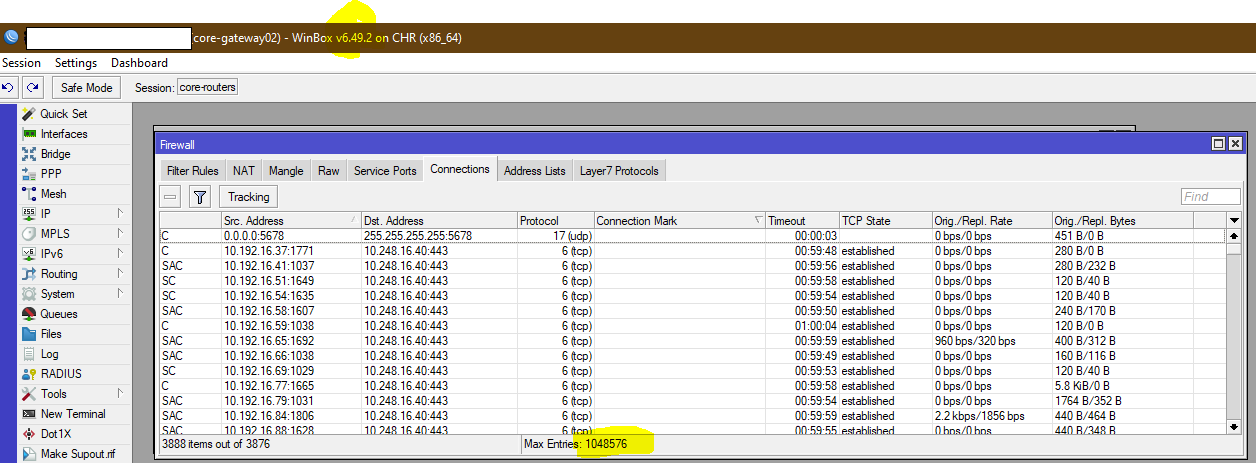
I recently upgraded from 6.49 to 6.49.2 and noticed that the firewall conntrack entry size has reverted even though the previous release notes state:
" conntrack - increased total connection tracking table size based on installed RAM size;"’
Just as a note all I did was upgrade, the RAM size is still the same.
Here’s a couple screen shots of before and after.
BEFORE 6.49.2
AFTER 6.49.2:
Does anyone @MT there test this at all before sending it out as a “stable” release??
Please fix this oversight.
I think the wording is a bit misleading here, but probably you see what’s expected. The number of max entries depends on your installed RAM.
Currently you have 3888 items with a maximum of 1048576. This is hardly an issue, no? If it is you have to add more RAM I guess.
Ok, 6.49 had this:
*) conntrack - increased total connection tracking table size based on installed RAM size;
Then in 6.49.1 this:
*) conntrack - limit total connection tracking table size based on installed RAM size;
And since your screenshots are from 6.49 and 6.49.2, I’m assuming there was some error with the change done in 6.49 and corrected in 6.49.1.