I recently upgraded my CRS125-24G-1S-RM to v7.1.1 from v6.49.2.
I am having a couple of issues: not sure whether those are bugs or something that needs some tuning.
Both could be the same problem under two different situations, though.
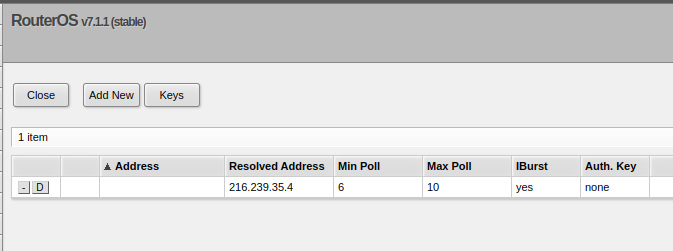
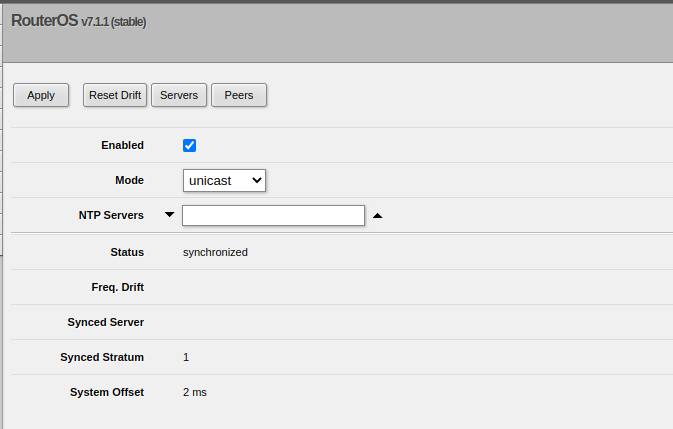
I cannot configure NTP to point to a server by name (DNS) like time.google.com like I did previously w/ v6.
I cannot check version upgrades any more as the check seems to run forever: “finding out latest version…”. Also this used to work in v6.
Any idea/fix?
UPDATES
You can workaround issue no.1 by either using SSH cli or by using a terminal via serial console or webfig.
Let me check my magic wand, crystal ball, tarot cards, and bones…
Yes, its becoming clearer…
I see a future where you
post your config.
/export file=anynameyouwish
(just ensure no public WANIPs or Gateways are showing)
in v6.x you have a separate field for NTP server and NTP server DNS names. in v7.x these fields are combined and you can enter a url into the primary/secondary server field on winbox
why are you trying to check for upgrades when you just installed the latest version? that aside…is this problem manifesting when you tried to update from v6 to v7 or after the update was done?
if it manifests when moving from v6 to v7 then you probably have separate packages installed instead of the bundle. this is known to not and has been mentioned several times in multiple other threads work as v7 only has bundle and it can’t fetch the separate packages…they don’t exist. just get npk from MT website, upload and reboot (if downgrading be sure to use /system packages downgrade instead of a normal reboot)
Upgrade went fine, of course. Subsequent checks didn’t.
I tried the check because there is a number of reports of random dns-related issues with those checks.
Upgrade went fine at 1st try and now I see a single package instead of several ones.
As i wrote, i don’t get a check error. It simply seems to run forever.
I am not sure how the configuration I have can help to solve the problems.
Anyway, here it is: bekindplease.rsc (5.61 KB)
If I were a knowledgeable person, I would have tried that configuration item (NTP) and the new version check as my first thing before giving any reply.
But, unluckily, I am the one who needs help…
Nope. It’s a switch. Sometimes i use it also as a router for tests.
Hmm… It is connected to the internet via a NAT router (0.0.0.0 and possibly other NAT devices within the ISP network). You can see that from the default route, the DNS specification and the NTP client (if only it worked).
But my box has no public IP on any of it’s interfaces.
The same box was connected to the same ISP and (hopefully) the same configuration while running V6.
Each DNS name from the list serves addresses in a round-robin way.
You can try 2,3 instead of 0 and 1 or change ca or it to us, pl, jp, or any other country suffix you can use in DNS names
I tried time.google.com and it doesn’t work, nor it shows up in the configuration. Have you tried that yourself?
How would it be different to use pool.ntp.org from time.google.com?
All of my PCs are Linux, winbox is not an option. Will try SSH.
Anyway, i upgraded the ROS and i was expecting it to keep all of the existing configuration. Instead it removed my NTP altogether. This seems to be another bug.
I want/need to use Google NTP servers. Your considerations are irrelevant to my issue, while totally meaningful.
Also google uses DNS for the same reasons. But it seems DNS has issues.
Infact I still cannot have an “upgrade check” working likely due to DNS issues.
Webgig doesn’t seem to understand an NTP server DNS name!
Using the terminal to complement webfig is not a solution: it’s a workaround!
System/Packages/Check for updates still times out.
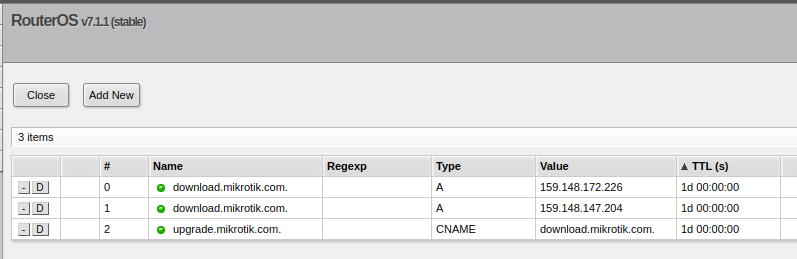
But, If I add a few static DNS entries, it works! (addresses taken from current DNS values).
This is clearly a workaround too, not a solution.
They haven’t yet fully implemented all the new functionality in v7 in winbox/webfig, and this would be part of the new functionality. Webfig is actually further behind compared to winbox.