7.9 stable upgrade 7.10beta5
I like most of the webfig changes (including/especially the inline comments!), but the centered detail screens just strike me as odd, like the pages aren’t rending correctly.
What device give that error? I got on my Samsung S22, but S10+ is fine.
Laptop with Intel Wireless AC9560.
Samsung S20 was ok too.
Please add reboot command to containers.
Sometime it is required to reboot my container on a regular basis due to some bugs… Could not achieve this by scripting Stop and Start commands of the container…
*) routerboard - fixed memory test on CCR2116-12G-4S+ (“/system routerboard upgrade” required);
Could you please explain what it means? Will this solve the problem with our CCR2116, which is rebooting every 1-2 days with a watchdog timer error?
Oh my god,
The problem still exist on v7? I
The hardware already diff with ccr1xxx , the software also already on v7, but the problem still hapen.
I dont think they now and seek what the cause it.
Unless someone can clear reproduce the problem, eventhough alot of people reported having the same issues.
Thx
ax2, 7.10rc5 same SSID for 2.4 and 5 GHz, default config, same PMKSA error, phone can’t connect to 5GHz WiFi, on 2.4 work just fine. Laptop connects to 5 GHz (Preferred band 5GHz in driver)
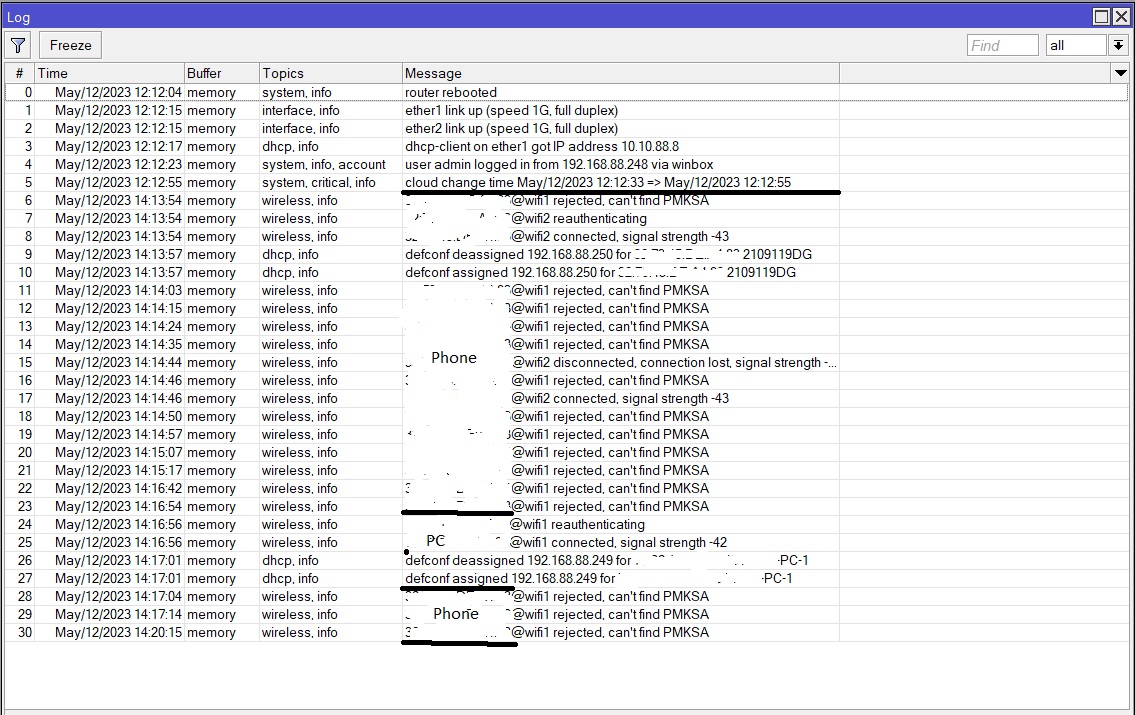
Sadly I’ve had to downgrade to 7.9 due to problems with QOS.
I hope you open a supoort ticket wit supout.rif before downgrade…
Just out of curiosity, have you tried disabling WPA3?
I am now using WPA2 only (hAp ax3+hAP ax2) and have no PMKSA error.
I tried to enable only WPA2 and now error is gone and i can see in logs that phone connects to 5 GHz no problem. So why is WPA 3 making a problem ?
I don’t know, it only happens with some devices using WPA 3.
Yea, but for eg. if I have separated SSID for 2.4 and 5 GHz, then I don’t have a problem with connecting.
OK then try with a single SSID, WPA 3 but with FT enabled.
I set my AX200 WiFi card back to “preferred band: None” just to see if now laptop connects to 5 GHz and now it’s working like a charm. I will leave my laptop and phone connected to ax2 instead of my U6-Lite.
Seeing alot of Handshake timeouts and pkmsa errors also…
looks like beta5 break wireguard IPv6 on ARM
IPv4 works fine
# model = RB3011UiAS
# serial number = 783D085F624D
/interface wireguard peers
add allowed-address=fdff:255::/112,169.254.255.192/26 endpoint-address=xxx.yyy.224.42 endpoint-port=8000 interface="wg: Mgmn (NMS)" persistent-keepalive=15s public-key=\
    "xxxxxxx="
same config works fine with 7.9 but beta5 have a problem with IPv6
it simply does not work
if i try to ping WG HUB i get this error
 ping fdff:255::200
  SEQ HOST                                     SIZE TTL TIME       STATUS
    0                                                              126 (No error information)
    0 fdff:255::202                             104  64 588us      address unreachable
    1                                                              126 (No error information)
    1 fdff:255::202                             104  64 495us      address unreachable
MIPSBE and MMIPS works fine
ax3 standalone 7.9 wifi lasted 7 days. http://forum.mikrotik.com/t/hap-ax2-randomly-drops-wifi-ssids-both-2-4-and-5ghz/162595/1
Time to test out 7.10beta5.
• Containers ok (have not tested docker pull)
• Wifi ? (it’s only been 10 mins.)
• Zerotier ok
Disabling WPA3 should eliminate PMKSA error, as it is WPA3 related.