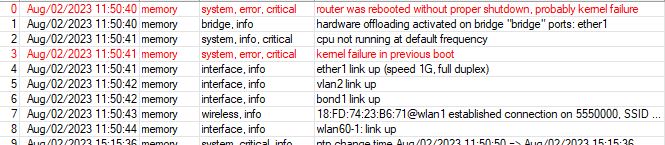
With the Cube 60 pro ac no improvement in stability with 7.11RC…
Try to fix the “cpu is not running at default frequency” by setting it to automatic.
If that doesn´t help, export the config to a RSC file, factory default with no config the device and import the RSC file via terminal.
That fixed all my instabilities I had during the last several ROS updates 
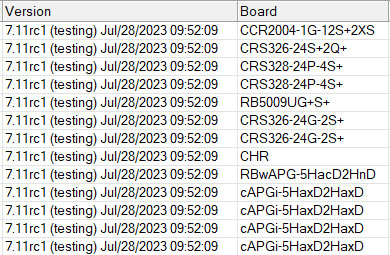
All my devices are rock-solid with all 7.11 versions (since 7.11Beta4):
Support recommended disabling CLR (/certificate/settings/set crl-use=no) and it worked
Until 7.11rc1, CRL verification did not work correctly.
If use-crl is set to yes, RouterOS will check CRL for each certificate in a certificate chain, therefore, an entire certificate chain should be installed into a device - starting from Root CA, intermediate CA (if there are such), and server certificate that is used for specific service.
Thanks for the info. i will test it.
Steve
@strods can you comment on the switch changes in more detail? Specifically the one about BPDU and HW vlan-filtering.
Here are two threads which were related to the problem this seems to be addressing
VLAN-Trunk not working [SOLVED - incorrect BPDU filtering on hAP ax lite HW offloaded trunk ports] - this post references support ticket SUP-119824
Bridge VLAN-Filter Offload broken on hEXr3? and this post where @skyhawk claims “Initial testing suggests the issues is not fixed.” but doesn’t go into details about what testing and results led him to the “not fixed” conclusion.
Another thread that seemed to fit the behavior repored in the above two threads. RouterOS 7 Bridge VLAN/DHCP client issue after upgrade
“:convert to=hex” doesn’t work with number types. I’d expect either a string with “7F” or “007F” back from below…, instead the number arg is treated as string and ASCII codes are used:
:put [:convert to=hex 127]
Even being explicit about everything doesn’t help:
:put [:convert from=raw to=hex value=[:tonum 127]]
313237
which are the ASCII codes for 1 (\31), 2 (\32), 7 (\37)
I upgraded a RB4011iGS+5HacQ2HnD to 7.11rc1 and MTU’s were no longer being applied to vlans on a bridge, they were all at 1500.
Rolling back to 7.10, the MTUs were correctly set.
https://i.imgur.com/5trw0zz.png
The /export did have the vlan set in it, and there were no errors in the logs.
It looks like this has been broken for a while, and I didn’t notice. I have played around with it a bit, and it looks like I can change the MTU after the device has rebooted, but it’s not setting them correctly on startup.
This is with 7.11b6, which I happened to have lying around.
Yes, I reported this a while back. I have a script that runs that disables/enables the VLAN interfaces after booting to force the configured MTU size to take effect. Without it, my OSPF links won’t start due to MTU mismatch (most of my PTP links between routers have been configured with an MTU of 2000 or more to support future tagging and tunneling techniques).
*) switch - fixed BPDU packet processing on MT7621, MT7531 with HW offloaded vlan-filtering;
This does not appear to be working. Hardware offloaded VLAN filtering on hEXr3 still breaks spanning tree, as documented in this forum thread.
Yes you have right about it.
Is there any solution to fix it?
What’s new in 7.11beta4 (2023-Jul-05 13:33):
*) dns - improved system stability when processing static DNS entries with specified address-list;
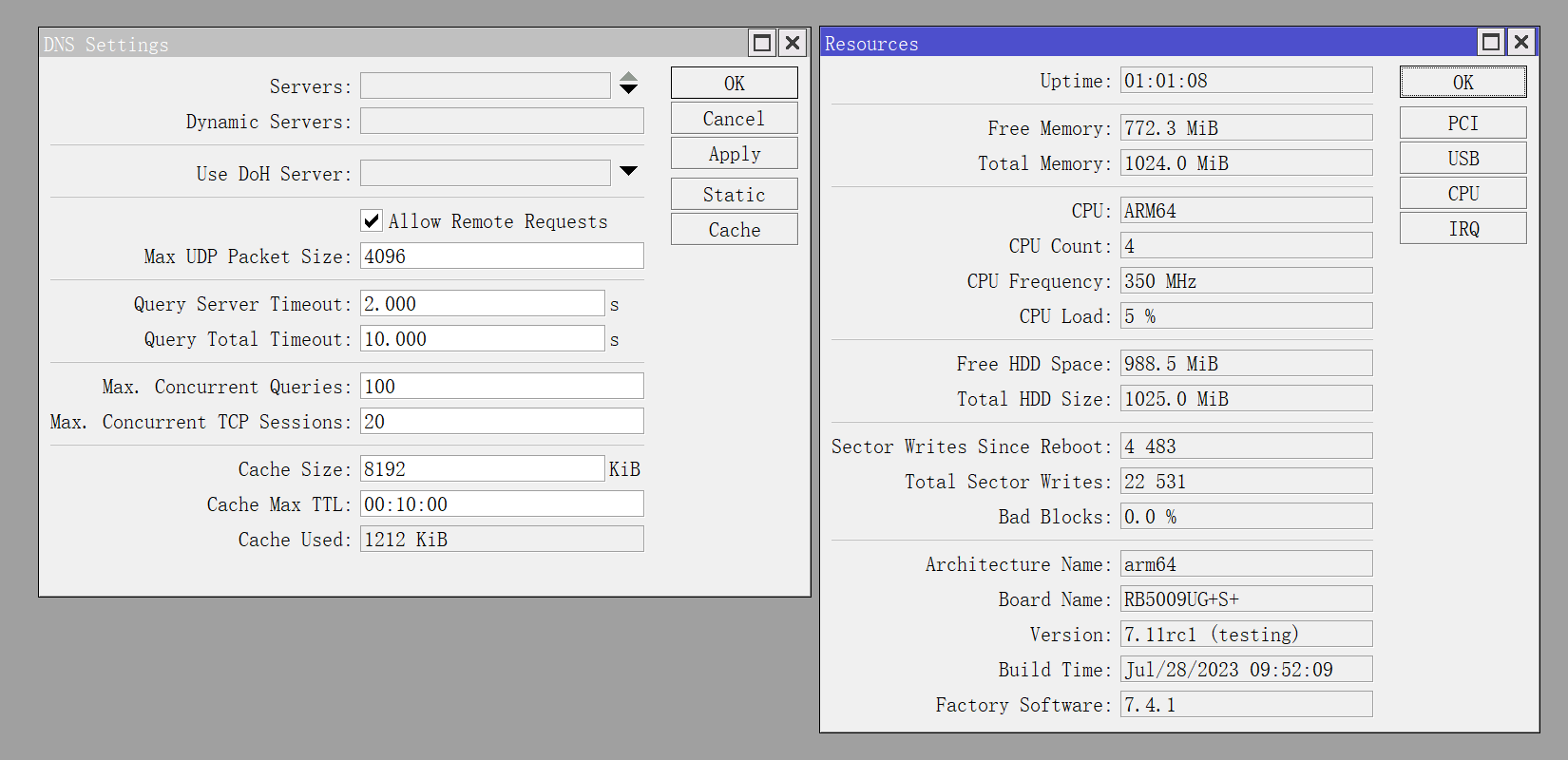
This bug has reappeared in 7.11rc1 on the RB5009 device, but it has not occurred on CHR.
Please check SUP-119380, and the supout.rif file has been uploaded.
here is the image.
put the value in quotes
convert “lala” from=raw to=hex
Put decimal to hex function as well to reduce confusion. Decimal 127 output must be 7F not 313237.
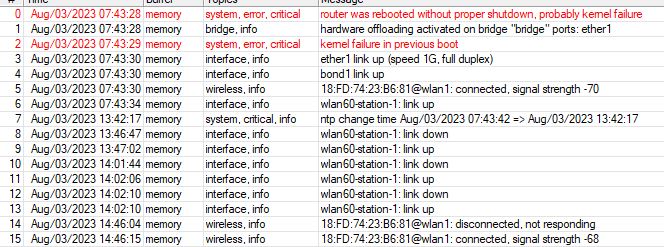
Unfortunately, the error also occurs with the setting to default cpu frequency…
The error only occurs in heavy rain with a failure of the 60 ghz link.
Yup. If someone had time for =rot13… num to hex seems pretty reasonable…
Basically, :convert to=hex should be type aware. At least for input arg is typeof=num… Right now :convert only deals with strings.
So if input is a string, then yeah “127” becoming “313237” makes sense…
:convert “127” to=hex # “313237”
but… if the input is “num” (decimal) then 7F is what you SHOULD get with this:
:convert 127 to=hex # should return “7F”… BUT assumes str + ASCII instead…
Arguable, perhaps not high priority, but ip and ipv6 are types, and have hex represented:
:convert 1.1.1.1 to=hex # should return “01010101” since arg :typeof = ip not “312e312e312e31”
:convert 2021:: to=hex # should return “202100000000000000000000” >
__
wifiwave2 - automatically add wifi interfaces to appropriate bridge VLAN when wireless clients with new VLAN IDs connect;
Is this the fix for WiFi slave interfaces adding themselves to the appropriate VLAN? I didn’t see this happen when I updated my APs and my RB5009 (CAPsMAN Wifiwave2) to 7.11.
On the regular old CAPsMAN and non-ax devices, the slave interfaces - in my case on VLAN 10 - automatically add themselves to the bridge VLAN (as tagged no less) as soon as the CAPsMAN provisioning is done.
is there any chance on WG to add :
Last link Down Time
Last link Up Time
Uptime
Link Downs
The Wireguard interface is always in a “running” state. You can connect multiple peers to the same interface. There is no easy way to determine if the interface should be up or down.
Most likely you are looking for the Wireguard peers parameter “last-handshake”.