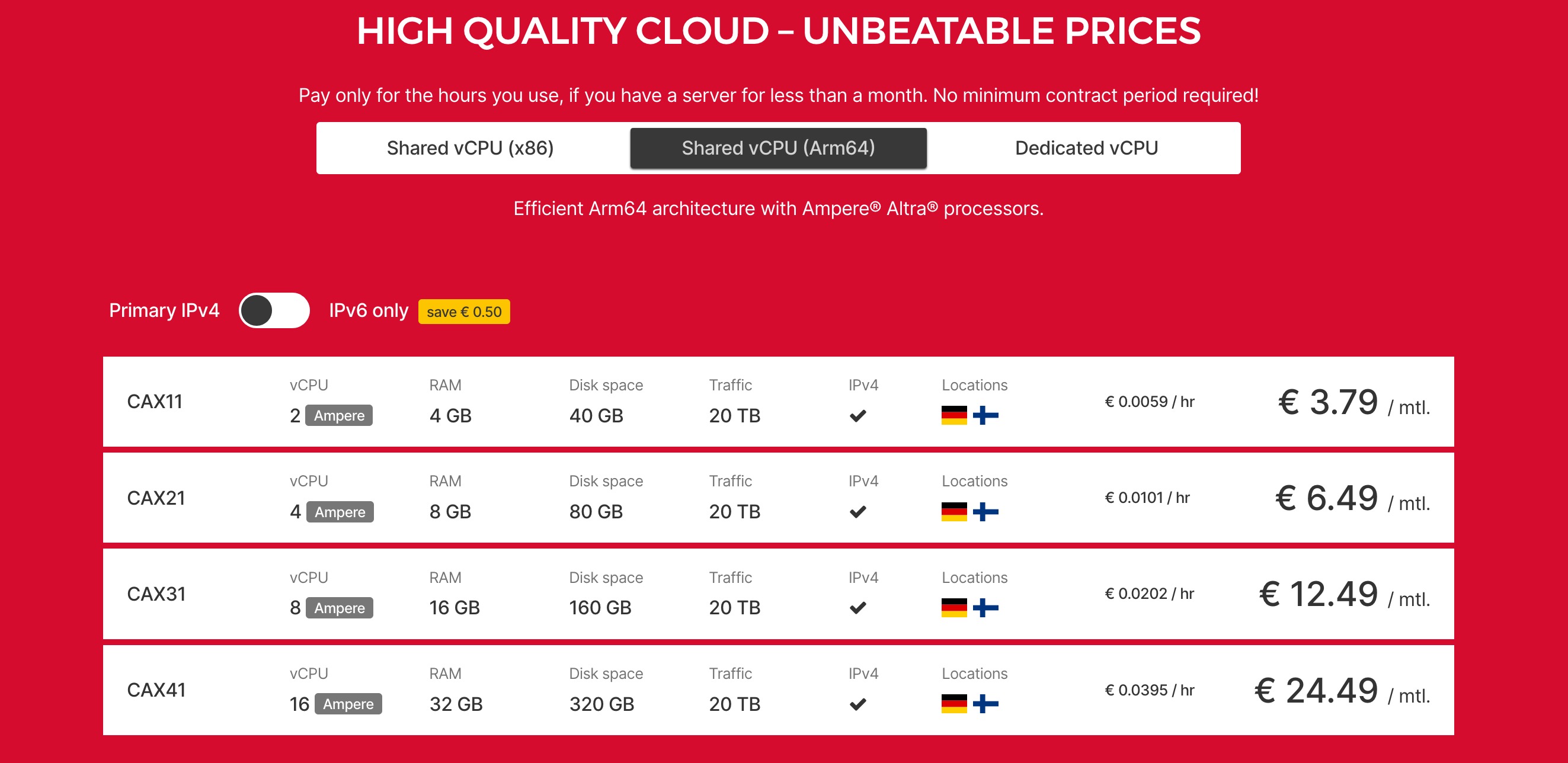
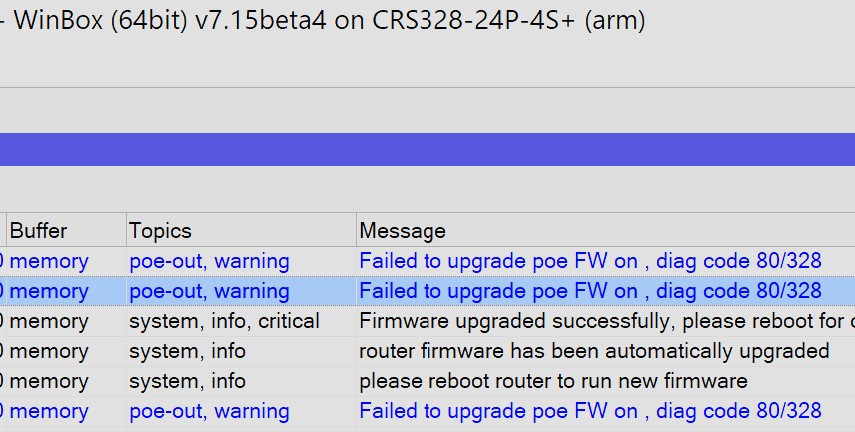
That why I asked about ARM64 CHRs. On AWS I believe ARM64 is cheaper but AMPERE is not going work. And, there a lot of smaller ARM64 boards that can run KVM, but need RouterOS as ARM64 disk image. Some hyped “AI” (GPU-enabled) enterprise server does NOT seem like a good fit for RouterOS to be the native OS. Now running as container under AMPERE would make sense.
Anyway it’s curious at the name/rational of “AMPERE”.
There’s nothing in particular about AMPERE in AMPERE image. It is UEFI based, and supporting various VIRTIO drivers, and is easily runnable on arm64 QEMU KVM. If you want you can just install locally, and dd image into cloud provider and it will just boot fine, as long as cloud provider does attach disk with some sort of serial number.
Hetzner has both Dedicated and Virtual AMPERE ARM64 servers available. CHR images are coming in next betas, currently we only release ISO for bare metal Ampere servers, such as these: https://www.newegg.com/p/pl?d=ampere+altra
CRS310-1G-5S-4S+ with latest beta firmware 7.15beta4
NAME VALUE TYPE
0 voltage 23.4 V
1 cpu-temperature 24 C
2 sfp-temperature 43 C
3 fan-state ok
4 fan1-speed 12990 RPM
5 board-temperature1 23 C
6 board-temperature2 16 C
7 psu1-voltage 23.7 V
Fan speed is in max rpm even temperature is low. Target temp is now 45'c and tested with 55'c target.
same with previous firmware release.
Ok, thanks for the info about AMPERE. I thought it would be about white-label router hardware. Google of that name combined with “router”, “switch” etc only resulted in articles about power usage of such devices.
Unfortunately for this model, there are only 2 fan speeds available - Fans on ( 13k RPM ) and off.
There was a software change in system health - *) health - changed default “fan-min-speed-percent” from 0% to 12%; We will fix this setting for CRS310 in the next RouterOS versions.
To get the system working as before you need to set the minimal fan speed to 0% :
As I said, I did not know that AMPERE was a “CPU platform”.
I vaguely remembered about a “white label switch platform” but apparently it has a different name.
An iPXE script would work for both ONIE and KVM. An iPXE script could fetch RouterOS via HTTP & be invoked via ONIE or PXE support in KVM/etc. If documented… iPXE install be the fewest steps on most CHR[X86/AArch64] platform since it widely support in bootloaders.
Starting with this Beta release, scripts fail that used to run OK. In particular, scripts run from Scheduler, Netwatch, DHCP-Client-Advanced, DHCP-Server-Advanced cause similar log entries, e.g. “executing script from scheduler failed, please check it manually”, “executing script from dhcp failed, please check it manually”, “executing script from dhcpclient failed, please check it manually”, “executing script from netwatch failed, please check it manually”. I do not see anything in the changelog that would explain this.
Mikrotik changed the permissions available to these scripts recently, maybe the policy further restricted here? But these kinda scripts do not have full admin right now – netwatch’s docs helps explain what allowed (and AFAIK applies to the other locations with “on” scripts attached to config):
Netwatch executes scripts as *sys user, so any defined global variable in the Netwatch script will not be readable by for an example a scheduler or other users
Netwatch is limited to > read,write,test,reboot script policies> . If the owner of the script does not have enough permissions to execute a certain command in the script, then the script will not be executed. If the script has greater policies than read,write,test,reboot - then the script will not be executed as well, make sure your scripts do not exceed the mentioned policies.
It is possible to disable permission checking for RouterOS scripts under /system/scripts menu.
This is useful when Netwatch does not have enough permissions to execute a script, though this decreases overall security. It is recommended to assign proper permissions to a script instead.
I recall dealing with this some time ago by changing “scripts attached to config” to execute scripts that have permission checking disabled. That seemed to work until this Beta release. That was even true for Netwatch. I will let things go as is until another Beta comes out and then see what happens.