It only works for plain HTTP of course, the browser gets a 302 redirect to the message. For HTTPS it’s just a timeout, the redirector only responds to requests on port 80. But that’s enough to be compliant.
It’s really a security theater made by politicians (of the formerly, no longer after 8 years, ruling party), but the authorities are serious and threaten non-compliant ISPs with fines. Their favourite name to check is apparently one with some German “umlaut” letters so we have to handle IDN properly too.
I just installed beta6 and the issue is still there. I am guessing that the permissions assigned to scripts attached to the config are being applied to the scripts they execute, even if those scripts are set to not require permissions. This is in conflict to the MT documentation which says to do exactly what I am doing to get around the permissions assigned to scripts attached to the config.
Would it be possible to get such a fan speed setting for SwitchOS too? Its always max speed with SwitchOS on CRS310-1G-5S-4S+ and you cannot change it.
While no line numbers, the message does vary depending on where a failure happens. Some bad code in /system/script get you:
“executing script script14 from winbox failed, please check it manually”
Your image shows “script from console”. Were you using the CLI to do anything around the time of your log? e.g. Maybe if something gets by the syntax checker, and get a runtime error from CLI, it also logs? I could NOT repo an error with bad code at CLI … but the “from console” is telling I think.
Nothing was open. SImply upgrade and reboot.
You can see from the log entries I wasn’t logged in … only about 5 minutes later when I went in to check the logs.
First, do you use doh. If you use doh, it won’t work. How big is your cache? I have about 400000 domains and for that it takes about 48 MB, so calculate how much you need.
“testing” channel is only for people prepared to live with problems, interruptions, and netinstall.
It is more worrying that the same thing is happening in “stable”. There are 2 main problems here:
the denial of problems caused in 15.3MB/16MB devices by growth of the monolithic “routeros” package + one of the wifi packages
the fact that “rc” versions are promoted to “stable” without sufficient time for bugs to be reported and weeding out of known bugs.
Probably code should only be labeled “stable” to the outside world when it has sufficiently been fieldtested.
People continue to see “stable” as a label of code quality, rather than a label of release cycle.
Are you sure that isn’t just reporting of script errors that were always there but you never noticed?
It looks like from this version on, when a script is running in the background (i.e. not started from console) you now see those errors in the log, while in the past it just silently failed.
“testing” is more like “weekly”, but indeed it could be solved with a rename to a less suggestive name.
too often, people interpret “stable” as “stable operation, recommended install”.
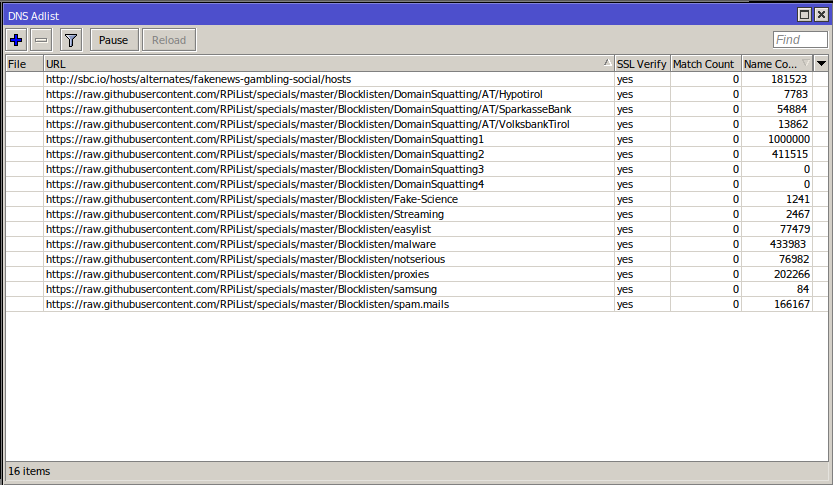
 i had doh, it works now. chatch size is set to 1.000.000 KiB.