That depends what’s going to be in 7.17. If some key features (for example the multicore processing or offloading of ppoe server, vxlan, mpls) we have waiting for is in that, then the release of 7.16 needs to get out the door faster.
I mean yes and no. A release candidate is called release candidate for a reason. So you either have something minor to fix which will lead to a new release candidate or if nothing comes up you will release it… Or if something big comes up you might have to back to the beta status…
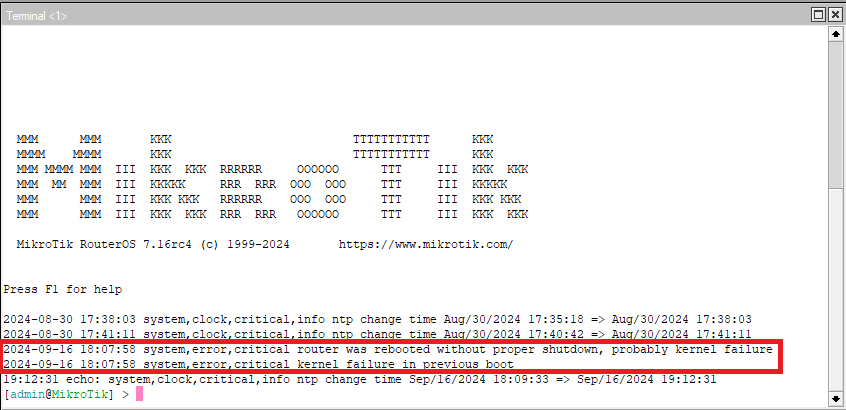
no, not when like for me my routerboard keeps rebooting itself and disturbing my work. They need to get the base OS stable.
Is your router rebooting in v7.16rc? FWIW, generic complaints help no one - if you find something not working, write up the forum or support case if it’s a bug (with a supout.rif).
Generally when the commentary changes from actual problems, to concerns for release processes and branch labeling… things are close to shipping.
Or they just stumbled on something weird, hard to pinpoint, and are doing their best. No point in making just another RC, if one already identified problem wasn’t solved. Let them work. Longer release cycles, with fewer bugs, are far batter than keep to some arbitrary scheduling that would result in buggy versions.
You could, You know, use a stable version. After all, 7.16 still is RC…
Not really. Mikrotik does develop their versions in parallel. There probably already exists on internal 7.17 alfa. They usually release the next beta little after the last version goes out. So, I’d say about one or two weeks after 7.16 is released, we will see the 7.17 beta appear - but it is already being developed internally.
That is true its normally 1-2 weeks after a release goes from rc to release but I don’t know what’s in 7.17 until that beta comes out to see key features.
There are sometimes little hints in their YouTube videos but no exact info.
They have updated their Routing Protocol Overview to show that 7.17 will include the ability to sort traffic into queues using MPLS experimental bits. This is a feature that I’ve been asking for for a while because we’ve been having to use bridge filters to mark packets based on the experimental bits, and while this actually works in v6 and v7 (as long as MPLS fast path is off), it is not officially supported and so it could break at any time.
Well, I have wished for a long time that one could select a sub-queue in a queue tree based on the value of the packet priority field, instead of only on a packet mark, and it never happened.
It should be possible as the “tc” command in Linux can do it, and it would save another step in packet processing.
And more important: it would allow the packet marks to be used for something else.
(when v7 was introduced some things happened that made me think that more than one simultaneous packet mark on the same packet would be introduced as a new feature, but until now it hasn’t)
Did you remembered to update the firmware as well? I have a RB5009 running fine on the rc4, maybe HDD and SMB is your problem (maybe too much current), this is a Router not a NAS.
Mine have a really complex config with also multiple VPNs, I do not see issues at the moment.
Try to disable SMB and take the HDD out for a while to see if stops rebooting itself.
Still having a persistent memory leak. I regularly reported it to SUP-147911with autosupout.rif generated but still the same.
After upgrading my RB4011iGS+5HacQ2HnD from 7.15.1 to 7.16rc4 I noticed that apparently the default name of the wireless interfaces has been swapped. I am using the “wireless” package (with both versions) as I need the 2GHz WiFi to work.
Until now, the wlan1 interface was 5GHz and the wlan2 interface was 2GHz.
But after this upgrade it seems that the default is now for wlan1 to be 2GHz and wlan2 to be 5GHz.
I notice this because in my export it now says (amongst other parameters):
/interface wireless
set [ find default-name=wlan2 ] name=wlan1
set [ find default-name=wlan1 ] name=wlan2
Is this an intentional change? I do not see it in the release notes.
Of course keeping it like this could get confusing lateron, so maybe I should try to rename them (via a 3rd name) back to original?
Did others notice this on a 4011?
It might be a response to earlier comments on wireless devices itf1 is 2.4Ghz and itf2 is 5GHz whereas on AX devices it’s the other way around.
So this change aligns things moving forward.
But they should have mentioned it, yes.
Lol, just why? “red is blue. and blue is red. what color has this pencil?”
I have both a hAP ac2 where from the beginning wlan1 was 2GHz and wlan2 was 5GHz, and the 4011 where that always has been the other way around. It already caused problems when pasted my 2011 config because that had only 2GHz which was of course wlan1, so had to edit that config to wlan2.
But now it seems to be “rectified”, at least in this version. I’ll wait to see if it still is like that in the next version, or if it was a fluke.
It would have been better to use names like wlan2 and wlan5 anyway…
Props to MikroTik if they really did switch the default names around to back where they were. It’s a small thing, but it bugged the hell out of me.
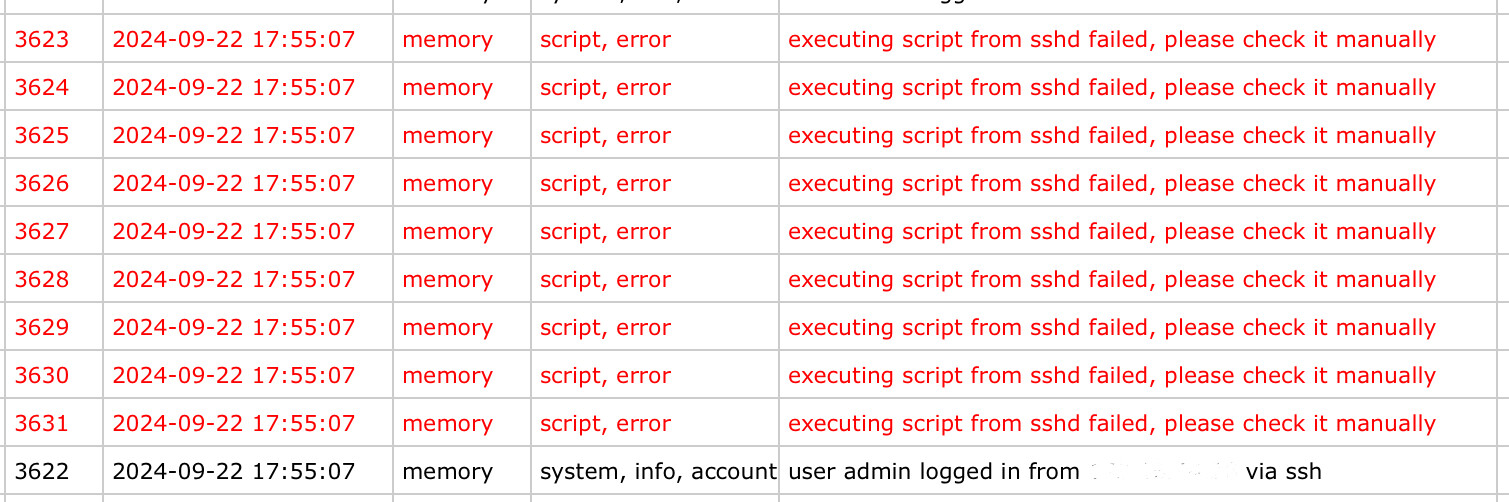
Anyone else getting a script execution errors in the logs after SSH login? I have 2 scripts, both have a run count of 0 and have no idea what this script is.
Thanks Mikrotik, the new mDNS repeater is awesome for people with their streaming devices in isolated VLANs! Just make sure to allow input to 224.0.0.251 on port 5353 hehe

What’s new in 7.16rc5 (2024-Sep-20 14:11):
*) leds - fixed SFP+ LEDs for CCR1072 (introduced in v7.16beta2);
*) lte - fixed R11e-LTE no traffic flow when modem with older firmware version is used (additional fixes);
*) modem - fixed PPP link recovery when port unexpectedly removed and returned due to modem firmware crash;
*) wifi-qcom-ac - improved interface and device stability while booting (introduced in v7.16beta2);
*) wifi-qcom-ac - improved memory allocating process;