I wonder what the “conversation” was like, and how important that someone must be to generate such an hard action.

You act like it’s no big deal, but I have hundreds MikroTik devices to which I run bandwidth tests as part of regular troubleshooting. These are all well out of customer reach. (Many times customers have a non-MikroTik router, and I’m testing to the radio or a PowerBox Pro on their roof.)
- These changes require physical access
- Truck rolls are expensive (customers are not touching the equipment)
- Application of the change is service disrupting, stuff that we would normally do overnight
- We don’t climb roofs and towers at night for safety reasons, forcing the work to be done during the day
- Daytime maintenance is best done on weekends, to be the least disruptive
You are (essentially) saying that, in order to keep using bandwidth-test as a troubleshooting tool, we have to coordinate a time to visit each house and business, climb to their outdoor-mounted gear, have someone type in a device-mode permission via the CLI, push the reset button in time, disrupting their service, then pack it up and go to the next one. And after we’ve spent all week doing that, spend the weekends doing the same process with the rest of the gear at our tower sites, taking dozens (if not hundreds) of customers down in the process.
I’m a one-man WISP. To hit all customer-inaccessible CPE devices would take me two to three weeks (10-15 8-hour business days), and 5 weekends (at best). This is assuming I have no other work to do, and wouldn’t give me any time to install new customers or upgrade existing ones.
Let’s say I don’t need it on customer equipment, or I don’t upgrade any outdoor gear past 7.16. I still have 20+ sites I have to go to in order to touch the routers/switches, plus dozens of devices in two data centers.
Why not just force bandwidth-test to use authentication, and not work at all unless it has some kind of strong (i.e. long) password?
(Photos attached of a CCR2116 installed in a cabinet that is only accessible 6 months out of the year at a site that overlooks three valleys. We tried to get up there this past Monday, but the truck got stuck.)
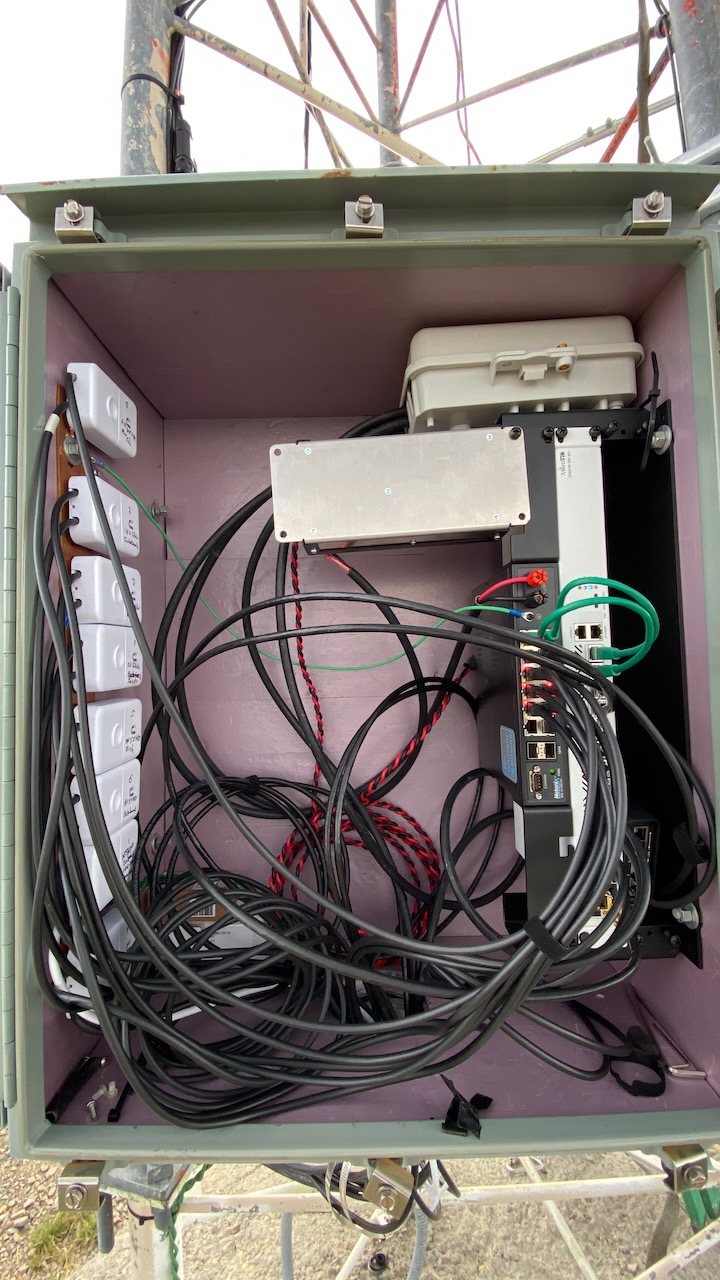
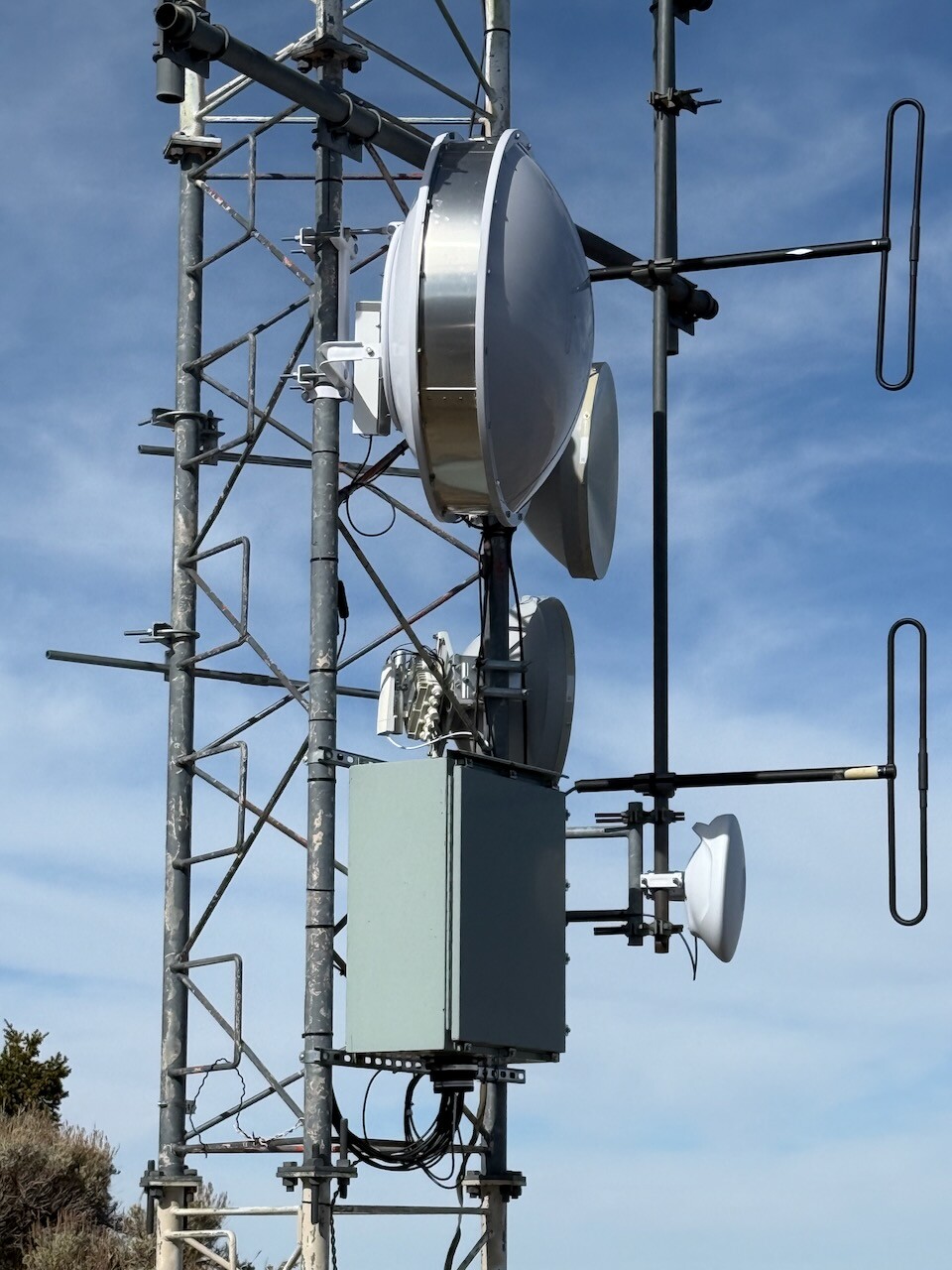


[quote=mrz post_id=1109515 time=1731681771 user_id=11373]
[quote=Amm0 post_id=1109508 time=1731678893 user_id=89256]
In those markets you don’t assume your customers are idiots, which is what device-mode assumes.
[/quote]
Device mode is direct consequence of exactly this assumption.
[/quote]
LOL. Perhaps. But device-mode needs more “sophistication” than just physical presence test. I got similar problem as @sirbryan, why I persist… i.e. there are real costs to a power-reset.
No worries ya all!
Should MT decide to keep device mode in its current glorious form, just remember—we’re always here for you! 

7.17beta5 crashed once on AX3, out of memory?
  MMM      MMM  III  KKK  KKK  RRR  RRR   OOOOOO      TTT     III  KKK  KKK

  MikroTik RouterOS 7.17beta5 (c) 1999-2024       https://www.mikrotik.com/


Press F1 for help

2024-11-15 14:32:38 system,clock,critical,info ntp change time Nov/15/2024 14:29:41 => Nov/15/2024 14:32:38
2024-11-15 14:32:41 system,error,critical router was rebooted without proper shutdown, probably kernel failure
2024-11-15 14:32:42 system,error,critical kernel failure in previous boot
2024-11-15 14:32:42 system,error,critical out of memory condition was detected
2024-11-16 04:26:33 system,clock,critical,info ntp change time Nov/15/2024 14:37:12 => Nov/16/2024 04:26:33
Given the wide variety of environments where Mikrotik equipment is deployed, it’s quite bold to sit in the comfort of the Mikrotik headquarters in Riga, maintained at a pleasant 20°C, and suggest in a straightforward manner:
It might be worth considering a more differentiated approach. New device mode defaults could be applied only to devices known to have been part of these DDoS botnets. This likely concerns devices that are already accessible, such as those located in data centers.
Has a wAP ac, installed somewhere on a remote mountain hut with a 5 Mbps internet connection, ever been part of an attack? I highly doubt it.
Therefore, it might be worth exploring whether a selective approach could be taken. Reducing unnecessary disruptions.
As already mentioned before
Traffic- gen: I can understand why that’s blocked by default.
Bandwidth test / speedtest: You always need a target device responding before it does anything. So why block this as well ?
For TCP, you may be right, but UDP is spoofable unless it takes specific measures to guard against it. (Three-way handshakes, cryptographic authentication, etc.) If not, it’s a potential attack bandwidth amplifier.
I don’t think I am agressive at all, maybe assertive, as I am over-sensitive to what I regard a wrong, not well thought out solution. Normis, it is actually your suggestion of pushing a button being bold, not reflecting reality ppl are pointing at.
We’ve already sold our ISP network, and I can tell you, that one of primary uses of Mikrotiks was to perform off-site client bandwidth test. What I think is, that with MT’s decision, you might harm your ISP business.
You also mention a traffic generator, but as for btest, we were always testing against concrete MT node, for which, you need to know login information? When we’ve got some excessive traffic (e.g. firewall non protected DNS usage from Internet), we solved it case by case.
Someone has already suggested some key / cryptographic solution instead. What about some public / private key scenario like with WG, agains MT cloud to confirm feature unlock? IP/Cloud section already has a Back-2-home section. Add just another tab there.
Simply put - any physical button push solution is an old school nonsense. It is like claiming, that in today’s world, there are no suitable cryptograpic solutions. Those pure banks, allowing us to protect our accounts by multifactor authentication  You’ve also got a 3 mobile applictions, just add FMA (2FA) there. Even my Synology NAS can do it to protect my admin access.
Also “as already mentioned before”, the double-lemonjuice-salt-in-the-wound part is the general implication that later upgrades post 7.17 would as well put additional features (existing or brand-new) behind the device-mode lock and require repeat of the button pusher visit.
“Yes hello mrs. customer would you happen to have two screwdrivers and a ladder? I need you to open the control cabinet for your solar and look for the little white box that says Mikrotik on it…”
Devices in the field need to have a mechanism to just keep working the way they are regardless of model. No explanation has been forthcoming about how bricking features on existing devices will significantly reduce the harm caused by improperly administered MTs already in the wild because no evidence exists that those devices causing the most harm volumetrically will actually be upgraded to any new version MT releases. This change will only impact people actually installing updates.
People who are confused about their already hacked router (re: MT staff comments upthread about customer forum posts) should be resetting it, not hoping for MT slapping a bandaid on by just disabling trafficgen leaving someone inside their device with the continued ability to redirect their (or their customers) DNS or traffic. Or is reconfiguring DNS and firewall rules also going to need a button press soon?
Bring device-mode to devices with factory > x, fine. Industry can change their build process to re-enable features as part of initial build. Was there any news on managing device-mode in netinstall yet?
I get MTs point that any software bypass - no matter how sophisticated - can be used by an attackerto maintain their access to trafficgen on upgrade. But that presumes that this is an effective control for the existing problem with improperly administered devices in the wild apparently mostly running 6.x, which I don’t think it is.
I think MTs task here is to give the owner the best tools and defaults for security and the best help with best practices and documentation. If someone is still running a MT in a insecure manner the owner should be responsible. If you are a datacenter owner or ISP and detect malicious traffic you should talk to your customer anyway. Its like running an SMTP Server. If i do bad things i get on a blocklist.
And for the home user the current default config does not let in management traffic from the internet as far as i know. Passwords are randomized by default. So if setup like intended there should not be any problem.
Maybe we should try to make this world a better place by protecting our freedom and independence. Trust each other to be responsible. Because if you MT wanted to make it even more secure you should lock out the customer entirely and configure it from your end. Do not even sell the device. Trust no one and force the customer into some rental service  => bad future
However. I can see the button press maybe for new devices. I agree that it is not very feasible for ones which are already in service.
In the end it is a problem of trust. And the only way to get trust (especially with a device) is currently to meet personally. It does not matter if you exchange key pairs or press a button. So i would let the old devices be and try to make the process of establishing trust with the new device as good as possible.
Yeah thats what happens, it's frustrating. But at least I'm not going crazy. Thanks for taking the time to humour me!
7.17beta5 seems to brick C53UiG+5HPaxD2HPaxD
Same thing with my ax3. All indicators go out and there is no link on any port and no wifi. I installed the latest beta via netinstall, then chose to restore my backup via winbox and the problem repeated. As a result, I rolled back to the 4th beta version.
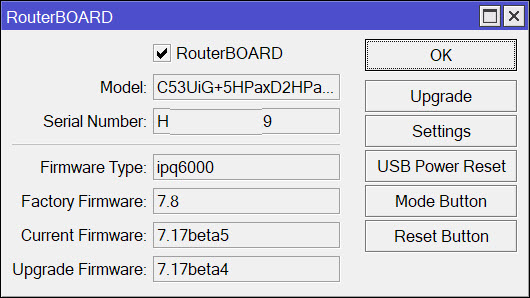
@wiktorbgu
I didn’t have any problems with the update.
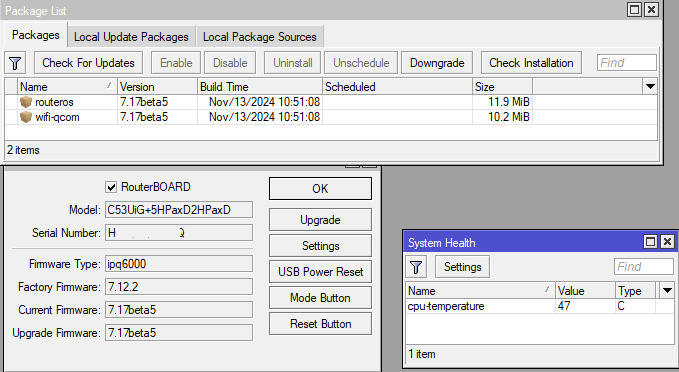
Current devices with 7.17beta5:
- AX3
- hEX
- cAP ac
- wAP ac
My hAP ax3 also bricked when updating to beta 5. Just like with @wiktorbgu.
Resetting config it does work, but that is not acceptable, I should not need to reconfigure my device from zero. restoring the backup make the device brick again.
At the moment I’m back to 7.17b4
Device-Mode: My personal opinion is that this is a bad approach. (not only MikroTik) customers are a special species Who don’t want to bother with SW upgrades and security to harden its network environment, they don’t bother with this kind of tries. What they would do in that moment when they hit a barrier?
- search “how to put mikrotik device into advanced device-mode”
They sets device-mode to advanced and forget their device as long as it works.
What would must do an ISP when it hits this barrier on thousands of endpoints countrywild?
- buy sedative tablets
- trying to reach all of the endpoints on phone (impossible)
- if endpoint is reachable try to modify the device-mode settings with button push or power cycle (hard)
We are a (W)ISP with thousands of endpoints and millions of users. The users and their admins sometimes doing unimaginable things which leaves my mouth opened when I get to know about that
We using partition function, on first install we repartition the device with two partitions and install and configure it then copy everything onto the second partition when part0 gets somehow corrupted device can boot from part1. But this is only one example which could cause headache when you are serious about this function. In this form it is only causes extra expense and work to:
- ISPs
- conscientious administrators
- conscientious endusers
And causing some minutes of google searching and button pushing for those who doesn’t bother this and they open their device to the bad guys. I would like to suggest that we think about this again.
ps.: I don’t usually write such long comments
Yeah, this same, no Ethernet, no wifi, no double beep. Reset to defaults and work. Restore config bricked again. Revert back to stable.
It seems that we have here a “Mikrotik vs Mikrotik users/buyers” situation…
And I agree with other buyers. We DON’T WANT ANY OF THE FUNCTIONALITY TO BE TAKEN AWAY.
I bought Mikrotik routers because I knew I could manage them, no matter where they “live”.
Many of them are in hardly accessible places, many have to work 24/7/366, and many of them have no easy way to cut power (I have made sure that they stay alive however long power outage might be, some of them even days). Only way is that I send someone on a road trip and have devices restarted on Sunday @3am… and I DON’T WANT TO DO THAT just because someone at MT thinks that this messing with “device mode” is a good thing.
Of course, I can leave everything on 7.16 level forever and never upgrade, but that is not really my idea of properly managed network…
And start looking for something to replace MT’s… it seems that there is a plenty of “Chinese” devices with enough gigabit ports, strong enough ARM CPU’s and able to run Linux which I am perfectly capable of administering to achieve my routing needs (but I’d rather not do that, I love everything else about Mikrotik except for this “device mode” nonsense).