We are experiencing a memory leak issue and instability with IPsec site-to-site Phase 2 on our CCR2004-1G-12S+2XS system running RouterOS version 7.19.6.
After a system reboot, everything works as expected. However, after some time, traffic stops passing through the tunnel.
Additionally, we've noticed that when our side acts as the initiator, the CPU load spikes significantly (ranging from 40% to 90%). Under normal conditions, CPU usage remains between 5% and 15%.
To prevent the system from crashing, we switched our side to act only as the responder. However, now we see that only 1 out of 8 Phase 2 policies is being successfully established. But not for long, after some time it’s also stops working.
I don’t see that issue. Maybe you are affected by an “attack” that is similar to what brought down all MikroTik routers with IPsec exposed a month ago?
That was supposed to be fixed in 7.19.6 but as we never saw any details and the attack was one-shot, who knows if that is true?
we are on 7.19.6 with 0 issues on our configurations. I have just installed 7.20.4 on my home router just to check it and test it (HEX S 2025) and it is working fine, but I will not upgrade the rest of the network till it is very stable and mature.
Just to report broken files after uploading to USB flash drive attached to my RB5009
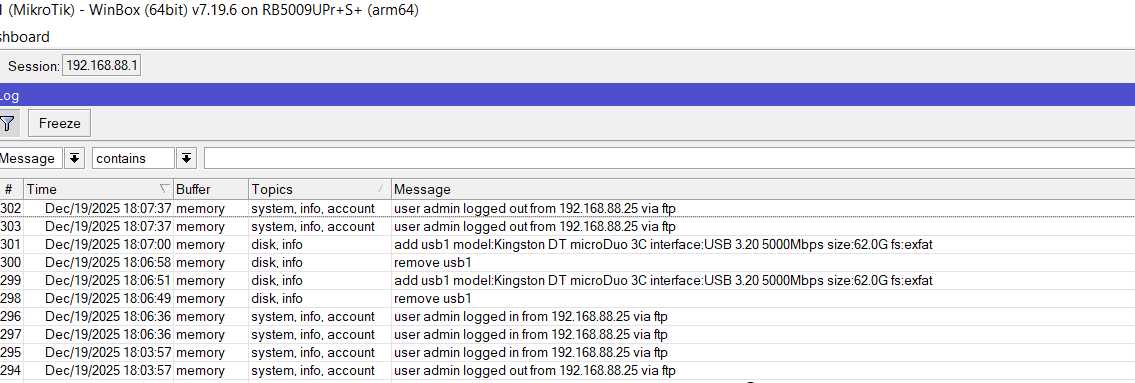
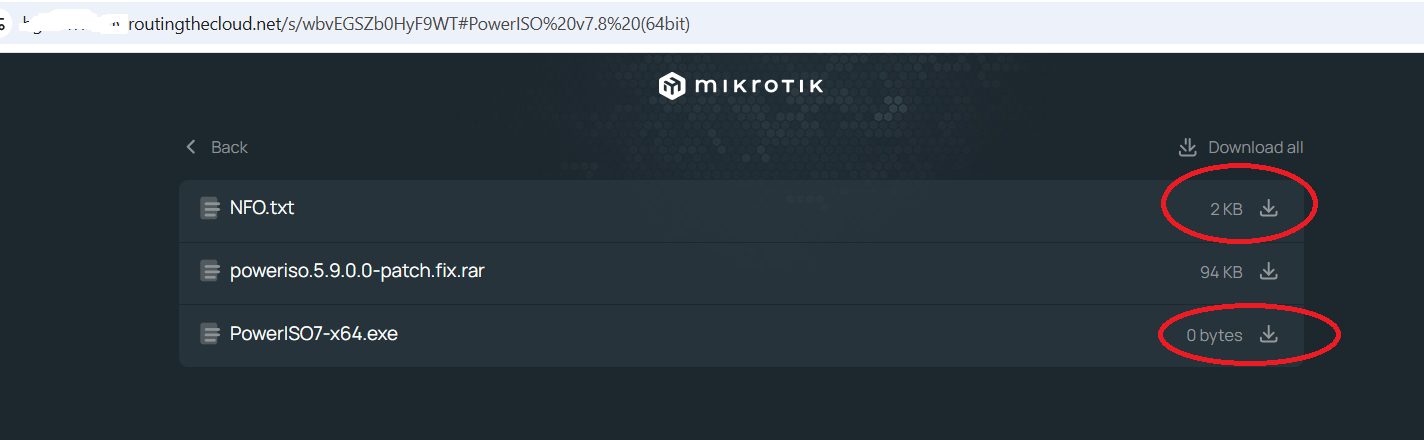
After uploading files to USB flash drive via FTP, usb simply make auto remove, and after that auto mount. I shared the folder via BTH shares, but when load the URL, it shows size 0 or like 2KB that is unreal, becasue files was much larger. Someone occured this bug?
I had issues with some lexar and kingston drives getting too hot when transferring around 500MB.
Even the sandisk on my keychain struggles with heat a lot (5MB/s anyone?).
On a windows pc the transfer would simply stop when the drive got too hot.
On my tik the drive would just freak out and either crash the router or kill the transfer.
I wanted to say i dont make often read/write files on it. It uses just to monitor traffic per day or monthly traffic using script. I just tryed to upload file and to share with my friend, but its corrupted and cant be shared obviusly. I uploaded files first using Winbox (drag and drop to usb) but same issue occured. I get some warning from winbox like (read only bla bla). Tryed again via FTP and passed, but BTH shared dont show read file size. When tryed to download from BTH shared URL, filesize was 0KB. So broken for some reason.
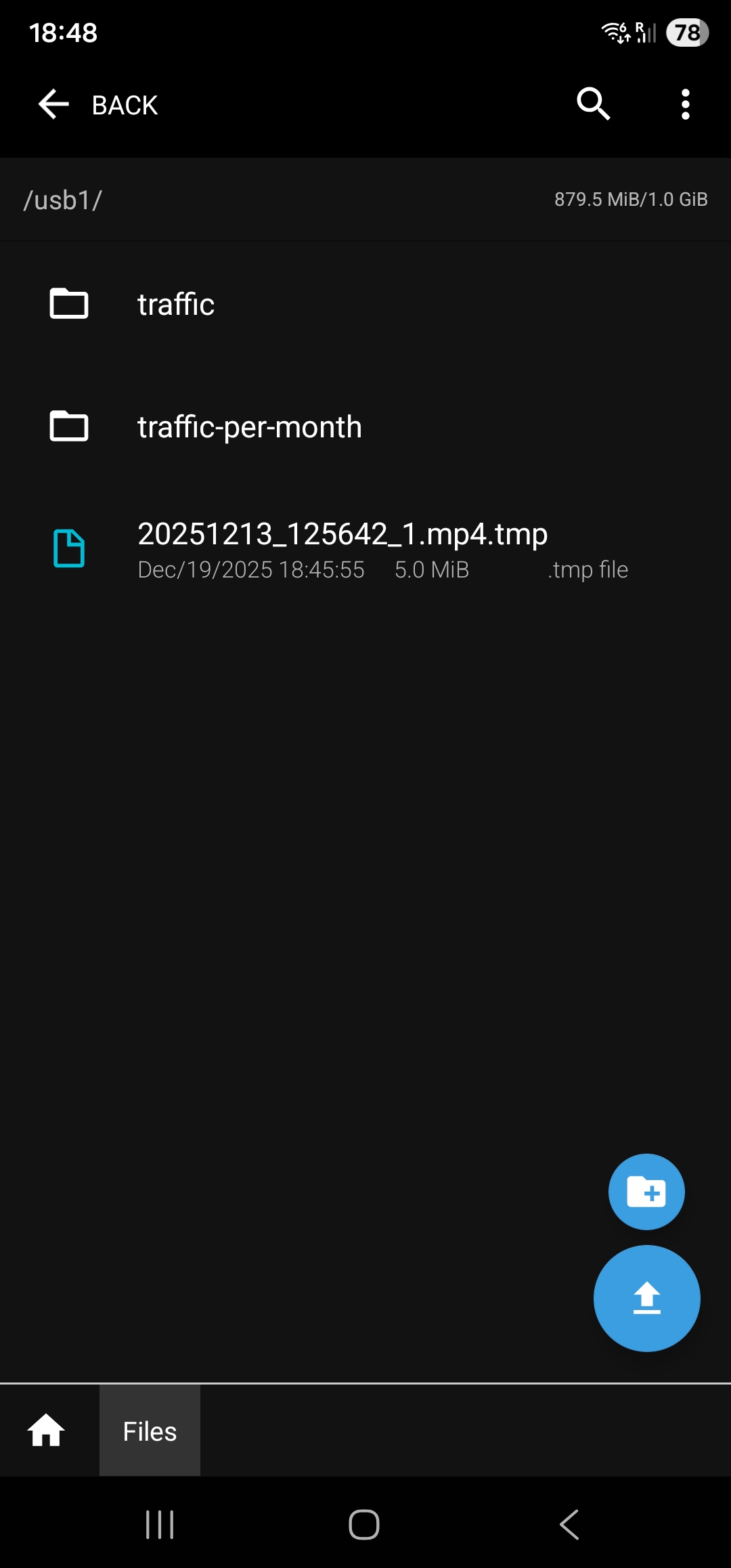
Same issue happens when upload via Mikrotik android app. Filesize was about 50MB in size. After upload it shows like 5MB in size and when shared via BTH FILES it shows filesize 0. Is this RoS bug or usb device failure?
Write to USB often or not, the fact is that semiconductors don't like heat and some are much worse than others. And it's also a fact that many RB devices run on the hot side. So when "heat hating" USB device is connected to hot-running host, the combination can be devastating. Even before the USB device starts to produce its own heat.
In such cases, connecting USB device via (short) USB cable (instead of directly) can help a lot, that cable will block most of heat transfer.