It has not occurred on unpatched systems either. The problem only occurs when some scan on internet is done that hits it, and that hasn't happened again.
Thx.
Hope we'll be able to reproduce the scan behavior, to reproduce the bug, and definitely patch it.
For sure we suffered from this bug several times, at several weeks interval (previous occurence was the 8th of July 23:05 GMT+2).
Moved OpenWRT discussion to: Mikrotik fixes for OpenWRT in 7.19.6 and 7.20 - #12 by spippan
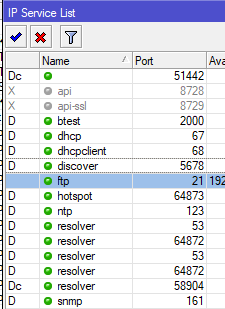
Just use filter button to filter them out or in 
I do not know if this has been reported but in v7.19.6, in The Dude's Device list the packages listed in from the RouterOS devices are all available packages instead of just the installed ones.
I see no pattern to it yet. Same device, same version. A few show more pachages than what are actually installed.
Or separate the lists for listening ports and established connections.
I don't mind the dynamic listening ports in the same list as the manually controlled services.
But the established connections in the same list makes everything hard to read.
This kind of package list behaviour is present since 7.18 (I think) on all ROS devices (not only the Dude). It's intended to make easier for device admins to install optional packages (no more need to download correct package file manually and upload to device). The list is complete, but will show most of packages as "available, disabled".
I guess the devices listing all packages are those that did search for updates locally?
No, not that behavior from the Packages list. The other one. The one where the dude will tell you what packages are installed. it lists more packages than it should.
This was my guess at first, but it persisted across reboots. At first I thought, ok I pressed "Check for updates", then download and install, and finally it reboots, reconnects and opens the same window. But I did not press anything. So, on another device I updated and closed all windows and did not reconnect, and it still showed the ghost packages, then on another i installed via the terminal instead, and it didn't show. So, I am not completely sure why it happens just on some, and it is not something I am looking forward to figuring out  so I am just reporting that this happens. and it did not happend in the 7.19.3
Found a possible BGP bug:
When connection value "remote.allowed-as" is set, the session will not establish with error:
"fiberx.iptransit.bgp.ipv4-1 {l_addr: REDACTED, r_addr: REDACTED} Starter {openOk: false} Remote AS value (6208) not allowed by 'remote.allowed-as', expected 6208"
remote.as is set with same value as remote.allowed-is and should establish. If "remote.allowed-as" is unset, session is established:
"fiberx.iptransit.bgp.ipv4-1 {l_addr: REDACTED, r_addr: REDACTED} Established"
Remote bgp peer is a Juniper MX
Report a bug and submit needed information. Just posting here does not solve the problem.
Check settings for BGP instance if there is just 6208 or mayby sth more set.
Seems that connection settings could be overwritten with them.
Hi there - remote.allowed-as uses a num-list:
/routing filter num-list
add disabled=no list=stuff range=65531
...
/routing bgp connection
add as=65530 disabled=no local.address=10.0.0.1 .role=ebgp name=cisco \
    nexthop-choice=force-self remote.address=10.0.0.2 .allowed-as=stuff templates=\
    tmp_cisco
Gotcha! I’ll try that. That makes a lot of sense for peering on an IXP with many multilateral peers. Funny thing is I had this set with just the AS before jumping from 7.15 to 7.19.6 and it was establishing. Thanks!
Hey! This is COOL! Noted!
hi guys, ax3, ROS 7.19.6, standard config, same as used before all the time
very slow copy speed from macbook pro over wifi to a local ubuntu SMB share, speed does not go over 4 MB/s, full gigabit via cable connection -> local server is fine.
Same config on ax2 giving the same results.
Nothing special in the config - WPA2 + WPA3, channel set to 5745 (tried to change to another ones - did not help), region US
tried netinstall - same result

speedtest showing full plan speed to the internet
any ideas what could be wrong?
Any idea with what rate the MacBook is connected?
What does an iPerf test give as result?
Can you please share /interface wifi export (minus all personal stuff)
Version 7.20 has been released: