For me it works OK after removing the “Add default route” in IPv6 DHCP client!
THAT is the big problem, something that MikroTik still does not seem to understand.
I happened before that I configured a router completely OK (these are routers that do not operate in the typical “internet router with NAT” mode but have direct routing, BGP, tunnels etc).
The user gets his new router configured completely working, and at some point they are interested to see how that all works, they login to the router, get the QuickSet page as first page, they see something there that they want to change (e.g. the router identity), change only that and hit Apply, and then the whole router config is f*cked up because some standard template is applied again.
That is why I want to disable changes made via QuickSet. That is not the same as “hiding” it.
ROS7 is now a test version, why not upgrade the kernel to 5.10 LTS version?
Why I was hoping the new /system/device-lock be the simple way of doing that… QuickSet also is still not a separate policy option for the user groups to disable either.
On QuickSet specifically, if device-lock isn’t going to be the answer… I guess the more generic feature request is I want to allow a ROS user to change most things (write, sensitive, etc.), just not do “OK” in quickset (and not allow “Quick Configuration” in app) – one way or another.
Did notice a “rest-api” permission when I just check user groups in v7.1rc7 – not sure what that’s about…
They must defend QuickSet. It’s “their baby”.
Quickset can have it’s use, but limit it then to only unconfigured or only with the default config.
If something is changed then you have to confirm twice that wan’t use the Quickset config to be applied. In general it seems also to be wise to even request this for unconfigured/default routers.
In between confirms, you get a warning that you are about to apply a new/different config that it could break the current workings of the router.
The Mikrotik android app has the same mindset. When you connect to a device you see the wifi-interfaces listed on the dashboard. When I tap for example wlan2, it lists connected devices and some base info. But when I want to leave the screen, it always asks me if I want to save my changes! I did not change anything. But I am damn sure, if I say yes - it would re-configure some settings on my wlan2. That kind of “quickset-magic” is spinkled over Winbox, Webfig and even the app. The only trustworthy interface is the CLI. No magic involved there.
To answer my own question, this is documented (and in release notes for v7.1beta4):
https://help.mikrotik.com/docs/display/ROS/REST+API
Socks in RouterOS broken since v7.1rc4, please fix.
http://forum.mikrotik.com/t/socks5-not-working-in-routeros7/153414/1
@MT since this is broken do reply to the guy with the support ticket that yes we see it and will see what we do about it.
Its frustrating not get any response. Should at least get a support ticket.
We complain (me too) a lot here, so for let me break my own habit!
Good work on the OSPF in this release - We had some oddities and got 7.2b17 and now 7.1rc7 - guessing this was part of the big LS update bug and possibly speed. Routers became unstable when neighbour next to them came online. All gone in our test with 16 2004s and some 317s.
Now we just need show show recieved and sent prefixed plus prefix count in BGP to expand the deployment size.
/M
I’ve got several vlans set up each with their own IPv6 /64 prefix. The bridge has a different /64. ND is enabled. RAs from vlan1 keep making their way onto the bridge, which is bad news. This didn’t happen in the previous RC.
Please do not look at device-mode as a means to disable features. It is only a means to protect the router. It disables dangerous or advanced settings the home user does not understand, or that could be used in malicious ways by other people, unbeknownst to the user.
I understand that some of you think of quickset as a dangerous feature, but we will not add it as a dangerous feature to the device-mode list.
We really need at least working VPLS that does not crash the router. Currently setting up two hardware routers with static routing and MPLS, the VPLS tunnel will come up but crash both routers when traffic starts to pass or within a minute or two after the tunnel coming up even without traffic being passed. This is the same as the previous RC’s. I am starting to worry that v7.1 stable will come out without working VPLS. My coworker can’t even test the v7.1beta at all yet at home because of this, as his home setup terminates VPLS tunnels on almost every device.
/routing/bgp/cache/ did not show prefix counts properly on winbox
Setting aside the much maligned QuickSet  … it’s beside my question on Mikrotik “best practices” for using device-mode.
Wouldn’t you want to protect the router in the “enterprise” case too?
Say after a network is designed/tested, but before going live/production – doing a “lock out” be an easy way to add another layer of security. Essentially 2FA done on a feature-basis. But if I hear you right, it seems you discourage using this feature, outside the “home” use cases? I saw using device-lock as a potential V7 “best practice”…that I hoped one day be expanded with a broader definition of “dangerous”. I seem to be wrong, just not sure why.
IMO, the root cause of Meris wasn’t the “dangerous services”, it was mainly password-related. At some level, that isn’t Mikrotik’s fault. But, the typical solution to compromised passwords is using 2FA and/or X509 for admin access – that’s not likely anytime soon, I’d imagine. So, this new “device-mode” feature added here seem**ed** like a good “stopgap”:
If a password was compromised somehow, device-mode limit the possible configuration in unused functionality, that could be exploited in new ways beyond Meris. It’s hard to predict what vectors a future attack may take. And, imagine there is a lot of new code/drivers/etc. in V7. With any future/successful password attack, more “locked features” be better, than less. Even if QuickSet isn’t one.
Just sharing my thoughts – certainly not attacking Mikrotik. I persist since y’all make some great devices for industrial/IoT use cases. But those don’t all fit so neatly inside “enterprise” or “home” category. Once integrated into into a system/environment, the ROS features needed are generally very well known. This feature look**ed** like a dirt simple way to add a layer of security, especially since you can’t remove packages as in V6, nor provide 2FA/X509 client certs for winbox/REST/API/etc access…
I just got RB5009 and I want to use vrf route-target import/export but looks like that is not ready yet on the v7.
the RB5009 came with the v7 RouterOS out of the box, Is it possible to downgrade to RouterOS v6?
Not sure what is fixed, but my RDP sessions to Windows 2012 R2-instances are still dropping out about every minute.
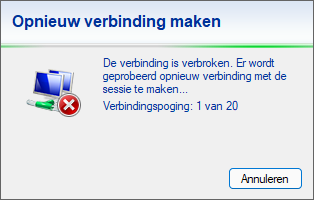
This has been the case since v7 with multiple endpoints (to MT and UBNT endpoints). V6 does not have this issue.
Import/export RTs are now part of the BGP configuration.
Probably related to this: http://forum.mikrotik.com/t/v7-1rc7-development-is-released/153617/1
And ipsec hardware acceleration for arm and arm64 was added in 7.1rc5 and if you’ve experienced issues with older builds(?) also, your issue is very less likely to be related to hardware acceleration since it was all done in software up to that point.
And I have a tunnel currently working fine since some time now on arm64 (RB5009) with 7.1rc7, other end is arm 6.47.10 (hAP ac2). No drops.
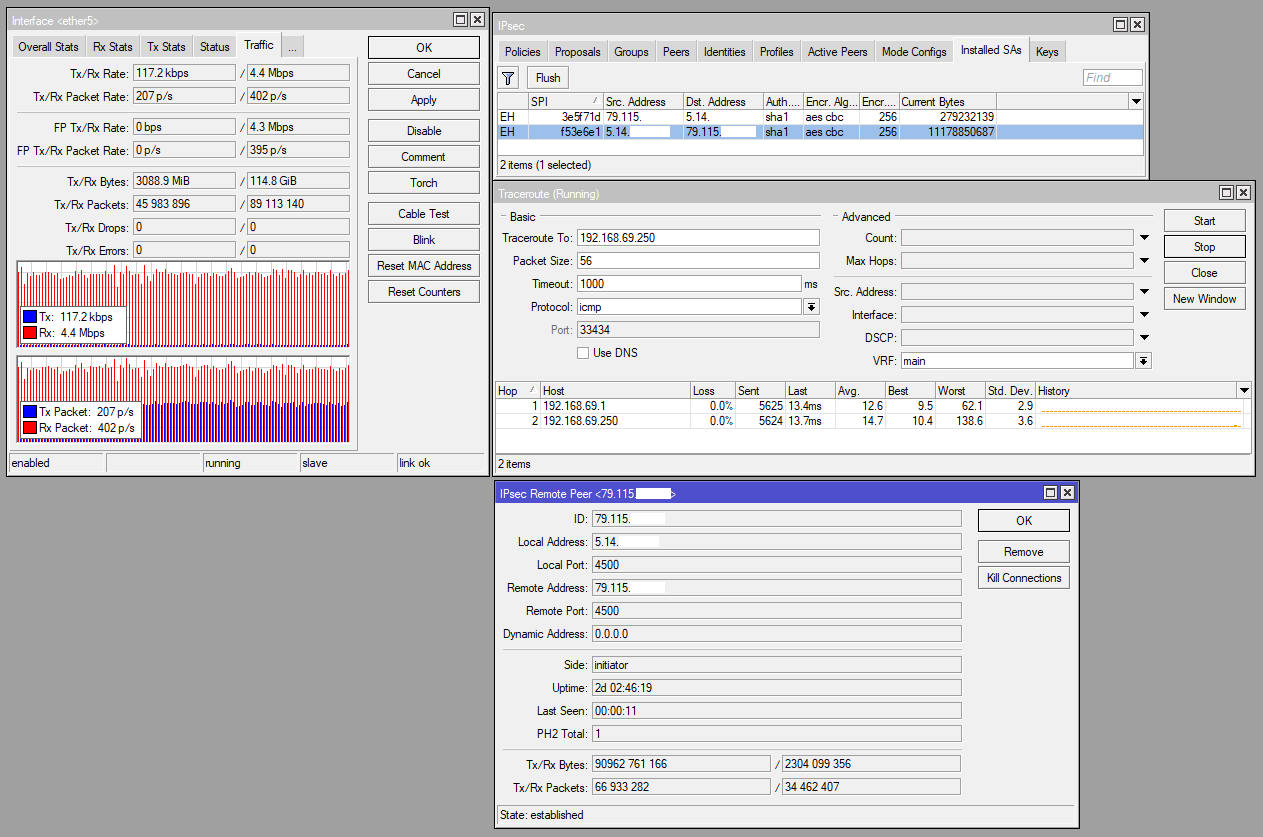
Probably worth debugging the issue a little more on your end.
I’m willing to bet that this is Windows Auto-tuning going bananas. Turn this of on server level. We turn this of via policy as it do not work well over VPN.
https://www.thewindowsclub.com/window-auto-tuning-in-windows-10
From the site!
To check the status of Auto-Tuning feature on your system, in an elevated command prompt windows, type the following and hit Enter:
netsh interface tcp show global
If you see ‘normal’ written against Receive Window Auto-Tuning Level, it means that the feature is enabled and it is working fine.
To disable Windows AutoTuning, run the following command:
netsh int tcp set global autotuninglevel=disabled
To enable Windows AutoTuning, run the following command:
netsh int tcp set global autotuninglevel=normal