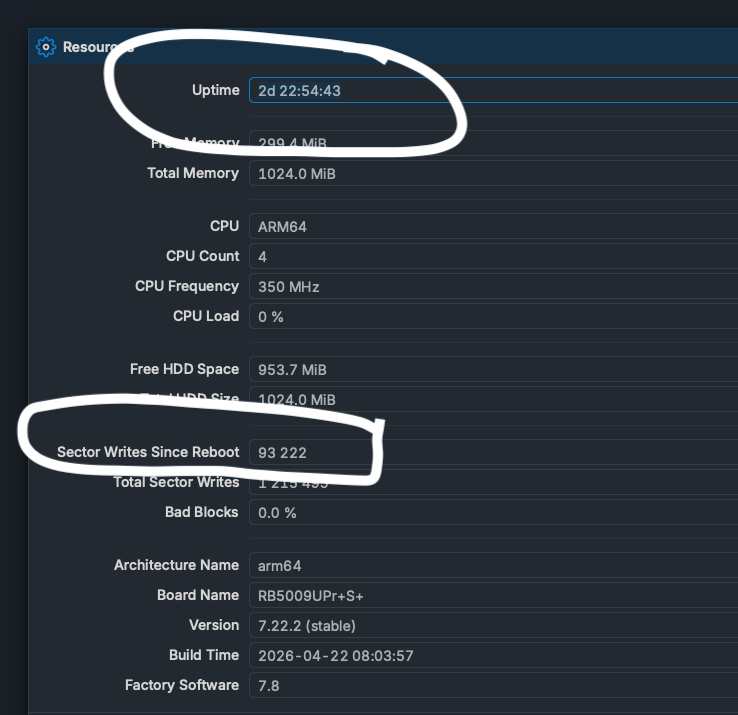
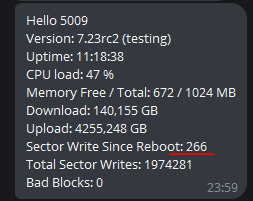
Sector writes since reboot is getting unreasonable high.
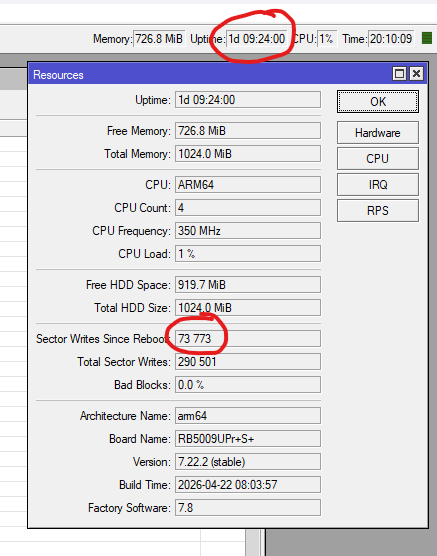
One factor which does not seem to have gained much attention, as far as I can see, is the DHCP Server Store Configuration
As far as I remember, the default time for storing DHCP leases to disk is every 5 seconds but the help pages don’t show the default. My main router (AX3 running ROS 7.22.2) is set to to several hours because I have a very simple domestic setup with a limited number of visiting clients, and I haven’t suffered excessive sector writes (282 in 3 days).
Of course there are undoubtedly other factors affecting the high number of sector writes that people are reporting, depending upon their particular configurations, but I thought it worth mentioning this.
In the 7.23 rc branch, I published a script that can spam the log once an hour with Sector Writes Since Reboot. And another one for the terminal that displays the number of writes to the terminal once a minute.
"Looking at the v7.22.2 changelog, there are updates to route stability and firewall system stability. It's highly likely that the improved routing service or the firewall changes in this release now strictly require ICMP feedback to keep the path to a v6 client active. Previous versions were obviously more 'forgiving' when ICMP was dropped by the client."
First problem, capsman on CCR2004 completely dead does not want to provision any of caps, all visible under Remote CAP and under Radios, no errors, just list of wifi interfaces is empty, auto or manual provisioning doesnt work.Reverted to 7.22. all works fine. SUP-215352
Also noticed there is something wrong with DHCP snooping, some devices like RMCARD205 cant get DHCP anymore and spam log with “message no end” and i had to turn of DHCP Snooping for them to get IP.
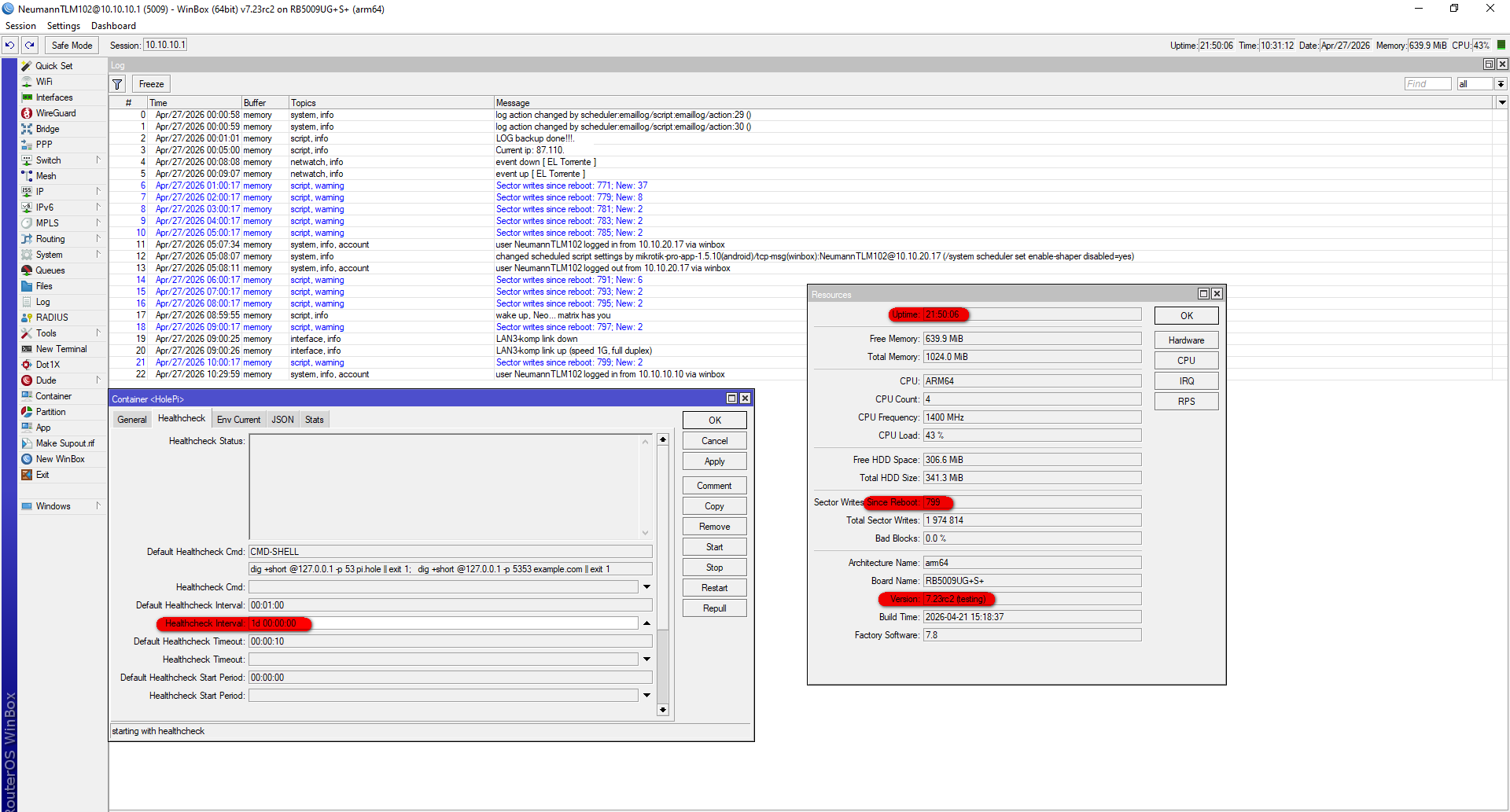
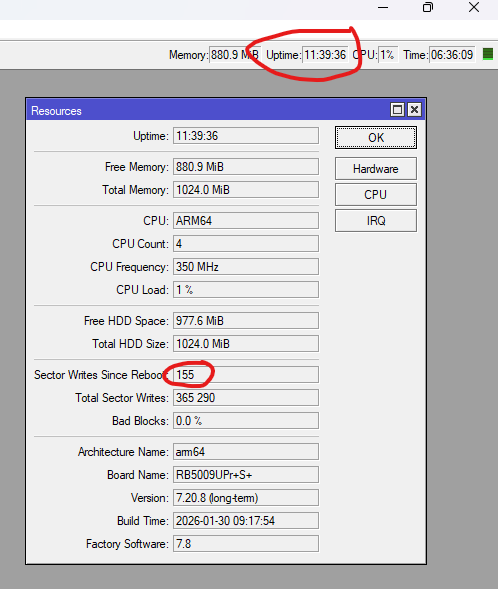
From 290000 now I am at 348000.
I caught it in the act, after a reboot. Its the DNS - Adlist. Removed lists, and now waiting to see, after another reboot, it is not doing it.
Shouldn't DNS Adlist be in RAM instead on disk?
The warning from documentation says no:
"Adlist is stored on device's internal memory. Ensure that there is enough free space to save the desired adlist."
The warning directly above that one says the following;
‘Before configuring, increase the DNS cache as it's used to store adlist entries. If limit is reached and error in DNS,error topic is printed "adlist read: max cache size reached"‘
I always thought the DNS cache was stored in RAM and not NVRAM due to it’s dynamic nature and can be proved by the NVRAM writes not increasing drastically just by using DNS!
yes, adlist entries.
What's not clear?
Well, as I read it actually says "a suffusion of yellow".
I would say that both RAM and FLASH (NAND) are "internal memory".
On Mikrotik devices pages, the distinction is between RAM and Storage (example):
Size of RAM 1 GB
Storage size 128 MB
Storage type NAND
Had they written "storage" or "disk" instead of "internal memory" I am pretty sure there wouldn't be any doubt.
I have not used the Adlist feature to argue the warnings, which one is it then?
Is it as I suspect that if you are not using a local list (which you can keep in tmpfs?), the list from that url is downloaded on the internal memory (storage) and the entries from that downloaded list are populated in the dns cache which obviously resides in RAM?
Thinking a bit about it seems obvious that the adlist is (should be) a "static" file (a simple list of 0.0.0.0 and domains) and is saved to disk/storage so that it survives reboots.
Then the file should be "loaded" (and "reload"ed every 4 hours automatically) to RAM/Cache.
There is also an option to have the adlist at a given URL, not on local storage.
But exactly because it is a "static" file, why there should be an increase of writes?
Surely if you use an external file (URL) it cannot be writable ...
The URL is reloaded every 4 hours so it’s possible everyone with excessive NVRAM writes was using adlist with a url. I had it set this way and noticed ~20k writes in 2 days.
Nope.
No Adlist nor containers here.
Just excessive writes.
I think you have a point here, and explains why I never caught it in the act, except on reboot, where my adlist urls were loading. So I would need to make adlist local disk file.
May I ask please where is it mentioned 4h reload time for url lists? In docs?
Yep, but it applies to local file as well:
| Property | Description |
|---|---|
| url | Used to specify the URL of an adlist. |
| ssl-verify | Specifies whether to validate the SSL certificate of the Adlist URL server. Will use the /certificate list to verify server validity. |
| match-count | Count of matched DNS name requests. |
| name-count | Count of DNS names imported from the Adlist. |
| file | Used to specify a local file path from which to read adlist data. |
| pause | Temporarily pause the use of all adlist. |
| reload | Checks for updates for all lists, if updates are found, the list is updated, removing or adding entries as needed, the lists are not redownloaded in whole when issuing a reload, instead only necessary updates are done. |
| It's not mandatory to use reload to update the lists, Adlist checks for new updates once every four hours. |
But from the description, the (local) file or URL is checked every 4 hours, and ONLY if there are changes in it (compared to the one previously loaded) the list (in cache/RAM) is updated and actually ONLY the changed items, not the whole file.
So there is no reason why there should be (excessive) writes on disk, it must be a bug of some kind.