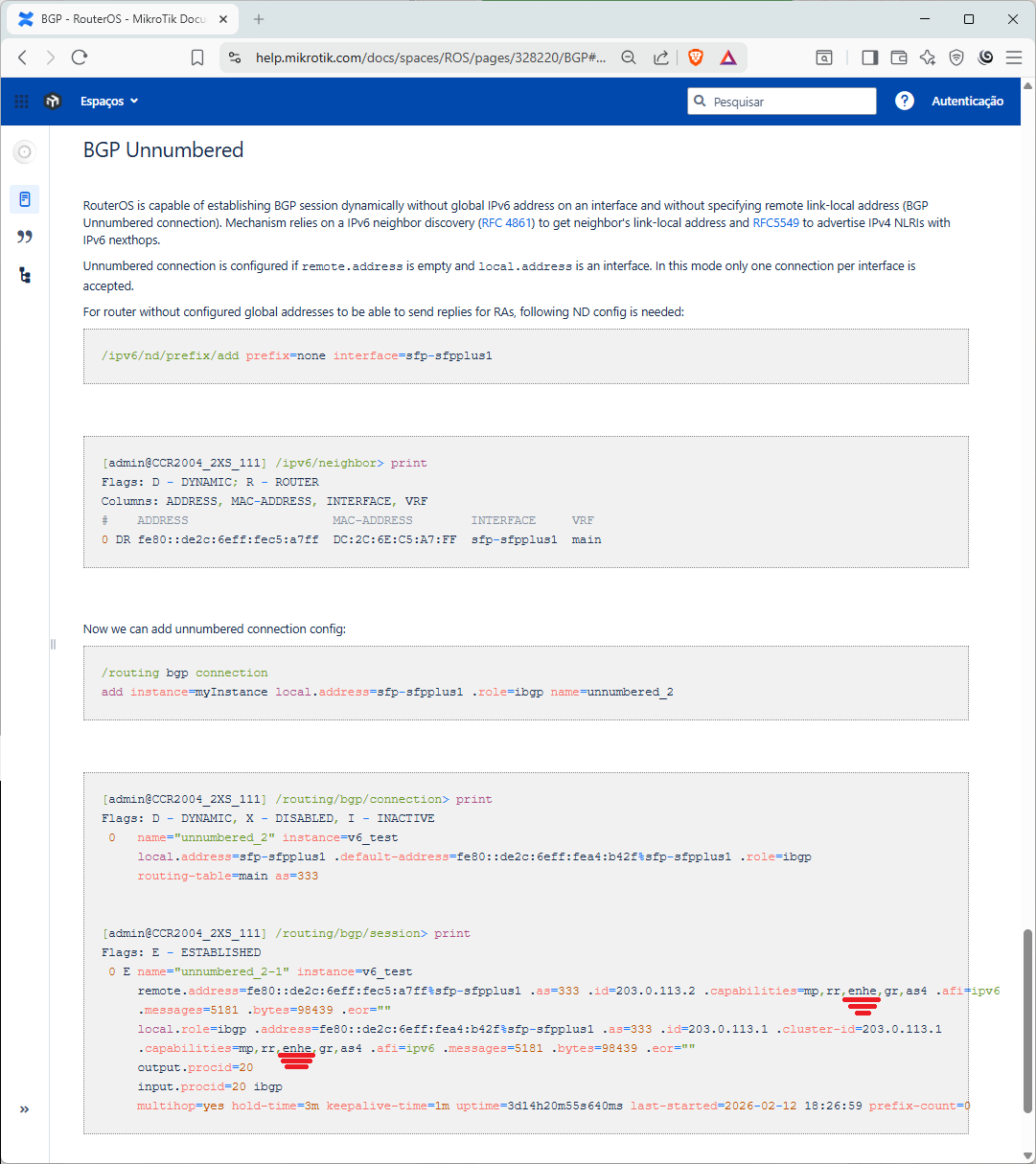
The routing freeze issue keeps happening, and I captured it on video exactly when it occurred and suddenly recovered. You can check it out on ticket SUP-209164.
There is a problem with establishment of BGP sessions after a reboot!!!
When one side has only “Connect” and the other side only has “Listen”, sessions log a line like this on the “Connect” side:
route,bgp,info connection 44.137.61.2:179 from 44.137.61.1:179
It is as if the remote (listening) side is connecting back. I enabled the “Listen” on the connect side which seemed to help on a system where I encountered this before, but it keeps happening and the connection does not complete.
When I downgraded to beta5 by switching partitions, most connections came back but one now was logging:
I had to disable the connection at both ends and re-enable it to get things going again.
One thing that is apparent is that on older versions, when the router is rebooted the peer would log either “cease: peer de-configured” or “cease: administrative shutdown” and this no longer happens. So the peer is already confused when the rebooted router re-connects.
Edit: the problem is BFD. It no longer works with BFD setting.
cannot confirm, setting only connect on one end and only listen on remote does not have your described problem. If you see your own connection attempt from the remote router, then it could indicate that there is a loop and that is causing the problem not the BGP settings.
I have noticed it in two completely different setups. One has both routers on an ethernet segment, the other has GRE tunnels between the routers. In that setup there are also multiple tunnels between the same peers.
I think the “connection attempt” may be traffic from the connection existing before the boot, because as I already added, the connections no longer are cleanly disconnected on reboot, and previously that worked OK.
It seems that having connect on one side and listen on the other is not required, it is only that I am surprised that an incoming connect is logged on the connecting side (originating from the listening side).
In v7 BGP you can only advertise a route that you actually have in the routing table. In v6 there was the flag “synchronize” which when set to “yes” would have that same behavior, when set to “no” BGP would advertise a route that was in the BGP networks list, even when it was not in the routing table.
Now in v7 there would be no problem when trying to advertise a connected route, for example. But when you want to advertise some larger network which you further route internally (a surrogate for route aggregates, another v6 feature no longer available in v7), a workaround is to manually add a “blackhole” route for the larger network you want to advertise. This workaround is also customary in other router operating systems that have that method.
Now unfortunately some versions ago a new feature was added to “automatically add a blackhole route for every network you advertise”. Probably some important customer requested that, we have not seen discussions about that here on the forum. A route is added for each BGP connection you configure.
That effectively reduced functionality, because now there is no longer the option of advertising a route only when the corresponding interface is UP. When the interface goes down, its connected route disappears but the blackhole route is still there, and the route is still advertised. So, another new feature was added in a later release, the “output.network-blackhole=no”, which was meant to suppress this auto-creation of a blackhole route, but unfortunately it does not yet work in released versions. Also, the route is created for each connection, instead of once per instance.
It would be much better to back out all this mess. No blackhole creation, when users need this they should be aware of it or be made aware via the documentation: when you want to advertise a route you do not have in the table, you need to manually create a blackhole route for that.
BGP sessions with BFD do not establish. It logs the same “connection x.x.x.x:179 from y.y.y.y:zzzzz” entry over and over, as the one described by pe1chl.
Without BFD they work ok it seems (didn’t check it extensively, since I reverted back to beta6 to get things working again).
Not sure if BGP Unnumbered deployment caused the issue, but I've got word the BGP-VPN4 redistribute multihop BGP problem is fixed and will be in the next update. Tested it, and it's working from nightly-build v7.23_ab319 up.
Given it's a critical, standard BGP issue, I'd say release it ASAP, either stable or LTS.
Also, I'm dealing with a new issue on some PEs (versions 7.19.x to 7.23_abxxx) - random routing table instability. I've sent videos and supouts. Waiting for a ticket response, hoping it's been received and reviewed
Upgrade from 7.21.3 to 7.22rc2 and experienced the following issue. One of my containers did not start after boot. I did a diff on export and it shows that start-on-boot=yes was removed from the container.
This problem introduced with 7.22.rc1 or 7.22beta6 is still present in 7.22rc2:
The router has a Let's Encrypt certificate (custom domain with dns-name) that is still valid for 41+ more days.
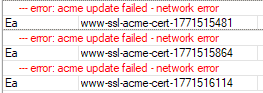
RouterOS tries at each reboot to create an unrelatedwww-ssl-acme-cert-XXXXXXXXX certificate and fails, because the router has no network connectivity for at least 1 minutes after boot (and www is disabled).
As a result, www-ssl-acme-cert-XXXXXXXXX certificate entries accumulate with each reboot:
The original LE certificate is untouched, still active, and working fine for www-ssl, SSTP, etc...
I used that a lot in different environments, but I stopped doing that because these days with so many web-based solutions, Ctrl-W usually means “close window” and that is very frustrating when you are in the middle of entering a line of text…