Before an upgrade:
- Remember to make backup/export files before an upgrade and save them on another storage device;
- Make sure the device will not lose power during upgrade process;
- Device has enough free storage space for all RouterOS packages to be downloaded.
What's new in 7.22rc4 (2026-Mar-04 15:06):
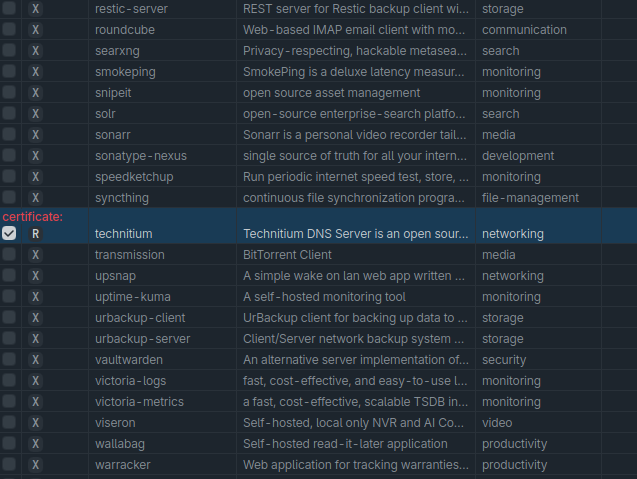
- app - added jupyter-notebook, livebook, myip, and rustfs apps (additional fixes);
- app - added support for custom apps (additional fixes);
- app - do not show duplicate entries of required-mounts;
- app - fixed elasticsearch, element, pmacct-netflow apps failing to start (additional fixes);
- bgp-vpn - allow modifying scopes with routing filters;
- bgp-vpn - use target scope for imported route;
- netinstall-cli - fixed empty configuration option (introduced in v7.22rc3);
- ospf - fixed typos in log messages;
- route - added SLAAC route redistribution for IPv6 capable routing protocols;
- route - fixed /routing/settings not able to set configuration without specifying policy-rule parameter (introduced in v7.22rc3);
- routing-filter - added possibility to match SLAAC and bgp-mpls-vpn route types;
- switch - improved system stability when changing bridge multicast-router property on CRS1xx/2xx (introduced in v7.19);
- system - added reset-configuration keep-apps=yes (additional fixes);
- wifi - improved support for 802.11be access points (additional fixes);
- winbox - fixed L3HW default value for VLAN interface (introduced in v7.21);
- winbox - rearrange filter wizard parameters in tabs;
What's new in 7.22rc3 (2026-Feb-26 10:37):
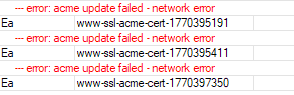
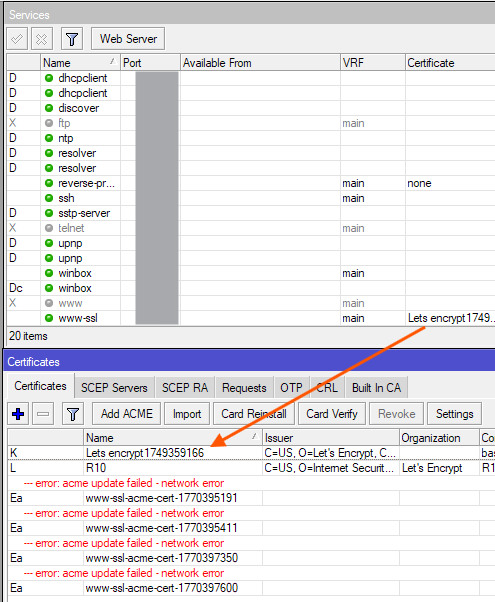
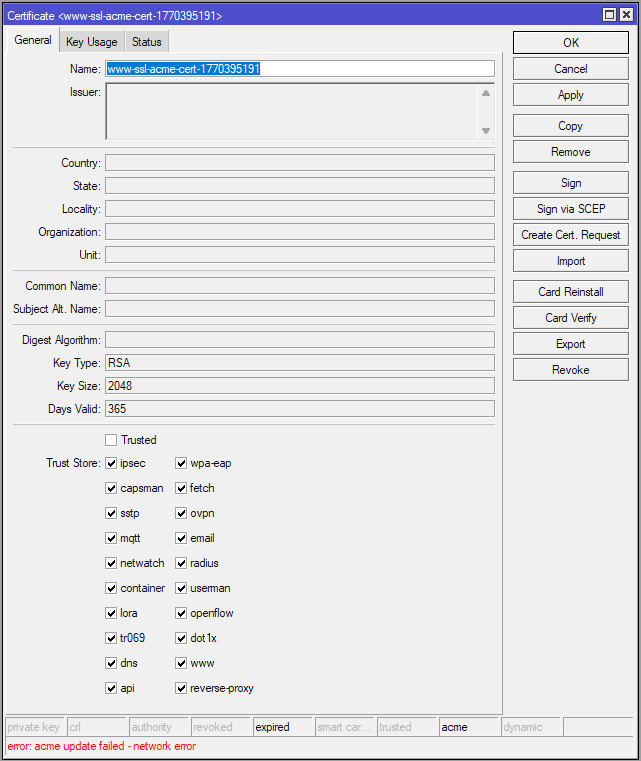
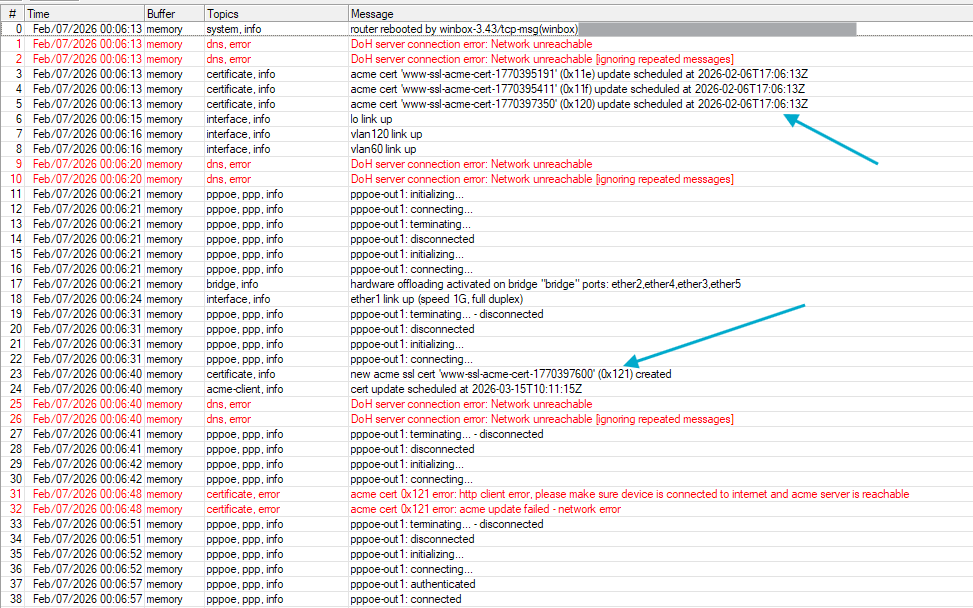
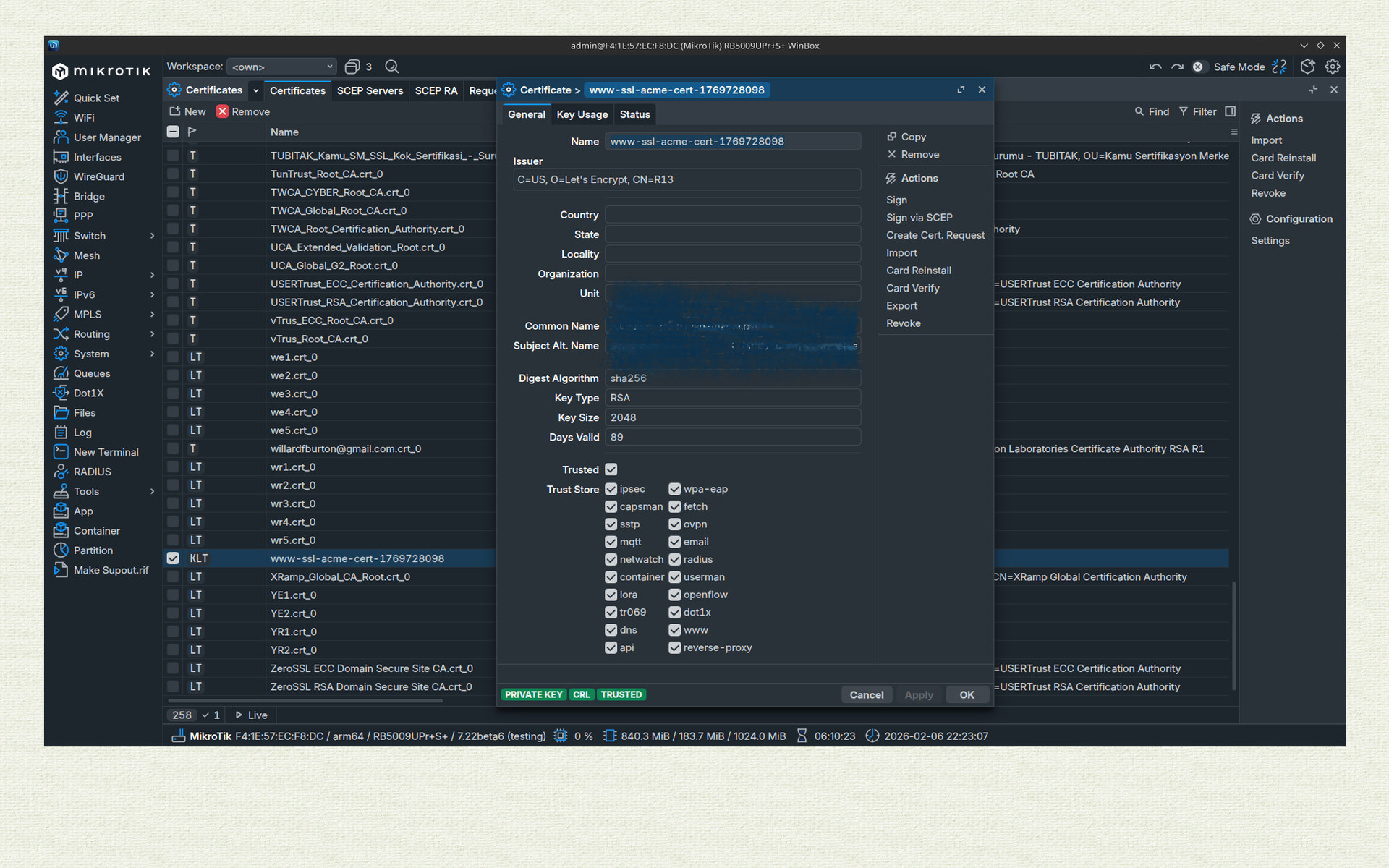
- ! certificate - added support for multiple ACME certificates (services that use a previously generated certificate need to be reconfigured after the certificate expires) (additional fixes);
- ! device-mode - added option to configure device-mode via Netinstall or FlashFig using a “mode script” (additional fixes);
- app - added health check for apps, which automatically rewrites the composed YAML;
- app - clean the backup directory after container repull;
- app - fixed element that was failing to start;
- app - fixed potential port collisions between apps;
- app - show DNS URL for app only if it has a reverse-proxy (additional fixes);
- bgp - make remote.address parameter optional;
- bridge - added local and static MAC synchronization for MLAG (additional fixes);
- bridge - added MLAG support per bridge interface (/interface/bridge/mlag menu is moved to /interface/bridge; configuration is automatically updated after upgrade; downgrading to an older version will result in MLAG configuration loss) (additional fixes);
- bridge - fixed performance regression in complex setups with vlan-filtering (introduced in v7.20);
- bth - use separate Let's Encrypt certificate for file-share;
- container - automatically stop/repull/start the container on repull or remote-image change;
- device-mode - removed authorized-public-key-hash property;
- dhcpv6-relay - fixed link-layer address inconsistency with the original link-layer address in relay-forward packets (additional fixes);
- fetch - fixed fetch treating relative paths from redirects as hostnames;
- health - added CPU temperature monitoring to L009 with ARM64;
- ip - added reverse-proxy (additional fixes);
- ipsec - improved aes256-ctr stability on L009;
- isis - improved stability and fixed a small memory leak;
- l3hw - fixed missing VLAN counters on reboot (introduced in v7.21);
- l3hw - improved system stability when enabling VLAN offloading under active traffic (introduced in v7.21);
- leds - fixed WiFi LEDs on hAP AX S (introduced in v7.22rc1);
- poe-out - firmware update for CRS354-48P-4S+2Q+ (the update will cause a brief power interruption to poe-out interfaces);
- poe-out - fixed controller-error for CRS354-48P-4S+2Q+;
- route - do not set blackhole flag for synthetic routes;
- route - fixed connected routes sometimes not working (introduced in v7.22rc1);
- route - removed preset rules and use routing/settings policy-rules (introduced in v7.22beta1);
- routerboard - allow changing /system/routerboard/settings via Netinstall or FlashFig using a "mode script" (additional fixes);
- system - improved upgrade service stability when the server is unreachable;
- user - properly apply login delay (introduced in v7.20);
- wifi - improved stability of interfaces in station mode during roaming;
- wifi - improved support for 802.11be access points (additional fixes);
- winbox - added missing route flags;
- winbox - added route ISIS tab;
- winbox - show MPLS tab only to relevant routes;
What's new in 7.22rc2 (2026-Feb-17 10:13):
- app - changed ui-url parameter for Smokeping and Nextcloud;
- app - fixed CHR reverse proxy entry using the wrong IP address (introduced in v7.22beta3);
- app - fixed issue with Cinny not being able to create a root-dir;
- bridge - added local and static MAC synchronization for MLAG (additional fixes);
- certificate - added support for multiple ACME certificates (additional fixes);
- container - fixed issue where the container may not start after upgrading if root-dir was not set;
- container - improved error message if container fails to start;
- defconf - fixed L009 configuration (introduced in v7.21);
- iot - added Bluetooth extended scanning and 1M/2M PHY support for the RB924i KNOT devices;
- iot - added Bluetooth extended scanning, advertising, and 1M/2M/CODED PHY support for EC25 KNOT devices;
- ipsec - removed modp8192 proposal on MIPS architectures;
- l2tp - improved system stability on TILE architecture;
- l3hw - improved system stability on device shutdown/reboot;
- lte - added subscriber number to monitor command for MBIM modems (additional fixes);
- lte - fixed crash on LTE passthrough interface deactivation;
- lte - fixed firmware upgrade for EC25-EU&KNe (introduced in v7.22rc1);
- wifi - improved support for 802.11be access points (additional fixes);
- winbox - added local table, mangle action and VRF setting under "Routing/Rule" menu;
- winbox - fixed empty "Realm Raw" value processing and value inheritance from configuration template (requires WinBox 4);
What's new in 7.22rc1 (2026-Feb-06 11:55):
- app - enable swap on all devices that use apps to help with performance;
- app - show app URL only when it is running (additional fixes);
- app - show DNS URL for app only if it has a reverse-proxy (additional fixes);
- bridge - added local and static MAC synchronization for MLAG (additional fixes);
- bridge - added RA guard feature (additional fixes);
- bridge - fixed dhcp-snooping incorrectly disabling HW offloading on QCA8337, Atheros8327 switch chips (introduced in v7.20);
- bridge - improved VRRP MAC address handling (additional fixes);
- certificate - added support for multiple ACME certificates (additional fixes);
- ethernet - increased Rx buffer size for devices with Alpine CPUs (reduces packet rx-drop in certain cases);
- gps - fixed port configuration for CubeG-5ac60ay;
- hotspot - allow WireGuard interface type (additional fixes);
- hotspot - check validity of base32 for otp-secret;
- hotspot - rename totp-secret to otp-secret;
- hotspot - set sensitive flag on /ip/hotspot/user otp-secret;
- ike1 - added ChaCha20-Poly1305 ESP encryption support;
- ike1,ike2 - improved netlink update handling;
- iot - added modbus delay using interframe-gap setting;
- ip - added reverse-proxy (additional fixes);
- ip-service - properly disable IP/Service on manual disable;
- ipv6 - fixed "on-link" and "autonomous" flag detection (introduced in v7.21);
- ppp - added initial support for BG770A-GL modem firmware update;
- route - fixed routes when scope was less than 10;
- sfp - fixed sfp-ignore-rx-loss parameter for RB960PGS;
- snmp - report maximum "ifSpeed" value if out of bounds;
- wifi - fixed an issue preventing WiFi interfaces from getting correct bridge vlan-id (introduced in v7.22beta1);
- wifi - improved support for 802.11be access points (additional fixes);
- wireguard - fixed private key generation when creating a WireGuard interface;
- x86 - added JME network driver (additional fixes);
Other changes since v7.21:
- app - added configurable app-store URL for custom apps;
- app - added jupyter-notebook, livebook and myip apps;
- app - added support for custom apps;
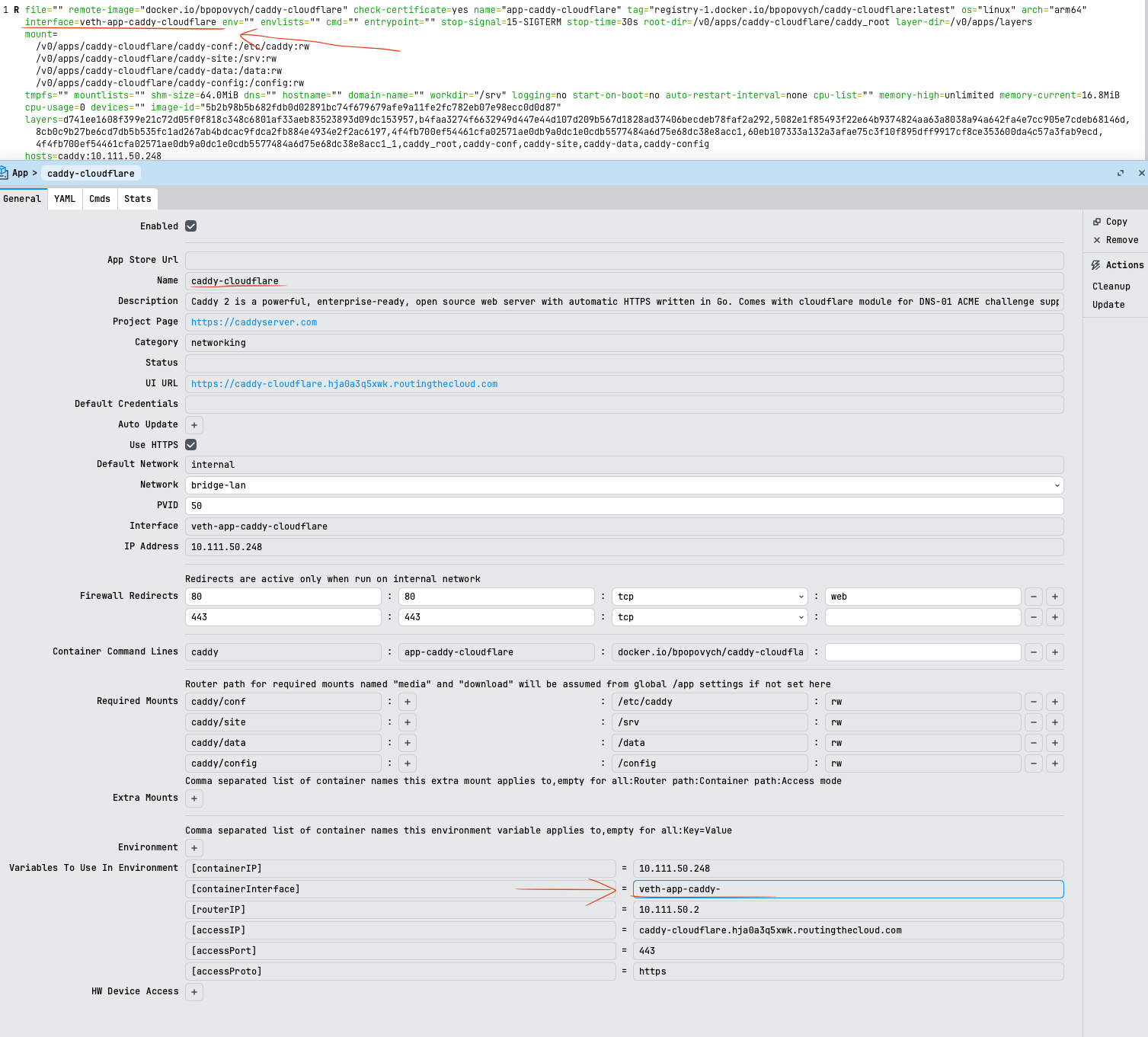
- app - allow configuring bridge port pvid for app;
- app - fixed /app/export;
- app - fixed apps constantly polling the cloud;
- app - fixed missing reverse-proxy URL;
- bgp - added BGP unnumbered support;
- bgp - changed multipath to number argument;
- bgp - fixed BGP output sometimes not being cleaned after session restart;
- bgp - fixed early-cut not working properly;
- bgp - fixed ignore-as-path-len not being used;
- bgp - fixed update messages not being sent on default-prepend value change;
- bgp - implement multipath (ability for BGP best path to select ECMP routes);
- bgp - implemented add-path;
- bridge - added MLAG support per bridge interface (/interface/bridge/mlag menu is moved to /interface/bridge; configuration is automatically updated after upgrade; downgrading to an older version will result in MLAG configuration loss);
- bridge - added MLAG-specific aged and aged-peer flags to host table;
- bridge - fixed MAC moving between regular ports and bonds for MLAG;
- bridge - fixed MLAG state being permanently disabled when changing bridge interface settings;
- bridge - improved logic for interface remove;
- bridge - improved MAC synchronization for MLAG;
- bridge - removed vlan-filtering check when changing the MVRP setting (allows disabling MVRP through WinBox);
- certificate - improved certificate export process;
- certificate - improved logging;
- chr - improved fast-path stability when using vmxnet3 driver;
- console - added :continue and :break commands for various loops;
- console - added :exit command to terminate scripts;
- console - added "comments" parameter to print command to control comment and error output;
- console - added comparison operators for ID values;
- console - added Ctrl+Left/Right word navigation;
- console - added Ctrl+w word deletion;
- console - added hint for dry-run import parameter;
- console - added left shift (<<) and right shift (>>) support for IPv6 addresses;
- console - added on-event script runner support to print follow/follow-only;
- console - added timestamp support to print follow/follow-only;
- console - allow undefined variables in dry-run import;
- console - changed autocomplete expansion criteria;
- console - disable follow command in /ip/firewall/connection menu;
- console - fixed brief print for entries with multiple comments;
- console - fixed setting of /interface/wireless/scan-list;
- console - fixed time drift for interface last-link-down-time and last-link-up-time;
- console - fixed value type names in comparison errors;
- console - implemented string casting in :tobool command;
- console - improved command decoding to drop extraneous commands (visible in history logging);
- console - improved error tracing when using find command;
- console - improved export command to avoid empty [find];
- console - improved history logging when performing object rename with set/reset;
- console - improved set/remove command handling in /file menu;
- console - look up variable in global scope if argument scope lookup failed;
- console - parse width parameter for non-interactive SSH commands;
- console - show smaller QR codes where possible;
- console - use the same flag output format for both print brief and detail;
- container - added support for zstd extraction;
- container - internal stability improvements;
- container - use the user-defined envs and envlist for container shell command;
- detnet - added request-interval setting;
- detnet - changed default port from MNDP to a random unused UDP port;
- device-mode - allow update from Netinstall via mode script (new "Mode script" property available for Netinstall and netinstall-cli, applied before defconf or user-defined script);
- dhcp-server - improved failure/error logging for both IPv4 and IPv6;
- dhcpv4-client - fixed inability to reference disabled DHCP client by interface name;
- dhcpv4-client - request DOMAINNAME (15) option from the server;
- dhcpv4-server - improved DHCP option handling;
- dhcpv4-server - improved logging;
- dhcpv4-server - send all found lease options in reply to DHCPINFORM;
- dhcpv6-client - allow unsetting "pool-prefix-length" parameter;
- dhcpv6-client - improved log messages;
- dhcpv6-relay - fixed link-layer address inconsistency with the original link-layer address in relay-forward packets;
- dhcpv6-server - swap input and output RADIUS accounting statistics counters;
- disk - added support for file-based swap space;
- disk - added trim command which functions similarly to fstrim;
- disk - fixed issue where iSCSI did not work with ESXi and XEN hypervisors;
- disk - fixed issue with disks not mounting after swapping devices;
- disk - fixed opening a drive in read-only mode if it became locked;
- disk - improved BTRFS stability on TILE devices;
- disk - renamed format file-system=trim and trim-secure to format file-system=discard and discard-secure;
- disk - show if driver is encrypted and locked;
- email - use default port if not specified;
- fetch - added HTTP/2 support on ARM64 and x86/CHR devices;
- fetch - increased default maximum redirect count to 2;
- fetch - return error code and HTTP headers to :onerror script;
- fetch - treat HTTP 304 return code as success;
- gps - fixed GPS port disappearance after reboot for EC25-EU&KNe;
- hotspot - do not invalidate static ARP entries;
- hotspot - fixed www response after login by cookie;
- iot - improved LoRa FSK modulation downlinking;
- ip - added error messages to reverse-proxy rules;
- ippool6 - allow creating sub-pool by specifying "from-pool";
- ipsec - added "none" option to IPsec key QKD certificate field;
- ipsec - added IKEv2 DDoS cookie activation setting;
- ipsec - added logging for IPsec policy template group;
- ipsec - added logging of IKEv2 connection SPI and initiator address;
- ipsec - adjusted minimum generated PSK key length;
- ipsec - fixed IKEv2 child policy reqid lost on rekey;
- ipsec - fixed IKEv2 child reqid handling on traffic selector update;
- ipv6 - added dhcp6-pd-preferred to /ipv6/nd/prefix to control P flag in Prefix Info Option RFC 9762;
- ipv6 - delete SLAAC default route if there are no active SLAAC prefixes present and no new RAs received;
- ipv6 - do not generate duplicate dynamic link-local addresses on tunnel type interfaces;
- ipv6 - enable IPv6 fast-path after removing firewall rules;
- ipv6 - improved system stability when manipulating IPv6 configuration that was added while IPv6 was disabled;
- log - added comment support to rule entries;
- log - added option to clear echo logs;
- log - added option to prepend topics to BSD syslog message;
- log - added script target for log actions;
- log - fixed incorrect log message shown after canceling supout.rif creation;
- log - fixed minor spelling issues;
- log - fixed missing ID in trace logs after removing logging rule;
- log - log "Secret must be set to run scripts from SMS" error only if ":cmd" prefix is used in SMS message;
- log - use uppercase MAC address in firewall logging;
- lte - added "auto" MTU option for LTE interfaces to use network-advertised MTU on supported devices;
- lte - added AT command timeout for EC25-EU&KNe;
- lte - added multi-apn and framed routing support for EC200A-EU modem (requires latest FW version);
- lte - added roaming barring field to LTE "show-capabilities" menu;
- lte - added subscriber number to monitor command for MBIM modems;
- lte - added USB tethering support using iOS devices;
- lte - clear about field status on firmware upgrade;
- lte - do not allow modem firmware-upgrade on "inactive" interface;
- lte - do not allow setting unsupported roaming barring settings for R11e-4G;
- lte - do not flap LTE passthrough assigned interface on modem link state change;
- lte - do not reconfigure LTE interface on configuration change error;
- lte - enable DHCP relay packet forwarding to the cellular network for EG120K-EA and RG650E-AU;
- lte - fixed "allow-roaming" setting to return error for modems that do not support roaming barring;
- lte - fixed cases where AT dialer could get stuck in "modem not ready" state;
- lte - fixed cases where incorrect network modes and bands could be suggested for active interface;
- lte - fixed chained firmware update for Chateau 5G;
- lte - fixed changing eSIM profile nickname;
- lte - fixed changing MAC address for EC200A-EU modem;
- lte - fixed displaying operator name for Chateau ax R17;
- lte - fixed eSIM errors appearing on devices without eSIM support;
- lte - fixed firmware update and status refresh for R11eL-EC200A-EU modem;
- lte - fixed inappropriate external antenna selection on Chateau ax R17;
- lte - fixed LTE interface IPv6 address generation to use EUI-64 for EC25-EU&KNe;
- lte - fixed missing notifications to eSIM provider when eSIM provisioning canceled;
- lte - fixed tethering support for Google Pixel Pro 8;
- lte - fixed wrong MTU reading/setting for config-less modems;
- lte - hide external antenna selection menu for the Chateau AX R17;
- lte - improved APN IP type handling by enabling only the IP protocols defined in the assigned APN profile for config-less modems;
- lte - make inactive LTE interface settable, LTE interface settings can be set without waiting for modem initial initialization;
- lte - removed delay before querying modem status for config-less modems with info channel;
- lte - show ICCID and IMSI also when the interface is disabled;
- lte - strip modem reported padding characters for SIM card (ICCID) on Chateau ax R17;
- mac-telnet - added interface property;
- macsec - fixed hardware offload on S53 and C53 devices;
- mesh - fixed missing S flag on interfaces after mesh disable/enable;
- ping - added IPv6 support for flood-ping;
- poe-out - added LLDP support for dual-signature PDs;
- poe-out - firmware update for 802.3at capable boards (the update will cause a brief power interruption to poe-out interfaces);
- poe-out - firmware update for 802.3bt capable boards (the update will cause a brief power interruption to poe-out interfaces);
- port - fixed baud rate change for TILE architecture devices;
- ppp - fixed Framed-Route attribute not being applied to correct VRF;
- profiler - split "management" process into different smaller process groups;
- radius - fixed initialization of incoming UDP socket in some situations;
- radius - fixed RadSec SSL CPU usage increase on closed connections;
- radius - improved incoming RadSec packet processing on busy service;
- radius - improved logging;
- rip,pimsm - separate the interface property from the address in /routing/rip/interface and /routing/pimsm/interface menus;
- rose-storage - added XFS support;
- route - added logs for check-gateway state changes;
- route - expose built-in routing rules and allow changing their order under the /routing/rule menu;
- route - fixed route removal after unexpected safe mode termination;
- routerboard - allow changing /system/routerboard/settings from Netinstall via mode script;
- routerboot - allow installing ARM64 on L009 device ("/system routerboard upgrade" required; configure "/system/routerboard/settings set preferred-architecture=arm64 boot-device=try-ethernet-once-then-nand"; start Netinstall with ARM64 image and reboot the device (DO NOT load the backup routerboot with reset button); downgrading to older versions must be avoided);
- routerboot - fixed linking to 1000M-half for KNOT Embedded LTE4 ("/system routerboard upgrade" required);
- routerboot - fixed possible Netinstall failure for KNOT Embedded LTE4 ("/system routerboard upgrade" required);
- sfp - improved initialization and linking for some QSFP modules;
- smips - reduced package size and removed ip-scan, mac-scan, ping-speed, flood-ping features;
- snmp - added 5G NSA connection signal indications: nr-rsrp, nr-rsrq, nr-sinr;
- snmp - fixed CA band indication;
- snmp - fixed issue where bulk walk might skip the first OID;
- snmp - fixed minor memory leak when changing SNMP authentication/encryption passwords;
- snmp - fixed reply for empty snmpbulkwalk requests;
- snmp - report RouterOS version in SNMPv2-MIB::sysDescr;
- ssh - improved logging;
- supout - wait up to 5 minutes for export to complete and show incomplete output in case of timeout;
- switch - fixed missing switch-cpu port counters;
- switch - updated switch-marvell.npk driver;
- system - added reset-configuration keep-apps=yes;
- system - display serial ports in the /system/resource/hardware menu;
- undo - show user when configuring DHCP server or hotspot with setup command;
- upgrade - added "password" parameter to "local-upgrade" feature when configuring through CLI;
- upgrade - added IPv6 support for local package source and mirror;
- upgrade - fixed local package mirror check interval;
- upgrade - removed redundant commands from local package menu;
- usb - updated device ids for ax88179_178a driver;
- user-manager - added support for NAS-Identifier attribute;
- user-manager - always respond to accounting requests;
- user-manager - do not send Disconnect-Message for unknown usernames for Accounting-Request;
- user-manager - do not send invalid NAS-Port-Type on CoA/PoD messages;
- user-manager - fixed unauthenticated access to /PRIVATE/ userman web files;
- user-manager - show empty value for session NAS-IP-Address if empty;
- webfig - added missing icons for Firewall table;
- webfig - added new section "Common names" in skin designer;
- webfig - added support for collapsible tree view for menus like Interfaces, Files, Queues;
- webfig - added support for URL fields;
- webfig - fixed ability to set interworking.realms-raw WiFi interface attribute;
- webfig - fixed skin designer mobile view for QuickSet and Terminal;
- webfig - fixed Torch Filters default values;
- webfig - improved address type field input value validation;
- wifi - added keepalive message in CAPsMAN data channel;
- wifi - added optional show-frame=radiotap parameter value to make sniffer display the radiotap header of captured frames;
- wifi - allow specifying hostname to caps-man-addresses;
- wifi - fixed channel switching for MediaTek access points;
- wifi - fixed FT support with wpa2-psk-sha2;
- wifi - fixed functionality of the wireless-signal-strength LED trigger;
- wifi - fixed possible certificate failure after CAPsMAN disable/enable;
- wifi - improved spectral-history width for console;
- wifi - improved stability and fixed multiple issues;
- wifi - improved system stability when using spectral-scan;
- wifi - introduced /interface/wifi/network menu for higher level network configuration (CLI only);
- wifi - quicker re-connections to APs for interfaces in station mode;
- wifi - updated regulatory information for Malaysia;
- wifi-mediatek - fixed rx chains functionality;
- wifi-mediatek - updated driver and firmware;
- winbox - added "Force Check" for local upgrade;
- winbox - added comment in "System/Ports/Remote Access" menu;
- winbox - added confirmation message to Format Drive;
- winbox - added Container Repull command;
- winbox - added error reporting to CAPsMAN Manager menu;
- winbox - added GUI support for IPsec QDK;
- winbox - added missing LoRa channel fields;
- winbox - added socsify icon for firewall NAT rules;
- winbox - added SwOS Allow From field;
- winbox - added warning when changing global script variables;
- winbox - allow using specified skin without the sensitive policy;
- winbox - fixed applying a skin to a user authenticated with RADIUS;
- winbox - fixed applying a skin to WinBox if it was uploaded via the branding package;
- winbox - fixed default flag in certain menus;
- winbox - fixed modem firmware-upgrade for the RG650E-EU modem;
- winbox - fixed the "New QoS Profile" field for switch rules;
- winbox - make File Share URL field clickable;
- winbox - move "Default" panel from "IPv6/ND/Proxy" to "IPv6/ND/Prefixes";
- winbox - recognize imported certificate key size;
- winbox - rename "Change Now" to "Change" button in "System/Password" menu;
- winbox - replace "DHCP" with "DHCPv6" in IPv6 menus;
- winbox - set "Mount Filesystem" by default under "System/Disk" menu;
- winbox - show separator after "Protocol" field for IPv6 Firewall rules;
- winbox - show warnings in "MPLS/Traffic Eng/Tunnel" menu;
- winbox - updated some setting and title names;
- winbox - updated various WiFi properties;
- wireguard - improved stability;
- wireguard - merged upstream fixes and improvements;
- wireless - avoid joining BSS that previously failed until all other options tried;
- wireless - improved system stability when changing nstreme mode;
- wireless - improved system stability when eap-method=passthrough configured for station;
- x86 - fixed interface hang on RTL8125 when processing IP-fragmented UDP traffic;
- x86 - improved link establishing on Intel X710 series NIC;
To upgrade, click Check For Updates under System/Packages menu and select the testing Channel in RouterOS configuration interface, or head to our download page: http://www.mikrotik.com/download
- Everything went smoothly
- I encountered an issue after the update (please post about the device, configuration, and unexpected symptoms)
- I encountered an issue, but solved it (please post the solution)
0
voters
If you experience version related issues, then please send supout file from your router to support@mikrotik.com. The file must be generated while a router is not working as suspected or after some problem has appeared on the device
Please keep this forum topic strictly related to this particular RouterOS release.