Why is the router connecting to the upgrade server (and retrieve the most recent version number and changelist) all the time?
On my own router it does this exactly once per hour, but I have seen another that does it once every 30 seconds…
Is there a need for this?
*) pppoe - fixed MRU negotiation even when it is set to 1500;
Perfect !!! It seems this was a nasty bug. My home router with VDSL2 connection 120/25 is working now as a charm. I have hAP ac^2 (hAP ax^2 soon).
on v7.5 loop has happening on vrrp, has that been fixed?
Please add the M in Winbox too.
DOM/DDM still not work on my RB760iGS
Hmm strange. Not exactly the issue I had then. Can you connect to the device via console and post the whole output whilst you do an upgrade?
Got IPv6 hw-offload working in my home network. It’s great!
https://www.reddit.com/r/mikrotik/comments/x6jot3/got_ipv6_hwoffload_working_on_ccr2116_and_crs328/


Upgraded rb2011 with MPLS (OSPF+LDP) - dead within hour. Multicast packet loss - kill box with OOM. 7.4.1/7.5rc2 shows same results.
What is the scenario and config that triggers the memory leak?
Container image names are lost when restoring from a configuration backup.
Hmmm…stange behavior on my two CRS326-24G-2S+ Switches. Winbox told me L3HW-Offloading is activated in the switch menu, CLI said it wasn´t.
After activating it via CLI both switches died after a few seconds and didn´t came back, even after a cold boot.
I had to netinstall both…
MikroTik 7.5 (stable)
CORE Login:
Rebooting...
ERROR: upgrade failed, free 33 kB disk space for a (null)upgrade
[277810.368297] reboot: Restarting system
stage2_loader v3.63.2
Memory repair completed within 226 uSecs
DDR ECC static poisoning address: (0x1e0000)
DDR ECC static poisoning address: (0x1e1100)
SPD I2C Address: 52, offset 0000(0)
DRAM ch 0: 8GB
SPD I2C Address: 53, offset 0000(0)
DRAM ch 1: 8GB
DRAM total size: 16GB
Executing next at 0x01000000!
agent_wakeup v3.53
The error message is obviously BS, as there were at least 40MB of free space available. I tried again after removing the second partition, so there was even more free space available, same outcome.
In the end I just used netinstall to flash 7.6beta4, reset the configuration, upgraded routerboot and restored the binary backup. Router is up and running again.
First thing I noticed after reboot, my wireguard tunnels didn’t receive any traffic, RX counters stayed at 0, while TX counters went up. I could fix it by toggling l3hw-offloading in switch settings. I’m currently using only fasttrack hw-offloading, l3hw-offloading is disabled on all interfaces. I hope this will be the only “surprise” with this beta..
Thank you for your information about setting up the source of the mount points as /container/adguardhome instead of /container/adguardhome/work etc.
No more “mkdir /opt/adguardhome/work/data: permission denied”. It works on v7.5 as well now!
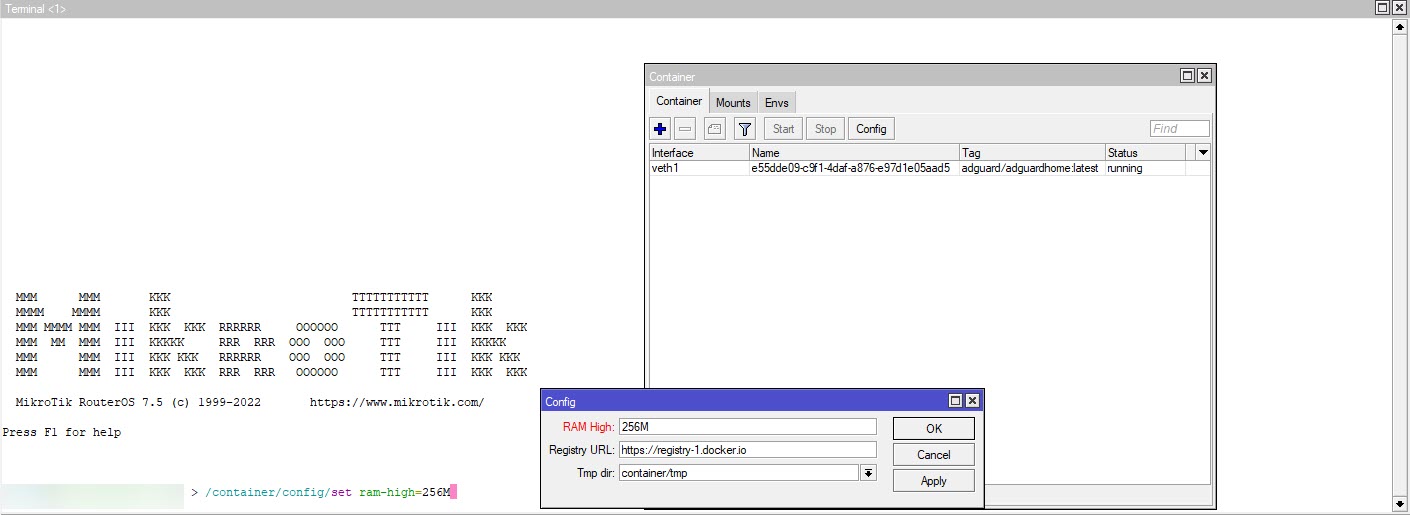
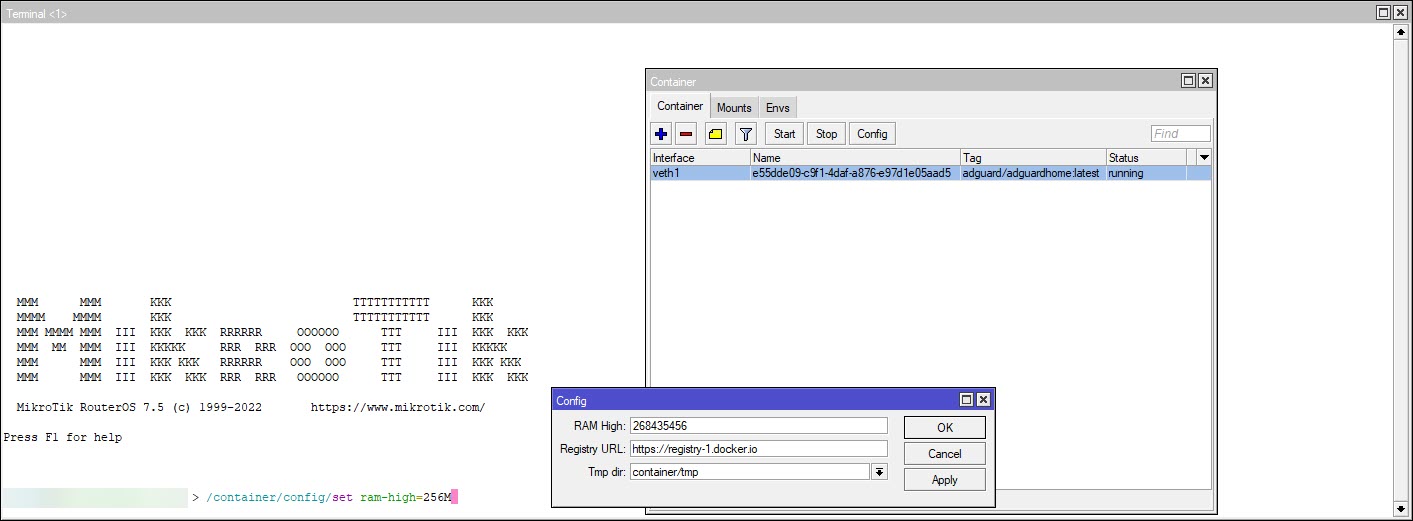
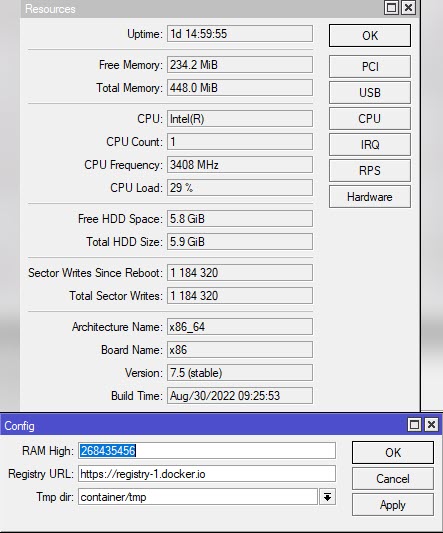
You’re welcome. Currently, I have an ad guard container. Now I’m worried about the RAM usage. I would appreciate it if you or anyone else could share your ram usage for the container.
That’s just bad practice, don’t do it, son.
The Xiaomi device cannot connect via Wifiwave2, it only cycles connected and after 2s disconnected.
i have hAP ac3
If I connect via the old hAP lite, everything works immediately.
/interface/wifiwave2/actual-configuration> print
0 name=“wifi1” mac-address=08:55:31 arp-timeout=auto
radio-mac=08:55:31
configuration.mode=ap .ssid=“x” .country=Czech
security.authentication-types=wpa2-psk,wpa3-psk
.passphrase=“xx” .sae-pwe=hunting-and-pecking1 name=“wifi2” mac-address=08:55:31 arp-timeout=auto
radio-mac=08:55:31
configuration.mode=ap .ssid=“G” .country=Czech
security.authentication-types=wpa2-psk,wpa3-psk
.passphrase=“xx” .sae-pwe=hunting-and-pecking2 name=“wifi3” mac-address=0A:55:31 arp-timeout=auto
master-interface=wifi2
configuration.mode=ap .ssid=“xx” .country=Czech
security.authentication-types=wpa2-psk,wpa3-psk
.passphrase=“xx” .sae-pwe=hunting-and-pecking3 name=“wifi4” mac-address=0A:55:31 arp-timeout=auto
master-interface=wifi1
configuration.mode=ap .ssid=“xx” .country=Czech
security.authentication-types=wpa2-psk,wpa3-psk
.passphrase=“xx” .sae-pwe=hunting-and-pecking

That kind of behavior often is not caused by the wifi itself, but by some “is the network OK” check made by the device.
E.g. it cannot get a DHCP lease or it cannot ping the gateway. When it fails, it just disconnects, and when it is stupid, it just tries again immediately.
Ok, but how is it possible that with hap lite, old wireless package, identical SSID settings, the device connects immediately? BTW on hAP ac3 with wifiwave2 on which Xiaomi does not work (disconnects) many other devices run without problems.
It just consumes ~1xxMB of memory.
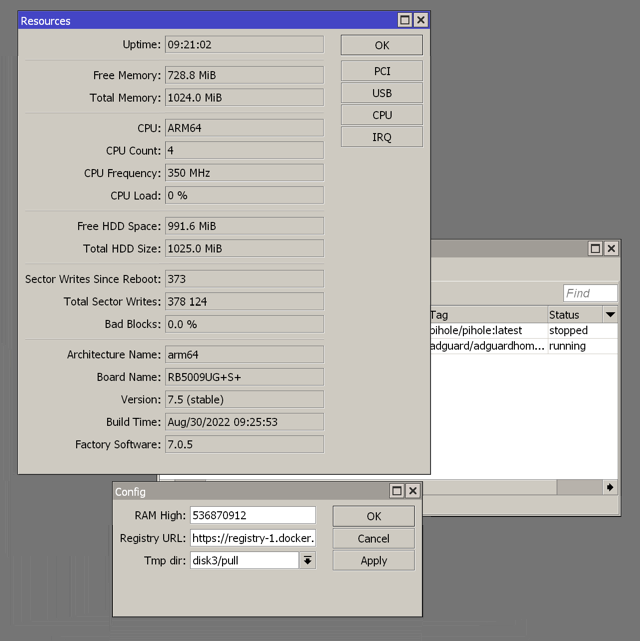
Let it run for few days :d