What seems to be the issue?
Did you follow the example in the wifiwave2 documentation?
You may need to set /interface/wifiwave2/cap set discovery-interfaces=all on the cAP as well as add wifi interfaces to a bridge for wireless clients to get DHCP addresses.
Also WPA1 and WPA3 cannot be used simultaneously.
Oh, this is great!!!
Please elaborate.
Name(slot) does not change on previously added/formatted disks. On newly done formats slot will assume new name based on physical slot. If name was “disk1”, slot will stay “disk1” until you reformat.
Works OK for me, no change relative to earlier versions. Do you keep the IPv4 connectivity or is the local IP address assigned via PPPoE also lost?
No, i using VPN4 ie l3 vpn (VPRN). inside vrf ROS 7 transmit self nexthop instead of mpls hop. Ie ROS7 just ignore option propagate
maybe you need dns-forward domain many times, it will crash the dns, then it will be empty, pppoe-client still online. alreay have the video and submit to the ticket
Same here, was using the United States3 country in 7.7beta6 but now unable to get any United States country configuration to work. Along with the /interface/wifiwave2/info command being removed or moved somewhere I haven’t been able to locate yet.
Upgraded RB5009 from 7.7beta9 to 7.7rc1 using Winbox “Check For Updates” - upgrade itself worked, installed and latest versions reported correctly, but the changelog window (both before and after upgrade) still shows “What’s new in 7.7beta9” and the corresponding 7.7beta9 changelog.
That is just a mistake on the download site, it does not affect the device itself.
Hi Team,
We’ve noticed in 7.7rc1 that when using ipv6 the dynamic routes do not update with old delegated prefix staying in the list well after they have been changed.
In our test we adjusted the delegated range in our clients Radius Auth from 1::/64 to a::/64 however in the routing table 30 minutes later still showed the old route. Secondly when testing ipv6 address assignment from a pool we noted that if the customer assigned the IP to the wrong interface eg. WAN instead of LAN and then reconfigured the assignment to the correct interface eg. LAN on the PE there remains in the routing table the original direct route and the new route containing the intermediate.
Due to the new route having an intermediate it is not enabled and leaves the old direct and now invalid route active. The only fix we have found is to reboot the PE router as these routes survived a CPE reboot also.
Incorrect PE Routing and Neighbour List showing multiple routes:

After Reboot of PE Only the 1 route:

I could have it totally incorrectly configured also 
Did some more digging into 7.7rc1 and the radio issues on the hAP ax2. Seems it is missing the countries configuration in the radio after updating, I suspect this means it won’t accept any country.
Output from 7.6 release and 7.7rc1, note the missing counties field and info country-info output in 7.7rc1:
RouterOS 7.6:
[admin@Greenroom AP] /interface/wifiwave2/radio> print detail
Flags: L - local
 0 L radio-mac=**:**:**:**:**:** phy-id=0 tx-chains=0,1 rx-chains=0,1
     bands=5ghz-a:20mhz,5ghz-n:20mhz,20/40mhz,5ghz-ac:20mhz,20/40mhz,20/40/80mhz,5ghz-ax:20mhz,
      20/40mhz,20/40/80mhz
     ciphers=tkip,ccmp,gcmp,ccmp-256,gcmp-256,cmac,gmac,cmac-256,gmac-256
     countries=United States3,Canada2
     5g-channels=5180,5200,5220,5240,5260,5280,5300,5320,5500,5520,5540,5560,5580,5600,5620,5640,5660,
            5680,5700,5720,5745,5765,5785,5805,5825

 1 L radio-mac=**:**:**:**:**:** phy-id=1 tx-chains=0,1 rx-chains=0,1
     bands=2ghz-g:20mhz,2ghz-n:20mhz,20/40mhz,2ghz-ax:20mhz,20/40mhz
     ciphers=tkip,ccmp,gcmp,ccmp-256,gcmp-256,cmac,gmac,cmac-256,gmac-256
     countries=United States3,Canada2
     2g-channels=2412,2417,2422,2427,2432,2437,2442,2447,2452,2457,2462,2467,2472
[admin@Greenroom AP] /interface/wifiwave2/radio>  /interface/wifiwave2/info/ country-info "United States
3"
  2.4ghz: 2412 MHz      20/40mhz        30 dBm
          2417 MHz      20/40mhz        30 dBm
          2422 MHz      20/40mhz        30 dBm
          2427 MHz      20/40mhz        30 dBm
          2432 MHz      20/40mhz        30 dBm
          2437 MHz      20/40mhz        30 dBm
          2442 MHz      20/40mhz        30 dBm
          2447 MHz      20/40mhz        30 dBm
          2452 MHz      20/40mhz        30 dBm
          2457 MHz      20/40mhz        30 dBm
          2462 MHz      20/40mhz        30 dBm
          2467 MHz      20/40mhz        30 dBm
    5ghz: 5180 MHz      20/40/80mhz     30 dBm
          5200 MHz      20/40/80mhz     30 dBm
          5220 MHz      20/40/80mhz     30 dBm
          5240 MHz      20/40/80mhz     30 dBm
          5745 MHz      20/40/80mhz     30 dBm
          5765 MHz      20/40/80mhz     30 dBm
[admin@Greenroom AP] /interface/wifiwave2/radio>

7.7rc1
[admin@Greenroom AP] > /interface/wifiwave2/radio/ print detail
Flags: L - local
 0 L radio-mac=**:**:**:**:**:** phy-id=0 tx-chains=0,1 rx-chains=0,1
     bands=5ghz-a:20mhz,5ghz-n:20mhz,20/40mhz,5ghz-ac:20mhz,20/40mhz,20/40/80mhz,5ghz-ax:20mhz,20/40mhz,20/40/80mhz
     ciphers=tkip,ccmp,gcmp,ccmp-256,gcmp-256,cmac,gmac,cmac-256,gmac-256 countries=United States3,Canada2
     5g-channels=5180,5200,5220,5240,5260,5280,5300,5320,5500,5520,5540,5560,5580,5600,5620,5640,5660,5680,5700,5720,5745,
            5765,5785,5805,5825
     max-vlans=128 max-interfaces=16 max-station-interfaces=3 max-peers=120 interface=Schnell-5GHz

 1 L radio-mac=**:**:**:**:**:** phy-id=1 tx-chains=0,1 rx-chains=0,1
     bands=2ghz-g:20mhz,2ghz-n:20mhz,20/40mhz,2ghz-ax:20mhz,20/40mhz
     ciphers=tkip,ccmp,gcmp,ccmp-256,gcmp-256,cmac,gmac,cmac-256,gmac-256 countries=United States3,Canada2
     2g-channels=2412,2417,2422,2427,2432,2437,2442,2447,2452,2457,2462 max-vlans=128 max-interfaces=16
     max-station-interfaces=3 max-peers=120 interface=Schnell-2.4GHz
[admin@Greenroom AP] > /interface/wifiwave2/info/ country-info "United States3"
syntax error (line 1 column 26)
[admin@Greenroom AP] >
Hello Dear Mikrotik Team,
ipv6 nat does not work correctly with Simple Queues
We Use ULA addresses inside our network, with SRC-NAT rules to real IPv6 addresses in IPv6 Firewall’s Mangle Tab.
But Simple queue for fd00::/8 does not work. UPSTREAM rate is zero, even if packets are marked by Firewall for the queues.
As soon as we add real (external) prefix for simple queue ('s target), it starts counting upstream (Upload rate/bytes)
Could you please fix it.. We do not intend to assign real IPv6 addresses due to PCC based IPv6 Load balancing..
Thanks and regards,
IPv6 works for me, including ULA, nat, mangle and simple queue. I do use the interface in queue’s target, though.
What’s your exact rule set and configuration? Is this specific to RouterOS 7.7?
About :
Any information on how to use this ?
I can make a GRE tunnel inside a vrf but cannot got outside. Eg src/dst of the tunnel in VRF External vrf, but not the IP of the tunnel.
Regards
Incredible that the forgotten space in the message “route,bgp,error HoldTimer expiredpeername” (between expired and peername) still hasn’t been fixed…
Such a major blocking issue, it is a shame
It would be better when BFD was made available, but in the meantime these errors do occur.
It is now working well 
*) certificate - improved Let’s Encrypt logging and error recovery;
Error creating new order :: too many certificates already issued for “mynetname.net”
Before this update I got only: error [err]
Mikrotik should talk with Letsencrypt…
or update the manual, not use with cloud domain name…
They keep ignoring the bugs and pretend nothing happen.
people waiting for years to be fixed.
I wonder why they creating CCR for?
thx
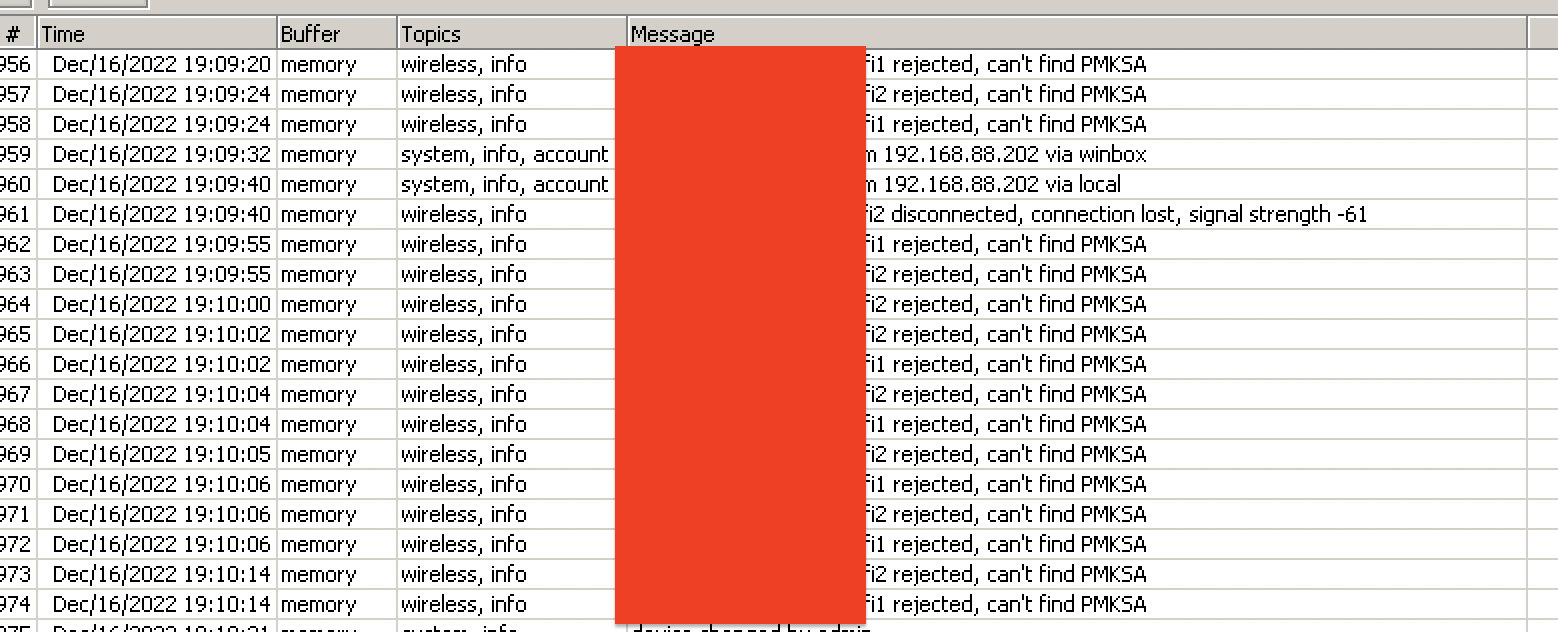
hapac3, users cant connect, disabled ft and users can reconnect