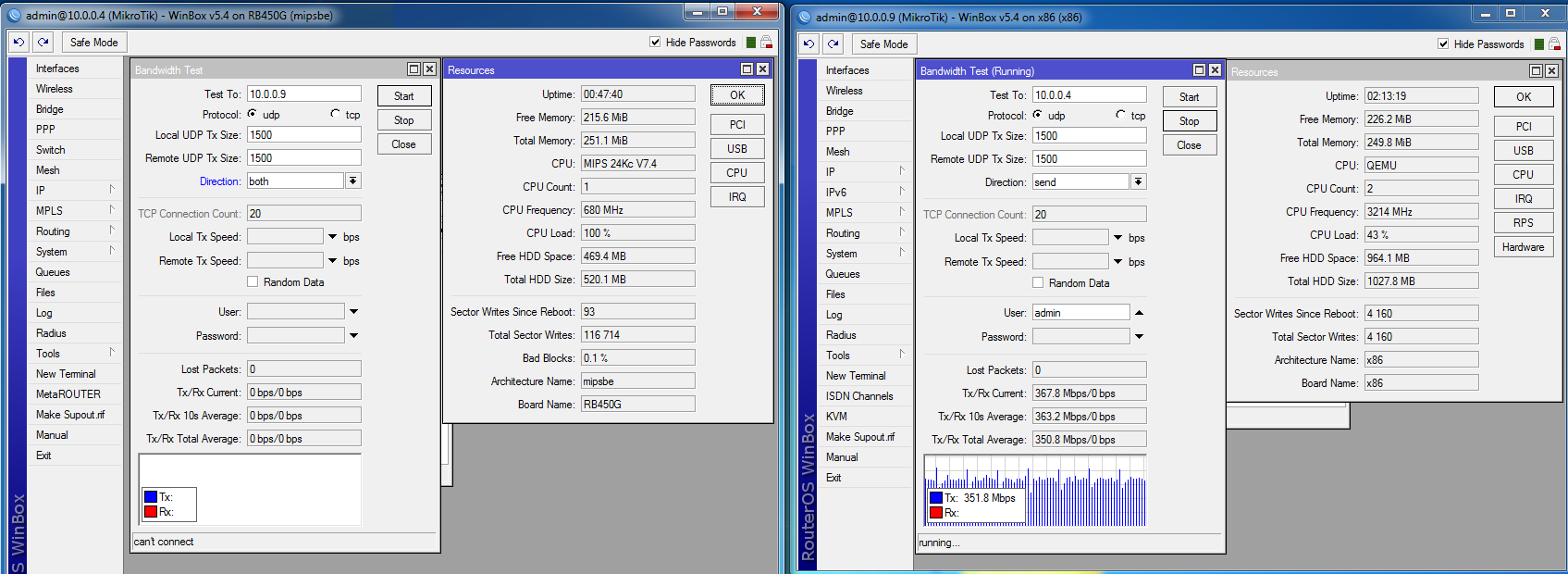
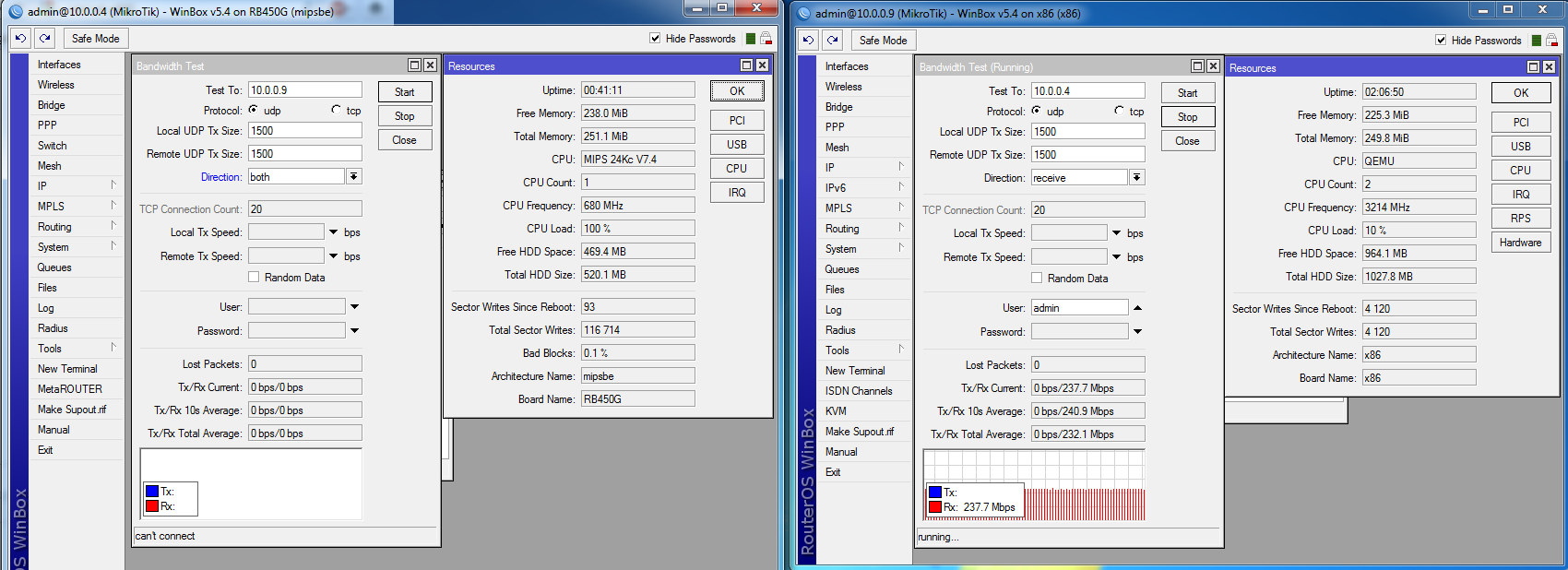
I checked the CPU usage of a virtualized RouterOS with Proxmox 1.8 (Quemú-kvm below) with a 3.2GHz Athlon X2 260 processor, and I see that is the same CPU usage that a a Routerboard 450G.
(Virtualization under VMWare or VirtualBox was worse).
I checked that system detects AMD-V.
Is this normal? Is normal that a dual core 3.2Ghz, process the same bandwith that a simple 450G when RouterOS is virtualized?
Is there another way of virtualization better?
I thought not to virtualize RouterOS and use KVM under RouterOS for squid virtualization, but RouterOS v5.5 detects only 2Gb of memory and I need more.
Thank you very much for answering.
The solution would be very good!
I don’t understand the concept “virt-based” . Can you explain a bit more about it please?
I created virtual machines with:
qm create 102 --cdrom local:iso/mikrotik-5.4.iso --name RouterOS_2 -vlan0 rtl8139=D6:0D:AC:47:2B:5D -vlan1 rtl8139=D6:0D:AC:47:2B:5E -vlan1 rtl8139=D6:0D:AC:47:2B:5F --bootdisk ide0 --ostype l26 --ide0 local:1,format=raw --memory 256 --onboot yes --sockets 2
I try to use “virtio” (not RTL8139) to have gigabit ethernet, but is the same CPU usage.
Is a mistake to use vlan?
I test betewen a virtual x86 and a true 450G. I never used this test before, I’m new and did not know it…
After see the results,I think I had made a mistake, because the cpu of 450G is at 100%, and the x86 is at 10% or 40% (send/receive).
However, the CPU consumption in both routers with real workload was very similar, with 20%-30% of CPU load for 10-12mbps.
So… I don’t understand… is then all ok? is the bandwidth test reliable?
Thank you
Bandwidth test are only reliable if the router being tested is neither generating nor receiving the traffic as an end point, and only routing the traffic between two other end points generating and receiving the bandwidth test traffic.
Thank you very much for your help. I have not clear how to get to test 3 linked RouterOS and measure the middle router, but I’ll try it.
I’m relieved to see that the 450G CPU was saturated much earlier. I’ll make new tests also, with a 4-core processors, which I think will be enough powerful for my need.
Thank you very much
RB450G is quite powerful device considering it comes with 680MHz default frequency.
you need 1 router and 2 devices and set up bridging or routing to sets the throughput of the router. Testing from the router on to the router, is common mistake. only thing one can do - to compare cpus, run b-test to router itself, while throughput is one you are interested in.