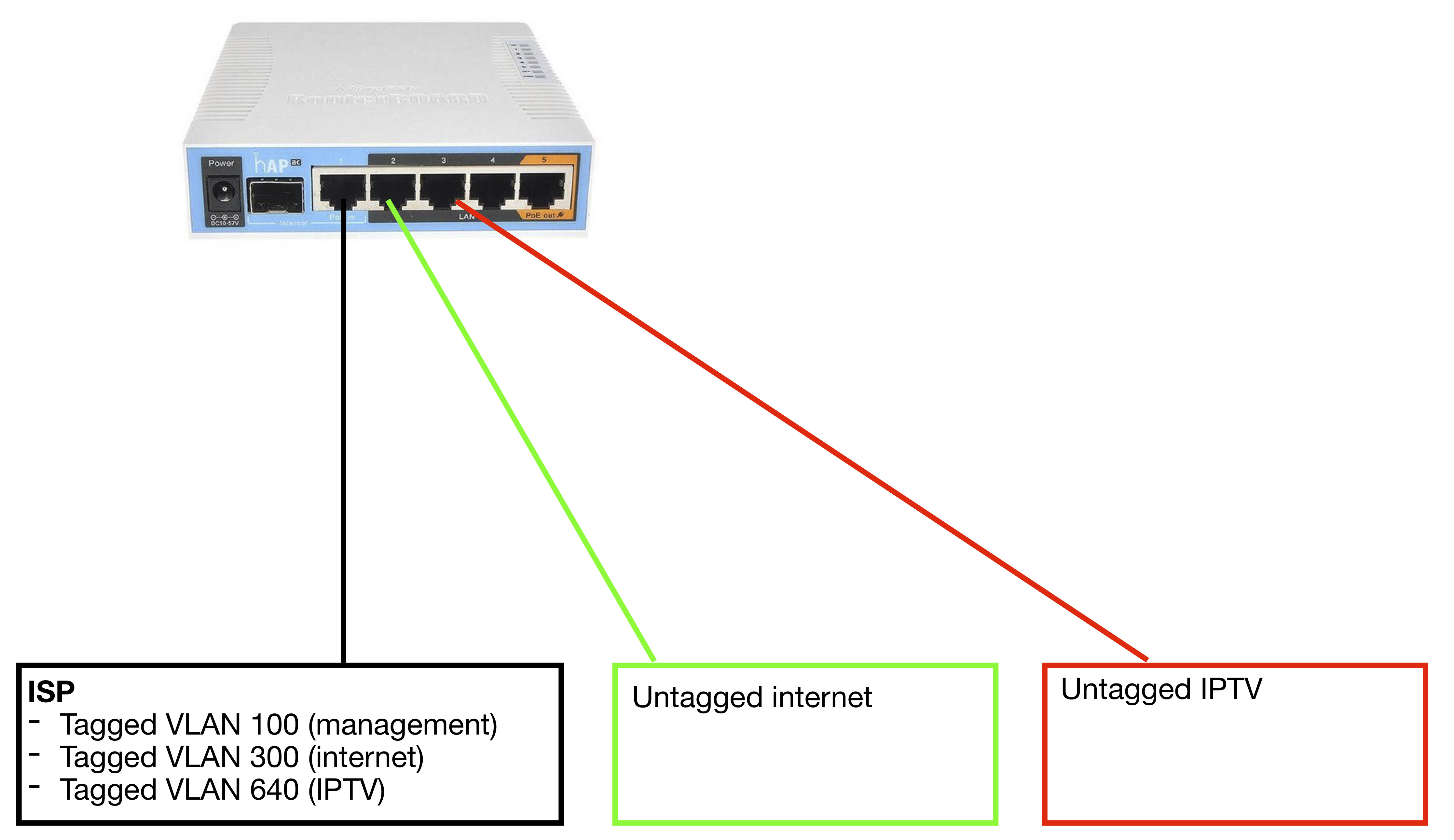
IPTV is working, created vlan 640 on the wan-port and put ether3 in the same bridge.
Internet is on vlan300. how do i get this working on the wan-port?
The most straightnforward way, but with some limitations which might bite you in the future, would be this:
keep ether1 (ISP) off any bridge at all costs
create needed vlan interfaces off the ether1 - you probably already created one for VLAN 640 so you need to add one for VLAN 300 and possibly one for VLAN 100.
you probably already have a bridge for IPTV with member interfaces VLAN640 and ether3. Remove interface ether3 from interface list LAN
add (or move it from plain ether1 if it’s still there) WAN configuration (either DHCP client or static IP or PPPoE or whatever appropriate) to VLAN300 interface. Add VLAN300 interface to the interface list WAN (it is heavily used by default firewall rules)
configure LAN … probably a separate bridge with member interfaces ether2,4,5 …
You might find out that performance gets capped in which case you’ll have to go the way mentioned below.
The more versatile way would be to use single bridge with VLAN filtering enabled - read about it in this tutorial. If you go this way, you might find out that performance gets capped, in that case you’ll want to convert this setup to one which utilizes switch chip for VLAN operations (but it’s messy and you have to understand VLANs to do it properly; it is si,ilar to the bridge concept though).
@mkx,The eth1 port as you said can be configured with VLAN VIDs 100,300 and 640 under /interface VLAN…
Then we can create 1 Bridge with ports 2,3,4,5 and vlan640 (VID 640)
Next we create an Interface VLAN e.g. 10 on the Bridge for the home network
Set PVID 10 on ports 2,4 and 5
Configure IP address for VLAN10, DHCP for VLAN10, Bridge VLAN and enable filtering…
@Zacharias, my suggestion was strictly for shown configuration which implies use of 3 ether ports (one for WAN, one for IPTV and one for LAN). Sure, if one wants to use 4 ports switched/bridged, then the config I proposed is not the best … in that case I’d use single bridge which would include ether1 port as well … and work with VLANs exclusively.